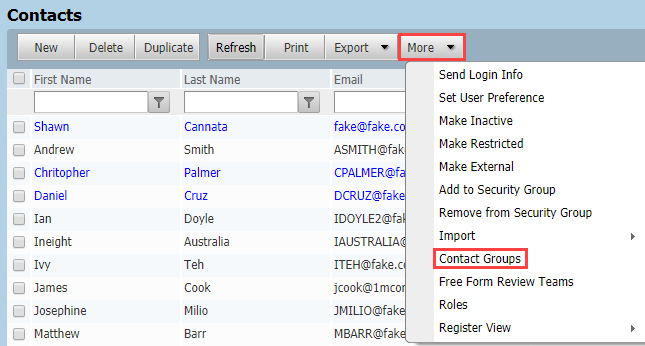
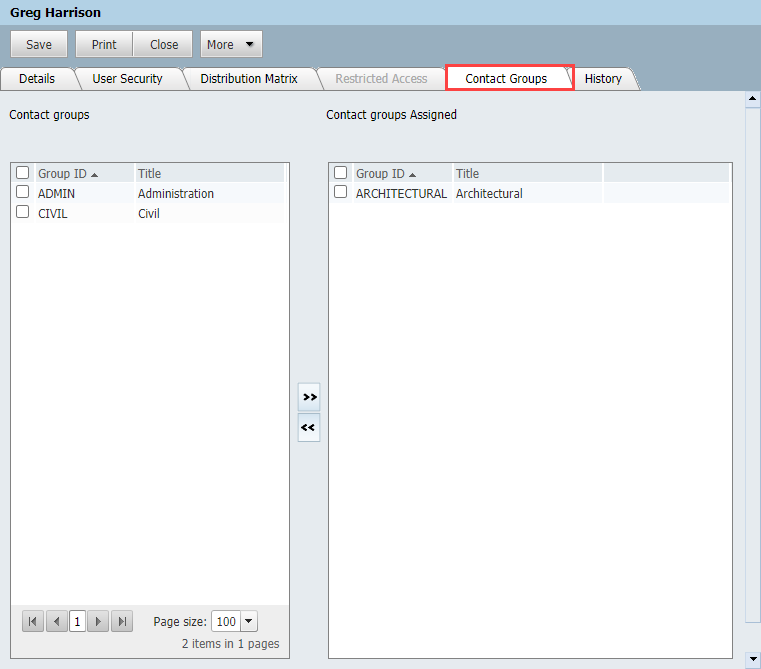
1. From Contacts, More, select Contact Groups.

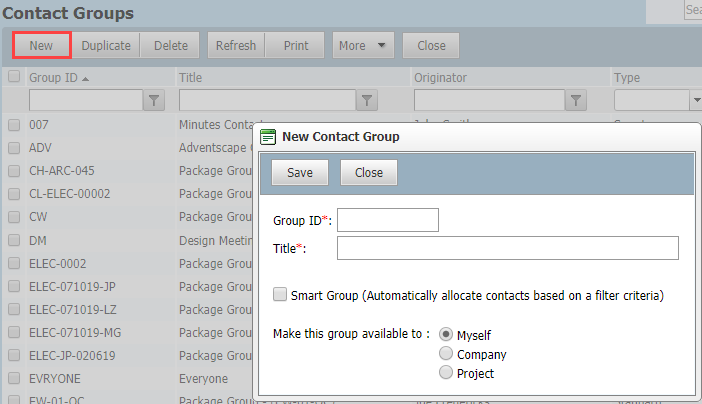
  2. Click New, enter the Group ID and Group Title.

  3. Tick the box labelled Make this group available to users from my Company or Project as required.

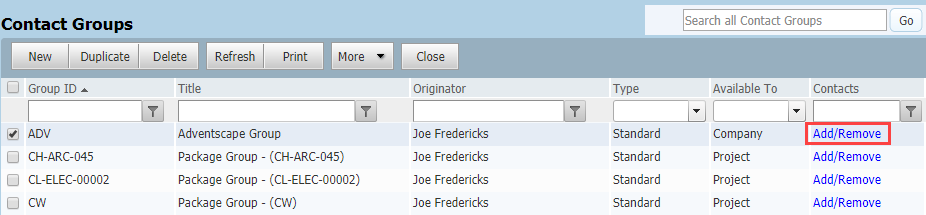
  4. Click OK, your newly created Contact Group will be shown in the list.

  5. To add contacts to this distribution group, click Add/Remove link.

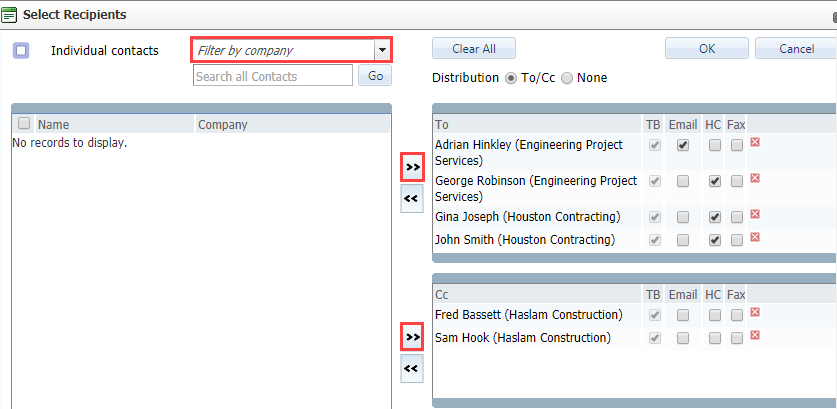
  1. For the Distribution option To/Cc, filter the company and contacts to add into either TO, CC or BCC boxes.

  2. For the Distribution option None, add the members of the Contact Group to a single section.

  1. Click OK.