Submittals settings
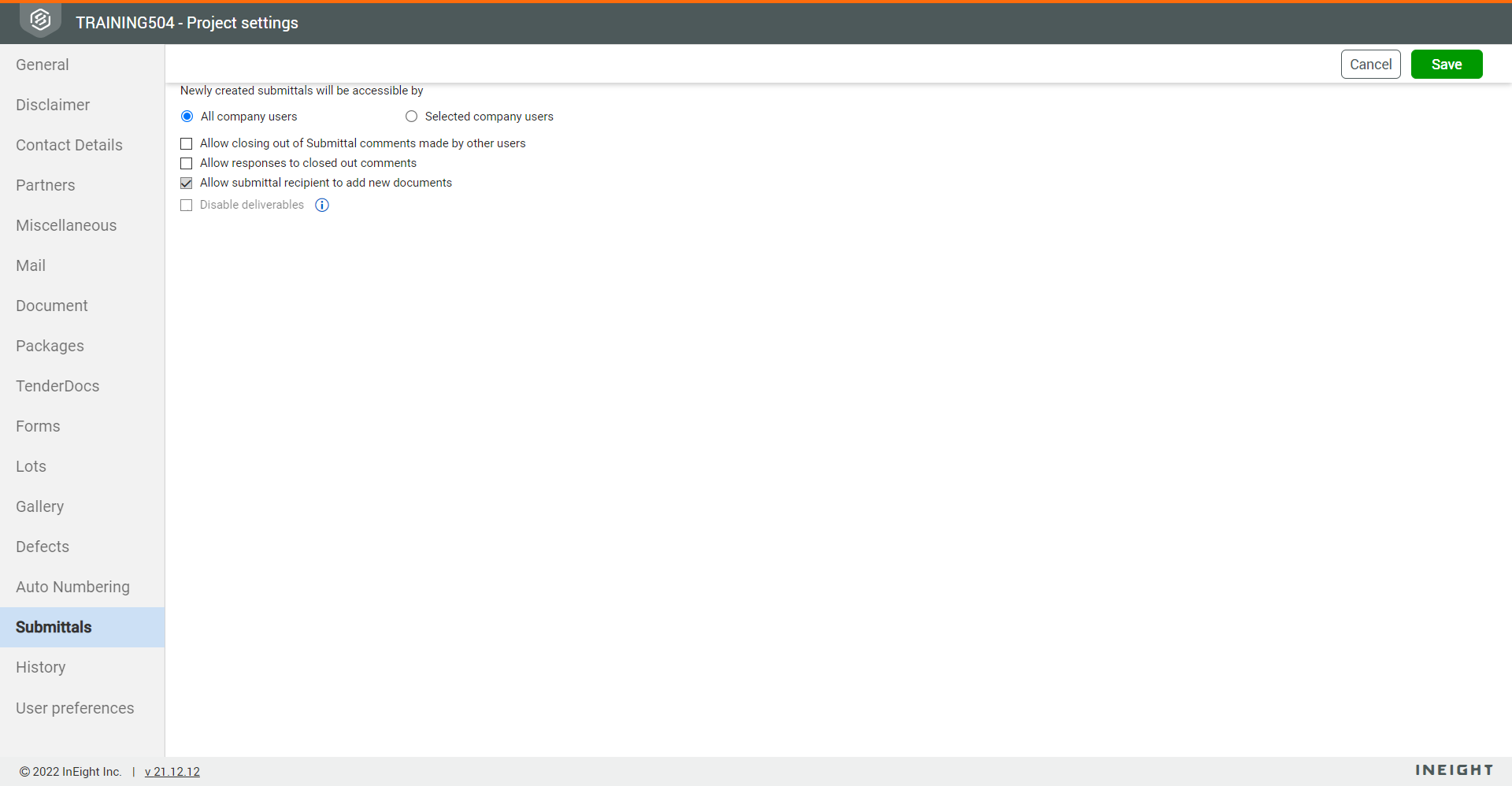
Submittals settings can be found by clicking the Submittals tab in project settings. These settings specify the following:
-
Whether all company users or selected company users can access newly created submittals
-
Whether to allow closing out of submittal comments made by other users
-
Whether to allow responses to closed out comments
-
Whether to allow the submittal recipient to upload new documents to submittals
-
Whether to disable deliverables and have documents uploaded directly to submittals
-
Whether to allow transmitting review documents in submittal set transmittal
-
Whether to remove the new submission indicator after viewing documents
The following image shows the Submittals tab in the project settings.
Disable deliverables
The Submittals module uses deliverables as a way to track documents. Each deliverable can contain one or more documents. When you select the Disable deliverables check box, documents are tracked individually against submittals.
Remove new submission indicator after viewing documents
When the setting Remove new submission indicator after viewing documents is enabled, the new submissions indicator is automatically removed after you view the document. When the setting is disabled, you must manually remove the new submission indicator from the documents.