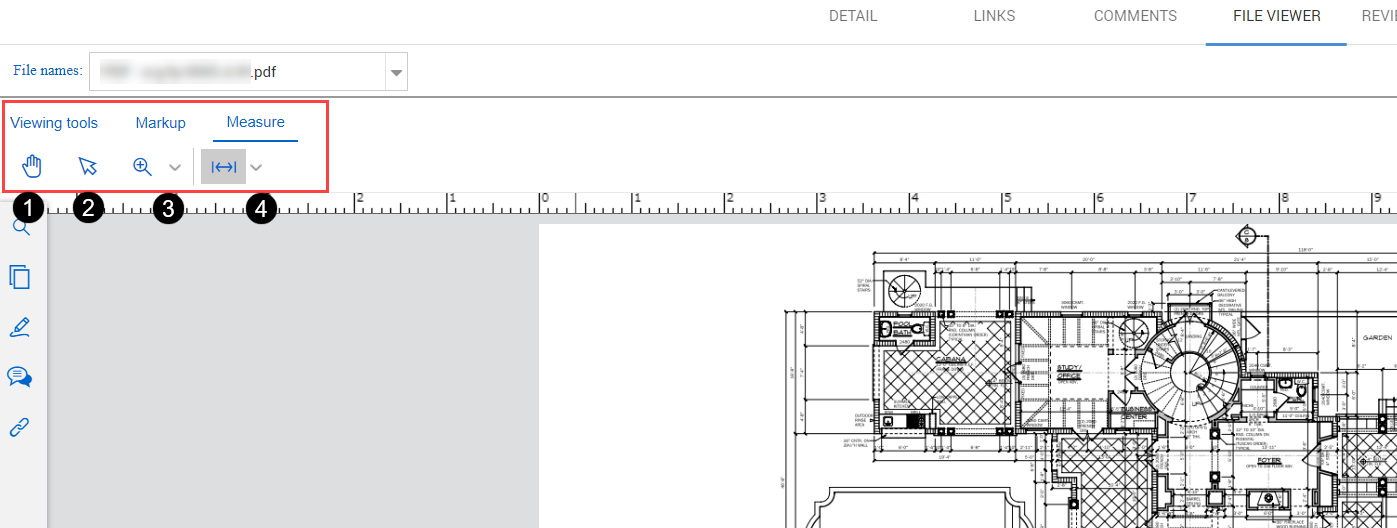
Measure tab

The measure tab has tools that let you measure distances, perimeters, and areas on a PDF drawing.

Measure icon tools tab

Item number Name Use
1 Pan hand Click and drag to move a large drawing around in the viewing area.
2 Select text and annotations Select existing text or annotations, so you can add or manage links or delete.
3 Zoom tools Zoom in or out of the PDF page.
4 Measure Draw an area to measure distance, perimeter, or area. A dialog box opens that lets you specify the scale.