Run reports from the Documents register
You can select a group of documents from the Documents register and run a report on them instead of having to go to the Reports module to run and filter reports.
Run reports on selected documents
Summary: Run reports from the Documents register when you want to quickly report on a group of selected documents.
Considerations: You can run reports from the Documents register only. Reports are available for the Documents, Transmittals, Document Workflow, and Packages reports modules only.
-
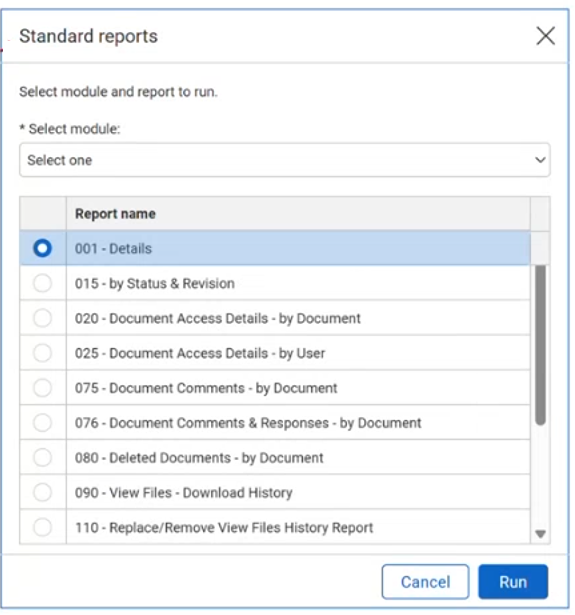
From the Documents register, select one or more documents, and then select Actions > Run Report. The standard reports dialog box opens.
-
Select the reports module of the report, and then select a report from the list.
-
Click Run. The Reports module opens with your report.