Change language preference

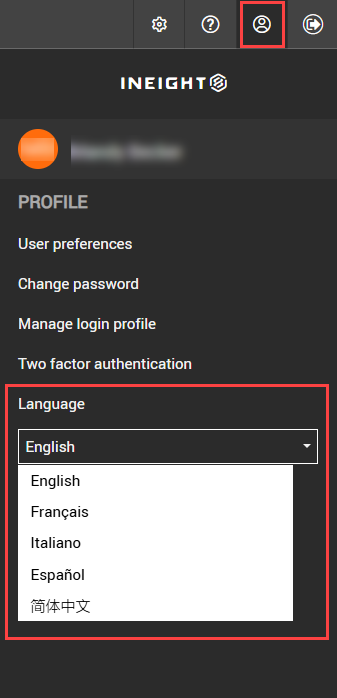
You can change the language for your own UI from the Profile menu, so you do not have to sign out and sign back in to access the language preferences setting.

Change language preference

Summary: Set your language used in your document user interface from your user preferences, so you do not have to sign out and sign back in again to change the language.

  1. Click the Profile icon to open the Profile menu.

  2. Expand the Language drop-down menu, and then select a language. The language in the UI changes to the selected language.