Auto Responder settings

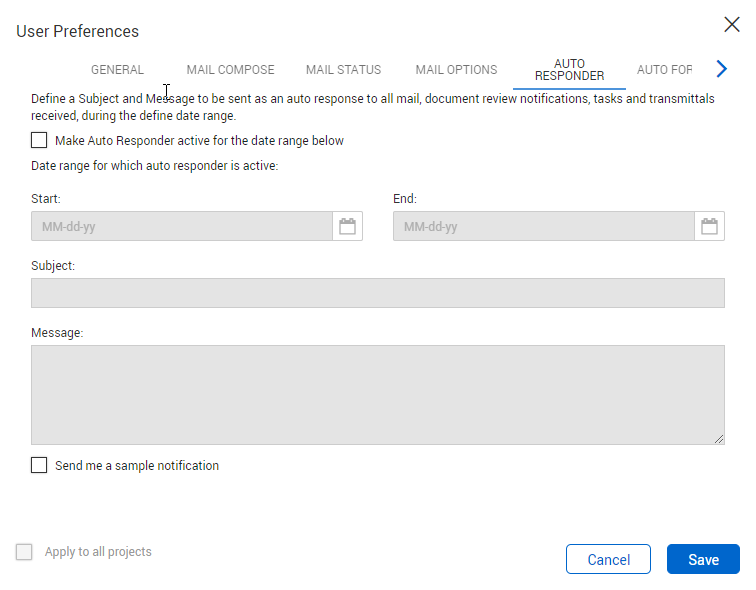
Auto Responder settings tab in the User Preferences

General

Setting

Explanation

Make Auto Responder active for the date range below.

Use this option to enable an automatic response for incoming mail.

Start:
End:

Select the start and end dates for the auto responder.

Subject:

Enter the subject for the auto responder.

Message.

Enter the message for the auto responder.

Send me a sample notification.

Use this option to send a sample notification to your email.