Scheduling of Reports
Frequently used reports can be scheduled to run automatically at pre-defined intervals and distributed to a nominated group of recipients. For large and complex reports that take more than a few minutes to generate, it is possible to generate reports offline, removing the potential impact on other users by minimizing the impact on system performance.
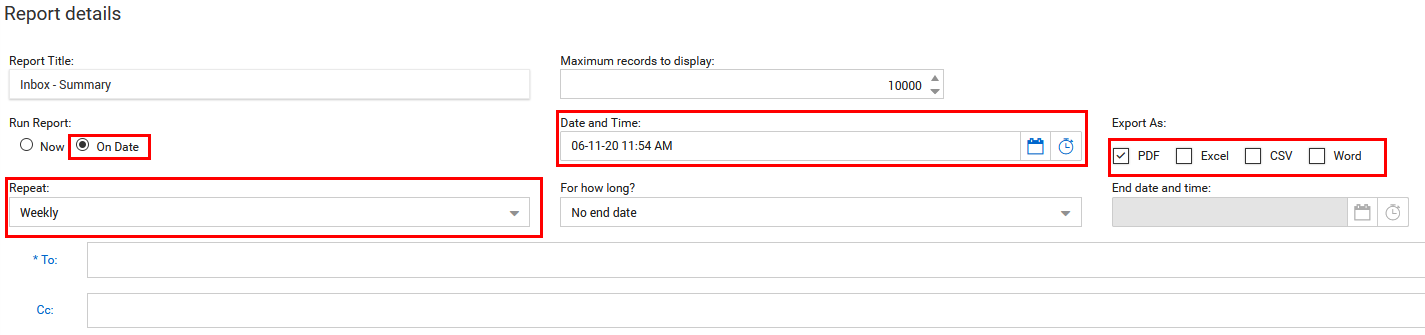
To schedule a new report:
-
Select the report you wish to schedule.
-
Change the Run Report option from Now to On Date.
-
Choose the file format for exporting.
-
Select the repeat option as Weekly, Monthly etc. with an until or on date.
-
Select the scheduled report recipients using the To: and CC: fields.
-
Click the Search button to schedule the report based on the above options.
-
To see a list of schedule reports (and/or modify any of them), use the Scheduled tab at the top of the Standard Reports generation window.