Classifications
You can use classifications to drive logic in your templates in List and Choice questions. Classifications provide the following benefits:
-
You can apply logic at a section level so that when the classifications are selected on a question in the template, only that section with the classification is shown.
-
In the events and tasks lists, you can sort and filter by classification.
The entire section of questions is hidden in the event or task until the List or Choice question that has a classification associated is selected so that you do not have to apply question-level logic to each question in the section.
To create classifications, see Classifications in Module settings.
Two steps are required to use classifications in logic as shown below.
Apply classification logic to a List or Choice question
-
Create a draft form/task, separating the questions into sections using the Section question type.
- Determine which List or Choice question uses question logic, moving the template forward to that next section.
-
Open the List or Choice question.
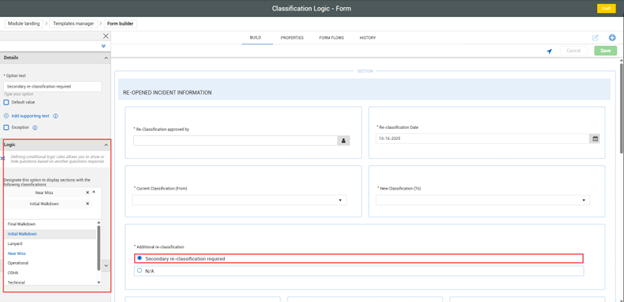
Select the List or Choice question’s response that will have leading logic applied to it, which results in the associated section to show.
-
In the Logic section in the left panel, click Designate this option to display sections… to expand it, and then select from the list of classifications. You can select one or multiple classifications.
-
Click Save.
Apply classifications logic to a section
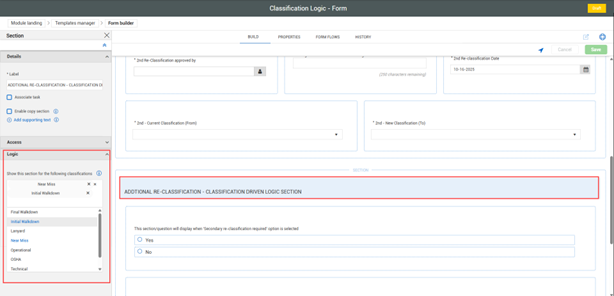
- After the classifications are assigned to the List or Choice entry, select the section you want to show by clicking the section header text.
- In the Logic section in the left panel, click Show this section for the following classifications to expand it, and then select from the list of classifications. You can select one or multiple classifications.
- Click Save and publish the form.
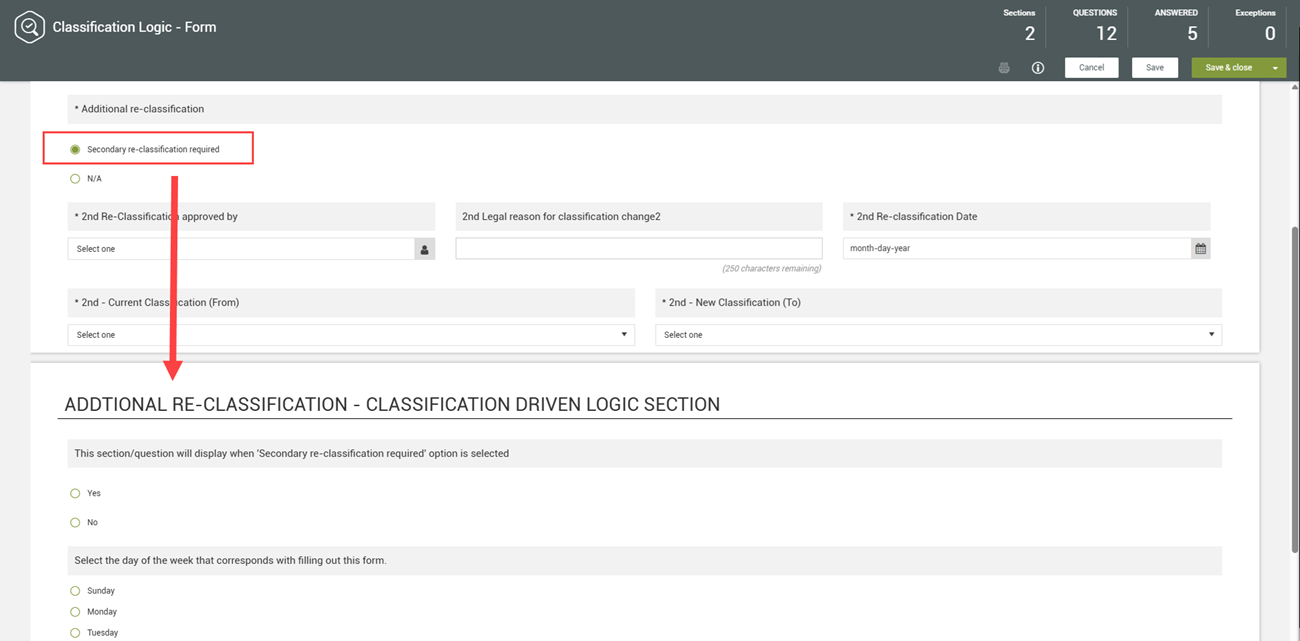
In this example it shows that by selecting the Secondary re-classification required option it enabled the question Additional Re-Classification – Classification Driven Logic Section to show. The section would not show if the N/A option was selected instead.