Types
Type values can be used to classify an event or task for association to filters and reporting. They allow you to add identifiers to a template to further define the activity. These are typically associated with identifying the risk of the event or task. Defining types lets you bring awareness to those risks during the closing of a phase in your project.
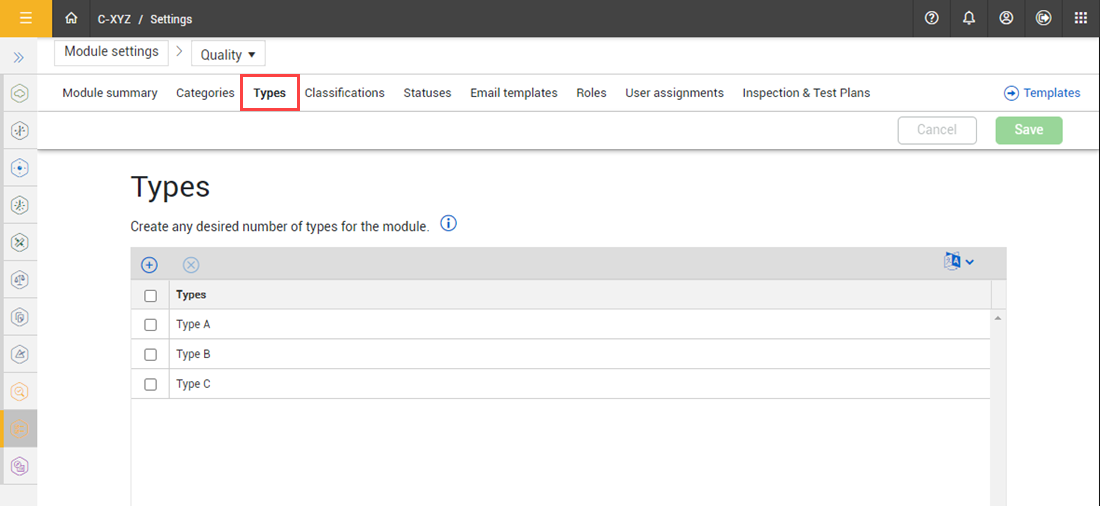
Types can be defined and added in the Module settings > Types tab. They can then be used in the Template Managers properties section, and on the reference question type.
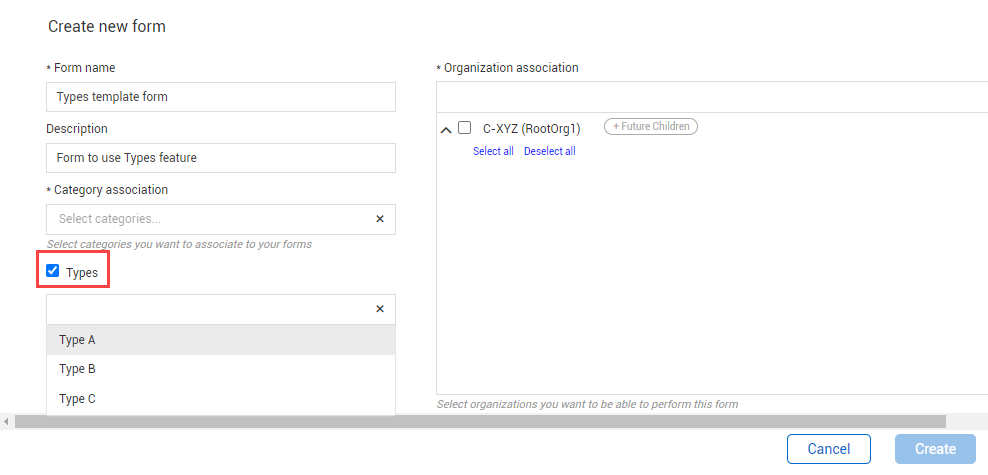
In Templates manager, when creating a new form, the Types option is available to select or deselect in the Create new form page. Select the option to associate types to the template. When selected, the Types drop-down menu shows where you can then select from the list of defined types and make them available to use in the template form.
When building the form, the Types section is automatically populated as a header.
Like other question types, you can create a chain of associated events, set up default values, associate classifications, add form details, among other options, depending on your business process.
After the template form is created, you can enable or disable the Types option in the template properties tab.
When filling in the form, the Types option shows as a question. You can select a value from the pre-defined list.
Considerations
You must have Level 3 – Account Admin permissions in InEight Platform or a Compliance or Completions role with the applicable permissions.
You cannot delete Type values used in published templates.
Steps
To navigate to Types, see steps to access organization level settings in Settings overview.
Add a Type value
-
Click the Add icon.
-
Enter the Type name.
-
Click Save.
Delete a Type value
-
Select a type or types.
-
Click the Delete icon.