Component Header Template
When you enable the Component Header feature in Project Settings, the system automatically generates the Component Header template. The Attributes question seamlessly integrates with InEight Platform
master data, ensuring data consistency and providing a single source for Platform data. Components headers are configured by enabling components, adding attribute questions, managing associations, and enabling dynamic headers for template mapping
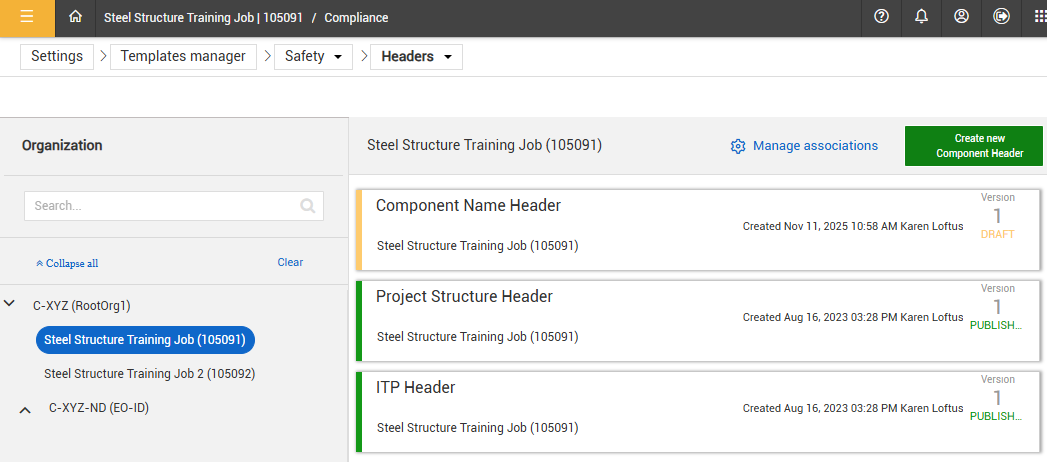
There are two ways to access the component header template:
-
From the Project Settings page, ensure the Components toggle is on and then click the Go to Header Templates link.
-
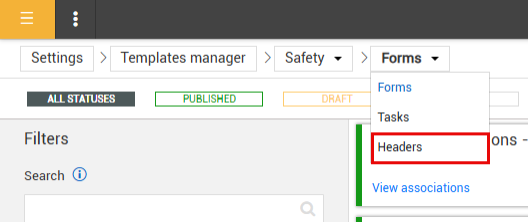
Open the project's templates manager page, click the forms drop-down and select Headers.
Publish the Component Header
-
At the project level, click to open the Component header draft.
-
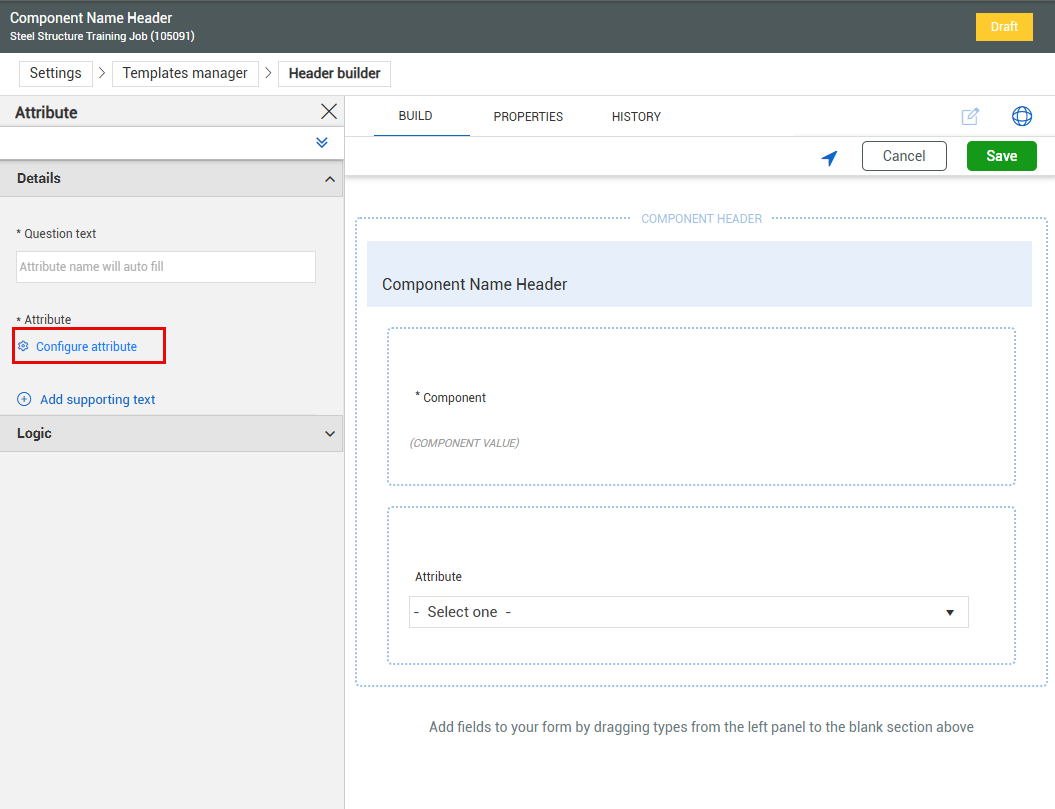
Add the Attribute question and click to open the question.
-
Click Configure attribute.
-
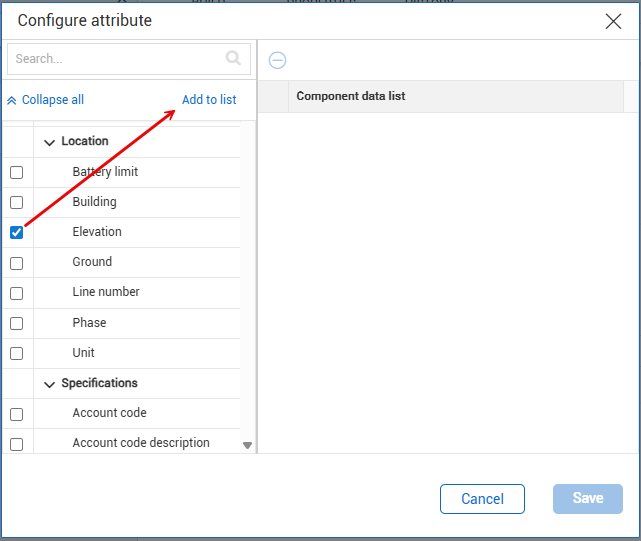
Select the desired attributes by checking the boxes.
-
Click Add to list. and repeat as necessary.
-
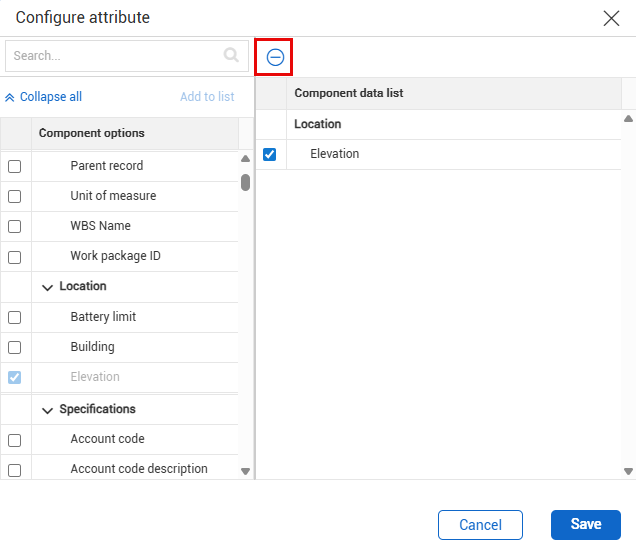
Click Save.
-
Re-order and/or add Component questions by dragging and dropping them into position to fit your preference.
-
Click Save and then Publish.
Unlike the ITP and Project Structure Headers, multiple Component Headers can be created to allow for Discipline-specific use.
To remove an item from the Component data list, check the box of the attribute to remove and click the eclipses icon.