Undo claiming
After you perform claiming, claiming is synced with Document, and the statuses are updated in both Design and Document. To undo claiming, you must initiate it in Document.
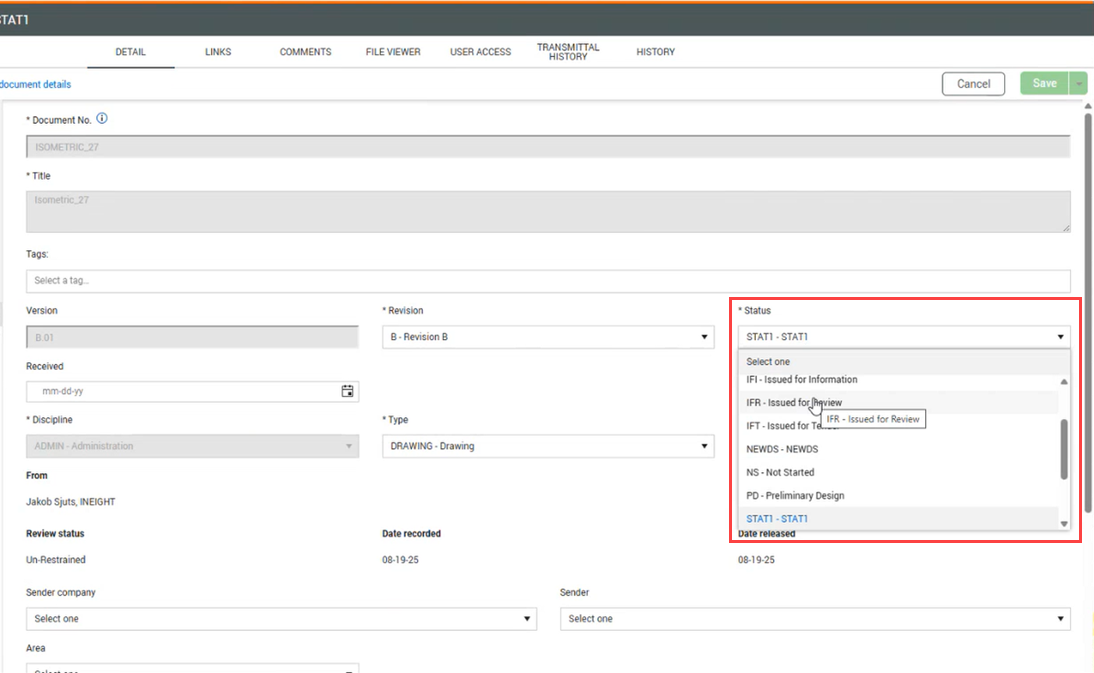
In Document, open the document, and then reverse the status to the previous one.
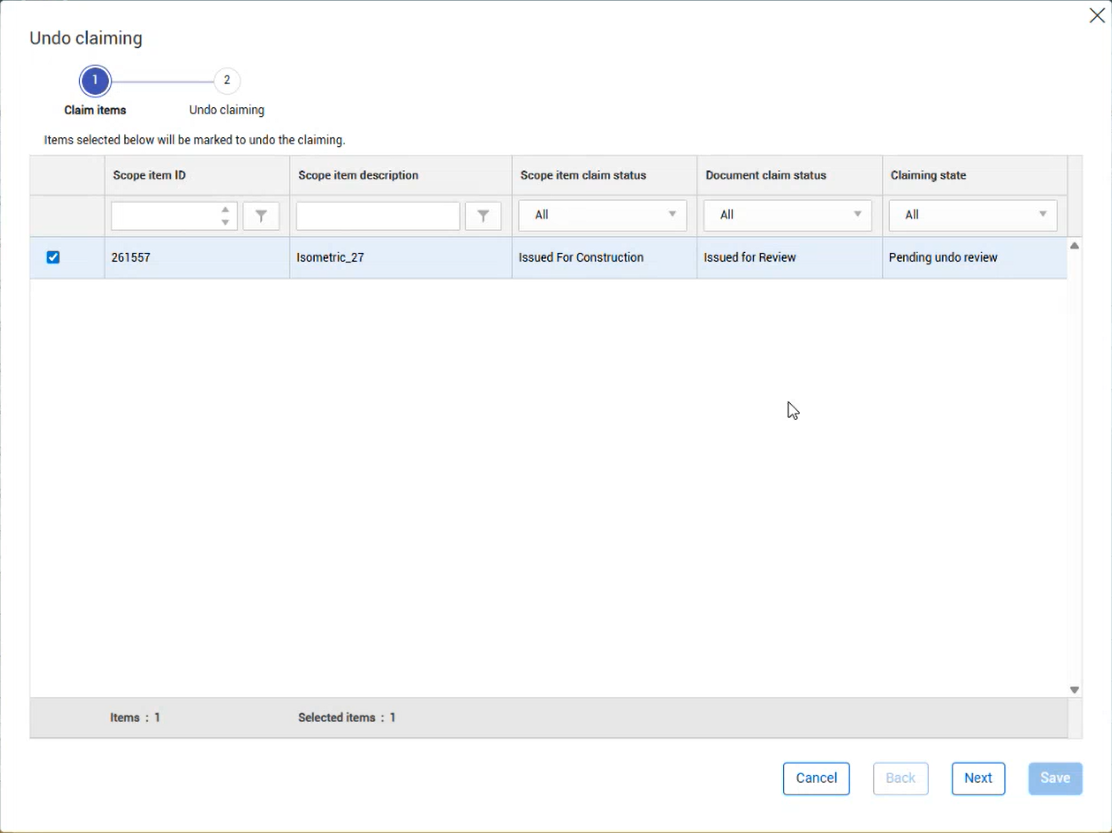
In Design, the Claiming state for the scope item changes to Pending undo review. Select the scope item, and then click the Undo claim button. The Undo claiming wizard opens.
In Claim items (step 1), the scope items are automatically selected. You can deselect scope items to exclude them from the process. Click Next to confirm selections.
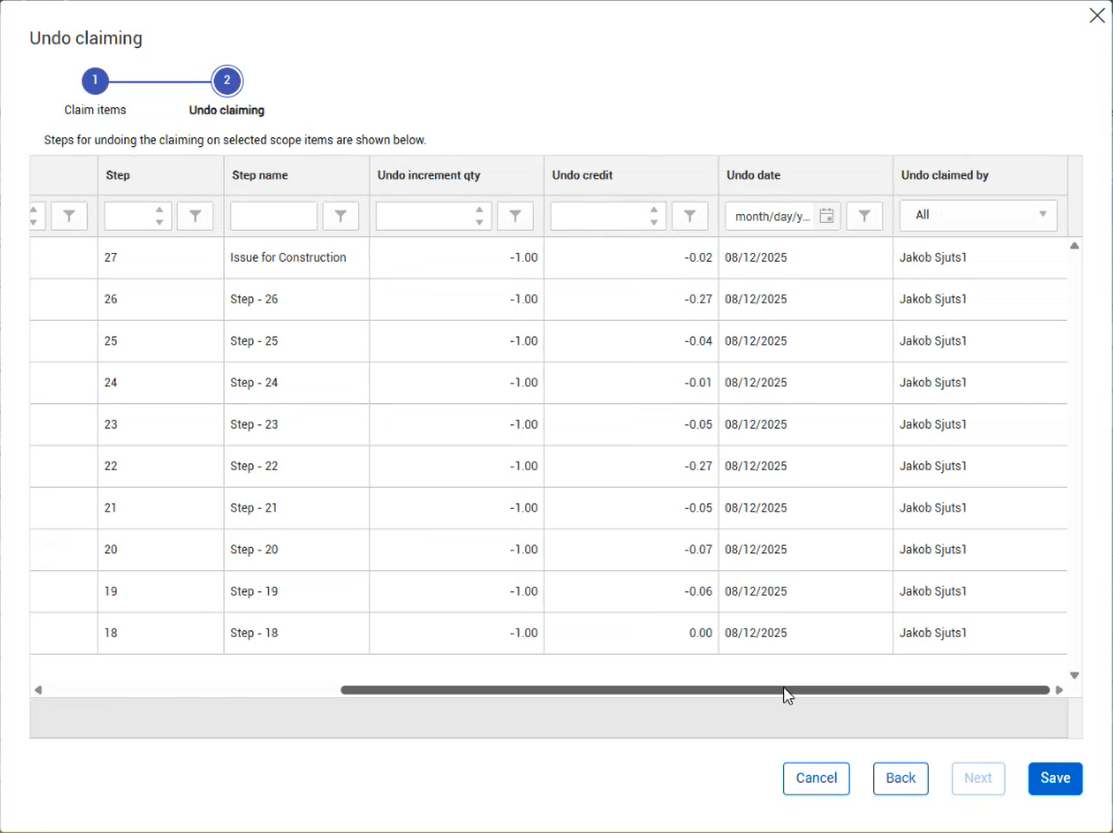
In Undo claiming (step 2), the list of steps are shown for your review. Click Save to complete the process.