Manage scope items
In the claiming tab, you can view and edit scope items. You can also view scope item claim details and document associations
Edit scope items
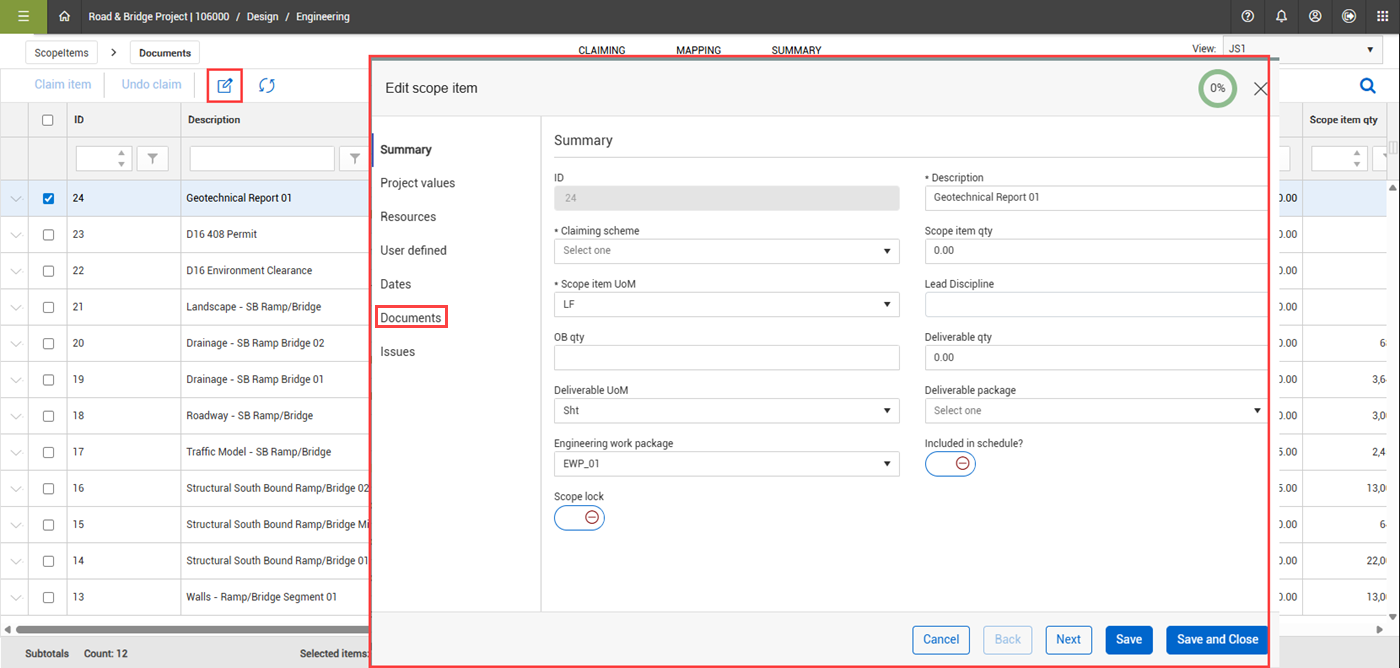
To view and edit scope item details, select a scope item, and then click the Edit scope item icon.
In the Edit scope item dialog box, you can view and edit all the details of a scope item, including viewing and associating documents in the Documents section.
View scope item claim details and document associations
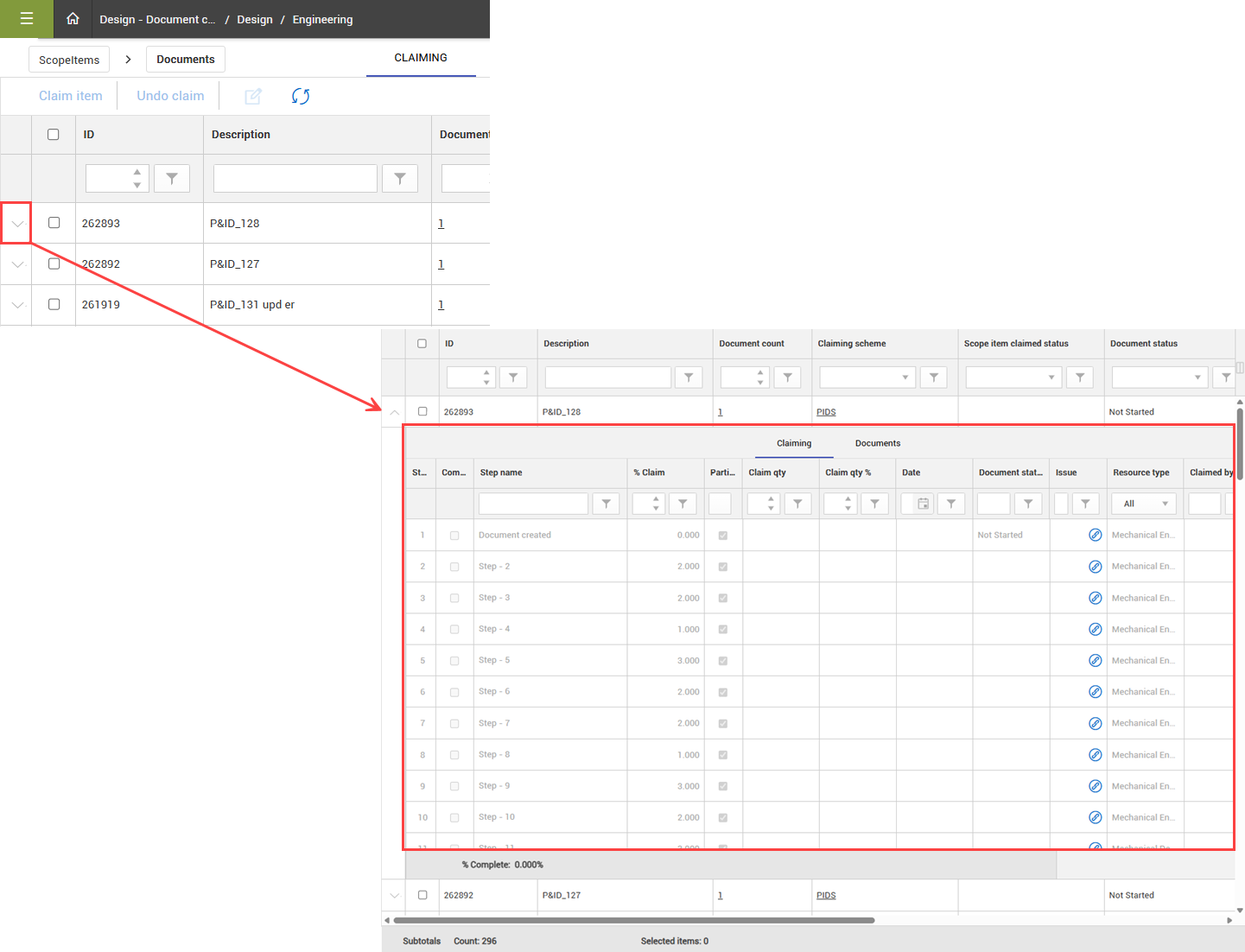
In the Claiming tab, you can view a scope item’s claiming details and document associations. Click the drop-down arrow next to the scope item to expand to the Claiming and Documents detail tabs.
-
Claiming - View claiming details, including the document status. In the Issue column, you can view and associate steps to Change management issues.
-
Documents – View associated document details, including links to associated documents in the Document No column. With the applicable permissions, you can click the hyperlink to open the linked document in the InEight Document application.