Manage scope items in Claiming
On the Documents Claiming tab, you can view and edit scope items. You can also view scope item claim details and document associations.
Edit scope items
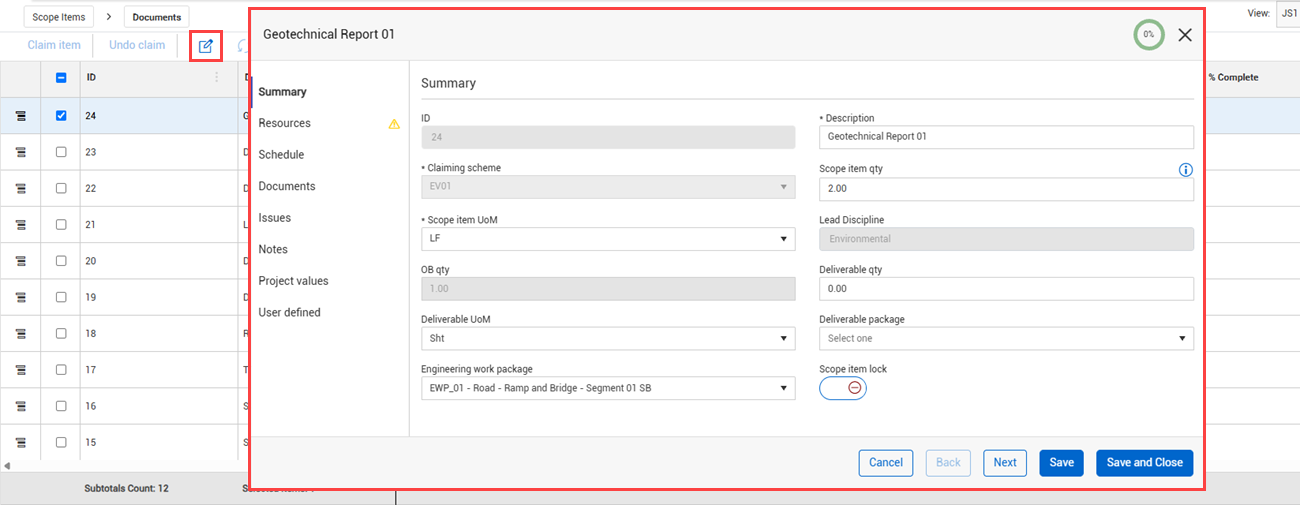
To view and edit scope item details, select a scope item, and then click the Edit scope item icon.
On the Edit scope item dialog box, you can view and edit all the details of a scope item, including viewing and associating documents in the Documents section.
View scope item claim details and document associations
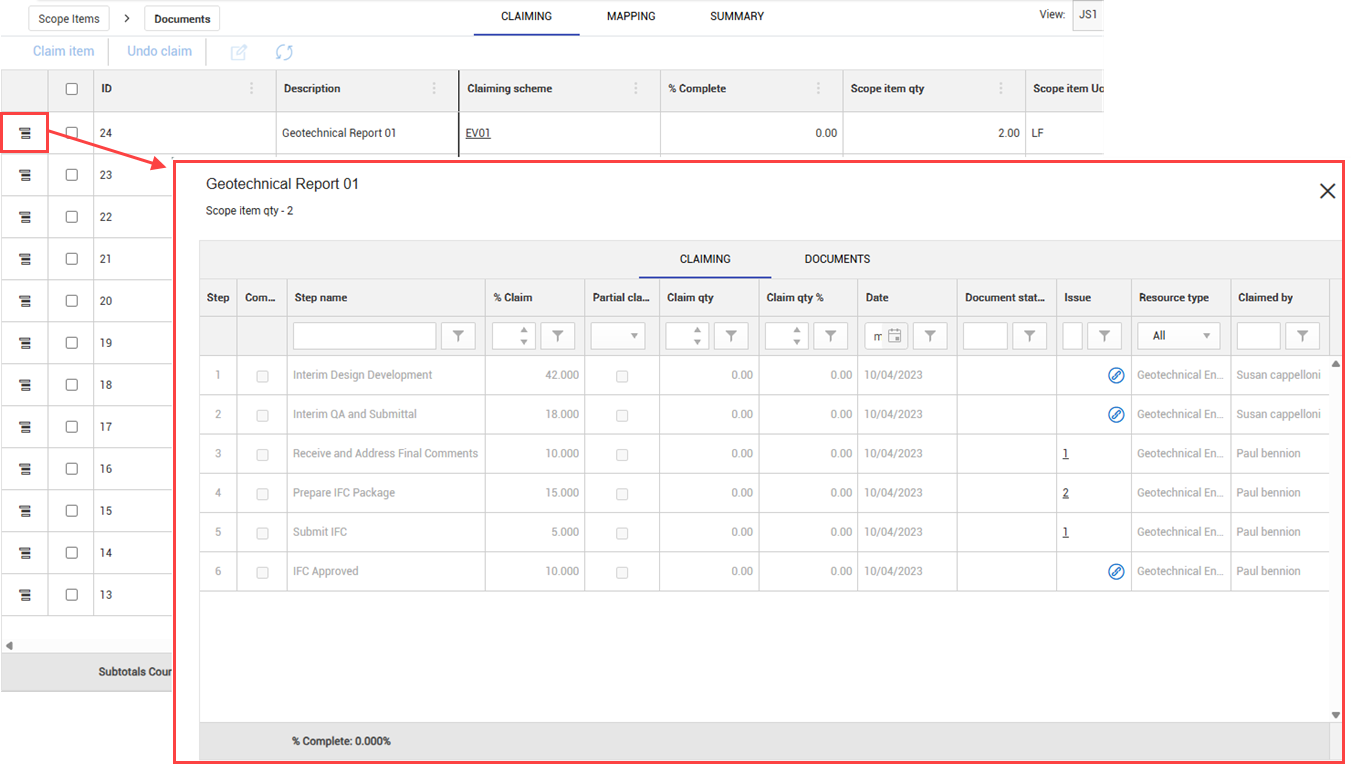
You can view a scope item’s claiming details and document associations. Click the Claiming icon next to the scope item. The Claiming dialog box opens.
-
Claiming - View claiming details, including the document status. In the Issue column, you can view and associate steps to Change management issues.
-
Documents – View associated document details, including links to associated documents in the Document No column. With the applicable permissions, you can click the hyperlink to open the linked document in the InEight Document application.