Associated items
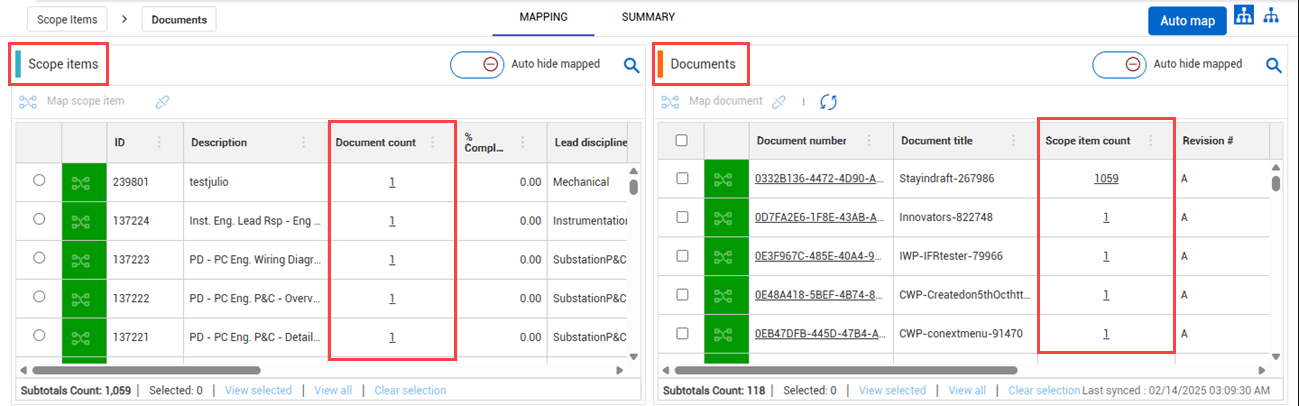
The columns in the Scope items and Documents grids provide valuable information about the scope items and documents. In the Scope items and Documents grid, you can view the number of associated items in the Document count and Scope item count columns.
You can click the Document count or Scope item count number hyperlink to open the Associated Items dialog box to view the associated items.
You must have the applicable permissions in Engineering for document association. To view documents in InEight Document, you must have the applicable InEight Document permissions.
Scope items grid
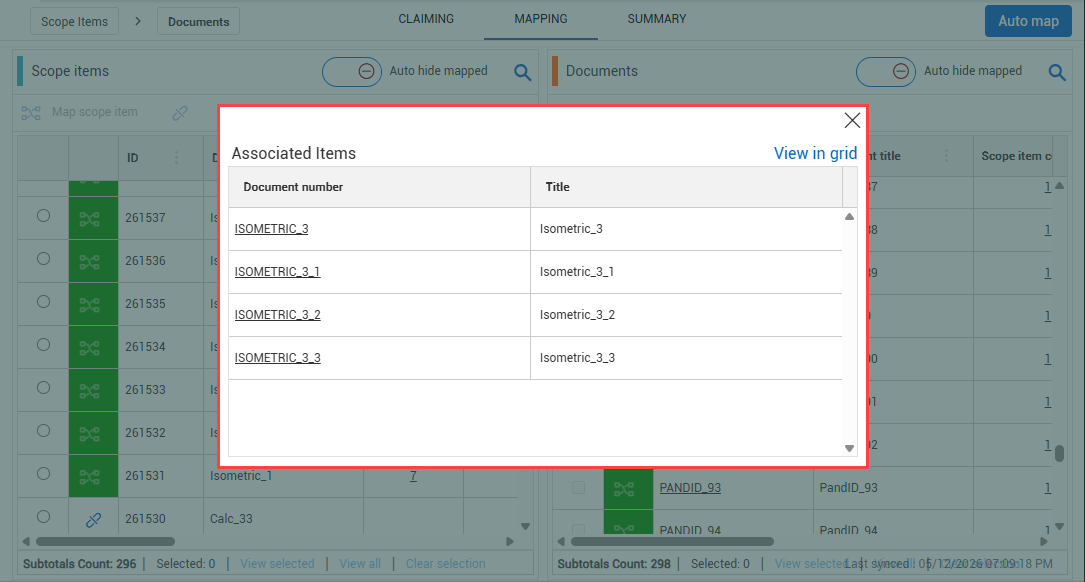
In the Scope items grid, the Document count column shows the number of documents associated to scope items as a hyperlink. You can click the Document count hyperlink to open the Associated items dialog box to quickly view a list of associated documents.
In the Associated items dialog box, you can do the following:
-
Document number — The document number from Document as a hyperlink. Click the hyperlink to open in Document.
-
Title — The title of the document.
-
View in grid — Filter the scope items and view them in the Scope items grid. Click the Document number link to open the associated document in Document.
Documents grid
In the documents grid, the Document number shows the document synced from Document and the number of scope items associated to documents in hyperlinks.
-
Document number — With applicable permissions, you can open a document in the InEight Document application. In the Document number column, click the Document number hyperlink to open the document in InEight Document.
-
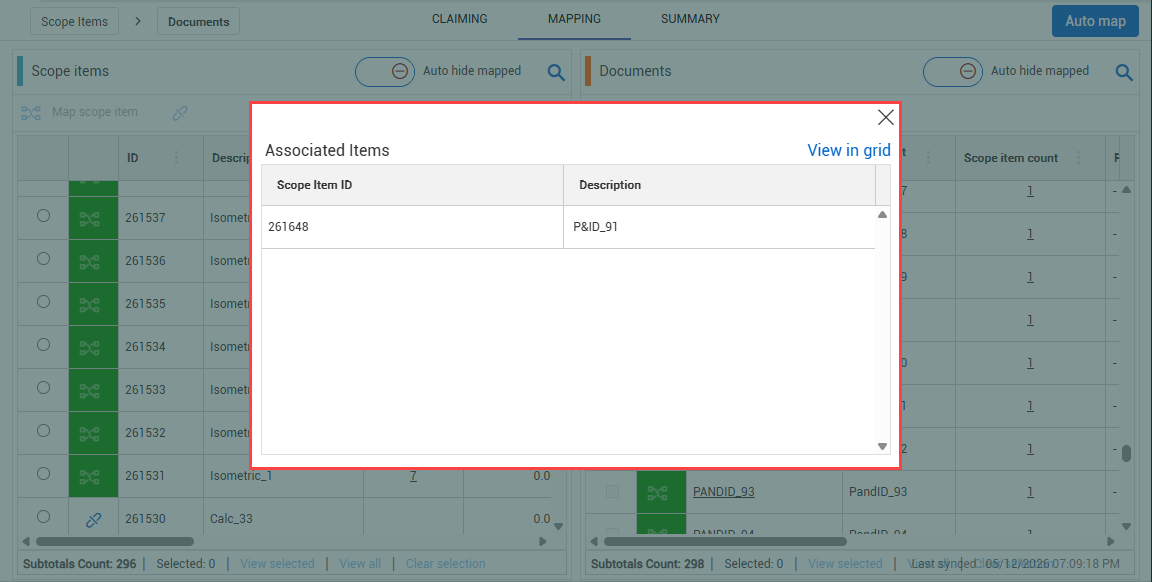
Scope item count — The Scope item count column shows the number of scope items associated to a document. You can click the scope item’s hyperlink to open the Associated items dialog box to quickly view a list of associated scope items.
-
View in grid — Click the View in grid button to view a filtered list of the associated scope items in the Scope items grid. Clear the ID column filter to reset.
-
Scope Item ID — Unique identifier for the scope item.
-
Description — Unique description for the scope item.
Unlink associated items
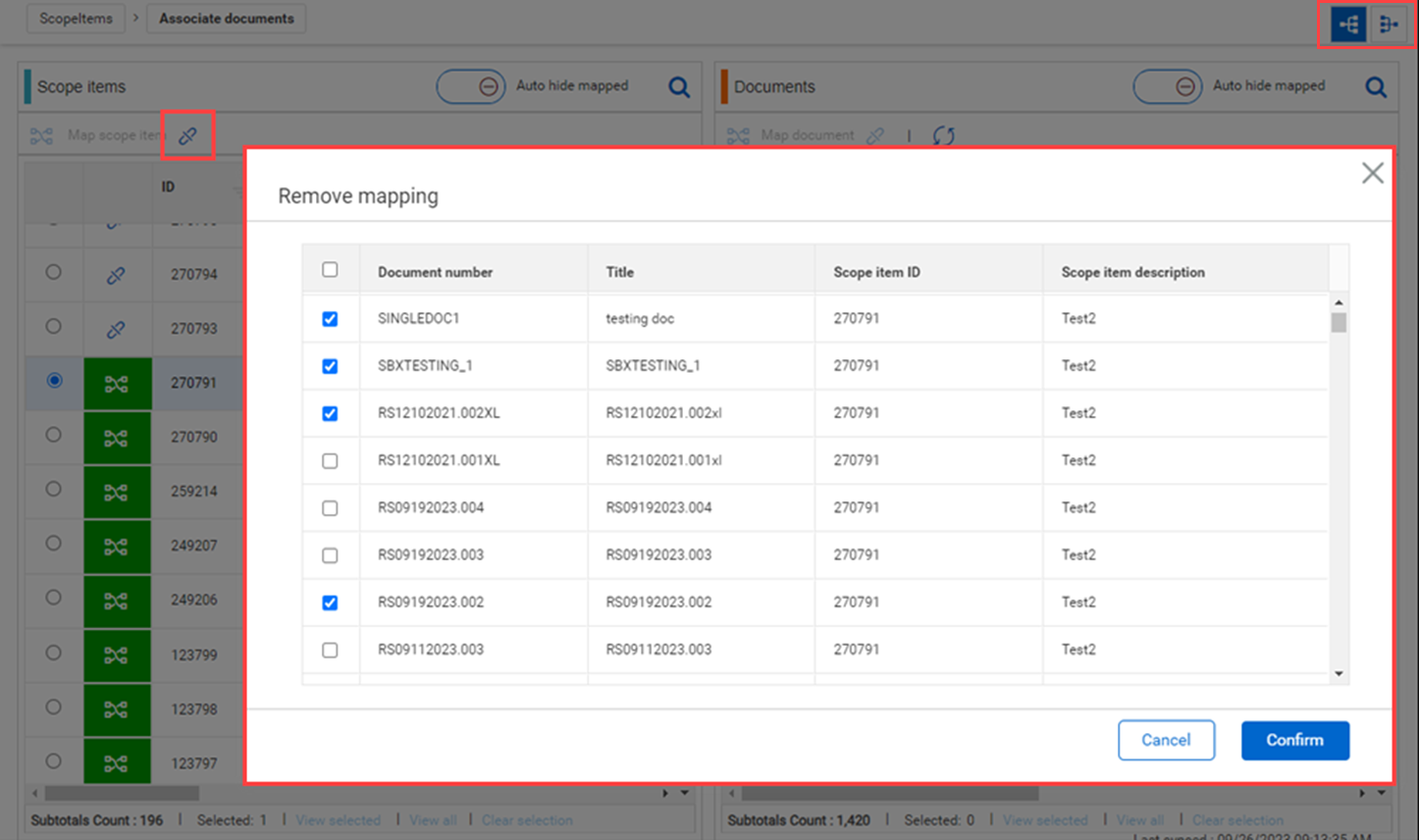
You can unlink associated items from scope items and documents. You must have the required permissions in Engineering for document associations.
Unlink associated items
-
To unlink documents from a scope item, select Map many documents to single scope item. To unlink scope items from a document, select Map may scope items to single document.
-
Select the scope item or document.
-
Click the Unlink icon. The Remove mapping dialog box shows.
-
Select the item or items you want to unlink, and then click Confirm.
Mapped documents removed from InEight Document
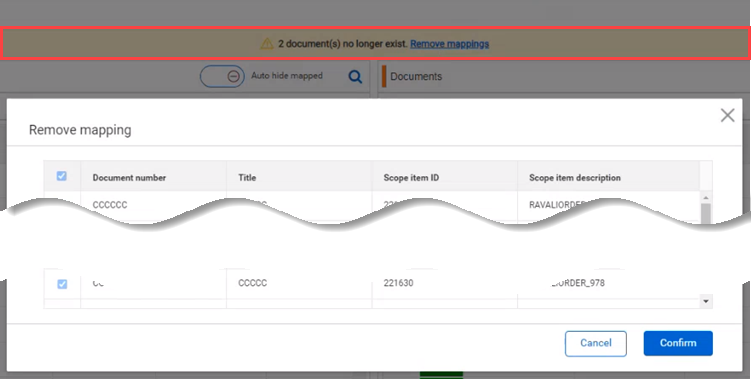
When mapped documents are deleted in Document, a warning shows at the top of the Mapping page showing the number of documents that no longer exist.
You can click the Remove mappings link in the warning message to view the deleted documents and remove.