Contacts
Contacts master data is used by the InEight Estimate and Contract applications.
The Contacts directory includes a list of first and last names and other contact information that can then be associated with a vendor to be used in InEight applications.
Considerations
With the applicable permissions, you can add, edit, and assign master data contacts. Permissions are configured in Roles and permissions > Master data libraries > Contacts.
| Permission Name |
Description |
Level |
|
View contacts
|
Allows the user to view the contacts list. |
Base user
|
| Add contact |
Allows the user to add new contacts. |
Account Admin |
| Edit contact |
Allows the user to edit contacts. |
Account Admin |
| Promote contact to user |
Allows a user to be created in the system from an existing contact. Selecting this permission also selects the View users permission, the Assign/unassign roles to users permission, and the Add users permission. |
Account Admin |
| Delete contacts |
Allows the user to delete contacts. |
Account Admin |
Manage contacts
The Contacts page has two tabs: Contacts and Contact Types.
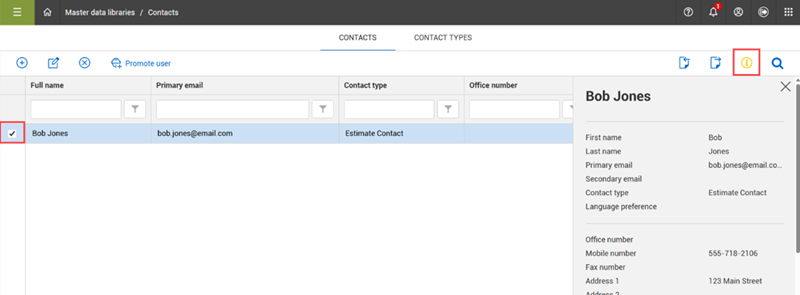
On the Contacts tab, you can add, edit and delete contacts using the left toolbar. You can also promote the contact to become a user in the system by selecting the Promote user icon. When you click Promote user, a prompt shows indicating that promoting a contact to a user adds the contact as a user.
On the right toolbar, the Import and Export icons allow you to add and export your contacts in bulk.
When a contact is selected, you can click the Show information details icon to view the contact’s information in the slide-out panel on the page, without having to open the contact’s record.
Contact types
All contacts must have a contact type assigned that associates the contact to a classification, such as a client, vendor, or owner. When adding or editing a contact, select a contact type from the Contact type drop-down list.
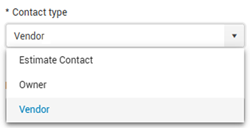
The values that show in the Contact type drop-down list are defined in the master data libraries Contact types tab. On this tab you can add, edit or delete contact types.
Assign contact to vendor
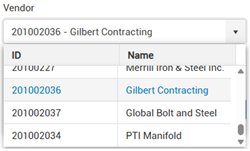
When adding or editing a contact, you can assign the contact to a vendor by selecting a vendor from the Vendor drop-down list. The vendors that show in this list are from the Vendors master data library.
Assign contacts to a project
You can assign contacts to keep track of project stakeholders involved in the project. To assign contacts go to Project settings > Assigned contacts.
When adding a contact, you can either assign an existing contact or create and assign a new contact.
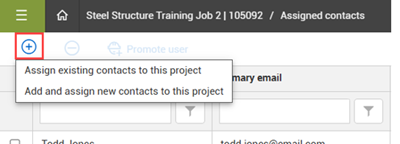
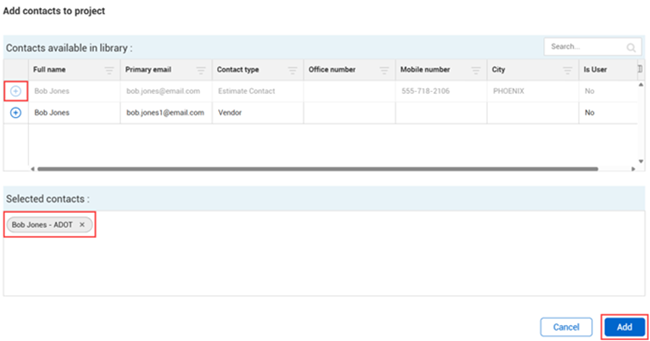
Select Assign existing contacts to this project to open the Add contacts to project dialog box that shows the list of contacts from the master data library. Click the Add icon to select the contact, and then click the Add button to assign it to the project.
Select the Add and assign new contacts to this project option when you need to assign a contact that does not yet exist in the master data library. This opens the Add contact slide-out panel. Complete the contact details, and then click Next to go to the second page in the slide out panel. Note that First name, Last name, Company, Primary email and Contract type are required fields. Click Save to add and assign the user to the project.
To remove a contact from a project, select the contact from the Assigned contacts list, and then select the Remove contacts from project icon to unassign the contact from the project.
You can also select a contact and promote them to a user by selecting the Promote user icon on the left toolbar. After the contact is promoted to a user, they have access to use the InEight software.
Using contacts for InEight Contract
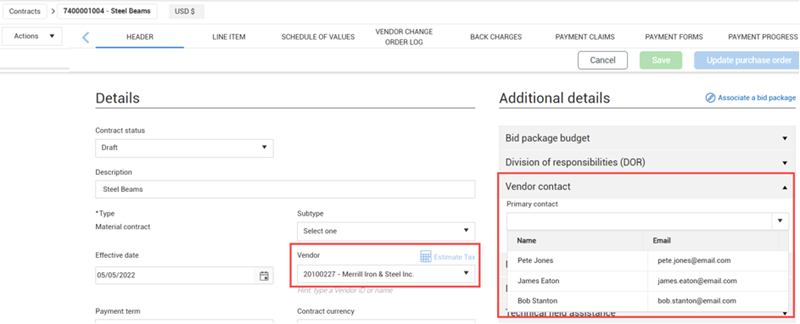
Select a contract in Contract and go to Header > Details > Vendor contact). You can select the primary contact for the contract. The list of contacts available is based on the contacts already assigned to the vendor that are assigned to the contract.
Using contacts in InEight Estimate
For information on the use of vendors and contacts in InEight Estimate, see Library address book.