Custom views
Custom views are only show in a user profile and available to the user that created it. Custom views cannot be assigned to a role.
You can create custom views as needed across projects and applications for your area of responsibility. To create a custom view, click the View list, and then select either Duplicate view or New view.
A duplicate view is a new view based on the current system or custom view open, and it is an exact copy, which includes widget selection and tile configuration. A new view starts as a blank page that allows you to add any applicable widgets you want and configure the layout as needed.
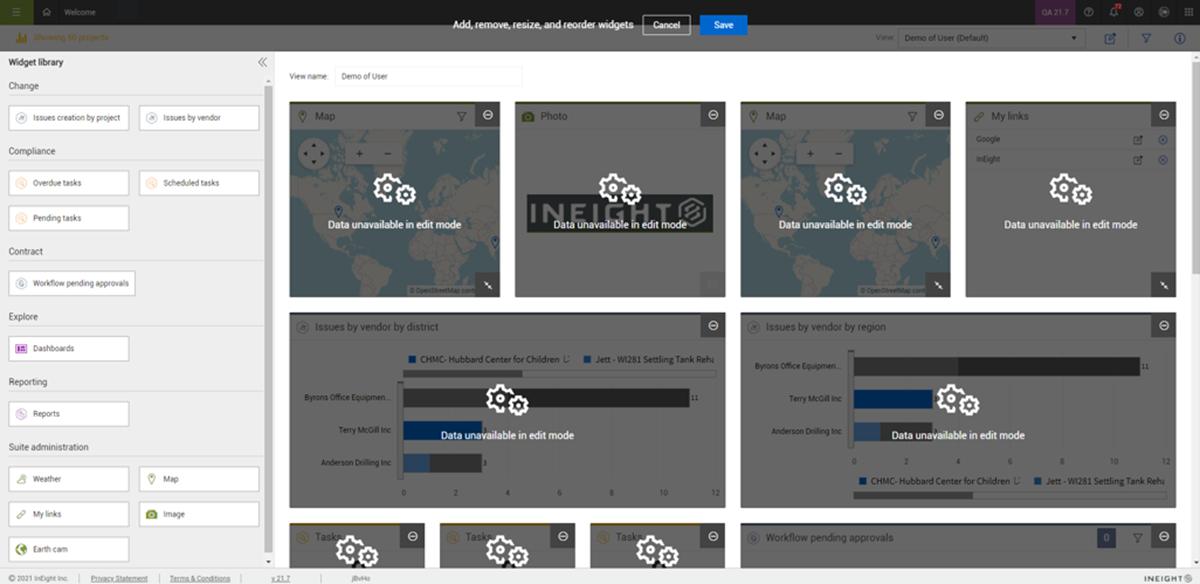
When choose to create a custom view, the page opens to the staging area (edit view mode). The staging area lets you add and remove widgets, arrange and resize tiles, and modify the view name.
After your custom view is created and saved, you can click the Edit icon in the View toolbar at any time to make changes.
Save and delete a custom view
Click Save after you have completed creating your new view or making modifications to an existing view. After the view is saved, it opens to the live version of the view, and all widgets will fetch the applicable data.
You can delete a custom view at any time from the View list. To delete a view, select the view, and then click Delete current view. A confirmation dialog box opens before the view is deleted. Deleted views cannot be restored.
Change view name
By default, the system assigns the name My dashboard to the view. If there are already instances of the My dashboard view, the system appends a copy number following the name for example, My dashboard (2). To change the view name, click in the View name box and enter the new name. Click Save and the view will show in the View list.
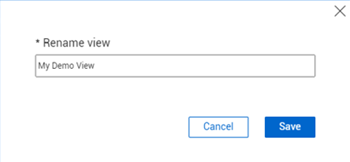
You can also change the name of any existing custom view at any time. Open the view, and then select Rename current view in the View drop-down list. The Rename view dialog box opens for you to enter the new name, and then click Save.