Burn Rate

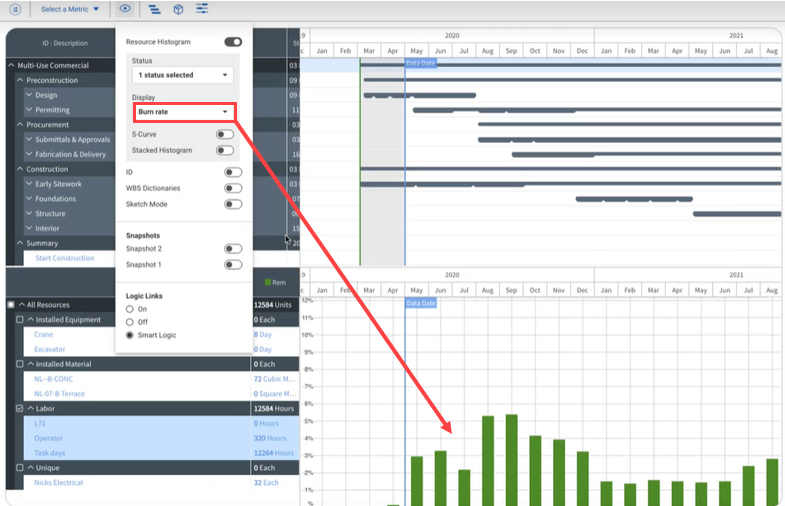
When Burn Rate is enabled, it shows as a percentage on the x-axis. The Burn rate is the percent of total man-hours in a period. The equation is the following:

Month total for a resource ÷ project total for resource(s) = Burn rate percentage

Use the following step by step to enable the Burn rate on the Resource Histogram.

Enable the Burn rate

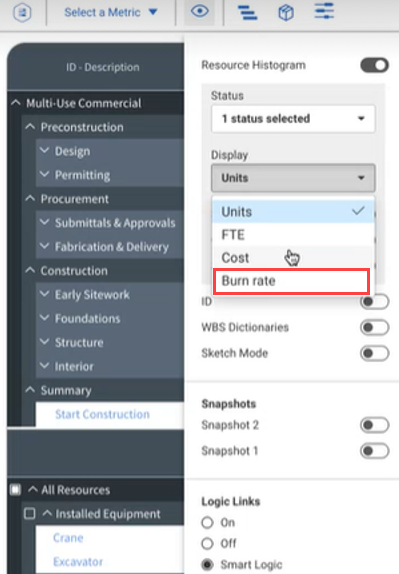
  1. In the toolbar, click the View options icon.

  2. Select the Display drop-down menu.

  3. Select Burn rate.

    The histogram shows Burn rate data.