Add Estimate schedule
After the scheduled items are selected in InEight Estimate, you can add a new schedule to the workspace project linked with your estimate in Schedule. The workspace in Schedule must be associated to a project in InEight Platform.
When Schedule is selected as the integrated schedule in Estimate you can do the following:
-
Add Estimate schedules to workspaces.
-
Sync changes made to the Estimate job.
-
Add estimate activities and resources to a schedule.
-
Conduct cost risk analysis with Estimate’s total cost values.
-
Run cost risk simulations using cost risk items from the Schedule WBS structure created through the Estimate integration.
Add new schedule from Estimate
-
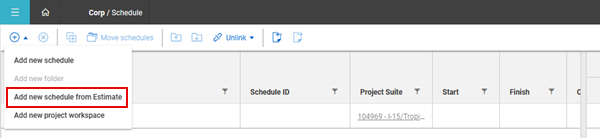
Go to the corresponding workspace in Schedule for the project selected in Estimate. Click the Add icon, and then select Add new schedule from Estimate from the list.
-
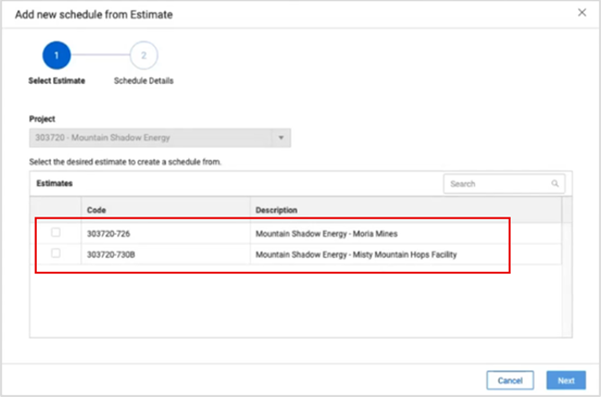
The Add new schedule from Estimate dialog box opens and shows the active estimates available that are associated with the project. Select an estimate, and then click Next.
-
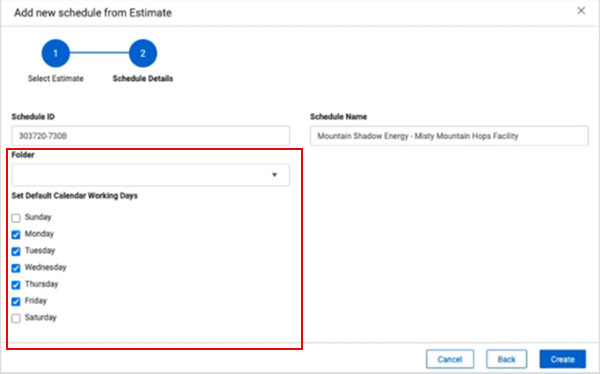
The Schedule ID and Schedule Name fields are populated with the Estimate job that you selected. If there are workspace folders, you can choose where to save the estimate.
-
Select the check boxes for the calendar working days. Click Create.
Add schedule activities
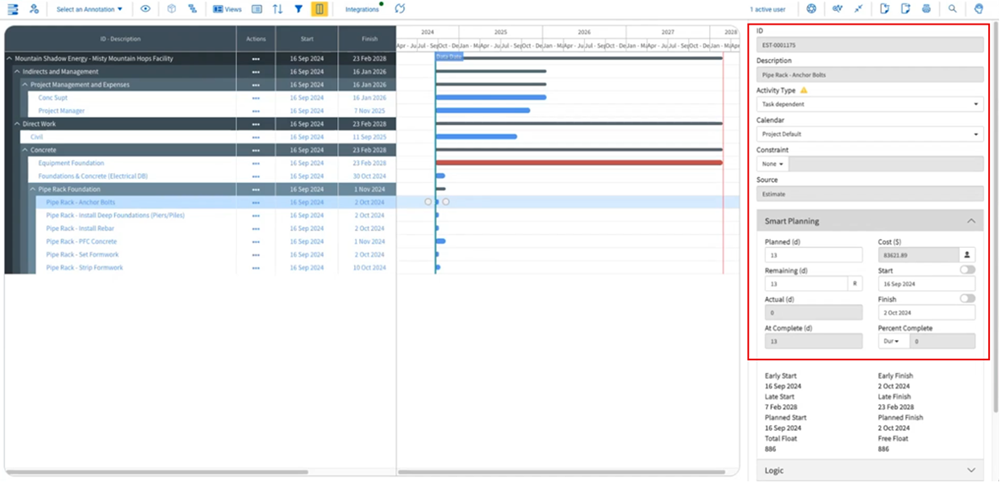
After the new schedule is created, you can open it from the workspace in Plan view and start to add activity relation logic to your items to schedule the job. For example, you can select a terminal cost item and make changes to it as you would with any other activity. Because the source originated in Estimate some fields are read-only, such as ID, Description, and Cost, those values cannot be edited in Schedule. To change a value that is sourced in E
Any synced items that show Estimate as the source cannot be deleted in Schedule. The item must be deleted in Estimate, and then synced in Schedule by clicking the Update icon.
Activity resources
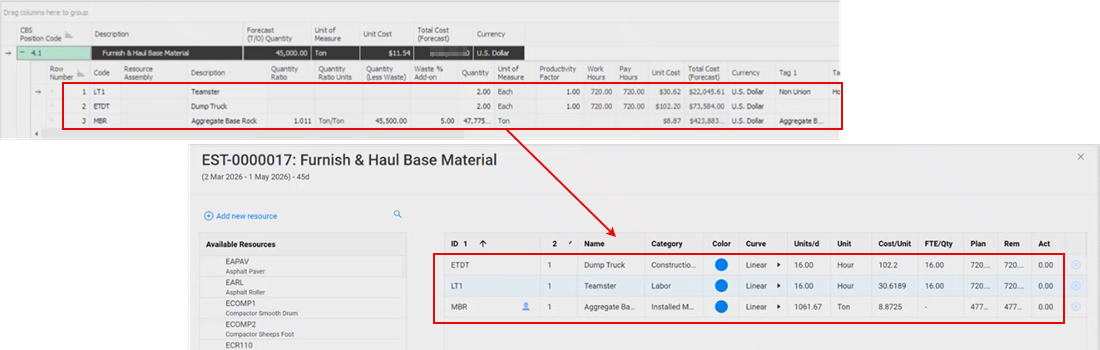
When you sync Schedule with Estimate, the cost item resources defined in Estimate are brought directly into Schedule activities in Plan view. Each cost item that is converted into a schedule activity includes its associated labor, equipment, and material resources, along with their units and types. The imported resource data can be used to better understand workload and allow you to adjust activity durations. The Estimate sourced data is read-only, so any changes to those resources must be made in Estimate, and then synced in Schedule to update them. If needed, you can add additional resources in Schedule, which can be edited or deleted.
Schedule dates continue to sync back to Estimate for downstream processes such as forecasting.
Cost risk
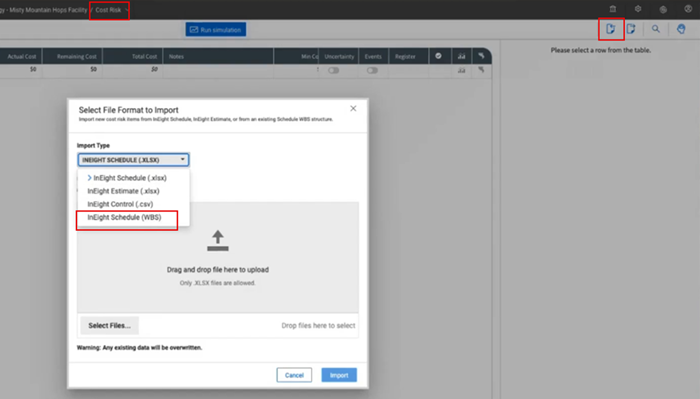
Cost values are integrated with Schedule to conduct cost risk simulations based on the risk and opportunities you see in your estimate. In the Cost Risk view, you can import the InEight Schedule (WBS) file created through the Estimate integration in the Plan view.
The actual projected cost from your estimate is imported to Cost Risk, where you can run simulations as you would typically do with cost risk scenarios and assign uncertainty, such as register events. After you run the simulations, you can provide a contingency value that can be manually input back into the estimate cost item to make it more accurately reflect the possible risks in the job.