Searching for Documents
There are several ways to search for documents in the Documents Register.
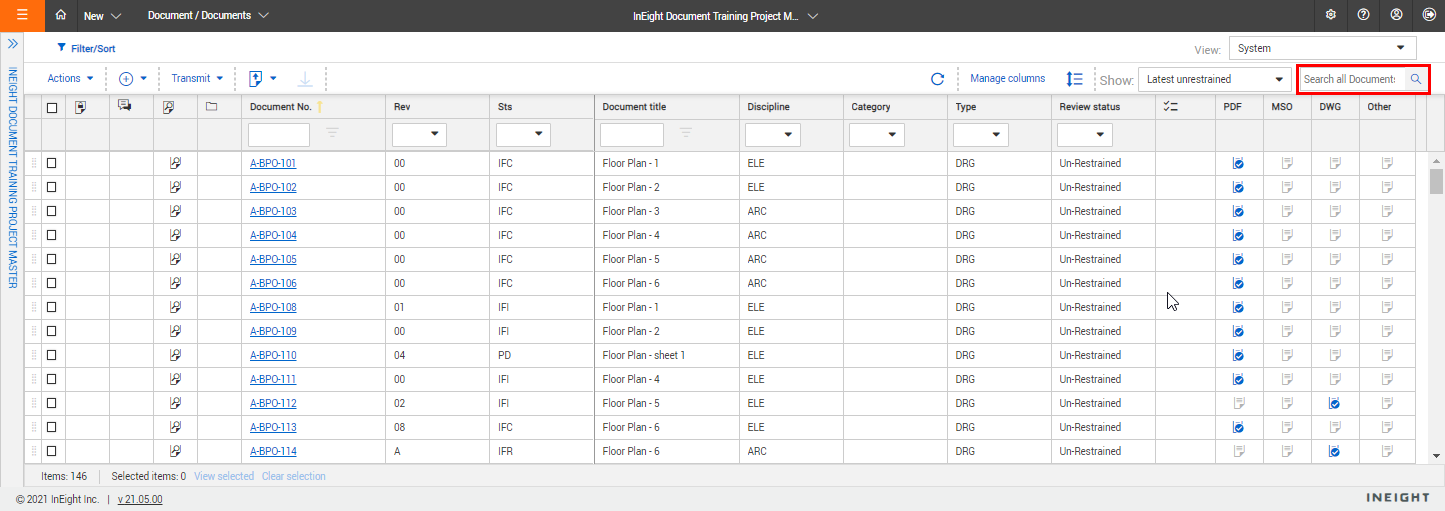
Simple search – Enter key words in the search box above the Register. The Register will display documents with those key words.
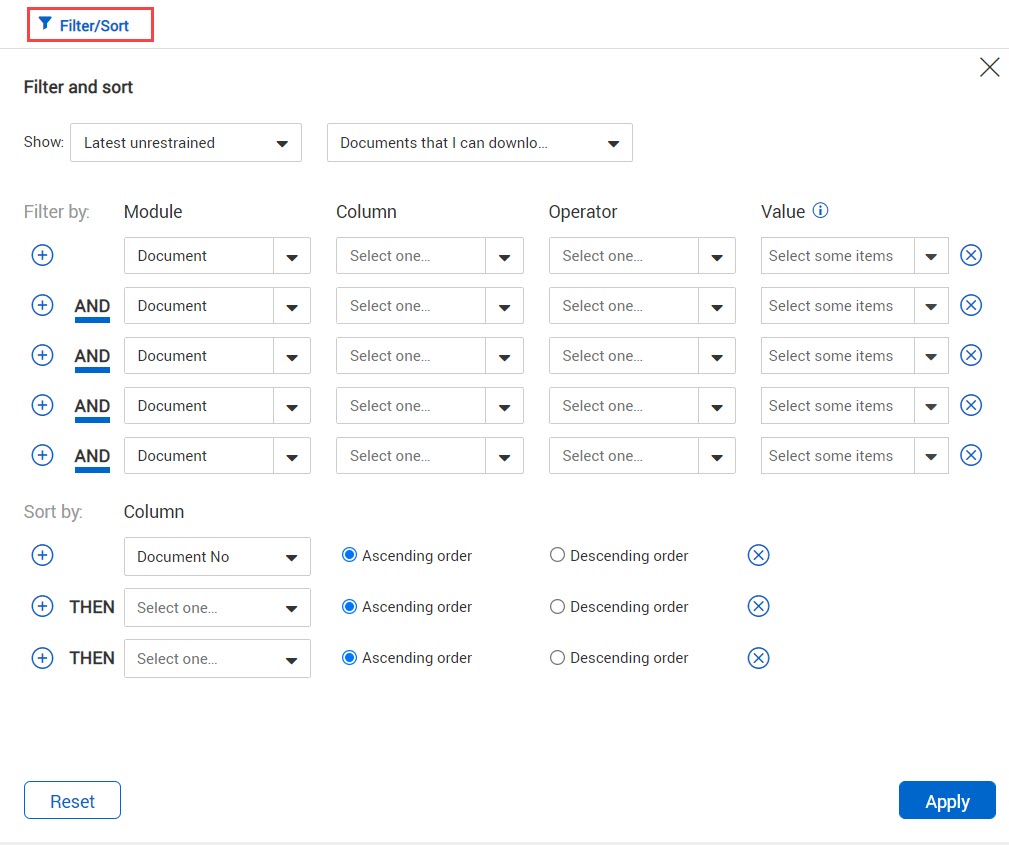
Filter and sort – Click Filter/Sort to select filters for your search. Click Apply to apply the search filters.
| Option |
Explanation |
|
|
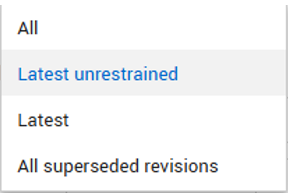
Select from the following options:
All -
All revisions of all documents regardless of whether they are restrained, unrestrained, or released.
Latest Unrestrained -
The latest revision of released (after going through a review workflow) or unrestrained (not requiring review) documents.
Latest -
Regardless of whether the document is currently restrained (going through a workflow), unrestrained or released the latest revision of document will show.
All superseded revisions -
Shows only superseded revisions of documents.
|
|
|
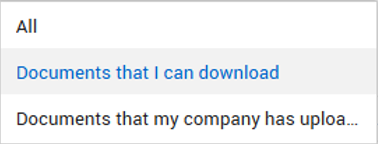
Then choose between:
All -
If users within your company can only view documents to which they have access, the All option will be restricted to only showing these documents.
Documents that I can download -
This means documents you have access to that have been released or are un-restrained and/or documents that are restrained where you are a reviewer.
Documents that my company has uploaded -
Only documents that the company you belong to has uploaded.
|
| Filter by: Module |
Choose the module you want to search within. |
| Filter by: Column |
Select the column to search.
Note: Available columns may vary by project.
|
| Filter by: Operator |
Choose a search operator (e.g., equals, contains).
|
| Filter by: Value |
Enter or select a value to search for.
Note: Input type may vary depending on the selected column (e.g., dropdown or text field).
|
| Sort by: Column |
Choose the column to sort the search results by. |
You can filter documents based on which documents have comments or annotations and which of those are still open or closed out.
| Filter condition |
Description |
| All comments closed out |
Shows all documents with comments that are closed out or documents with outstanding comments |
| Has annotations |
Shows all documents with or without annotations |
| Has comments |
Shows all documents with or without comments |
For projects using the Vendor data module, you can filter the register by metadata for a linked deliverable or purchased item. The metadata fields do not show in the register, but you can enter them in the filter criteria. The Module column lets you indicate whether the filter is for a document, deliverable item, or purchased item. You can then enter a value for the deliverable or purchased item. When you click Apply, all the documents linked to the corresponding deliverables or purchased items are shown.
The Column column lets you filter by a column in the register or a link type, such as Mail.
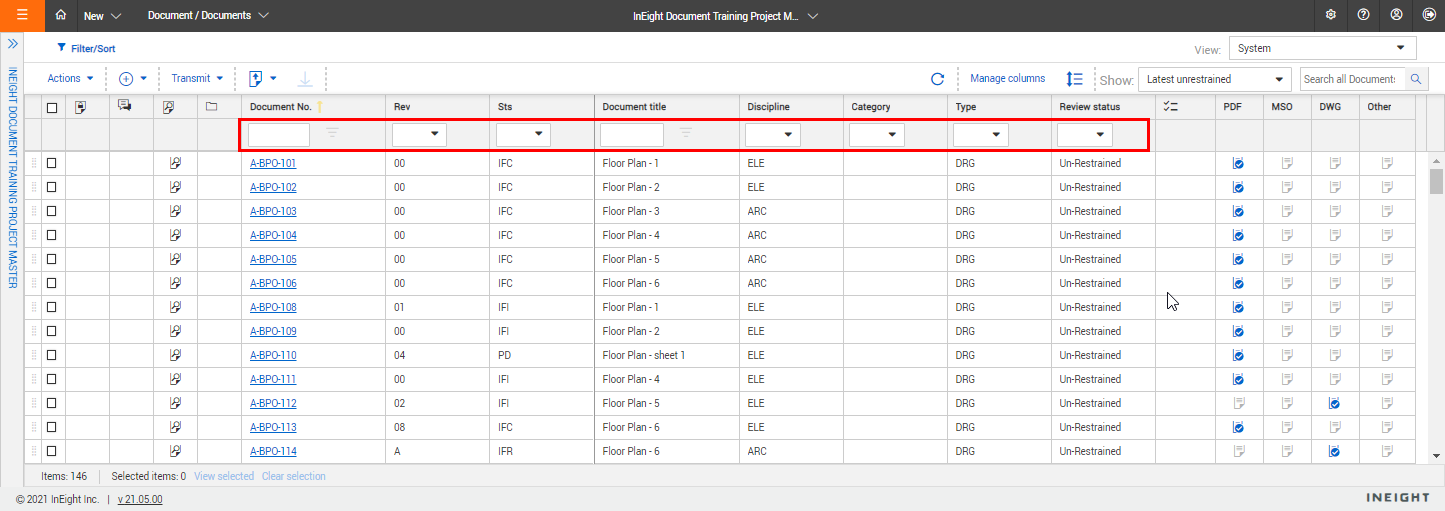
Column filters – Enter key words into the columns above the Register or select the drop-down lists to apply filters to that column.