
Products
Solutions
Resources
9977 N 90th Street, Suite 250 Scottsdale, AZ 85258 | 1-800-637-7496
© 2024 InEight, Inc. All Rights Reserved | Privacy Statement | Terms of Service | Cookie Policy | Do not sell/share my information

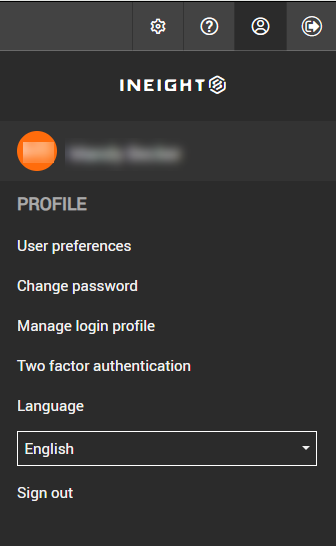
Apply user preferences to your project, which include general, mail and notification settings. You can access user preferences from the Settings/Help toolbar or from the Main menu.
Click the Profile icon, and then select User preferences.
Change the applicable setting. For more information about user preference settings, see Understanding User Preferences.
Click Save.
Additional Information
9977 N 90th Street, Suite 250 Scottsdale, AZ 85258 | 1-800-637-7496
© 2024 InEight, Inc. All Rights Reserved | Privacy Statement | Terms of Service | Cookie Policy | Do not sell/share my information