Custom list
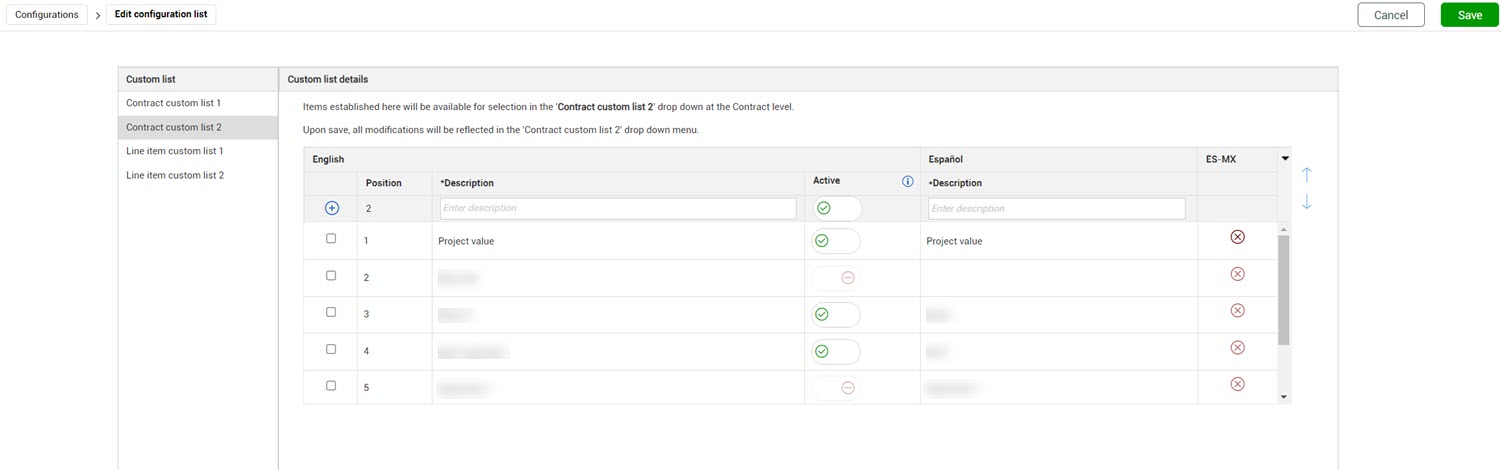
Custom lists let you create fields with drop-down lists. Values configured for the custom lists automatically populate project drop-down lists in the specified order. Custom lists are also configured at the organization level and are applied at the project level by default. You can add values for Contract custom list 1 and 2 and Line item custom list 1 and 2.
You can select a list item, and then click the up or down arrows to change the value's position in the drop-down list.
If you do not want to use an organization-level custom list value for a project, you can disable it (that is, set the Active toggle to No). When you no longer want to use a project-level custom list value you can deactivate it, or if it has not been used, delete it.
See Organization settings for more information about custom lists.