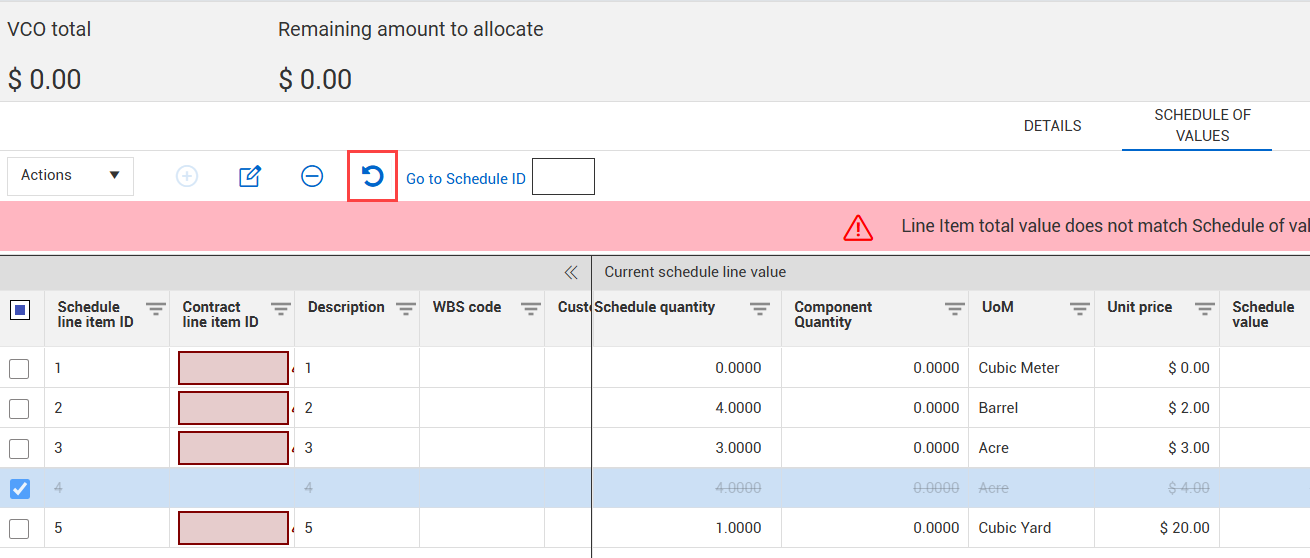
Undo a deletion of a schedule item

If a schedule item was deleted from the schedule of values, you can re-add it from the contract Schedule of values tab or the vendor change order Schedule of values tab. To re-add the item, click the Undo schedule removal icon.

The strikethrough is removed from the schedule item, and the value of the schedule item is added back into the contract. When you re-add a deletion in a vendor change order, the Change order adjustment section of the vendor change order Schedule of values tab is updated.
