Schedule of values
Adding a schedule of values to a payment claim lets you associate the payment claim to work on the project. The payment claim's Schedule of values page lets you add new or existing schedule of values items.
Schedule of values register
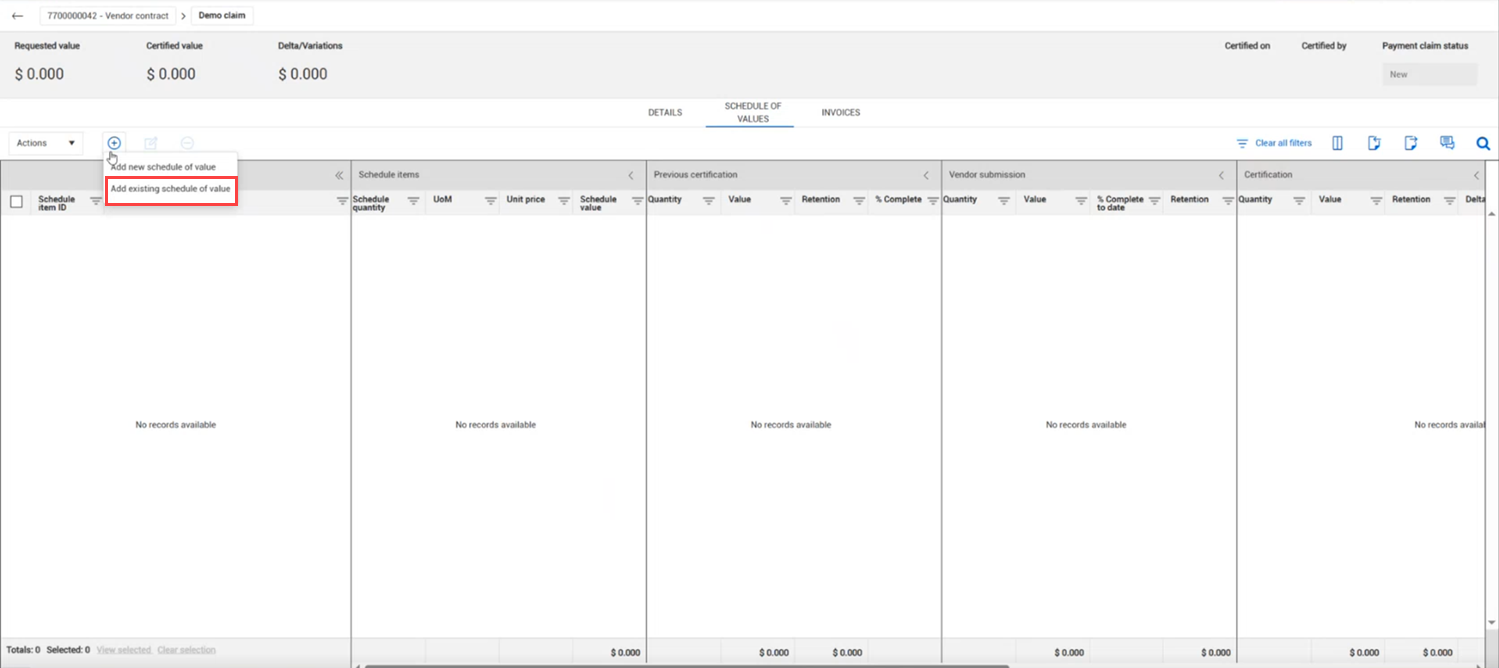
The schedule of values register for payment claims includes the following sections:
| Section |
Description |
| Schedule items |
Shows schedule item details from the contract's schedule of values. |
| Previous certification |
Shows the quantity and value of the schedule item that have already been certified. |
| Vendor submission |
Lets you enter quantities, values, and percent complete information that were submitted by the vendor directly from the vendor Payment claim page. You can also import Vendor submission values. |
| Certification |
Shows you the quantity, value, and percent complete that are to be certified. |
| Current total |
The current quantity and value of the schedule item. |
| Remaining |
The quantity and value left to claim in the schedule item. |
Add an existing schedule of values to a payment claim
Summary: Add an existing schedule of values item when you want to associate a known schedule item to a payment claim.
Considerations: If you cannot find an existing schedule of values, you can add a new one. See the step by step Add a new schedule of values to a payment claim.
-
From the payment claim's Details page, click the Schedule of values tab. The Schedule of values page opens.
-
Click the Add icon, and then select Add exisitng schedule of value. The Add schedule item dialog box opens.
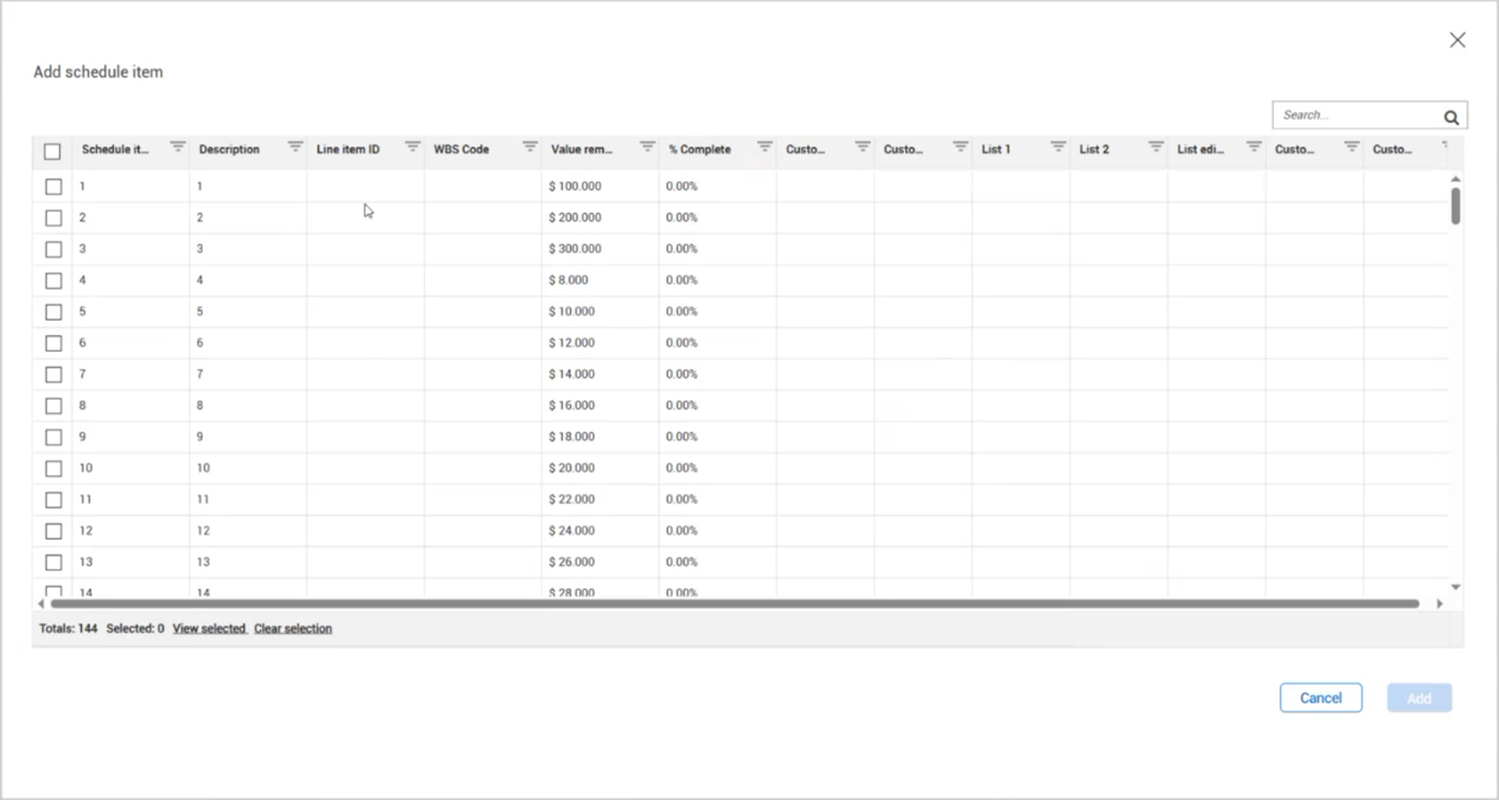
The dialog box shows a list of all schedule of values items that are available for the payment claim. You can use the column filters to help you find what you need.
-
Select one or more schedule items.
-
Click Add. The are added to the Schedule of values register.
Add a new schedule of values to a payment claim
Summary: Add a new schedule of values item to a payment claim when the schedule item you want to associate does not already exist in the contractor's project.
-
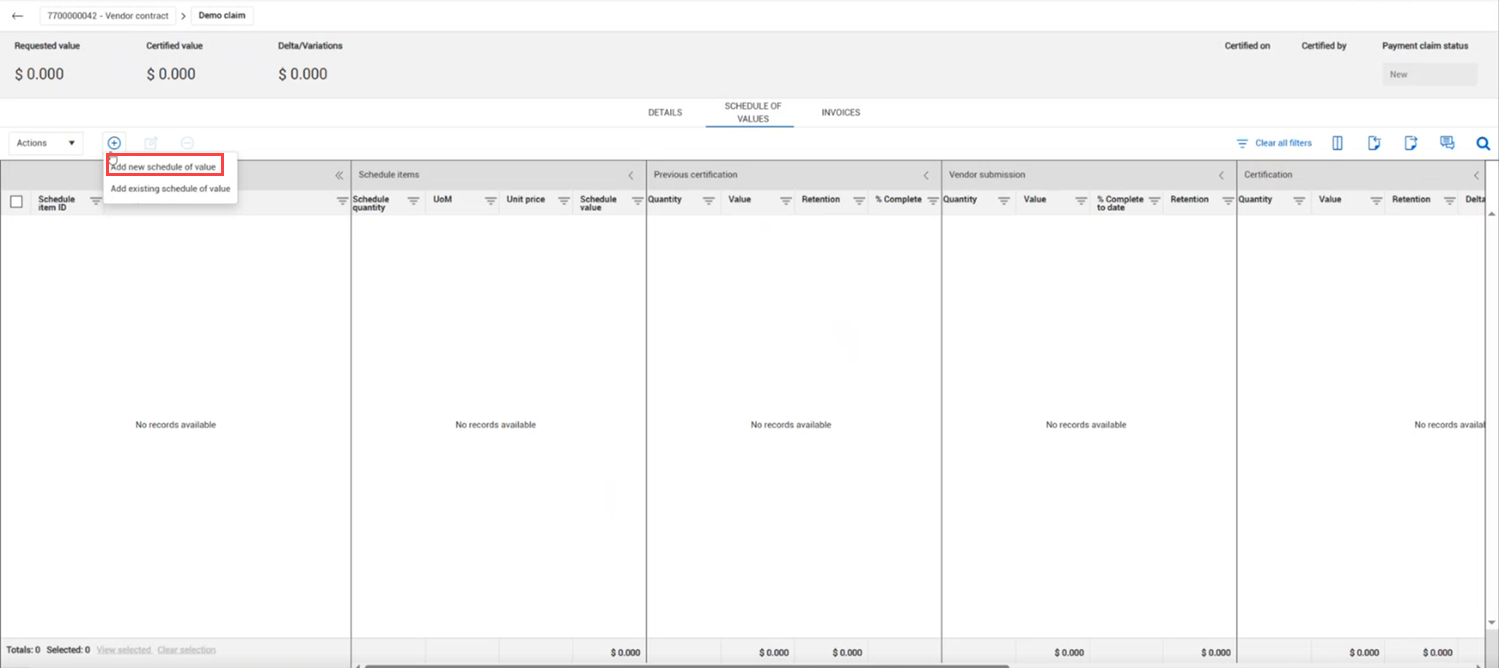
From claim's Details page, click the Schedule of values tab. The Schedule of values page opens.
-
Click the Add icon, and then select Add new schedule of value. The Add schedule item dialog box opens.
-
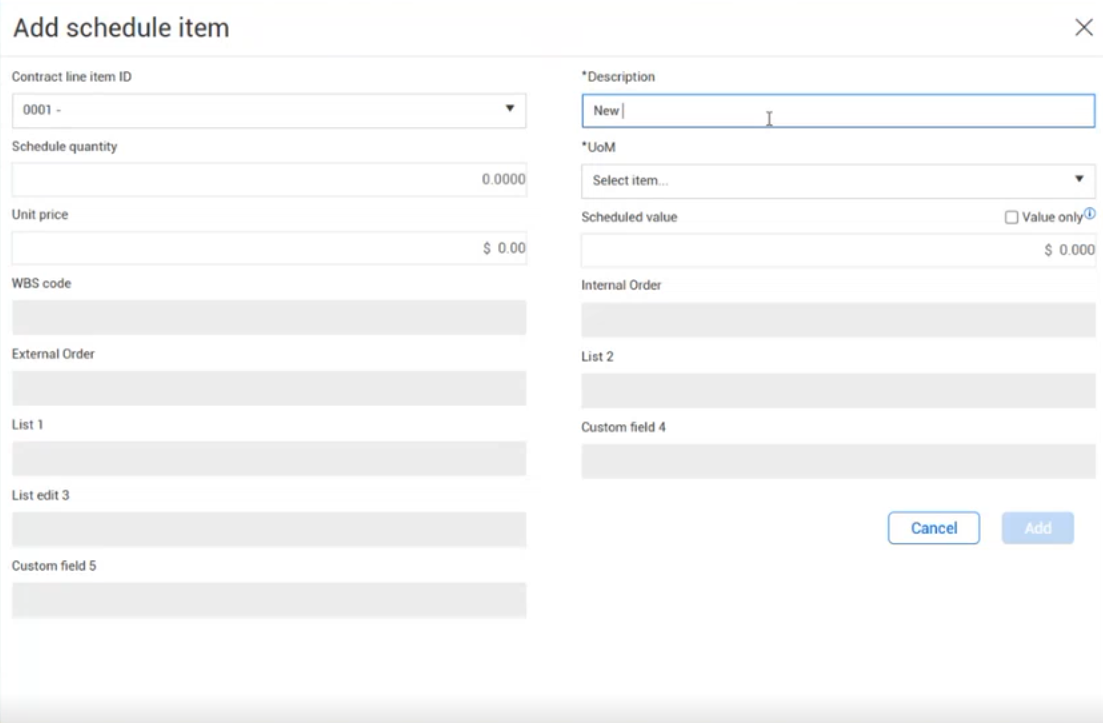
Select a contract line item ID, and then enter the schedule item information. A description and unit of measure are required.
-
Click Add. The item is added to the Schedule of values register with a schedule item ID of New.