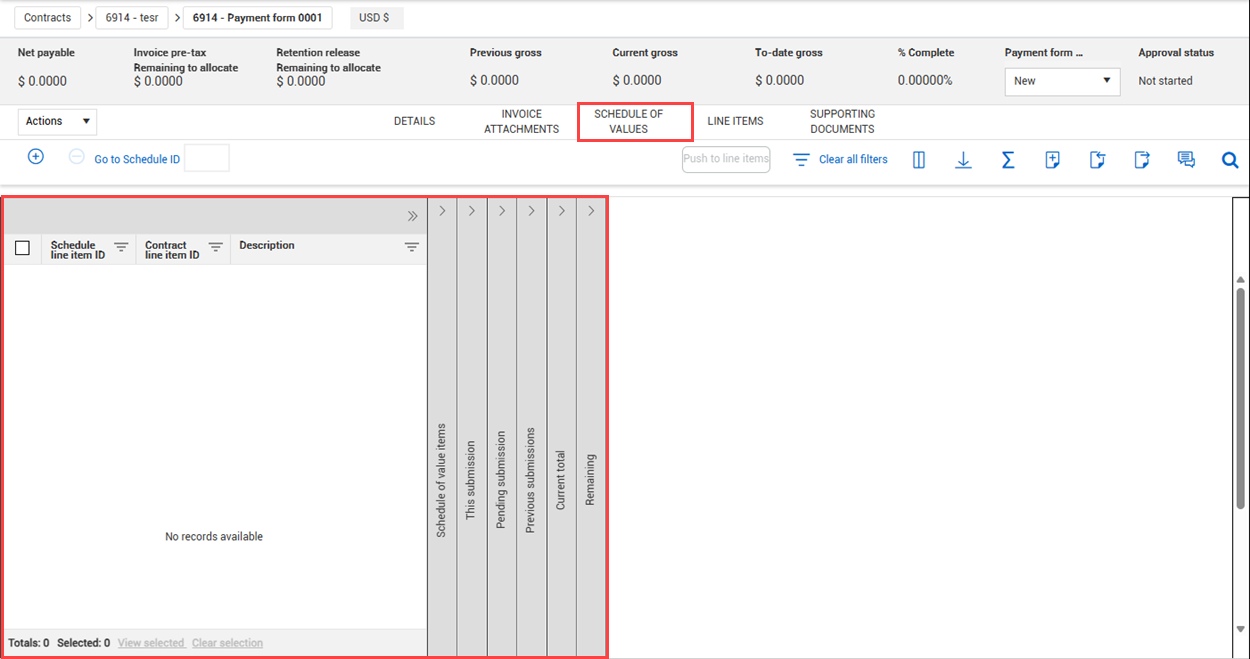
Schedule of values tab
The payment forms function has its own schedule of values page. You can add a schedule of values, so you can see the quantity or value the payment form has against a component.
You can add or edit existing schedule items. Edits to schedule items show in the Schedule of values at the contract level. When you add a value-only schedule item to a payment form, only the Value field is editable.
After you submit a payment form, the Schedule of values tab is a snapshot of the values at the time of submittal.
Schedule of values register
The schedule of values register for payment forms includes sections such as the following:
-
Schedule of value items
-
This submission
-
Pending submissions
-
Previous submissions
-
Current total
-
Remaining
Add an existing schedule item
You can add an existing schedule item when you want to associate a known schedule item to a payment form. The schedule item must already be associated to the contract.
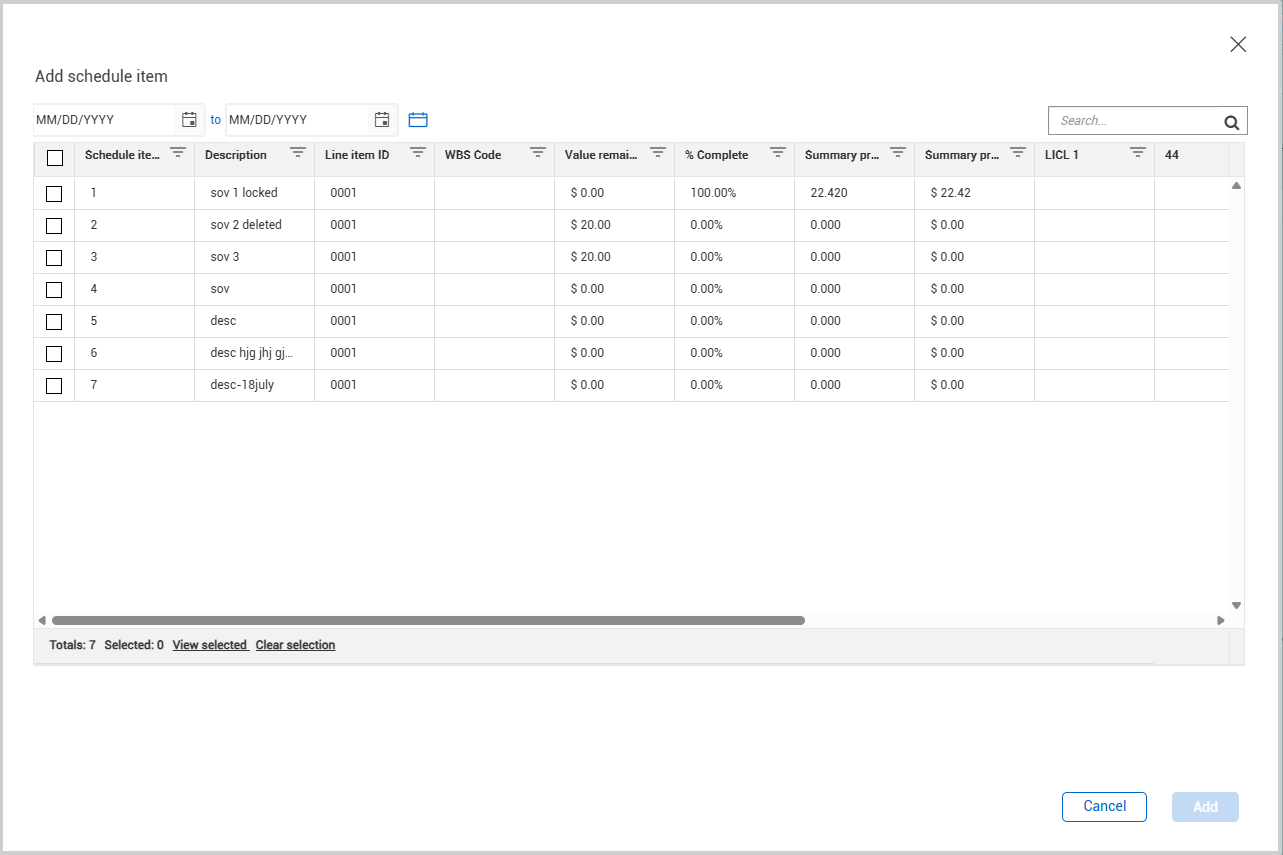
To add, click the Add icon. The Add schedule item dialog box opens.
You can filter the Summary progress value and Summary progress quantity fields based on the dates they were claimed. Use the date fields at the top right of the dialog box or use the Calendar icon to filter predefined periods.
Select one or more scheduled items from the list, and then click Add.
In the Add schedule item dialog box, you can view columns such as Line item WBS code, Summary progress quantity, Summary progress value, custom list, and custom label fields.
Add a new schedule item
Add a new schedule of values item when an existing item does not exist from the Payment Forms register.
Click the Add icon. The Add Payment Form dialog box opens. Enter the required information, such as Description, work completed dates and any other relevant information.
Click Save. The item is added to the Payment Forms register.
Import and export schedule items
You can use the payment form schedule of values template to quickly add schedule items and then import them to a payment form. Use the template to update the amount that will be submitted for payment on this payment form. For more information about how to use the template, refer to the Instructions tab of the Microsoft Excel template.
For information about importing, see Imports and exports.