Schedule
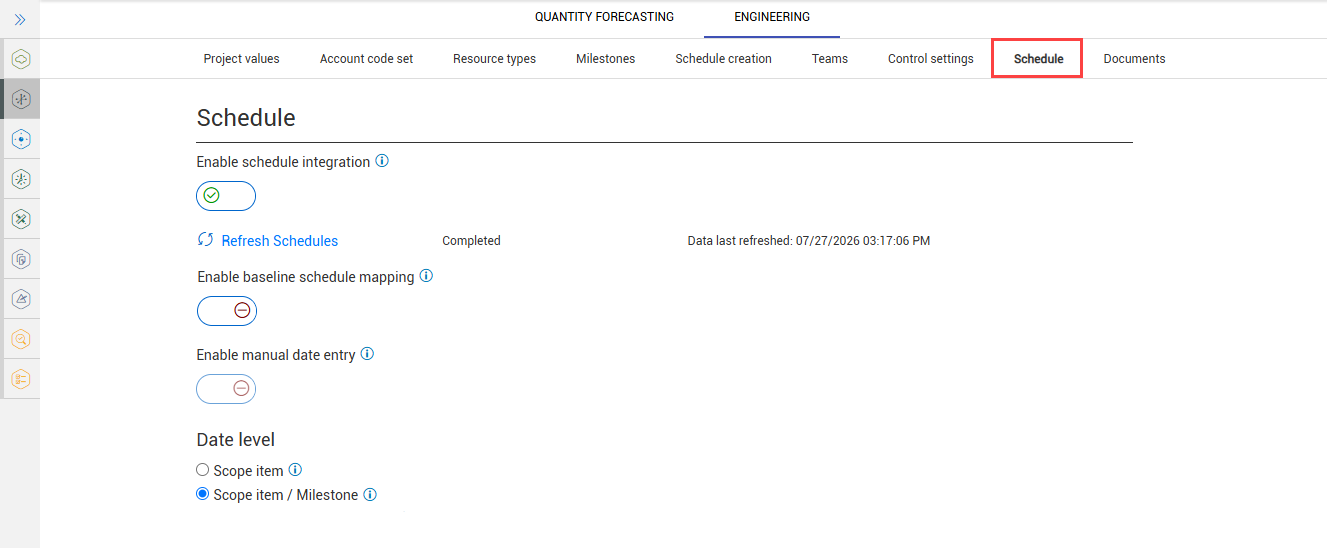
As a project administrator, you can manage schedule integration settings for scope items for your project in Settings > Engineering > Schedule tab. You can select either Enable schedule integration or Enable manual date entry, and then select Date level options.
Considerations
-
You must have Level 1 – Project Admin permissions in InEight Platform or a role with the applicable permissions in Engineering.
-
Scope item Schedule settings can only be updated when no dates are present on any scope item.
Enable schedule integration
You can integrate with InEight Schedule and use schedule-based dates from Schedule activities and instead of manual dates. Engineering scope items can be associated with Schedule activities, allowing you automate schedule activity dates aligned with scope.
When Enable schedule integration is set to On, the schedules on a project are automatically synced to Design. You can then choose to map your baseline and current schedules in Design. After your schedules are mapped, the schedule activities for the mapped schedule become available to be associated to scope items in the Scope Items dialog box.
Refresh schedules
The Refresh Schedules option is available to sync the project’s schedules as needed; however, newly added schedules show in Design automatically. The Refresh Schedules option is only used if you notice that a schedule does not sync with Design automatically.
Enable baseline schedule mapping
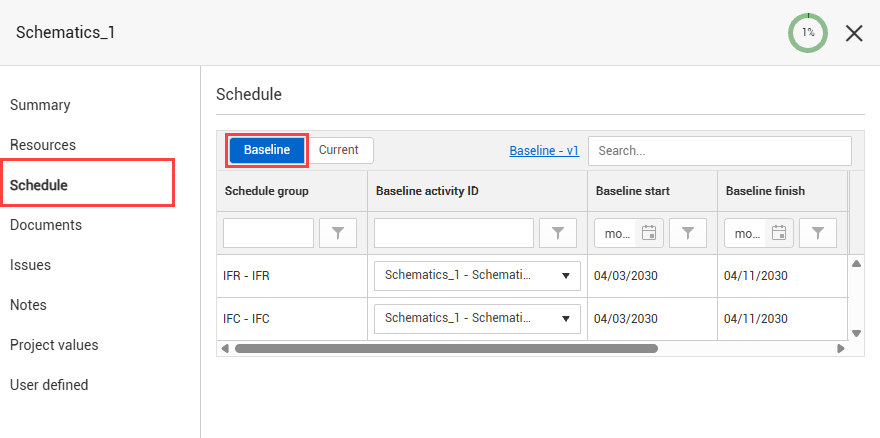
Set the Enable baseline schedule mapping option to ON to allow for Baseline Schedule activities to be associated to scope items. When enabled, the Baseline tab is available in the scope item’s Schedule section.
Enable manual date entry
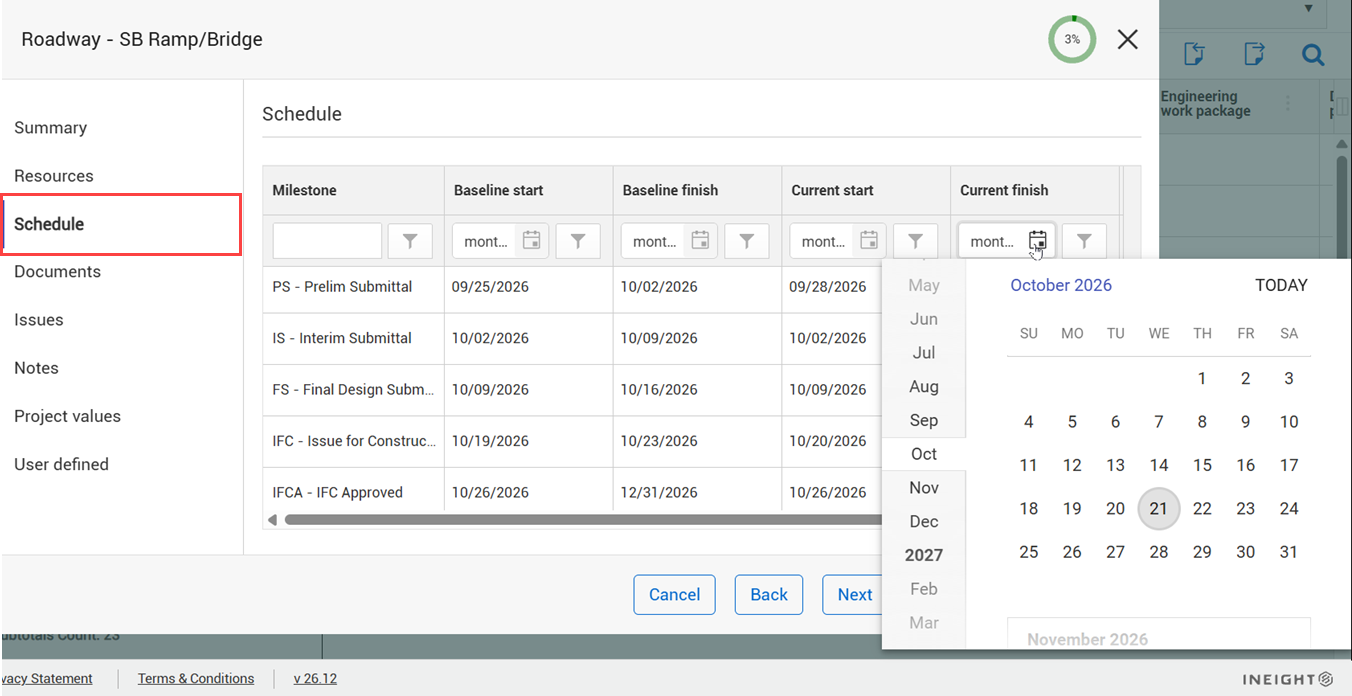
You can configure scope item manual dates instead of Schedule dates for your project. In the scope item’s Schedule tab, you can manually enter schedule dates.
Date level
The Date level options apply to both schedule integration and manual date entry. You can select from the following options:
-
Scope item — Lets activities to be mapped to a scope item. Generates one set of Baseline, Current, Actual start, and Actual finish dates per scope item. Design captures the first claim date made on the scope item in the Actual start date field. Design also captures the final claim date made on the scope item when all steps on the scope item are 100% complete in the Actual finish date field.
-
Scope item / Milestone — Lets activities to be mapped to a scope item’s milestone. Generates one set of Baseline, Current, Actual start, and Actual finish dates per unique milestone associated with the assigned claiming scheme. Design captures the first claim date made on each milestone on a claiming scheme in the Actual start date field. Design also captures the final claim date made for each milestone on the scope item when all steps related with the milestone on the scope item are 100% complete in the Actual finish date field.