Project values
You can define project-specific values to assign to scope items in the project. Types of project values are construction work areas, segments, and work classifications. You define the values for each of these in InEight Platform. For example, a construction work area might be named Main St NE bridge, a work classification might be named Drainage, and a deliverable package might be Drainage package.
You must have the following InEight Platform permissions:
You can configure project values manually or by importing a Microsoft Excel file.
Add a project value manually
-
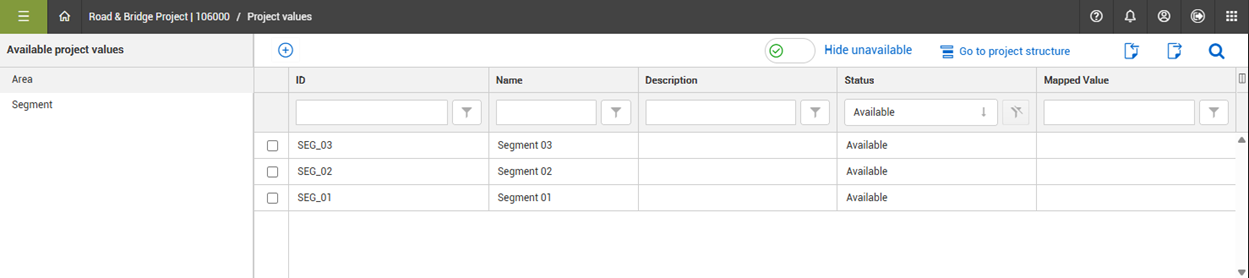
From the Scope items page, click Actions, and then select Project values from the drop-down menu. The Platform Project values page opens in a new tab.
-
Click the type of project value you want to add (For example, Area or Segment).
-
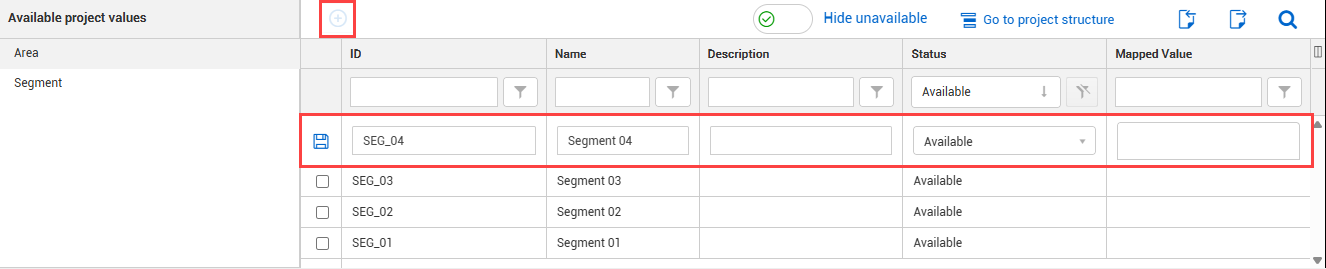
In the table, click the Add icon to add a new value.
-
Enter a unique ID and applicable data in the available fields.
-
Click the Add icon.
-
Click the Add icon to the left of the new fields.
At the organizational level, you can select which project values can be associated with engineering scope items and if they are required in a project. For more information, see Project values in organizational settings.
At the project level, you can select which project values you want to associate with scope items, and if they are required from the Include list. For more information, see Project values in project settings.