Group columns
Sometimes you may want to organize your information into groups. Instead of filtering your information down to one value (e.g., unit of measure = Ton), you can look at your information with a separate group for each value (e.g., a group for Tons, a group for Cubic Feet, etc.).
Group columns
-
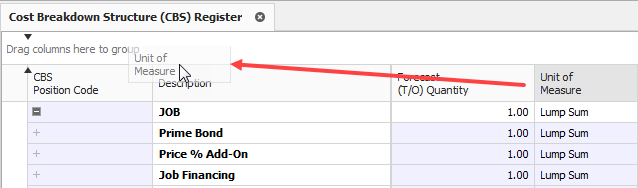
From the CBS register, group the Unit of Measure column by dragging it into the grouping area (where it says “Drag columns here to group”).
-
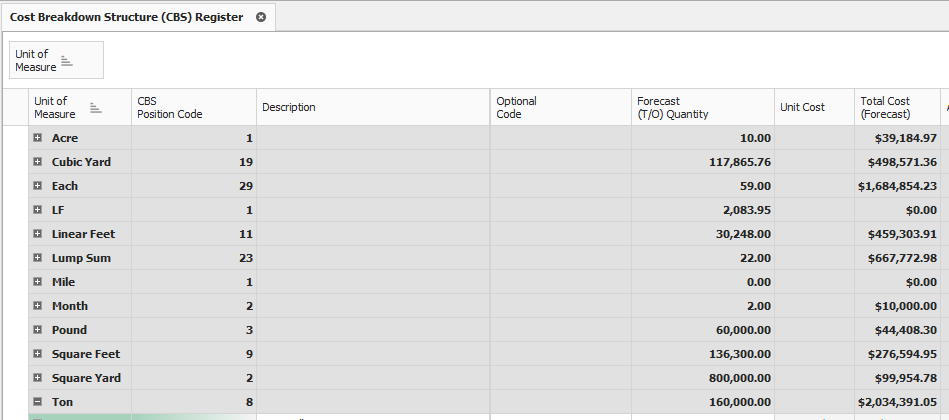
Notice that the cost items in the register are now grouped together by their units of measure, and each group of cost items is subtotalled by costs, hours, quantities, etc.
-
To ungroup, right click in the grouping area and select Clear Grouping