Copy resources from another job
You can copy resources from an existing job into another job. This is useful when you are working with similar jobs and want to use some or all resources from another job.
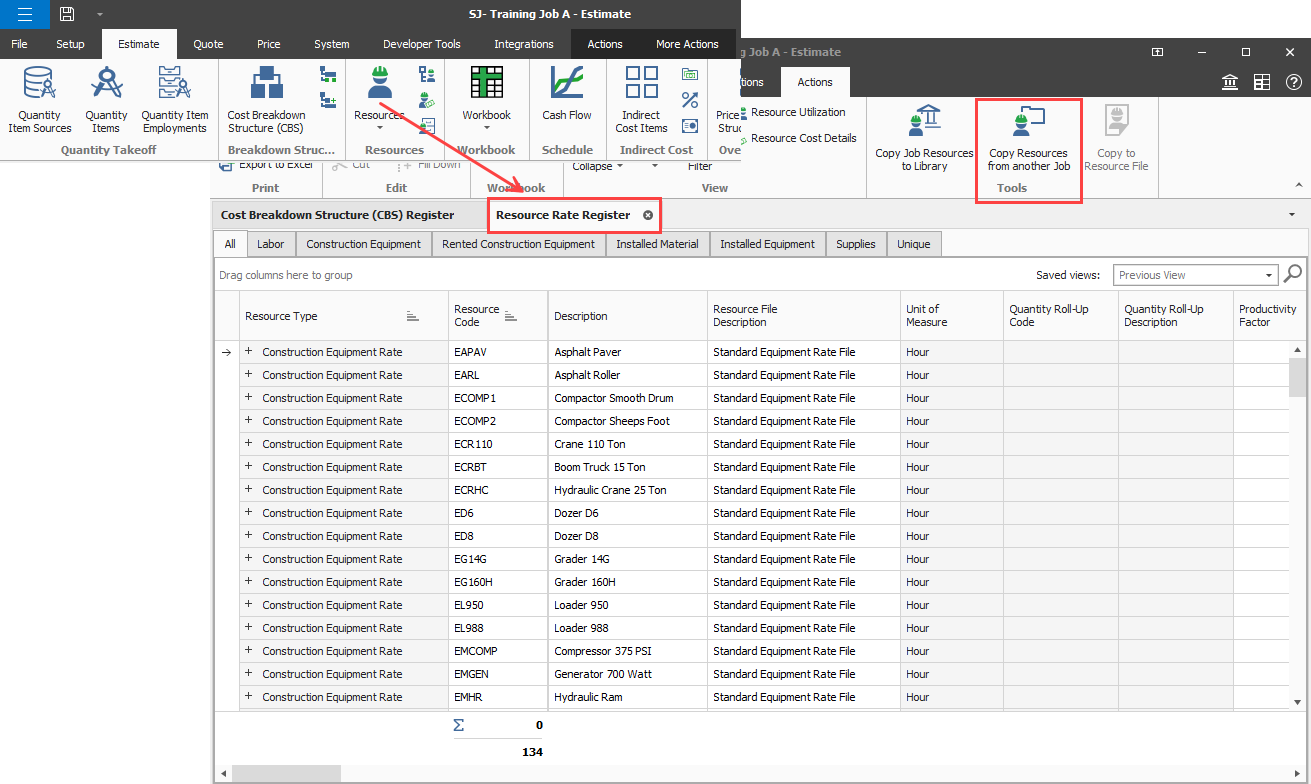
To use the Copy Resources from another job feature, go to the Estimate tab and click the Resources icon to open the Resource Rate Register. Click the Copy Resources from another Job icon.
Copy-resources-from-another-job
-
Click the Copy Resources from another Job icon. The Job Register opens.
-
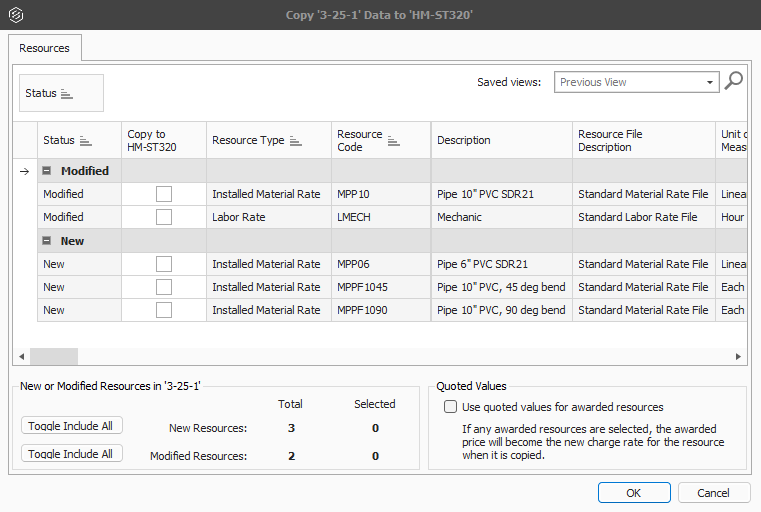
Double-click the job that you want to copy resources from. The Copy ‘<job title>’ Data to ‘your job title’ dialog box opens where you select the resources to copy to your job. The dialog box shows both resources that are modified and new resources in the source job.
-
Select the check box for the resource or to select all, select the Toggle Include All for new and modified resources at the bottom of the grid.
-
Click OK.
Modified attributes
When you copy resources from another job, modified attributes show in the grid. The modified attributes show in bold red text and indicate resource value changes that impact your job from the imported job. The modified attributes provide better visibility of items that impact your current job.
The modified attributes include values such as Maint. Man-Hour Factor and Productivity Factor. The modified attributes show in the Modified section of the Resources grid.