Use cost item quantity option
In the Resource Rate Register, you can select the Use Cost Item Quantity as Default Quantity option for resource rate records. When you select resources in your estimate and the option is selected, the resource rate record inherits the cost item quantity. This saves you time and helps prevent potential mistakes by eliminating the need to manually re-enter the resources quantity after employing resources.
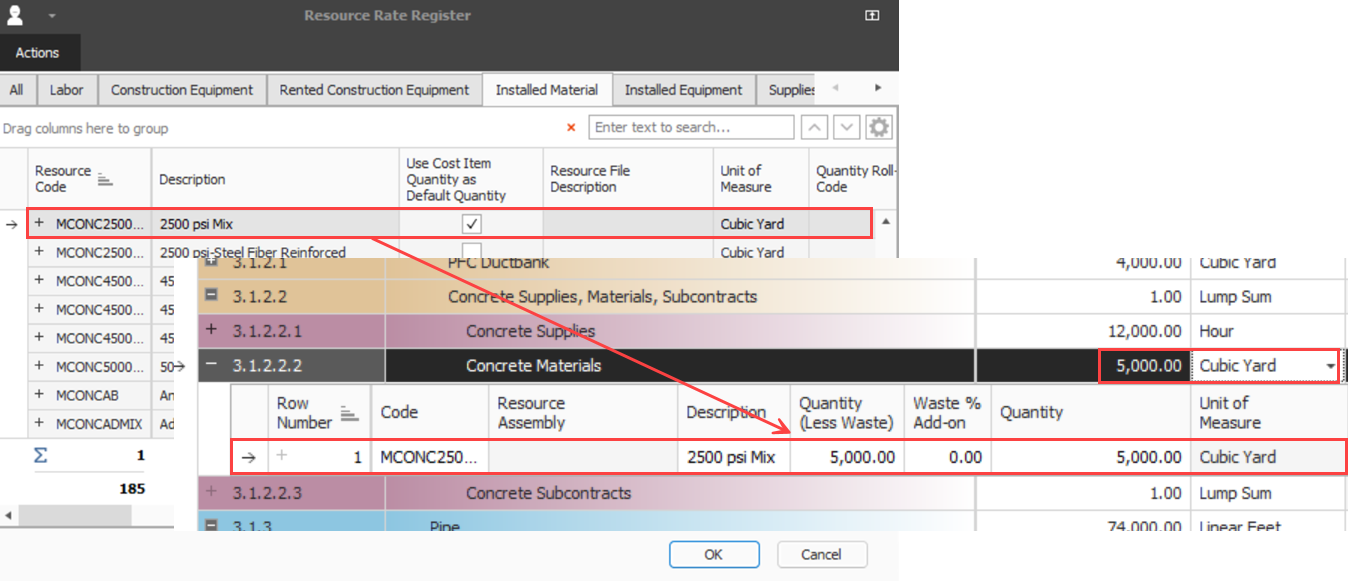
In the Use Cost Item Quantity as Default Quantity column, select the check box for the resource you want to use the cost item quantity as the default quantity. This feature is available for the following quantity based resources:
-
Installed material
-
Installed equipment
-
Supplies
-
Unique
Typically, in the Resource Rate Register, resource quantities are set to either zero or one and are employed with those quantities. When the Use Cost Item Quantity as Default Quantity check box is selected and you employ a resource with a quantity of one into a cost item with a quantity of 5,000 cubic yards, the newly employed resources inherit the cost item’s quantity of 5,000 cubic yards.
In the example below, the resource 2500 psi Mix is employed in cost item Concrete Materials. When employed, the resource inherits the cost item’s quantity of 5,000 cubic yards.
The cost item’s quantity is inherited for any employed resources when you employ the same resource to multiple cost items or employ multiple resources at a time.
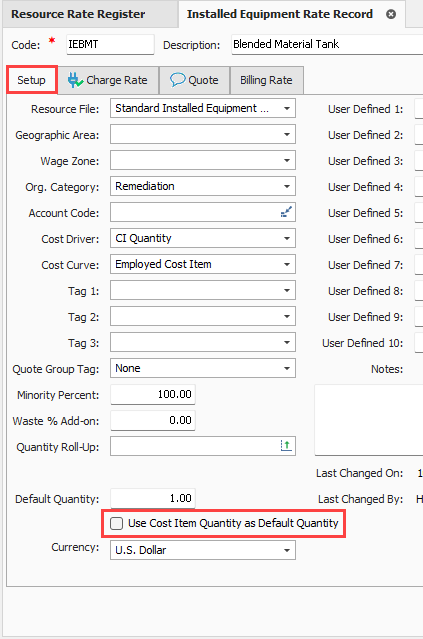
The Use Cost Item Quantity as Default Quantity option is also available to select when creating or editing a resource rate record.