Man-hour factors
For items that have known risks or potential resource concerns, you can apply a man-hour factor to take those risks into consideration.
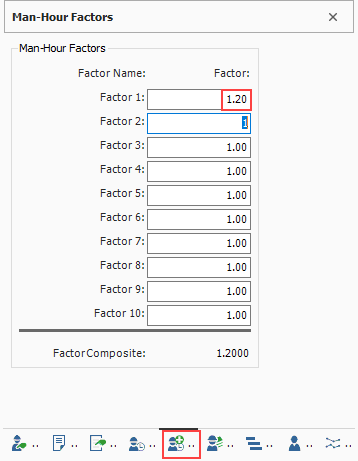
Man-hour factors are applied on the Man-Hour Factors data block on the Cost Item Record. Factors are applied in relation to 1, where slower production is greater than 1 and faster production is less than 1.
Man-hour factors affect both Labor and Equipment Hours.
For example, if you predict production to be 20% slower due to weather concerns, you would type 1.2 in the weather factor field.
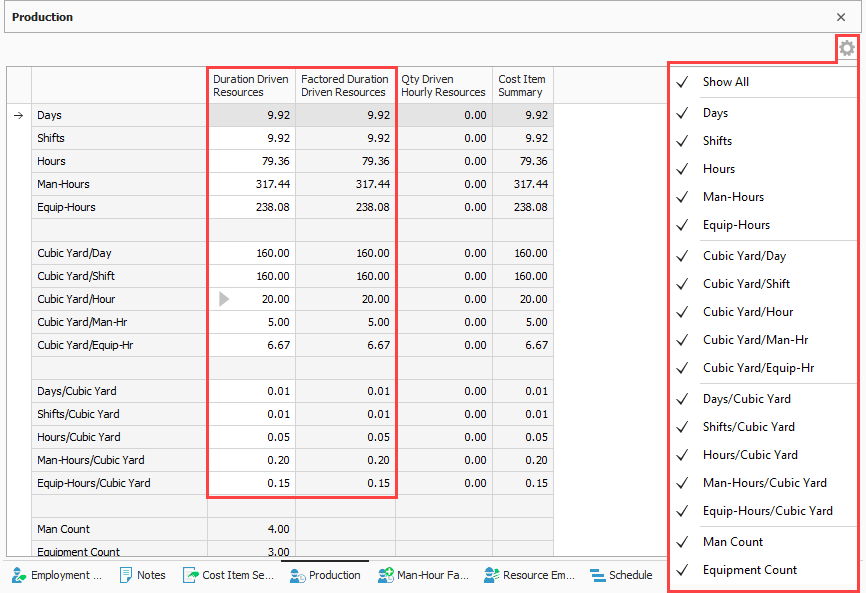
Even after defining a man-hour factor, the Production data block still shows the original Production values.
You can apply man-hour factors to multiple cost items at once by multi-editing selected cost items on the CBS Register.