Cost drivers
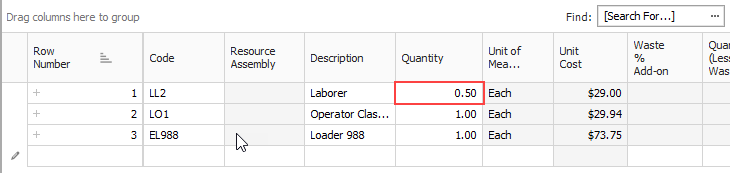
Each type of resource has a default cost driver. For example, Labor resources are duration driven, so the cost driver is CI Duration, meaning their costs are driven by the duration of the cost item. If you want an Operator to only be assigned to a specific cost item or work activity for half the time, you can change its quantity to .5 and it will be driven by half of the cost item’s hours.
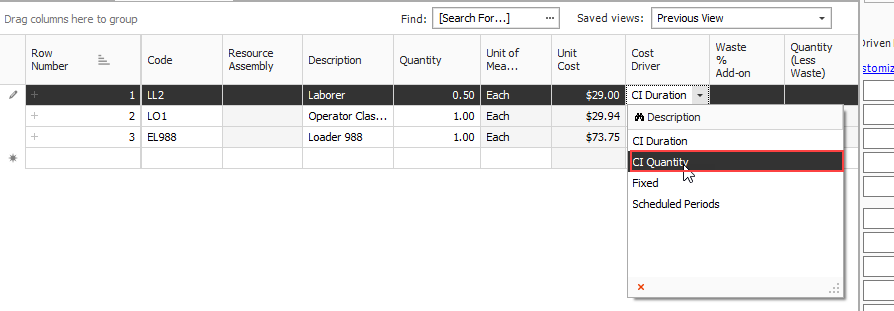
To enter work hours manually for the employed resource, you can change the Cost Driver option to CI Quantity or Fixed.
With CI Quantity as your cost driver for the Operator, you can adjust the Work Hours manually, where previously that column was read-only.
Let us say you want your Operator to work specifically 80 hours.
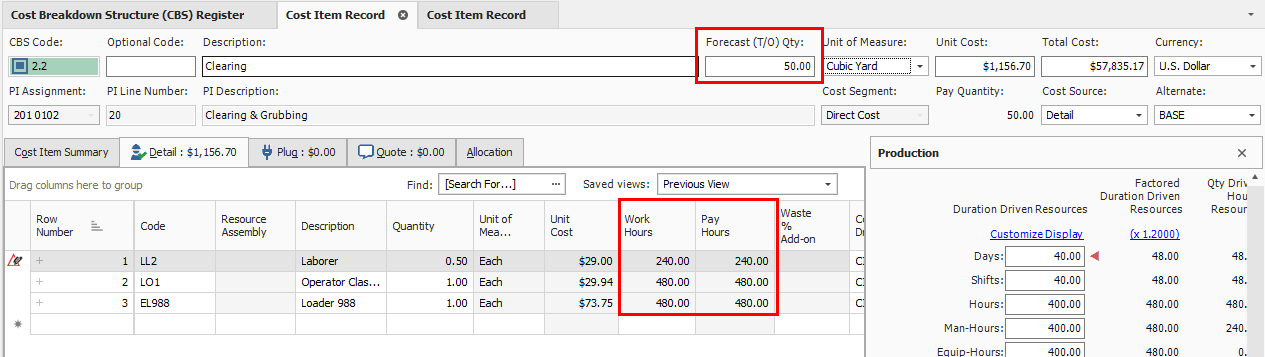
However, since the resource is now quantity driven, if you change the Forecast (T/O) Quantity to 50 you will see that the work hours will still adjust from 12 to 40.
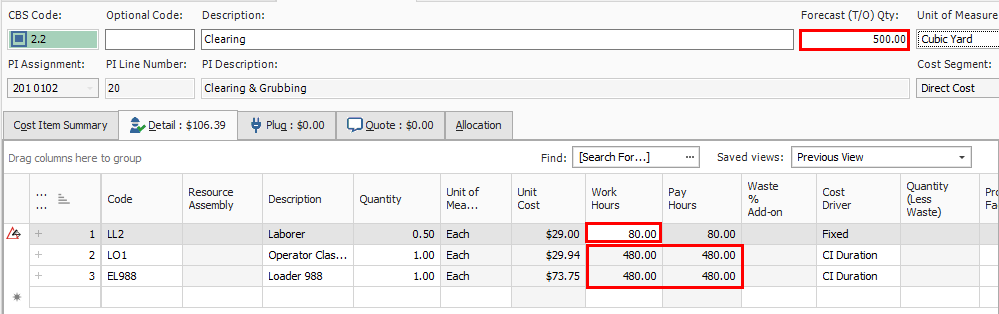
If you want to set it at 80 hours no matter what changes you make to your quantity, you can change the cost driver to Fixed. Then when you change the Forecast Quantity to 500, the work hours for the Operator will not change and will remain at 80 hours as shown below.
If you followed along and made any adjustments to cost item 2.1 Clearing, change the Cost Driver for the Operator resource back to CI Duration and the Work Hours back to 100.