Suspend cost items
The Suspend feature lets you turn cost items on and off to perform What-if analysis or evaluate alternative approaches to the work.
A cost item can be suspended in InEight Estimate for multiple reasons including the following:
-
Manually suspended cost items
-
Suspended parent
-
Parent with cost source that is not Detail (plugged or quoted)
-
Parent cost item with a zero quantity
-
Pay item is suspended
-
Allocated cost items
-
Alternate scenarios:
Suspended cost items do not contribute any cost to the job's total value. Suspended items can be unsuspended at any time to be included in the total project value.
Suspend a cost item
-
On the Cost Breakdown Structure (CBS) Register, select a cost item.
-
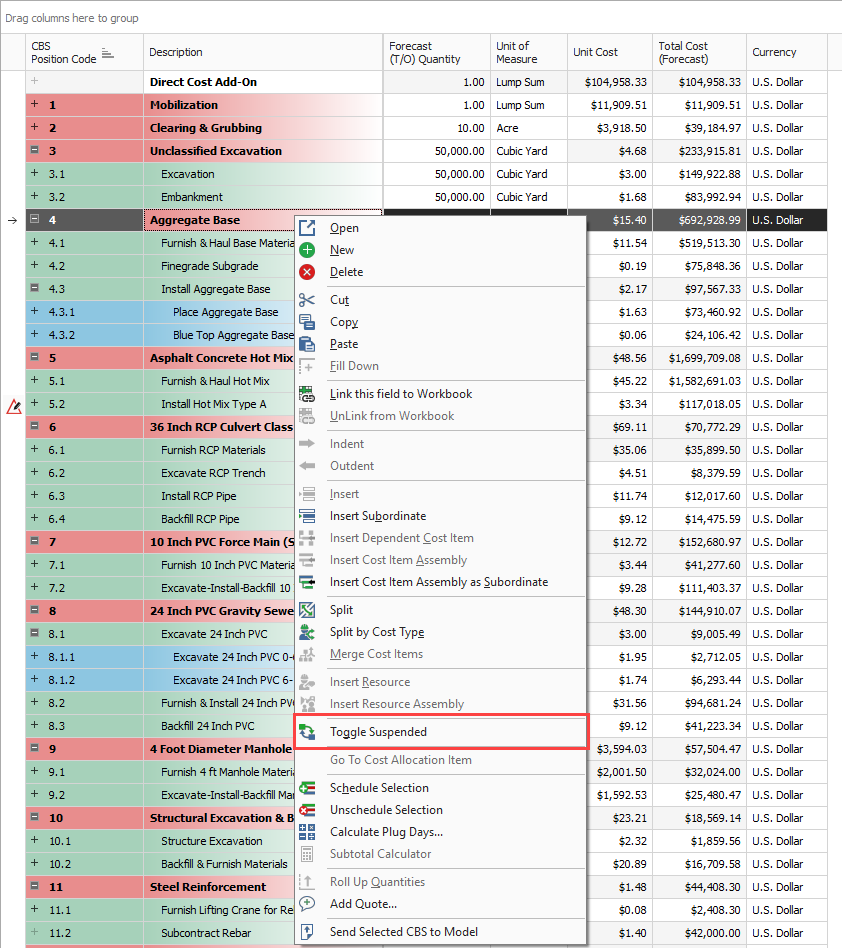
Right-click the selection and select Toggle Suspended from the menu.
-
You can also select Toggle Suspended under the Edit section of the Actions tab at the top of the register.
-
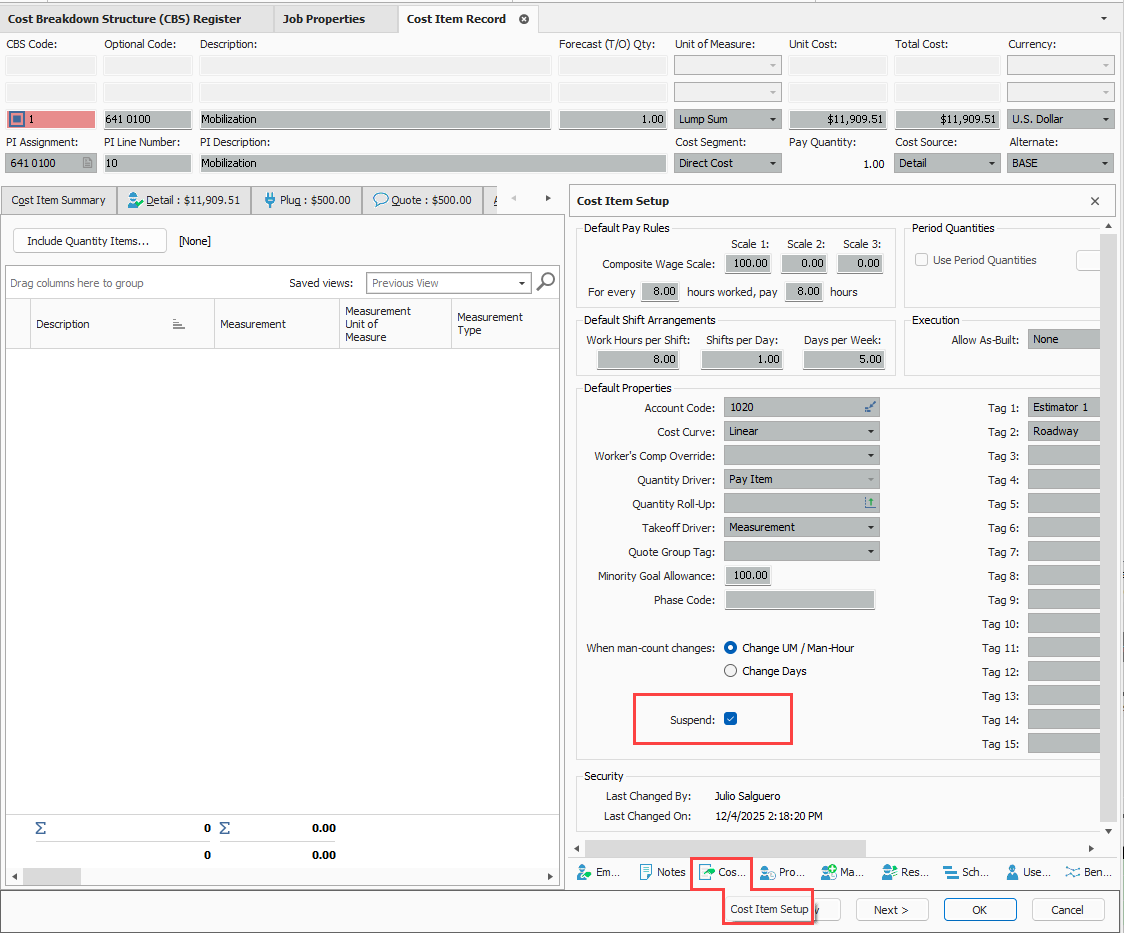
You can also suspend cost items by checking the Suspend check box on the Cost Item Setup data block of a cost item record.
-
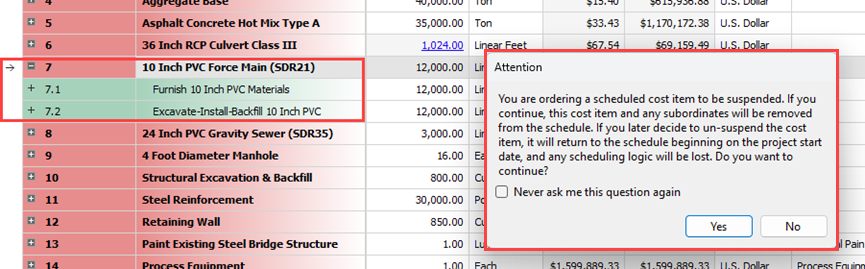
If a superior cost item is suspended, its subordinate cost items are automatically suspended as well.
-
The costs associated with these cost items no longer contribute to the estimate.
Editable man-hour factors in suspended cost items
You can edit man-hour factors for a suspended cost item by creating and maintaining cost items, including man-hour factors. This can be accomplished in a suspended state while having the scope of work included in your estimate. The cost to contribute is excluded from the scope of work until you are ready to make it part of your estimate.
Unsuspend a cost item
-
On the Cost Breakdown Structure (CBS) Register, select a cost item.
-
Right-click the selection and choose Toggle Suspended.
Suspend column
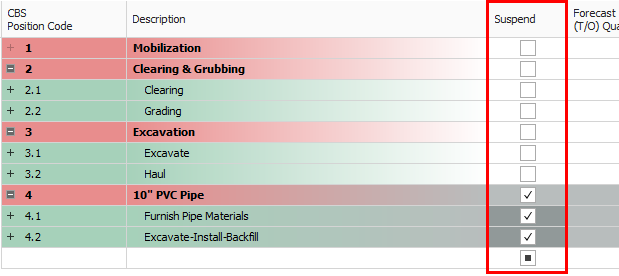
In the CBS Register, the Suspend column indicates which cost items are suspended.