Products
Solutions
Resources
9977 N 90th Street, Suite 250 Scottsdale, AZ 85258 | 1-800-637-7496
© 2024 InEight, Inc. All Rights Reserved | Privacy Statement | Terms of Service | Cookie Policy | Do not sell/share my information
Ensure the correct username is being entered and you are using the correct password. Your username is usually the same as your email address.
Check your junk mail and ensure the correct email address has been entered. If you still cannot locate the email it may be blocked by your company firewall.
No, we encourage all users to create their own account and self-enroll. If required, a company Power User can be set up (after completing mandatory online training) with the ability to create and/or enroll users into courses.
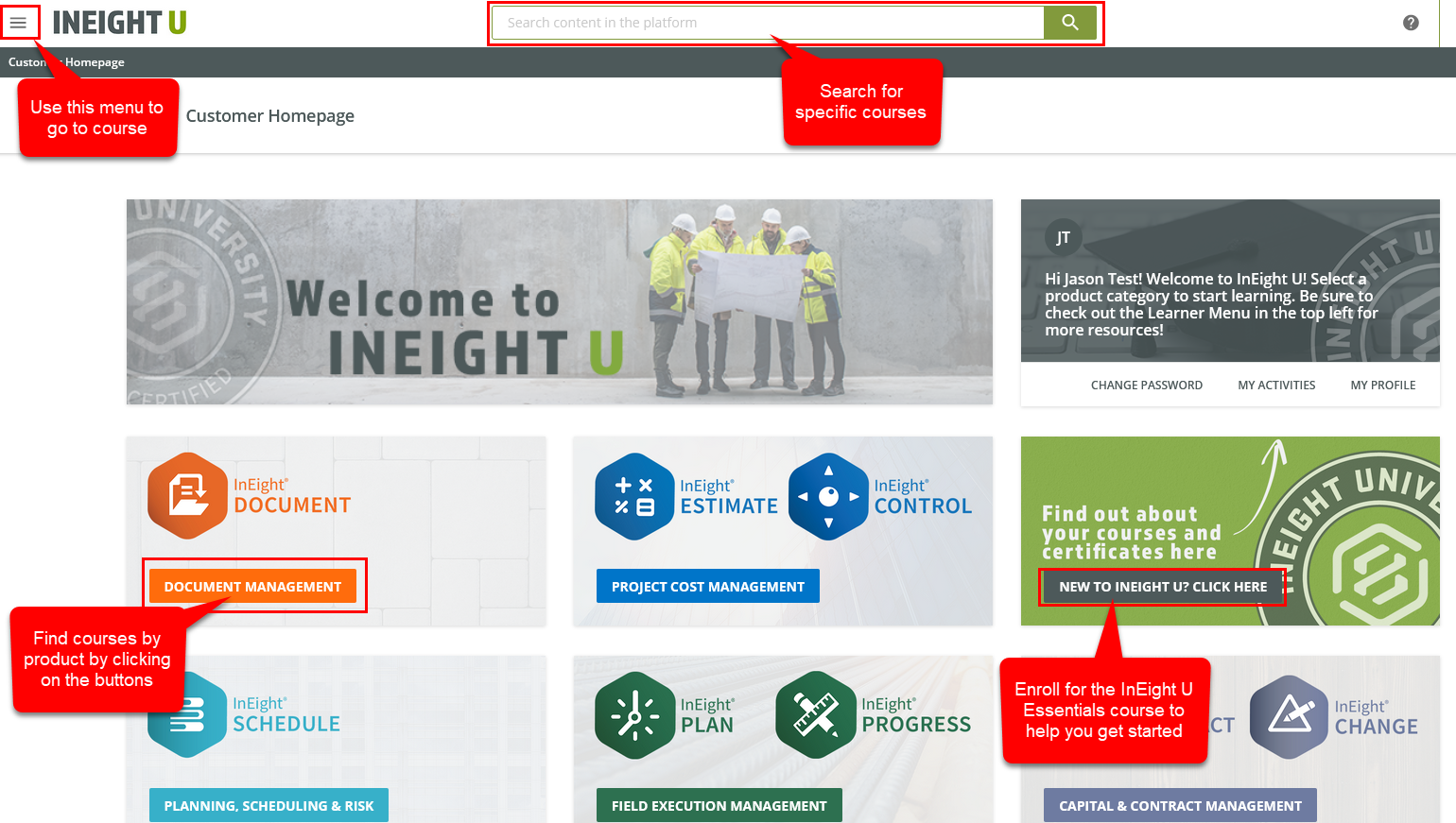
There are several ways to find courses as shown in the image below:
Use the top search bar
Browse courses by product or product category
Use the top left menu to browse courses by page.
You may have been sent an email from your company with links to courses or certifications you can also click on to automatically enroll in courses.
Ensure you are using the latest version of Google Chrome.
Refresh the page (CTRL + F5 for Windows, Command + R for Mac).
Try a different browser (E.g. MS Edge, Firefox, Google Chrome).
Check with your I.T admin that your firewall is not blocking the page.
If this does not resolve the issue, contact our Support team and provide them with the following information:
Describe the issue.
Provide a screen-shot of the error.
Note which browser and version you are using.
Advise the Operating System you are using. (E.g. Windows)
Device being used. (E.g. PC, iPad)
Double check your search and ensure the user you have checked the Course Catalog tab for search results
If the course has a padlock against it, it’s likely there are prerequisites to the course you have yet to complete. Check the course description to confirm whether there are prerequisites needed.
It’s possible you do not have access to the catalogue that the course belongs to or the course is currently restricted for a reason. If you believe this is the case, please contact your company administrator or the support team.
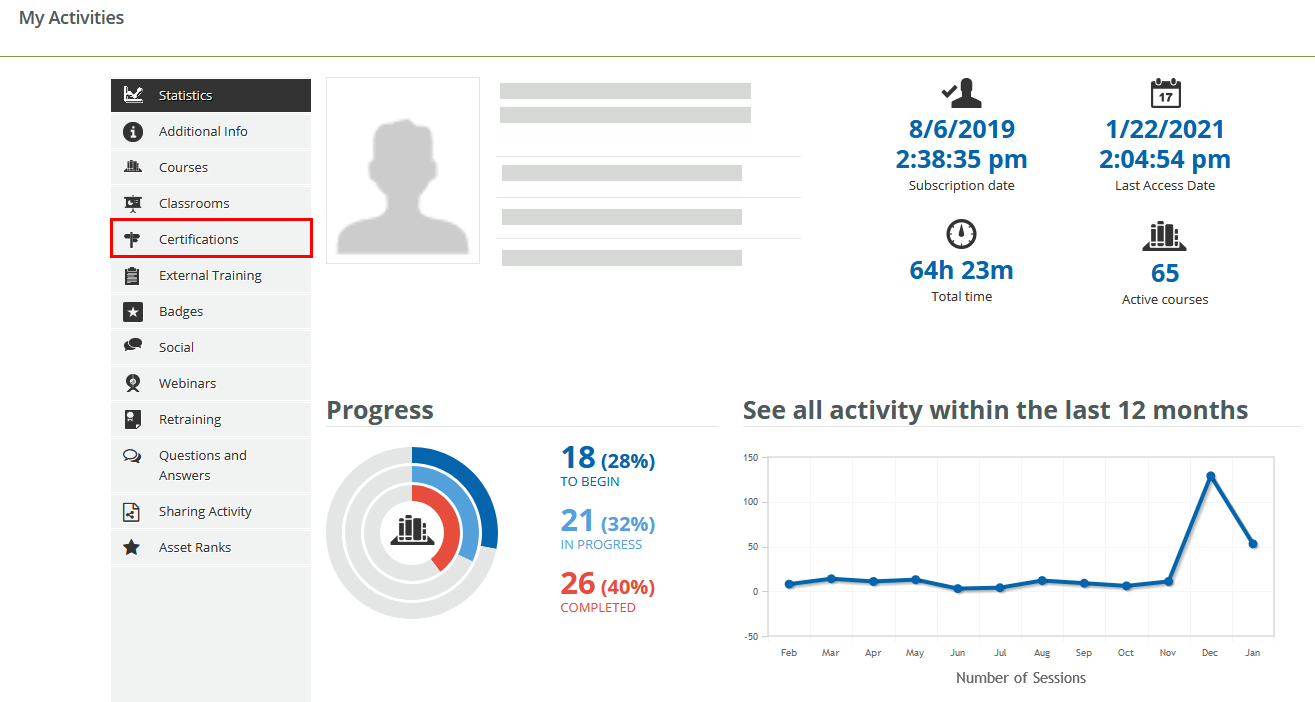
Navigate to the My Activities from the top left menu.
If a course was started (In Progress) and the status has now changed to “Subscribed”, this could mean that an update was made to the course, which would cause your progress to be reset. Users are usually sent a warning email when such course updates occur.
The padlock indicates that the course has been disabled and locked. This is usually because the course has been superseded by another course or it is being upgraded. We recommend contacting Support if this issue persists.
If you would like to request a course or provide feedback, please contact our Support team. They will pass on any feedback to our Education team who regularly update and create content to best meet the training needs of clients.
No, we encourage all users to create their own account and self-enroll.
InEight Enterprise clients may opt to have their own InEight U Administrator to enroll their users. However, this requires power user training and configuration. We recommend using enrollment links as a hassle free alternative.
Only Power Users can generate reports. If you are not a Power User (Company Admin for InEight U) you will not have this capability.
It is possible to monitor the progress of your users by running custom reports. Custom reports allow you to filter by:
Enrollment date
Completion date
Enrollment status
Course expiration date
If the New Reporting module is being used to generate these reports, by default users will need to log in to be able to view the report. This can be disabled by unchecking Login required to download report.
Generally, a single Power User can be allocated per company. If you require additional Power Users please contact your InEight representative with a case outlining why you need multiple Power User accounts.
We recommend all users working with your company self-register for InEight U by including a unique identifier/code in the Company field (eg IN82020 – Company name) that can be used to group all required users. This means reports can be run for all users with that unique identifier in the company field.
Currently, certificates are only issued when an entire learning plan/certification is completed.
Certificates are valid for 24 months from the date of issue.
Ensure the latest Chrome browser is being used.
Check the zoom level is set to 100 or increase it if the content is too small.
Note that some courses can appear more condensed on laptop screens.
If it is a major viewing issue, such as a video is not displaying properly or part of a course is cut off, please contact our support team.
Additional Information
9977 N 90th Street, Suite 250 Scottsdale, AZ 85258 | 1-800-637-7496
© 2024 InEight, Inc. All Rights Reserved | Privacy Statement | Terms of Service | Cookie Policy | Do not sell/share my information