Vendor Work Hours from Progress
Vendor MHrs from Progress
You can see the subcontract man-hours in Control for cost items that derive from InEight Progress. Subcontract performance can be tracked in Progress with data coming into Control for increased transparency, improved monitoring, and analysis.
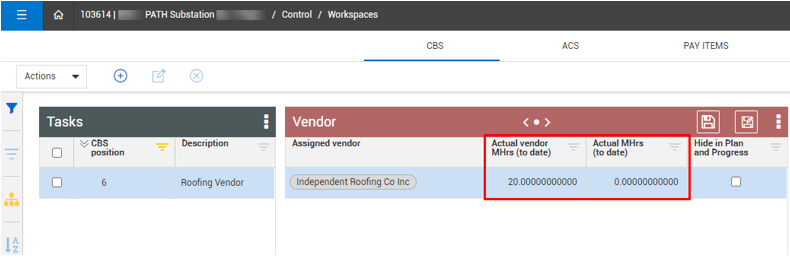
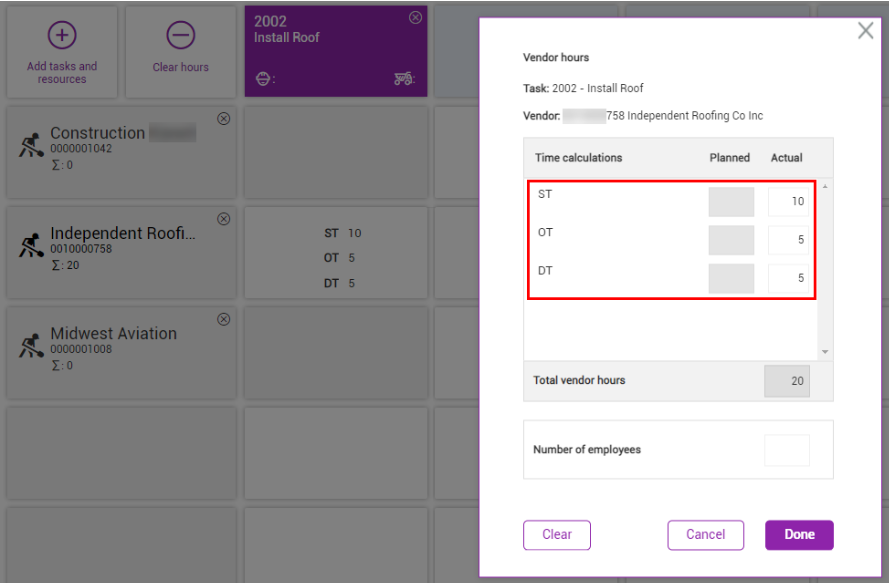
In addition to assigning a vendor to a cost item, and viewing the assigned vendors from InEight Contract, you can also see the claimed MHrs originating from Progress in Control > Workspaces, upon approval in Progress.
After the claimed vendor hours are approved in Progress, the Actual vendor MHrs (to date) and Actual columns populate with the claimed hours. This helps to find and focus on the true causes of any issues and support the ongoing work in the best way possible.
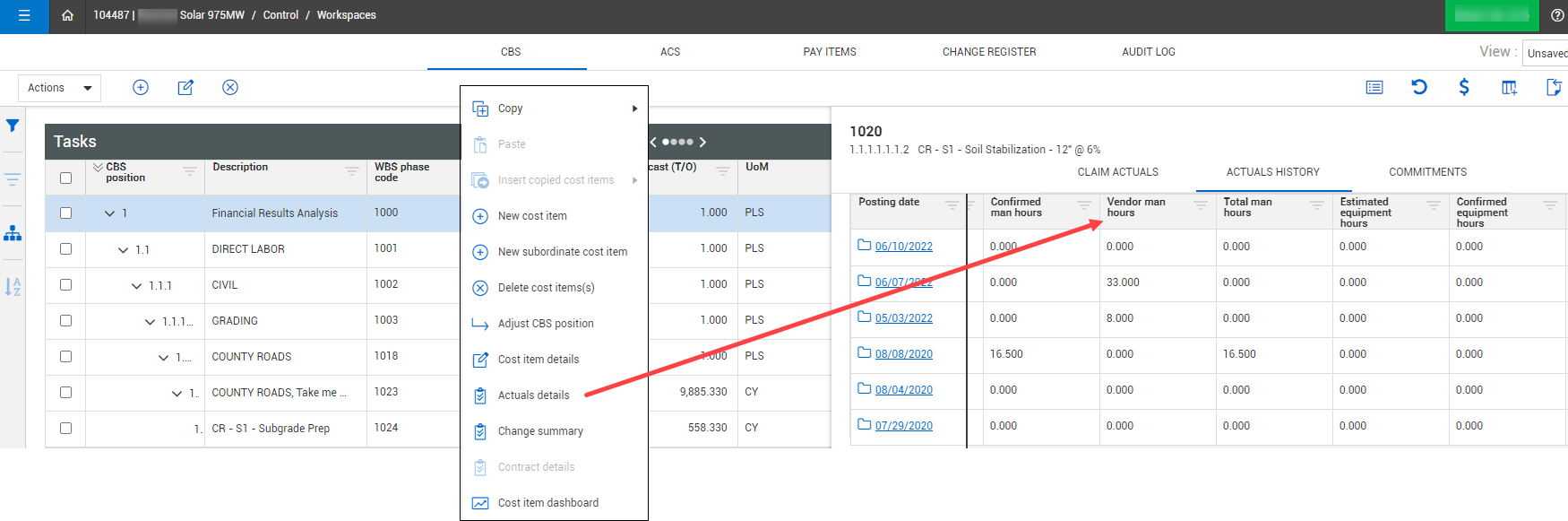
The Actuals Details slide-out panel shows the number of hours worked by the assigned vendor.
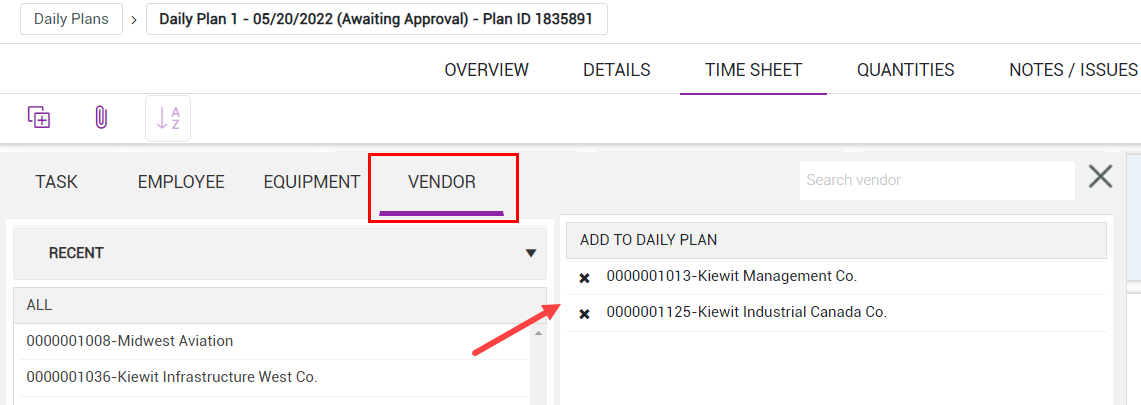
In Progress > Daily Plans > Timesheet, the new Vendor tab lets you choose which vendors to include on your daily time sheet as selected vendors to claim hours.
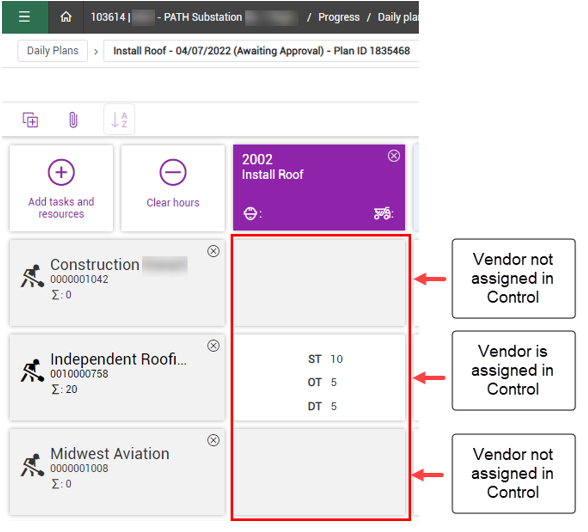
Only those vendors that are assigned in Control > Workspaces can claim hours against a timesheet Progress’s daily plan. In Progress, if a vendor is not assigned to a cost item in Control, the vendor hours task block is disabled and hours cannot be claimed.
If a vendor is assigned to a cost item in Control, the vendor can claim actual hours.
Note that the Actual vendor MHrs (to date) are recorded and reported on separately from the self-perform work hours that are recorded in the Actual MHrs (to date) fields.