Billing methods
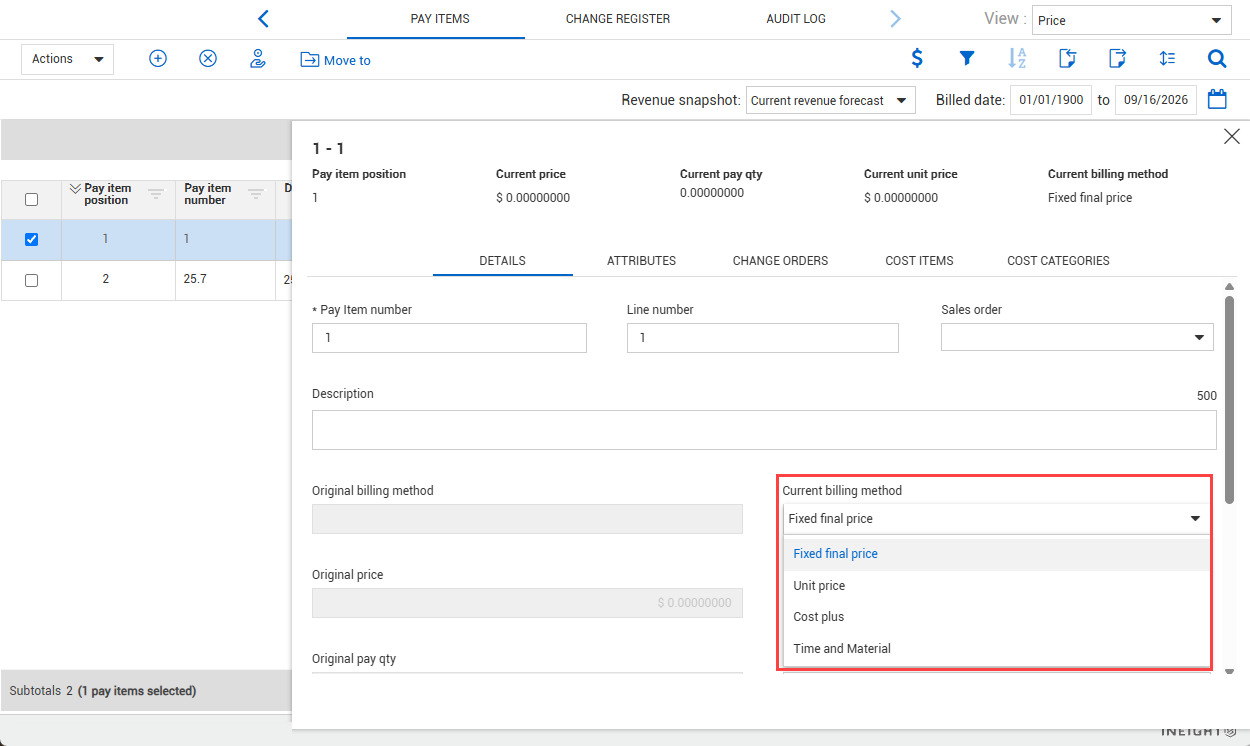
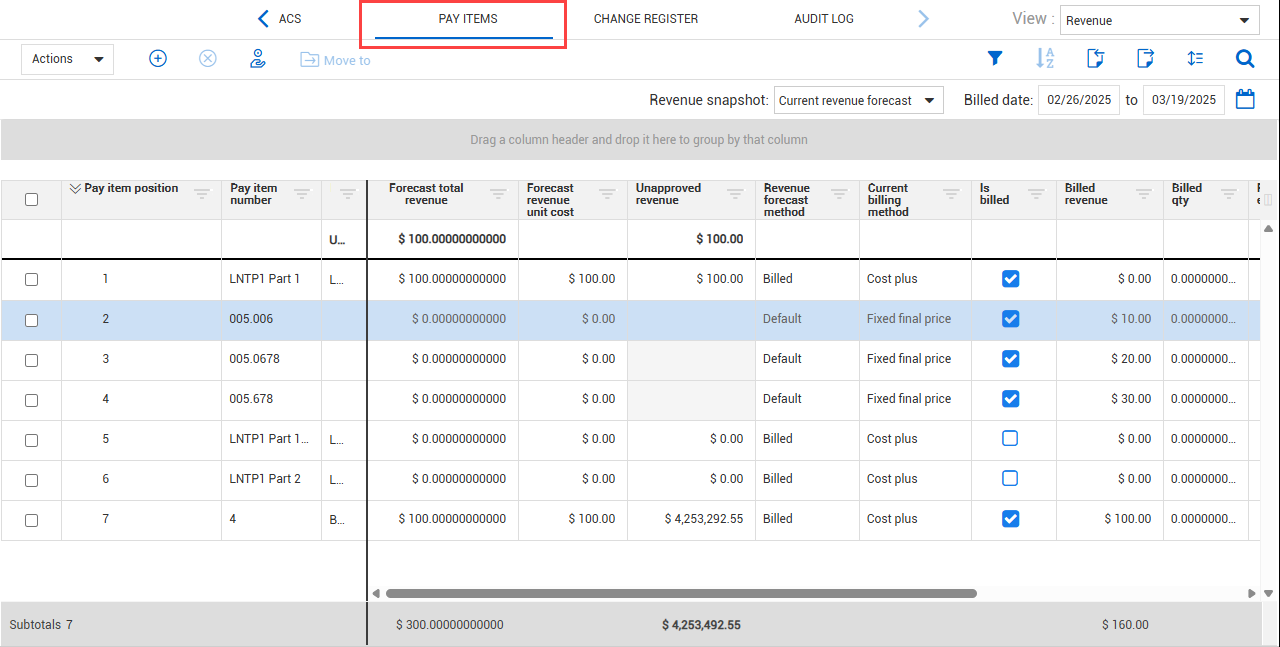
In the Current billing method field of the pay item's Details tab, you can choose from the following billing methods:
-
Fixed final price
-
Unit price
-
Cost plus
-
Time and material
Fixed final price
The fixed final price method is a lump sum billing method, which is a price agreed upon by a contractor and a client. The fixed final price can change only with a contract change order.
The Forecast total revenue for fixed final price is calculated as follows:
Current Price + (sum of Unapproved changes × Approval probability %)
Unit price
The unit price method is the default billing method which bills per unit. The price method multiplies the unit price by the pay quantity to calculate the total price. For example, you can submit an estimate where 44,000 units of an item are needed to complete the job. At the completion of the job, you are paid per unit installed. If only 40,000 units of that item are installed, you only get paid 40,000 units of that item.
The Forecast total revenue for unit price is calculated as follows:
Forecast total revenue = Current Unit Price × Forecast T/O qty
Cost plus
With the Cost plus billing method, the contractor is paid based on an hourly billing rate agreed upon with the client, consisting of labor, equipment, or material costs, plus markup. In addition, you can include a markup on top of the billing rate if needed. Cost plus billing method adds flexibility throughout the project since change orders are not required when you need to change markup, resource rates, quantities, and hours as the job progresses. You do not have a contractual agreement to be paid a certain lump sum.
The InEight Estimate pay items designated with the time and expense pay method become cost plus pay items in Control when the estimate is published to Control.
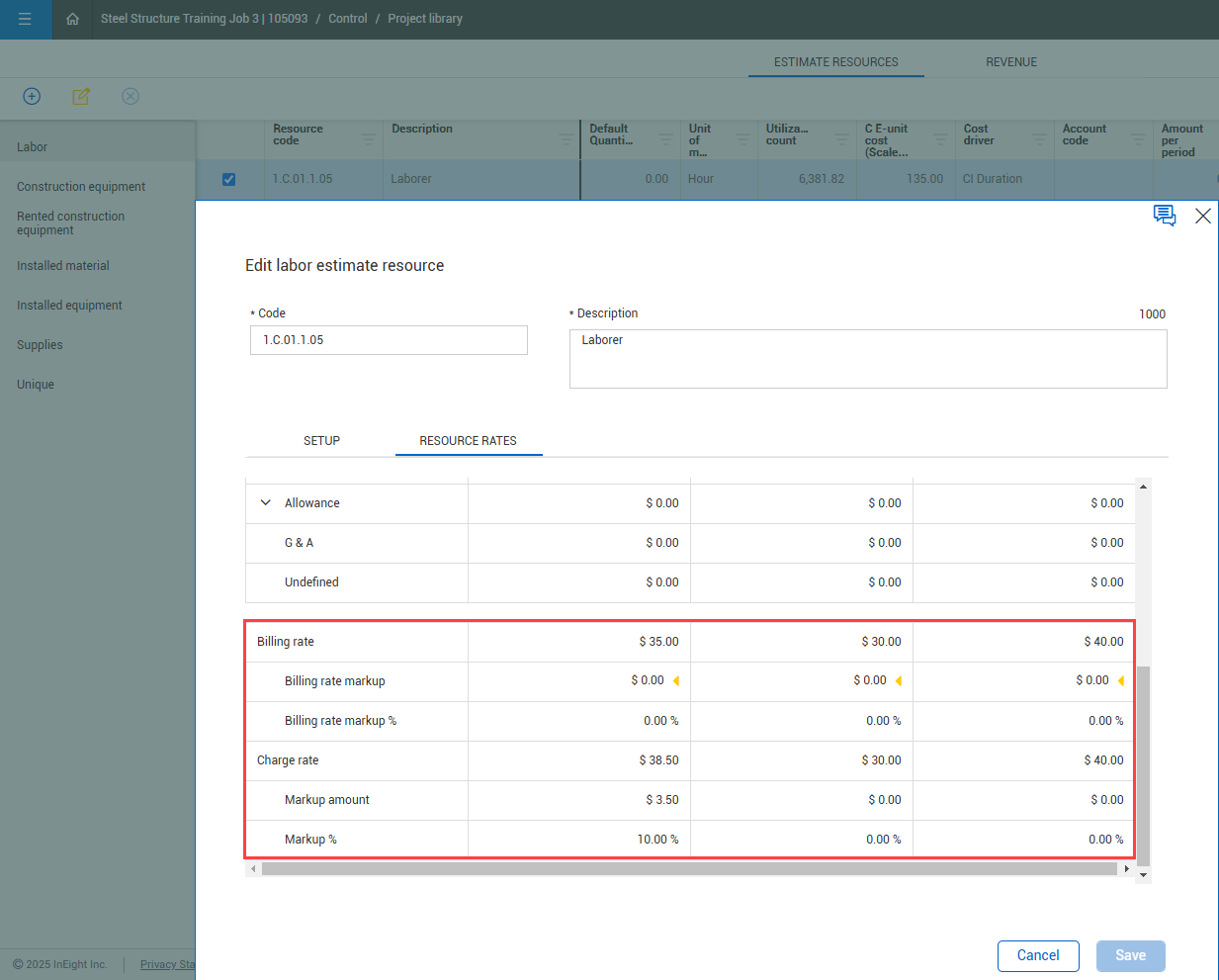
In the Project library, you can define the billing rate (that includes a markup) and/or a charge rate (that adds an additional markup) to an estimate resource on the Resource Rates tab. The billing and charge rate markup are used only when the Cost plus billing method is used in a pay item.
Cost plus pay items are mostly resource driven.
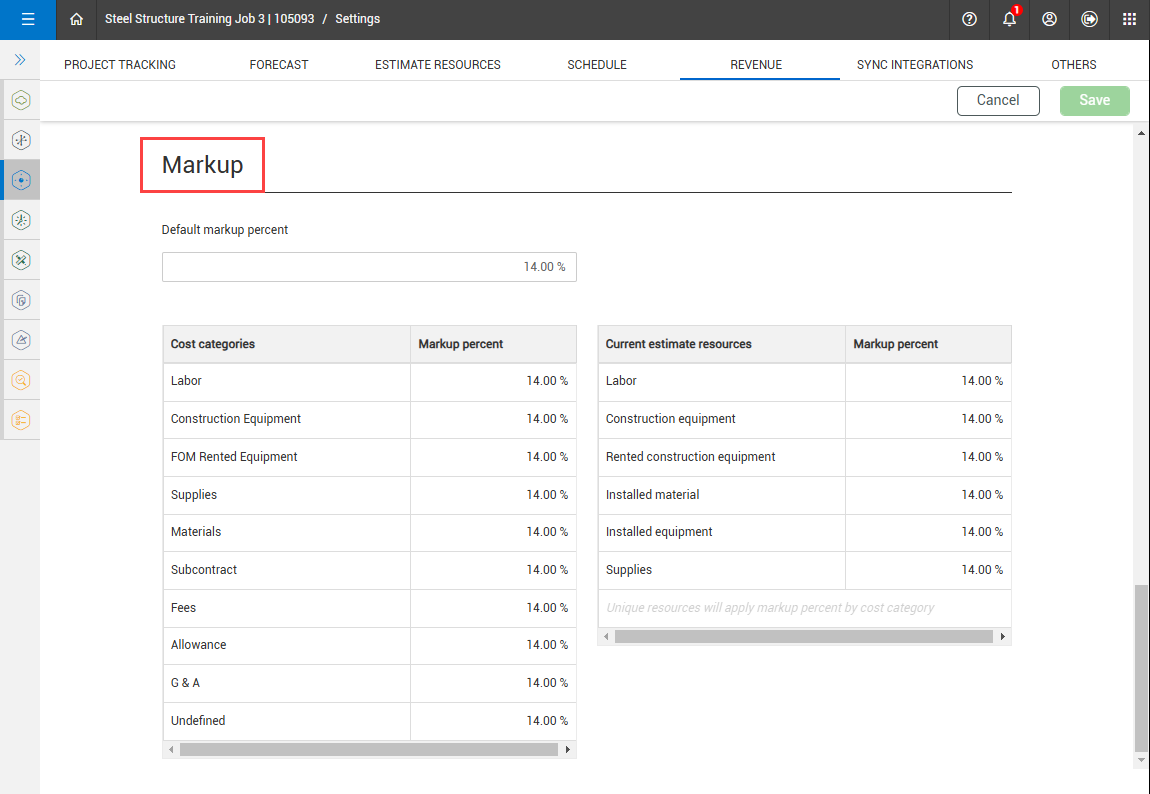
You can setup markup percentage values at the project level in the project settings Markup section of the Revenue tab for Cost categories and Current estimate resources.
Markups are used only when Cost plus is selected as the billing method which drives your revenue. When other billing methods are selected, you only see rates applied to the cost categories that drive your cost.
Markup values are not visible to the client.
You can use the two tables in the Markup section of the Revenue tab to enter markup percentages against cost category levels and resource levels. The revenue amounts automatically calculate.
-
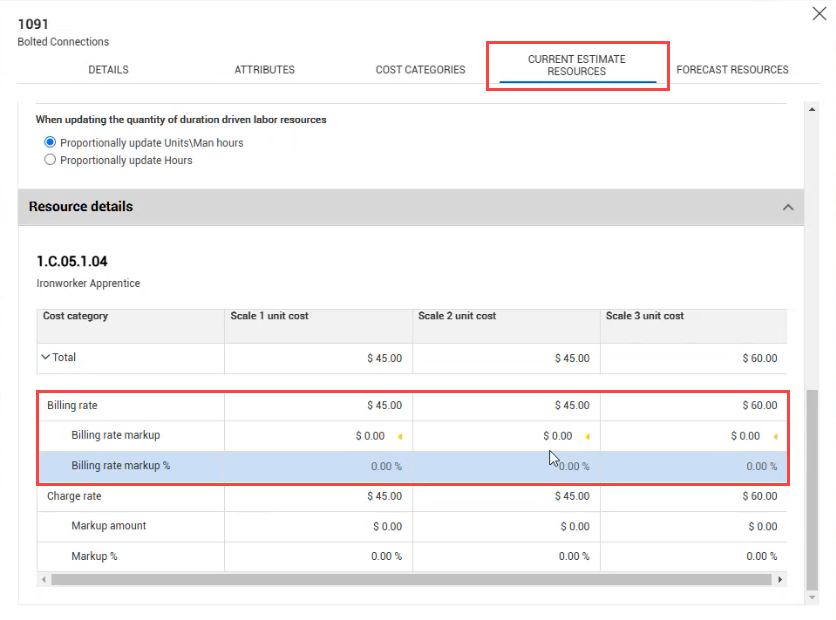
Resource category level markups – These markups are for cost items with a cost source of Detail. You can view the billing rates in the Cost item details slide-out panel, Current Estimate Resources or Forecast Resources (depending on your project setup). In the Current estimate resources section, select a resource, and then open the Resource details section.
At the pay item level, you can see the total revenue for the pay item, based on the resource billing rates and markup of the cost items that are assigned to each pay item.
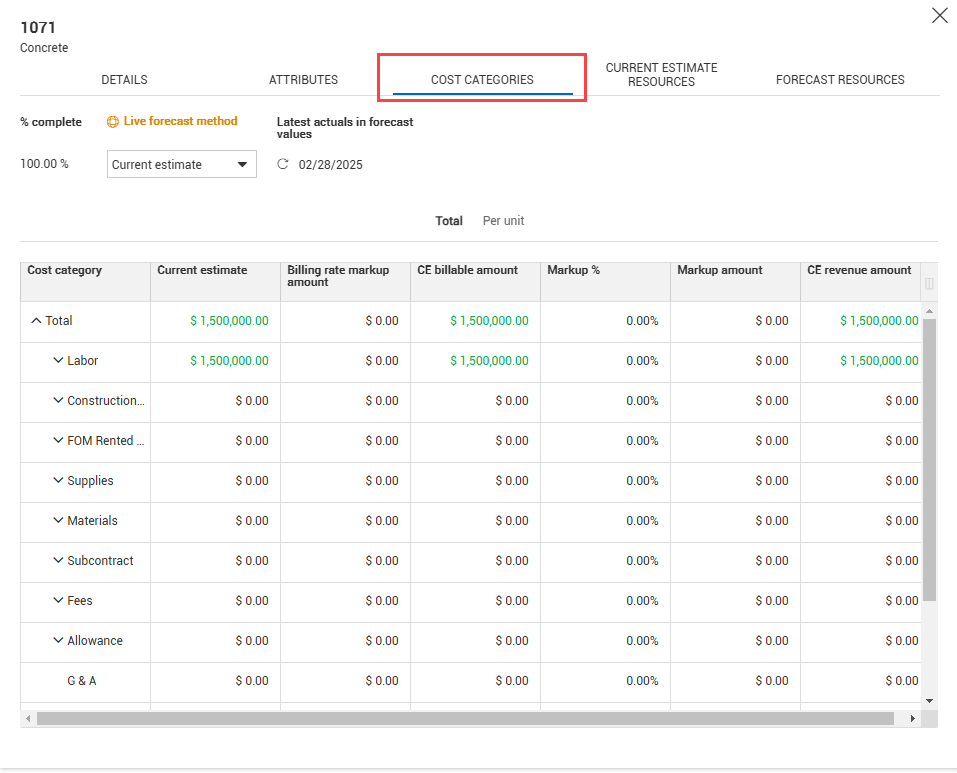
The rates can be updated in the Cost item details slide-out, in the Cost categories tab, and in the Current Estimate Resources or Forecast Resources (depending on your project setup) in the CBS.
Time and material
The Time and material (T&M) billing method lets you bill for actual labor hours, equipment hours, and materials and not rely on a fixed contract price. T&M billing method is used when resources have an agreed rate, that you can bill against, such as an hourly rate or a unit rate. The tracking of hours or installed material is usually done using an external product, such as InEight Plan, InEight Progress, or InEight Billings. The revenue earned is tracked in Control.
The Time and Material option is available only when Billings is integrated with Control.
The Forecast total revenue for Time and Material is calculated as follows:
IF the Revenue is considered earned when a LEM is setting is set to Pending
THEN = Revenue earned + sum for all assigned cost items {(1−% complete) × sum for all cost categories [Forecast total cost × (1+Markup % from cost category settings)]}
ELSE IF the Revenue is considered earned when a LEM is setting is set to Approved
THEN = Revenue earned + Pending LEMs + sum for all assigned cost items {(1−% complete) × sum for all cost categories [Forecast total cost × (1+Markup % from cost category settings)]}
The Forecast total revenue for time and material is dependent on the Revenue is considered earned when a LEM is setting in Project settings > Control > Revenue > Time & Material.