Push and Get actions
Control integrations are used to move specific data in to or out of the application. As data is generated or modified in one product, it does not automatically change in other connected products; you must perform a manual sync action, referred to as a Push or Get action.
-
A Push sync occurs when you send information to another InEight cloud Platform application or an external application.
-
A Get sync occurs when you retrieve information from a different InEight cloud Platform application or an external application.
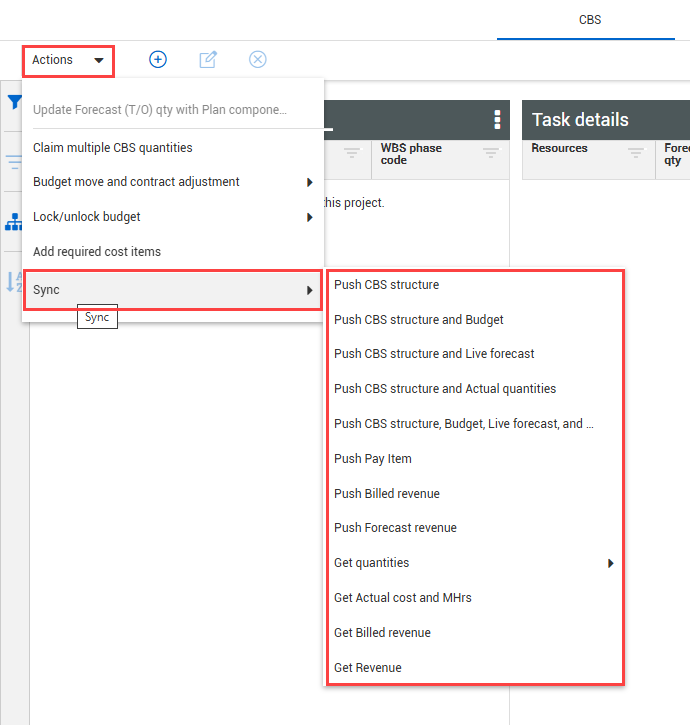
Click the Actions menu from the Control main page and hover over the Sync option to see the available integration options.
The table below provides a description of the sync type functions.
| Sync option |
Function
|
|
Push CBS structure
|
Syncs the Control CBS structure to the ERP system.
|
|
Push CBS structure and Budget
|
Syncs the Control CBS structure, budgeted quantities, man-hours, and costs to the ERP system.
|
|
Push CBS structure and Live forecast
|
Syncs the Control CBS structure and Live forecasted quantities, man-hours, and costs to the ERP system.
|
|
Push CBS structure and Actual quantities
|
Syncs the Control CBS structure and job-to-date actual quantities to the ERP system.
|
|
Push CBS structure, Budget, Live forecast, and Actual QTY
|
Simultaneously performs all the syncing functions listed above (1-4).
|
|
Push Pay Item
|
Syncs the Pay item list and data to the ERP system.
|
|
Push Billed revenue
|
Syncs job to date billed amounts to the ERP system.
|
|
Push Forecast revenue
|
Sync pay item revenue values (billed revenue, earned revenue, forecast revenue).
|
|
Get quantities (Through Previous Pay Period or Job To Date
|
Retrieves the claimed quantities from InEight applications and incorporates the information to Actual QTY in Control.
|
|
Get Actual cost and MHrs
|
Retrieves actual project costs and man-hours from the ERP system and incorporates the information to Actual costs and Actual man-hours within Control.
|
|
Get Billed revenue
|
Retrieves billed amounts from the ERP system and incorporates the information to Billed revenue within Control
|
| Get Revenue |
Retrieves revenue information from Ineight applications and incorporates the information to forecasted revenue. This feature is available with the applicable setup and settings. |
Sync Options
-
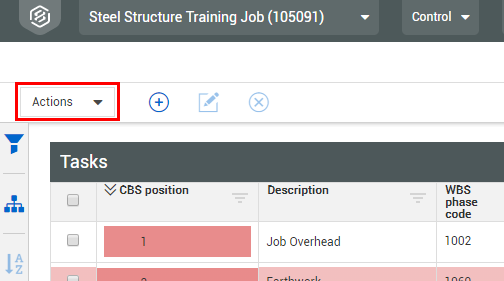
From the Control main page, click the Actions menu.
-
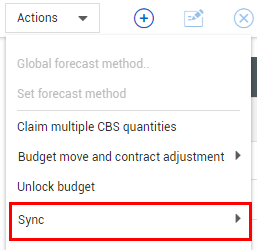
Select Sync from the Actions drop-down.
-
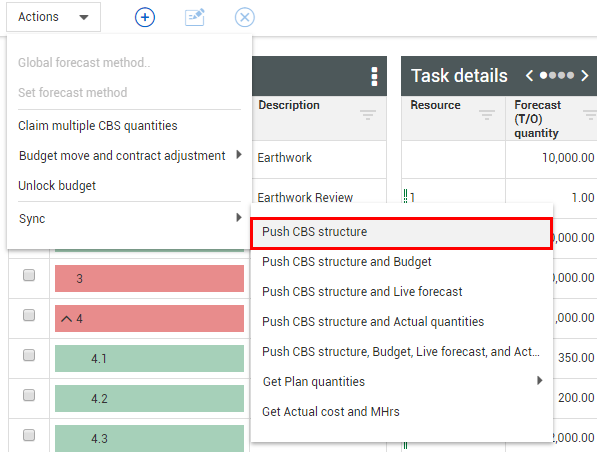
Select Push CBS Structure from the Sync drop-down.
-
You can follow the same steps for selecting the other sync options
-
For the Get Plan Quantities option, you must select the Through Previous Pay Period option
When you want certain types of data to sync automatically, you can schedule syncs. For more information, see Scheduled syncs.