Products
Solutions
Resources
9977 N 90th Street, Suite 250 Scottsdale, AZ 85258 | 1-800-637-7496
© 2024 InEight, Inc. All Rights Reserved | Privacy Statement | Terms of Service | Cookie Policy | Do not sell/share my information
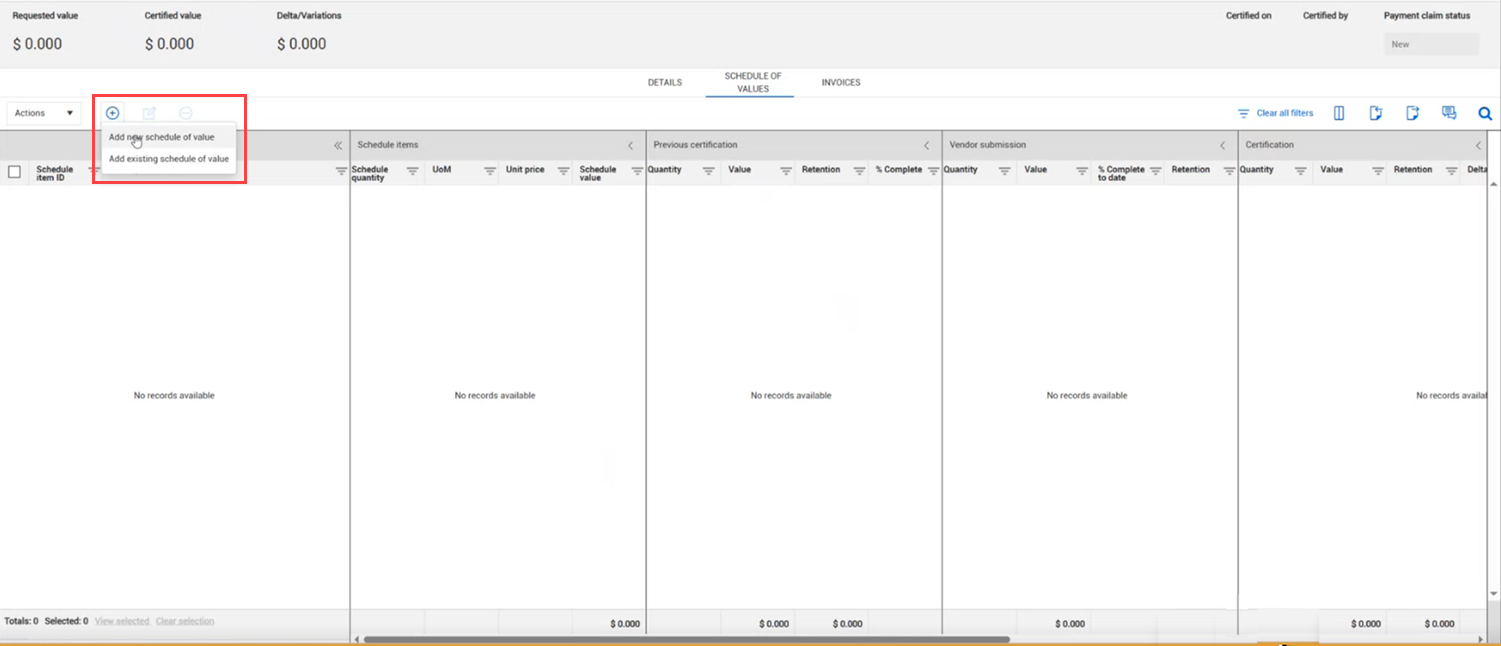
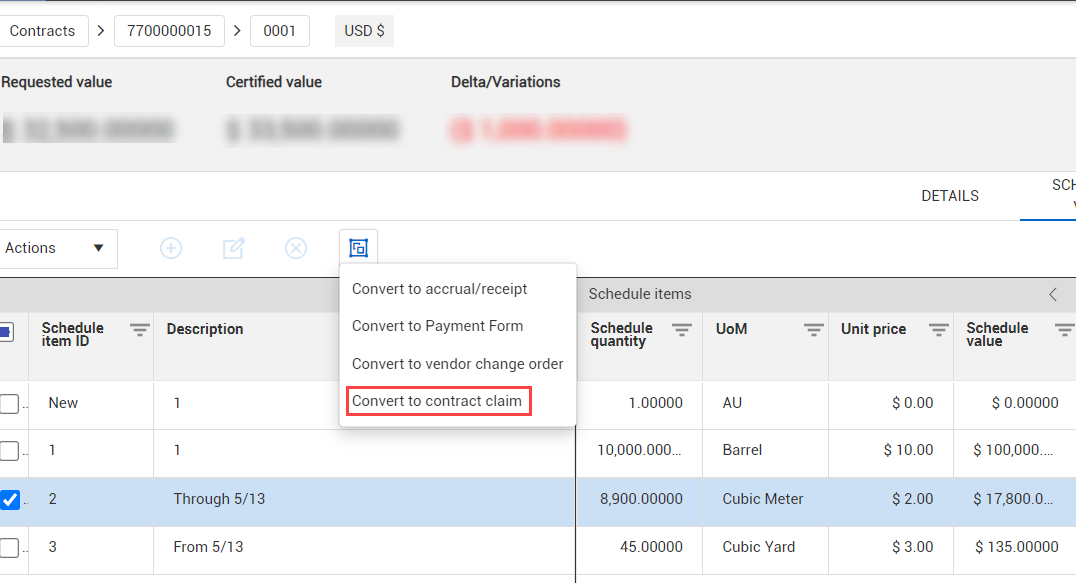
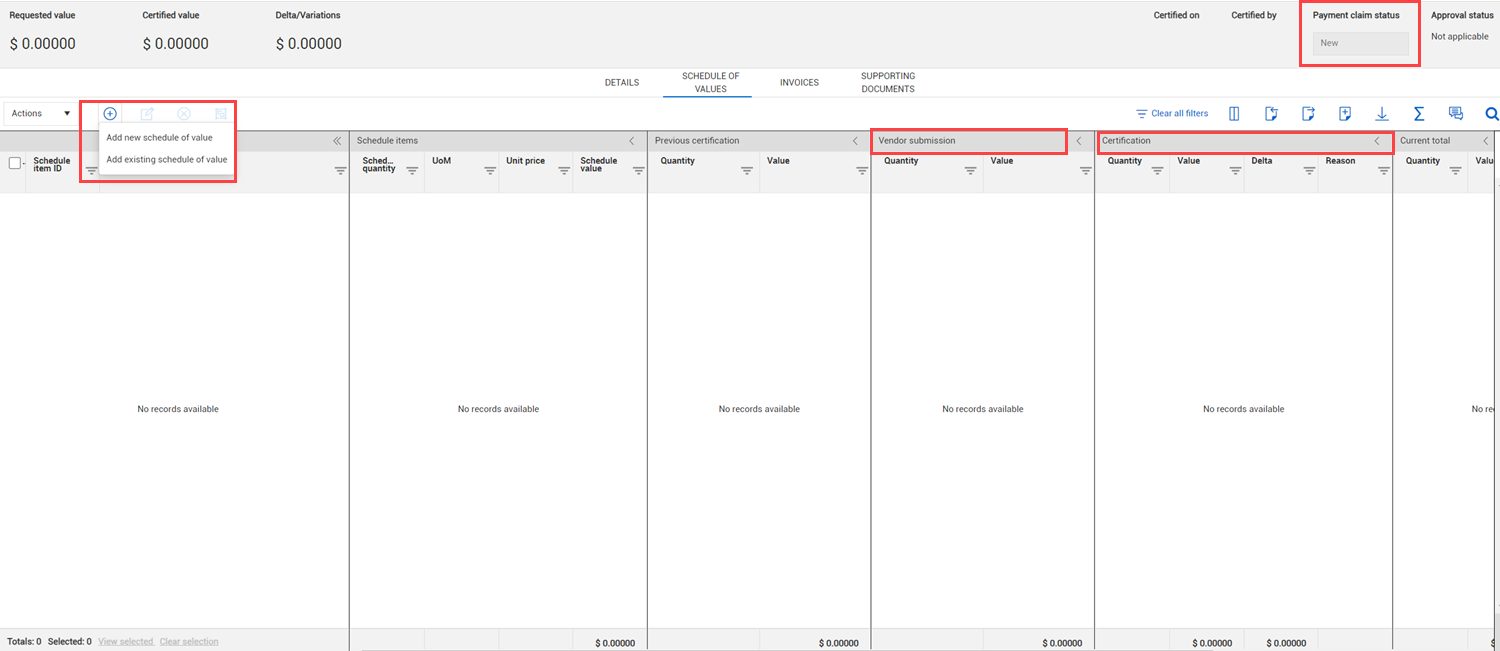
Improved functionality for creating contract schedule of values claims – You can now convert a schedule of values payment claim with a 0.00 value to a contract schedule of values claim. This provides more flexibility by allowing you to select zero-value certified schedule items before converting to a contract claim.
Document generation collection table can support 300 rows in a single table – The document generation process has been optimized to now support more than 300 rows in a collection table, ensuring more efficient document creation for users.
Import truncates description field to allowable character limit instead of blocking import with errors – The Schedule of Value import now properly truncates descriptions that exceed the character limit, allowing the import to proceed smoothly.
General release is available starting 27-OCT-2025
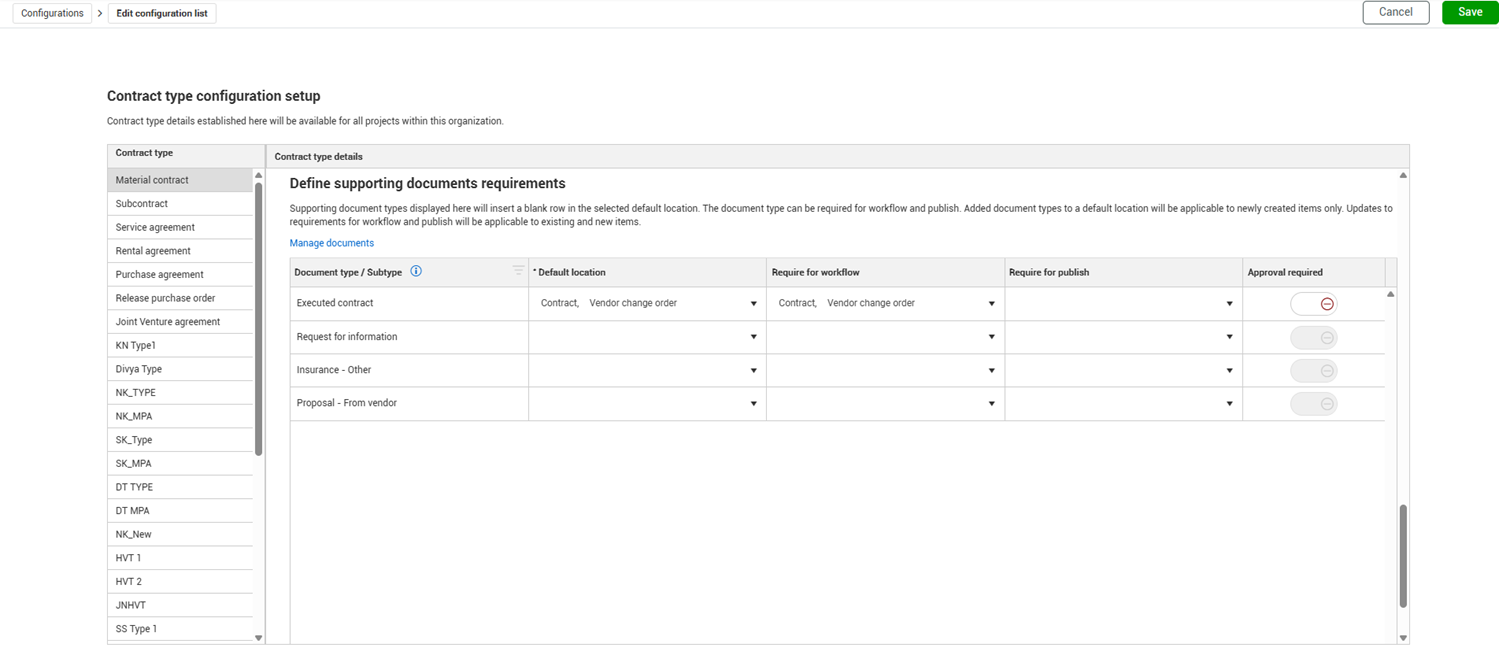
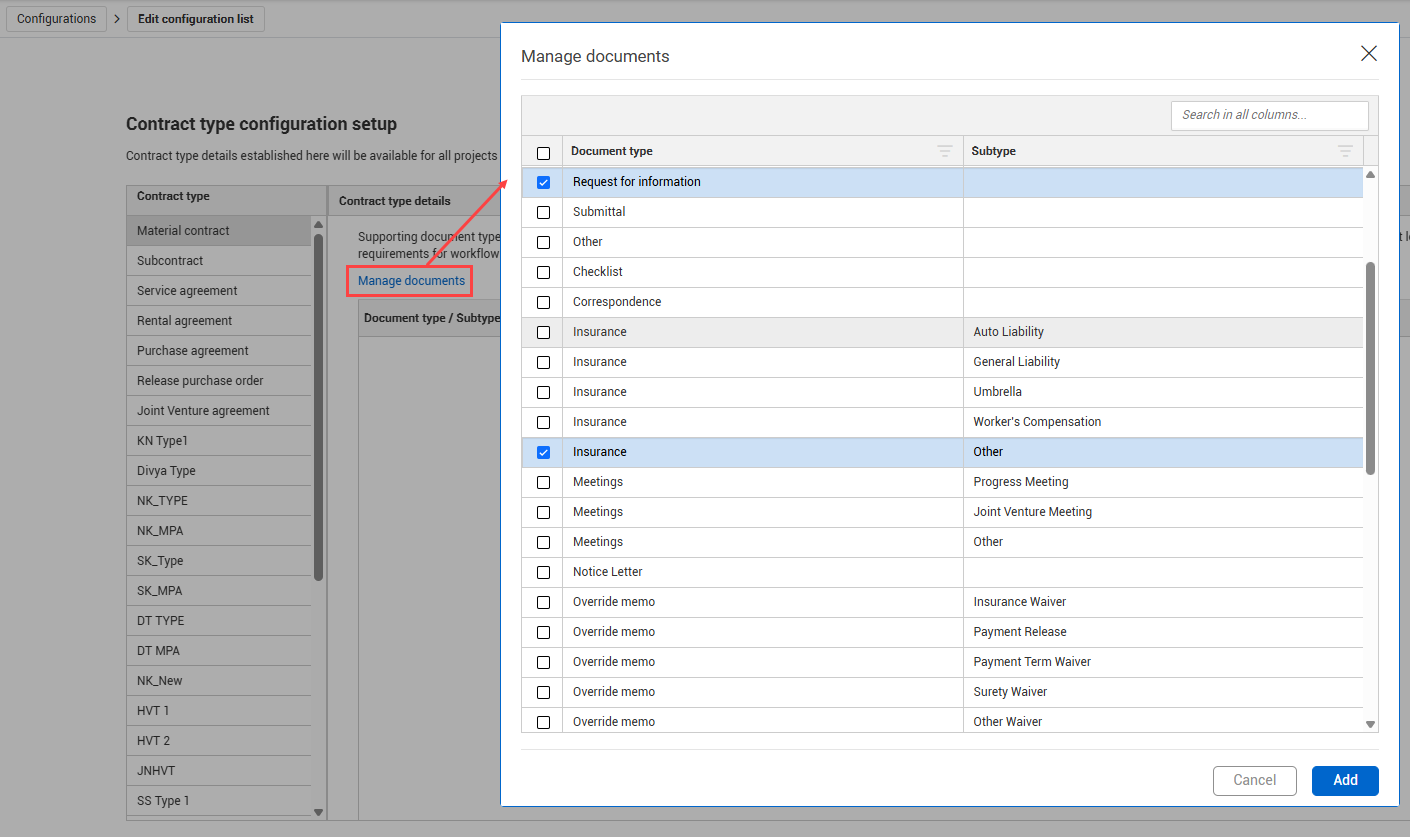
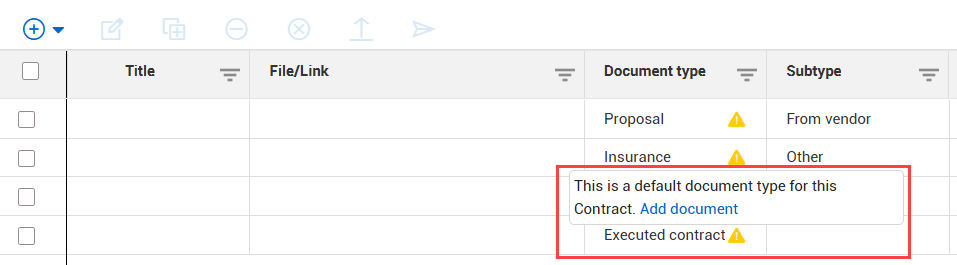
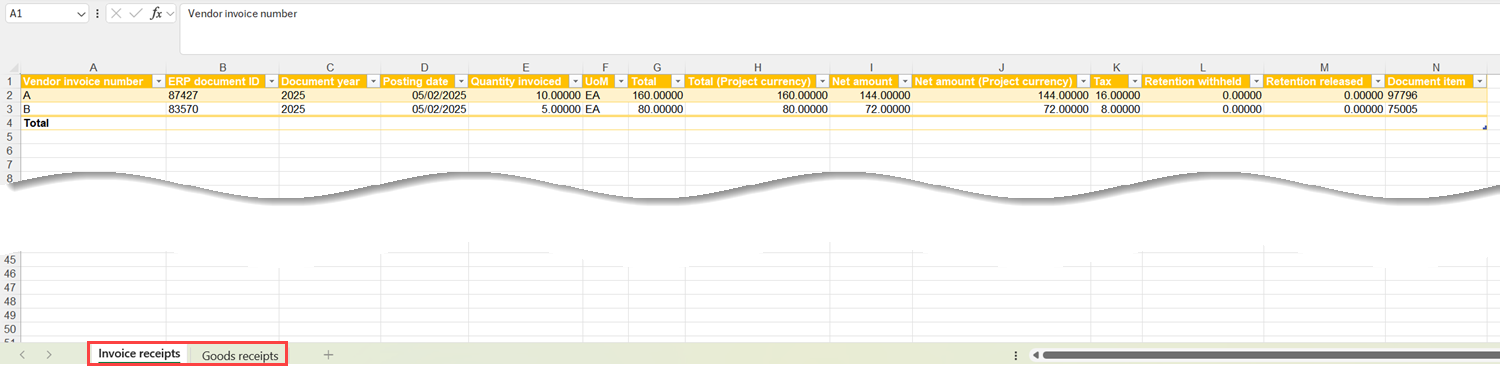
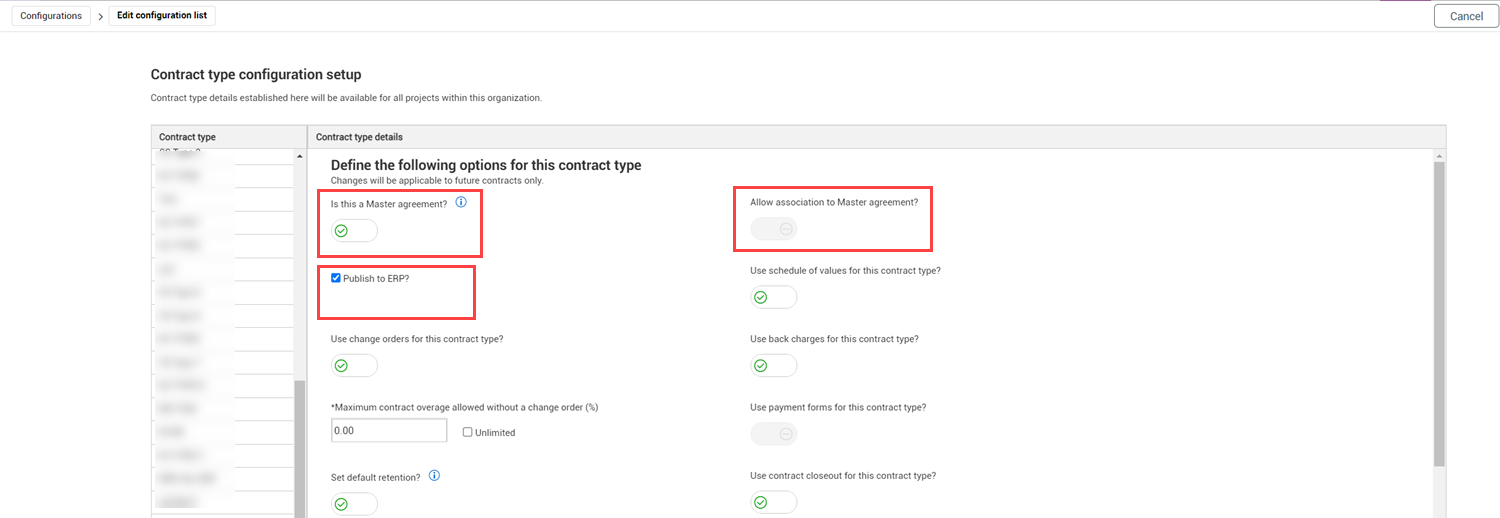
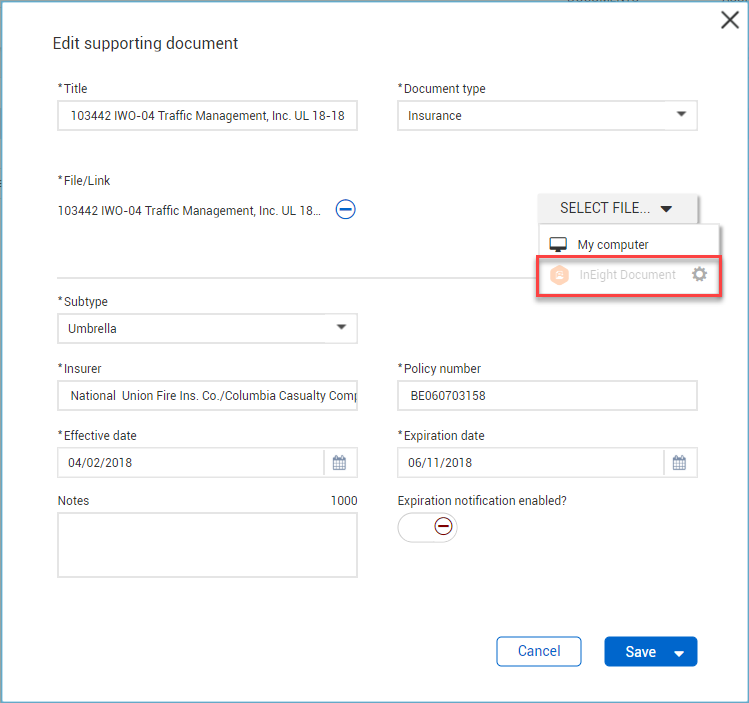
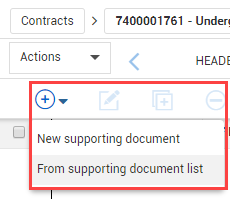
Configure placeholder documents in Supporting documents – You can now specify placeholder documents in the Supporting documents configuration by document type and subtype. To support this enhancement and to provide additional flexibility when configuring supporting documents, the Supporting documents set up has been moved to the Contract type configuration set up page (organization Settings > Configurations > Contract type configuration setup). The previous Supporting documents configuration has been removed from the Configurations list. Any settings from previous releases have been migrated to the new configuration.
Read more
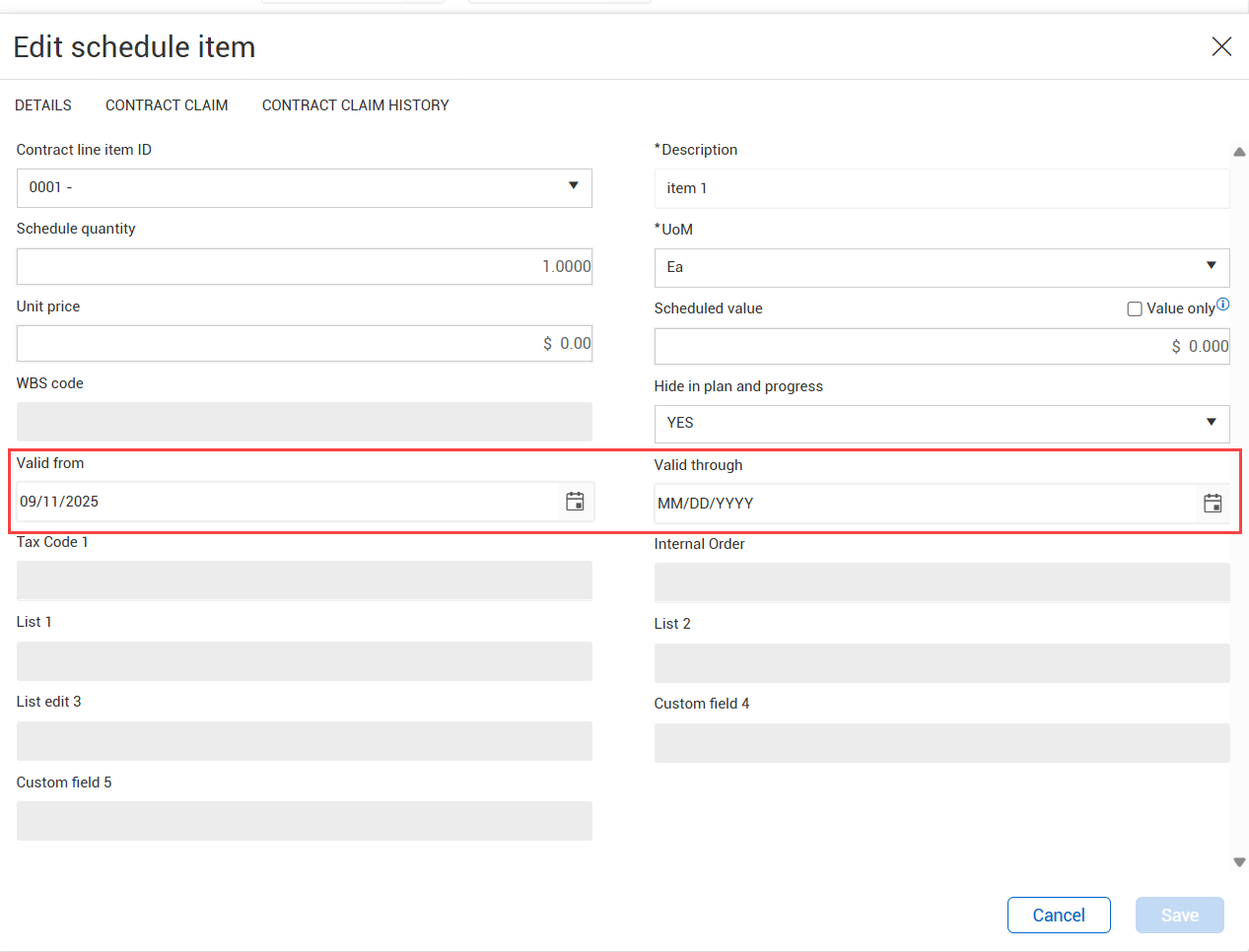
Schedule of values Valid from and Valid through dates – The Valid from and Valid through fields have been added to the schedule item details, so you can restrict use of the schedule item based on chosen dates.
Read more
Schedule of values import calculation history – The import calculation has been added to the Schedule of values import History tab, so you can quickly see the calculations used in previous imports.
Read more
Schedule of values date restriction – You can no longer use dates prior to 01 January 2000 in the Schedule of values module.
New diversity participation tags – Tags for the fields in the Diversity participation section of the contract header have been added to the general tags and collection table tags lists. A collection table has been added for the Category, Percent, and Comments fields.
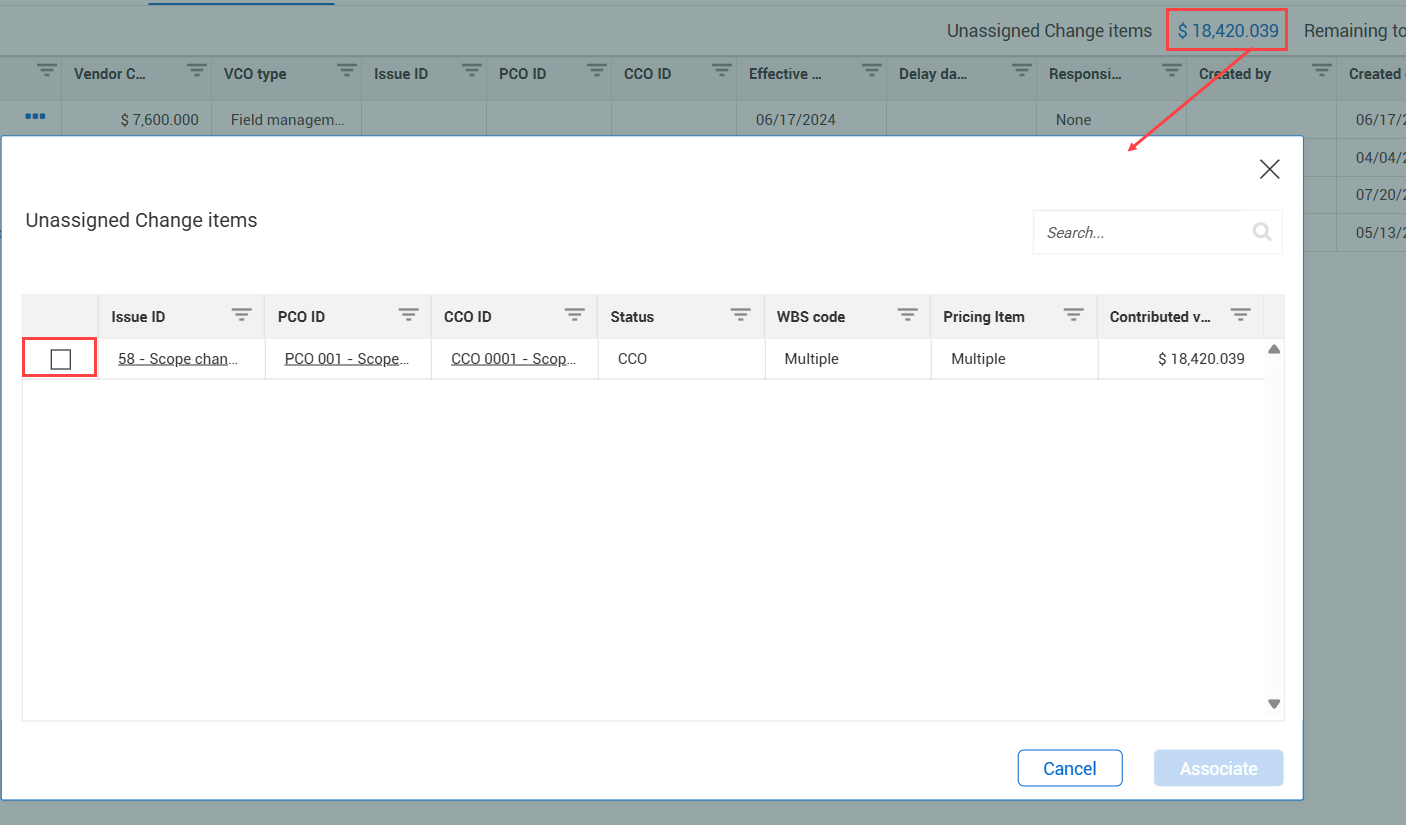
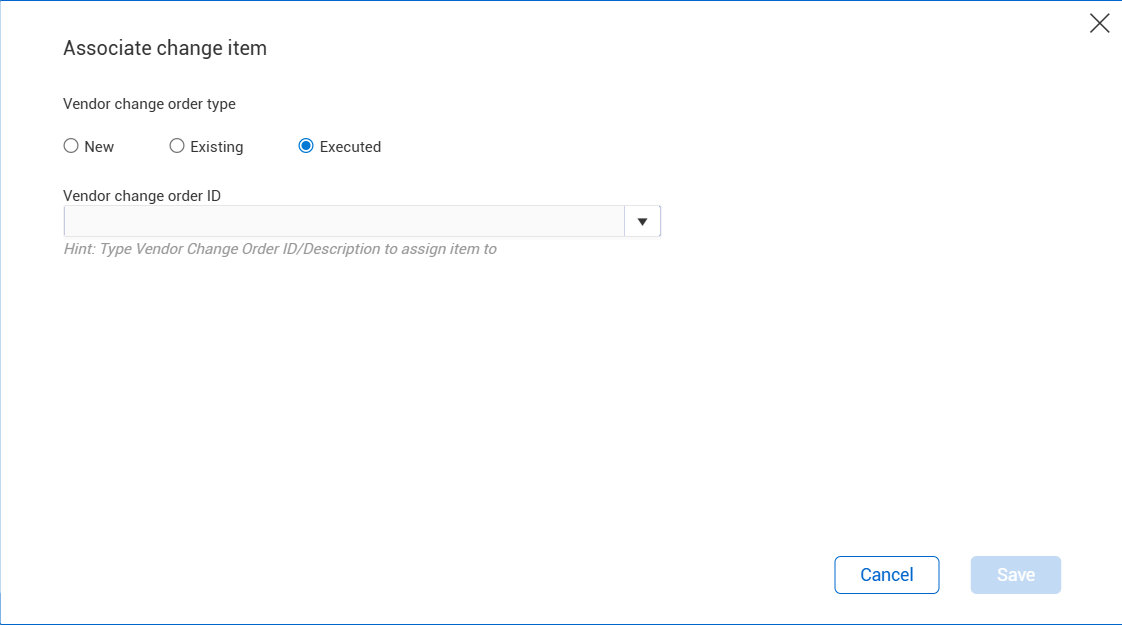
Associate unassigned change items to a change order – The Unassigned Change items dialog box that shows when you click the Unassigned changed item total now includes the option to associate unassigned changed orders to a new, existing, or executed vendor change order.
Read more
General release is available starting 25-AUG-2025
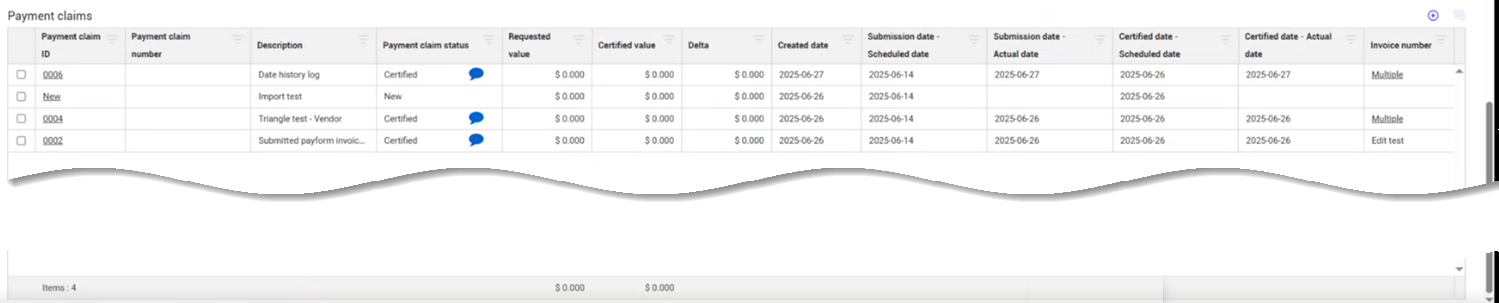
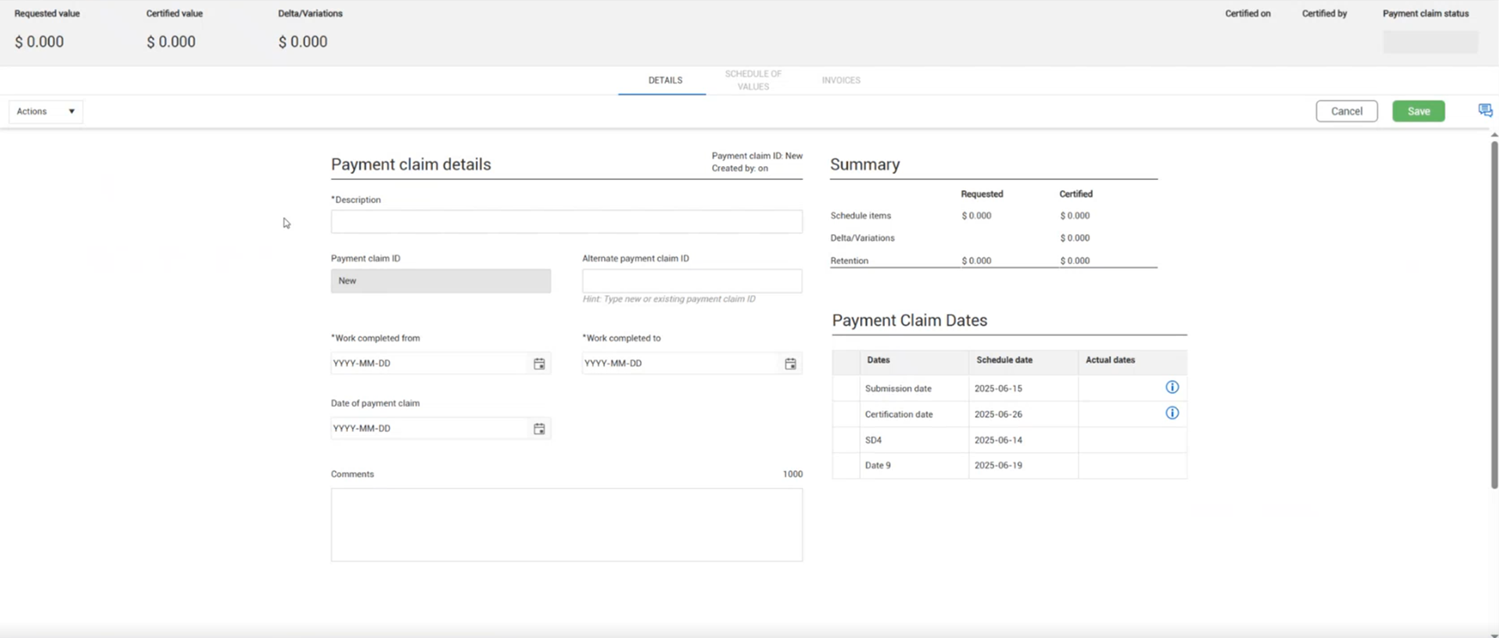
Vendor payment claims – Vendors can now submit payment claims directly into Contract from the Vendor contract summary page.
Read more
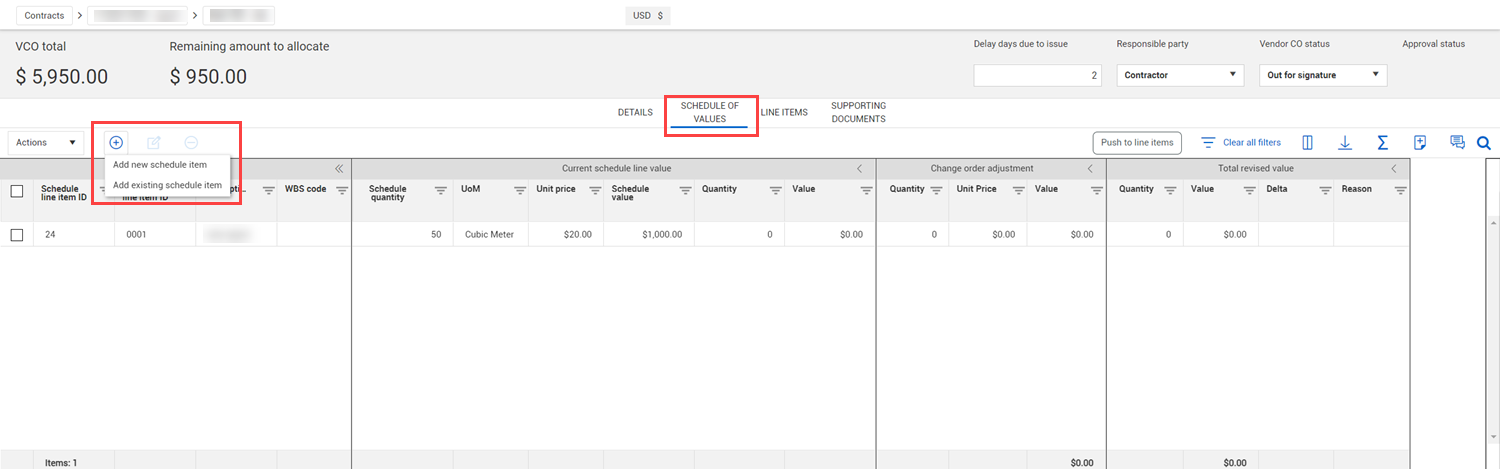
Schedule of values enhanced single grid view – The Schedule of values page has been updated to have the same look and feel as the Line item page, including color coded column sections. The new page layout also improves performance when loading or scrolling the Schedule of values register.
Read more
Schedule of values section updates – The Change orders section of the Schedule of values page has been renamed Changes to be consistent with the Line items page. Also, the Manual adjustments column has been added to the Changes section, so you can quickly see the total of all value changes made without a vendor change order after the contract is published. In the Schedule of values items section, the new Original value column shows the value of the item when the contract was published.
Read more
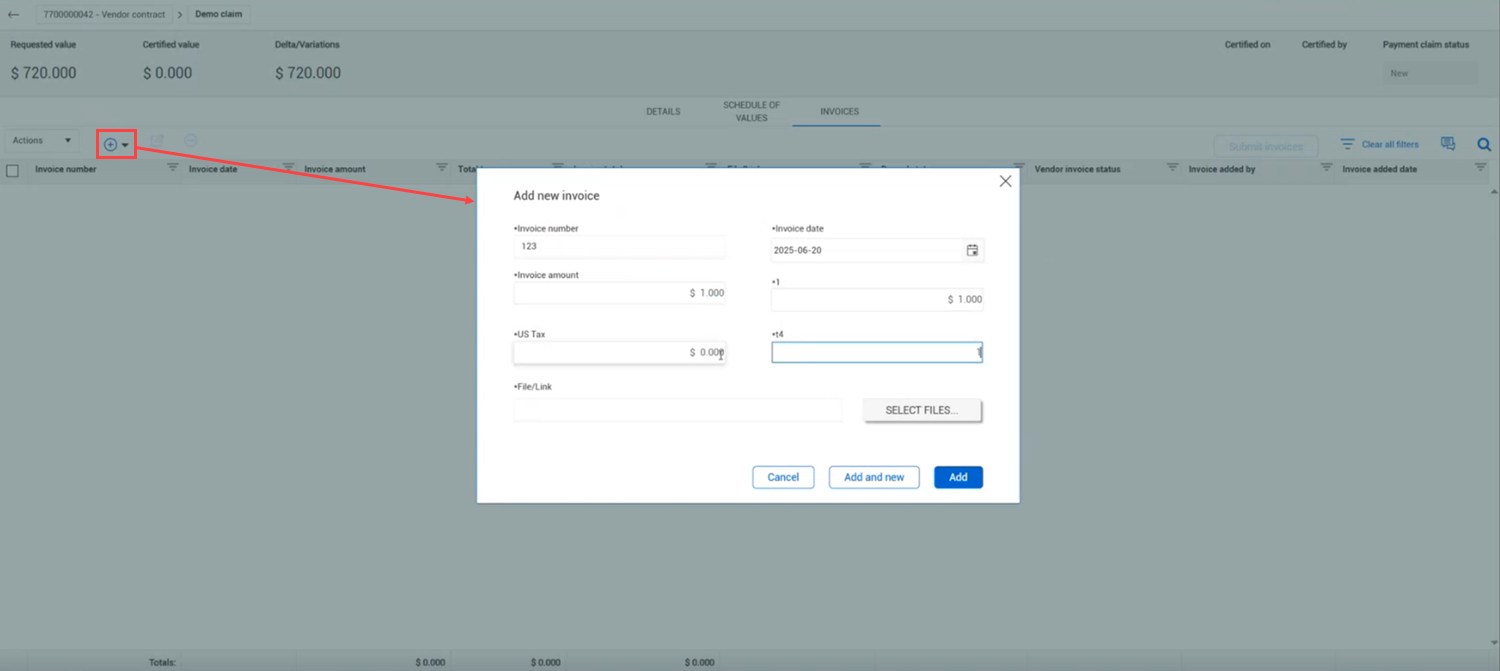
Add invoices to a certified payment claim – If you miss adding an invoice to a payment claim before it was certified, you can now add it after certification. You can also edit invoices after certification if they are not on a submitted payment form or if the payment form is approved or in any approval workflow. For more information, see the Payment claims and Certification topics.
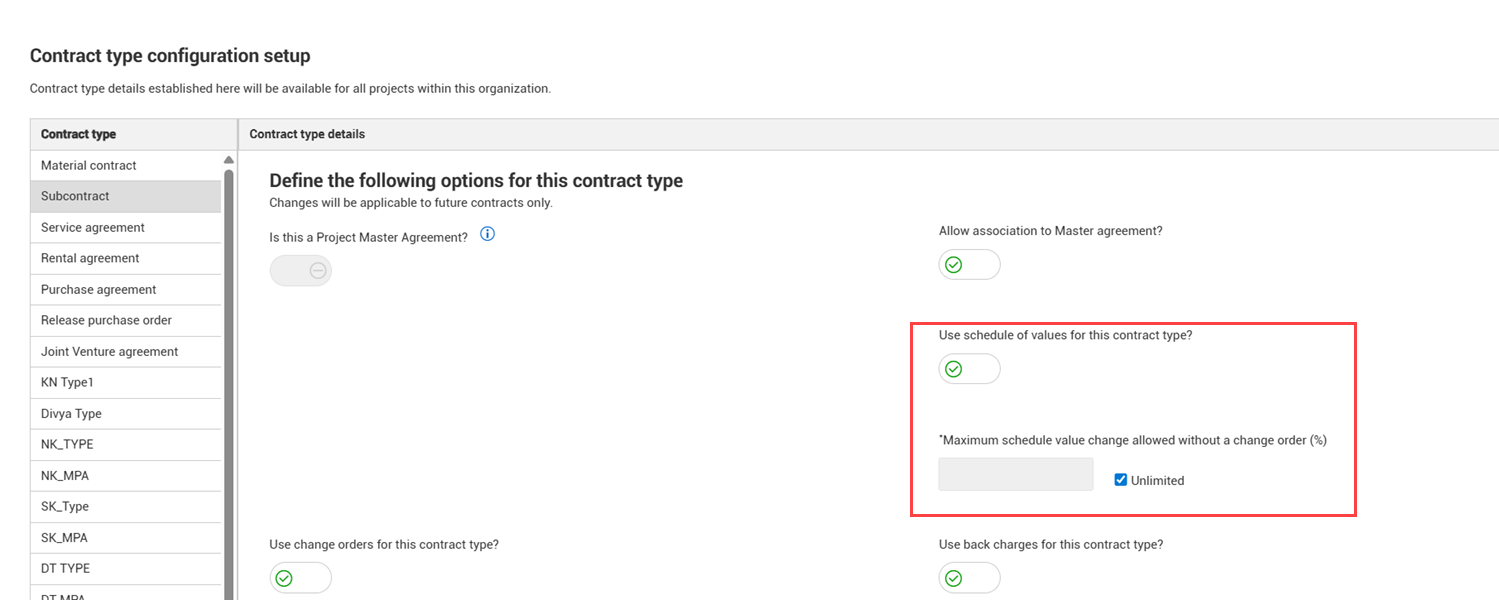
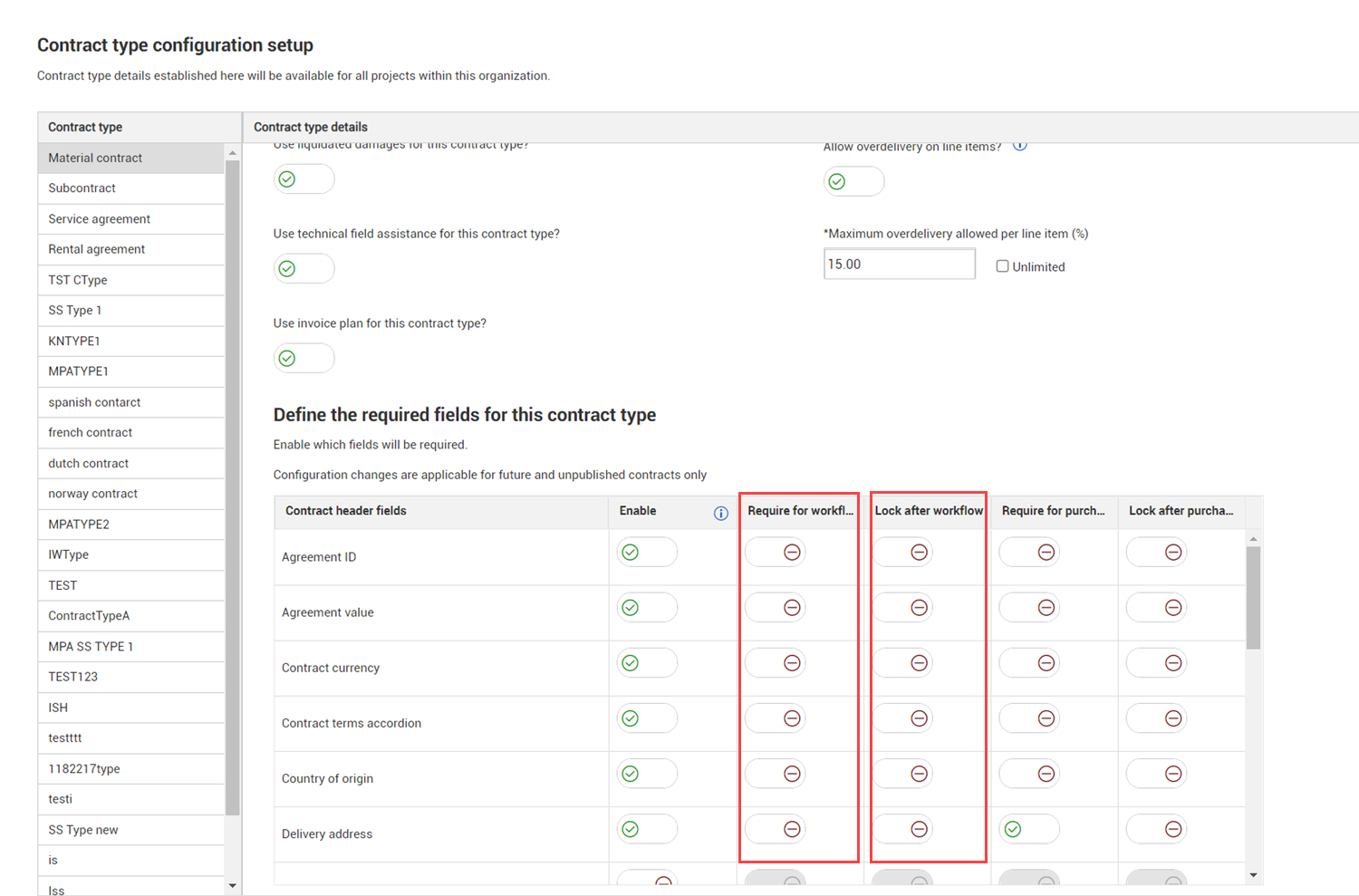
Maximum Schedule value change without a change order setting – You can now specify the percent at which a schedule of values item can be updated before a change order is required. The new setting Maximum Schedule value change without a change order has been added to organization Settings > Configurations > Contract type configuration setup.
Read more
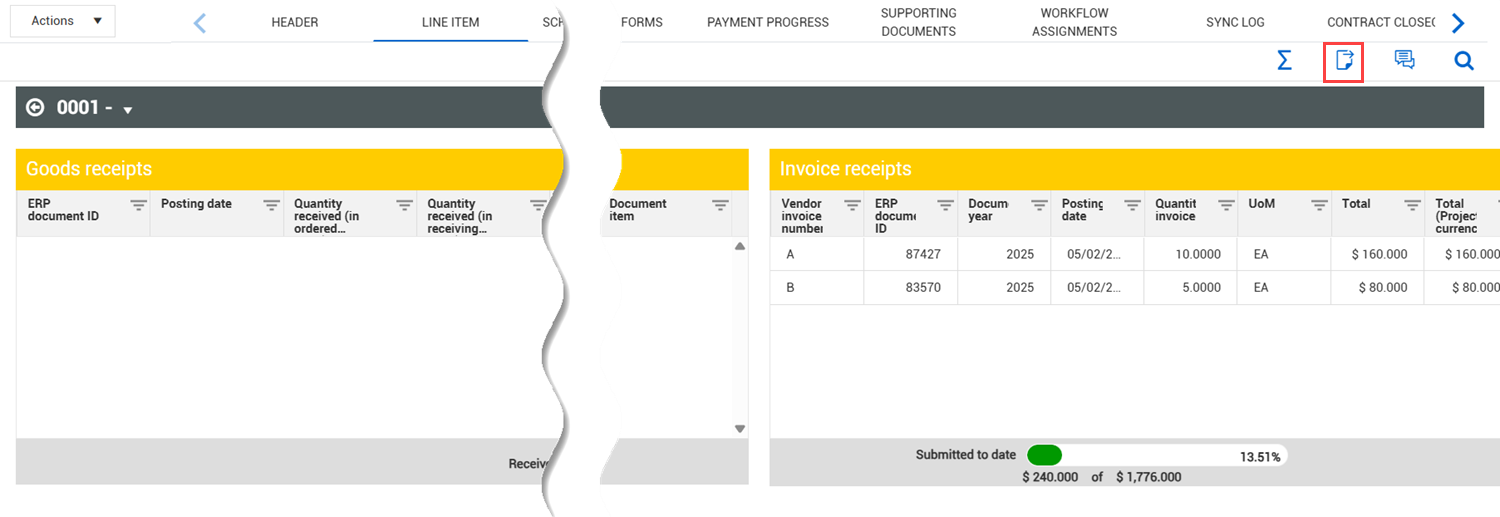
Export data from Line items Progress, Payment forms and Changes drill-down views – You can now export data from the Progress, Payment forms, and Changes views of the Line items tab to a Microsoft Excel spreadsheet to give you easier access to data.
Read more
Vendor change order effective date defaults to current date – When you add a vendor change order, the effective date field now defaults to the current date. You can change the date as needed.
Payment claim Contract line item ID – The Contract line item ID column has been added to the Payment claims Schedule of values register, so you can quickly see the line item associated with the Schedule of values item.
Import and export template drop-down lists – Drop-down lists for the Schedule item ID and Contract line item ID fields have been added to templates for line item and schedule of values imports, so you can quickly select an ID instead of entering it manually.
Read more
Contract register Schedule of values columns – The Schedule value column on the main Contract register has been renamed Current schedule value. The Original schedule value column has been added to show the original value of the Schedule of values at the time the contract was published.
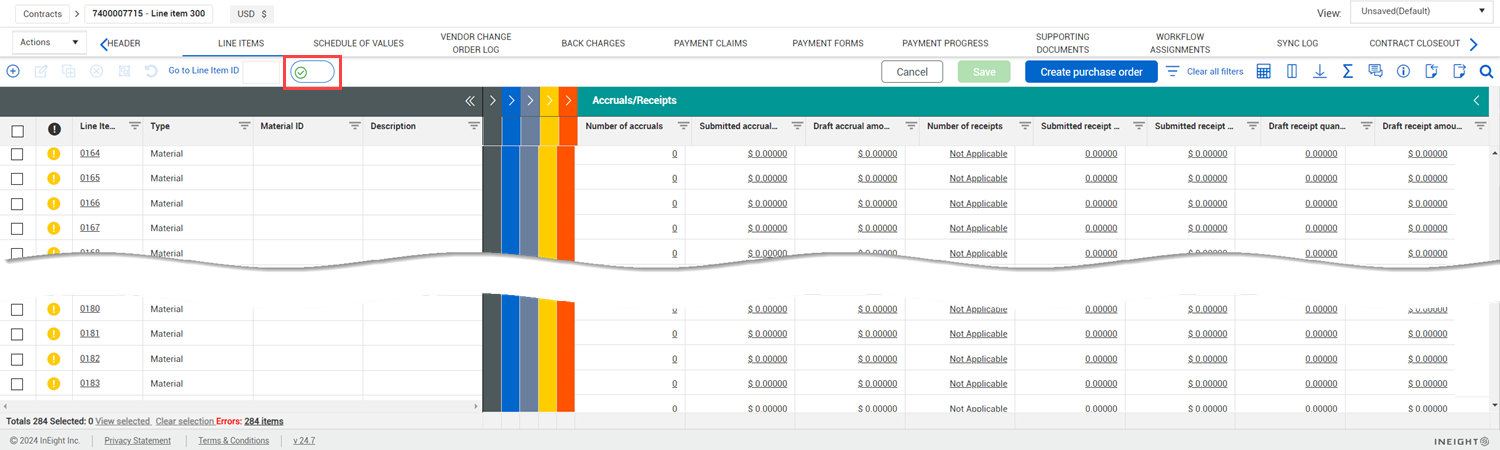
Line items page standard view removed – The Line items page now shows in the enhanced single grid view only. The old standard grid is no longer available, and the Line item single grid toggle has been removed from the Line items page. For information about managing the line items page, see the Line items column management topic.
Custom labels show in line item import template – The Line item import template was updated to show the custom labels for fields that have custom labels associated and turned on for project-level use. Showing custom labels makes it easier for you to identify the columns and enter the applicable data.
Improved functionality for creating contract schedule of values claims – You can now convert a Schedule of values payment claim with a 0.00 value to a Contract schedule of value claim. This provides more flexibility by letting you select zero value certified schedule items before converting them to a Contract claim.
General release is available starting 23-JUN-2025
Updated 18-JUL-2025
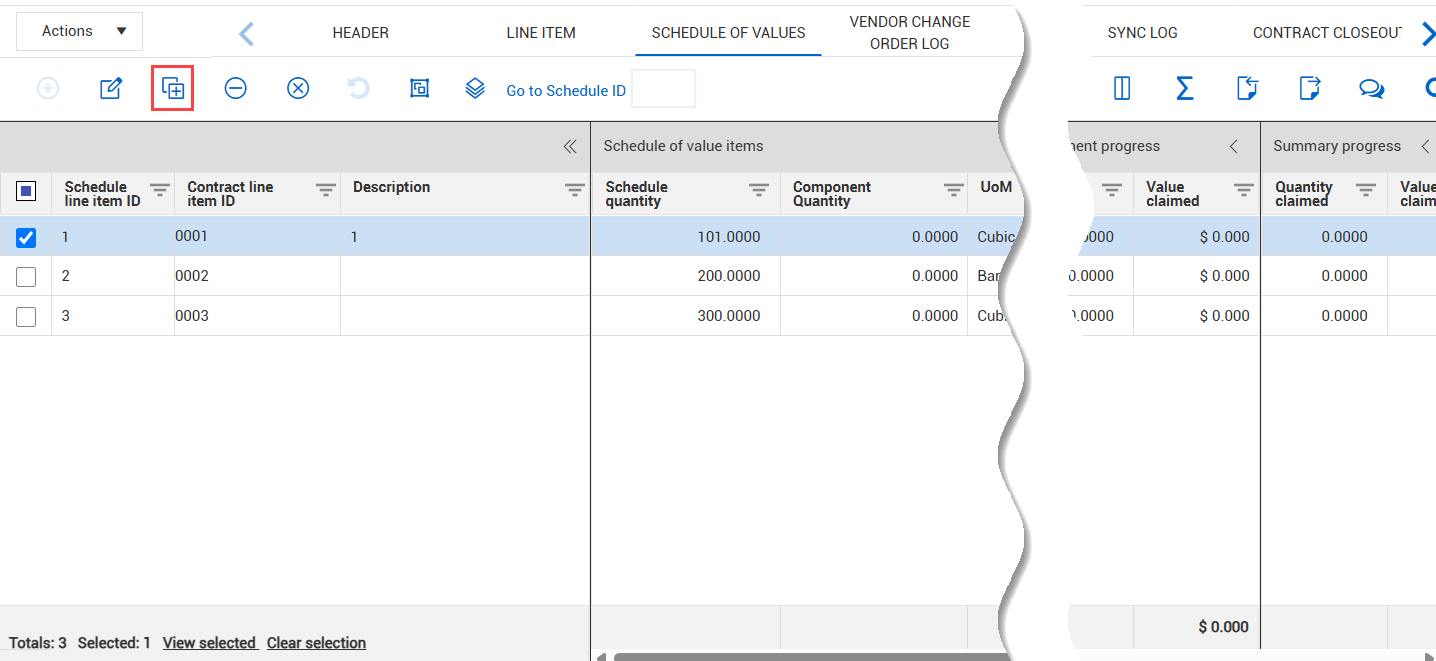
Copy contract level schedule of values – You can now copy schedule of values items on the contract Schedule of values page.
Read more
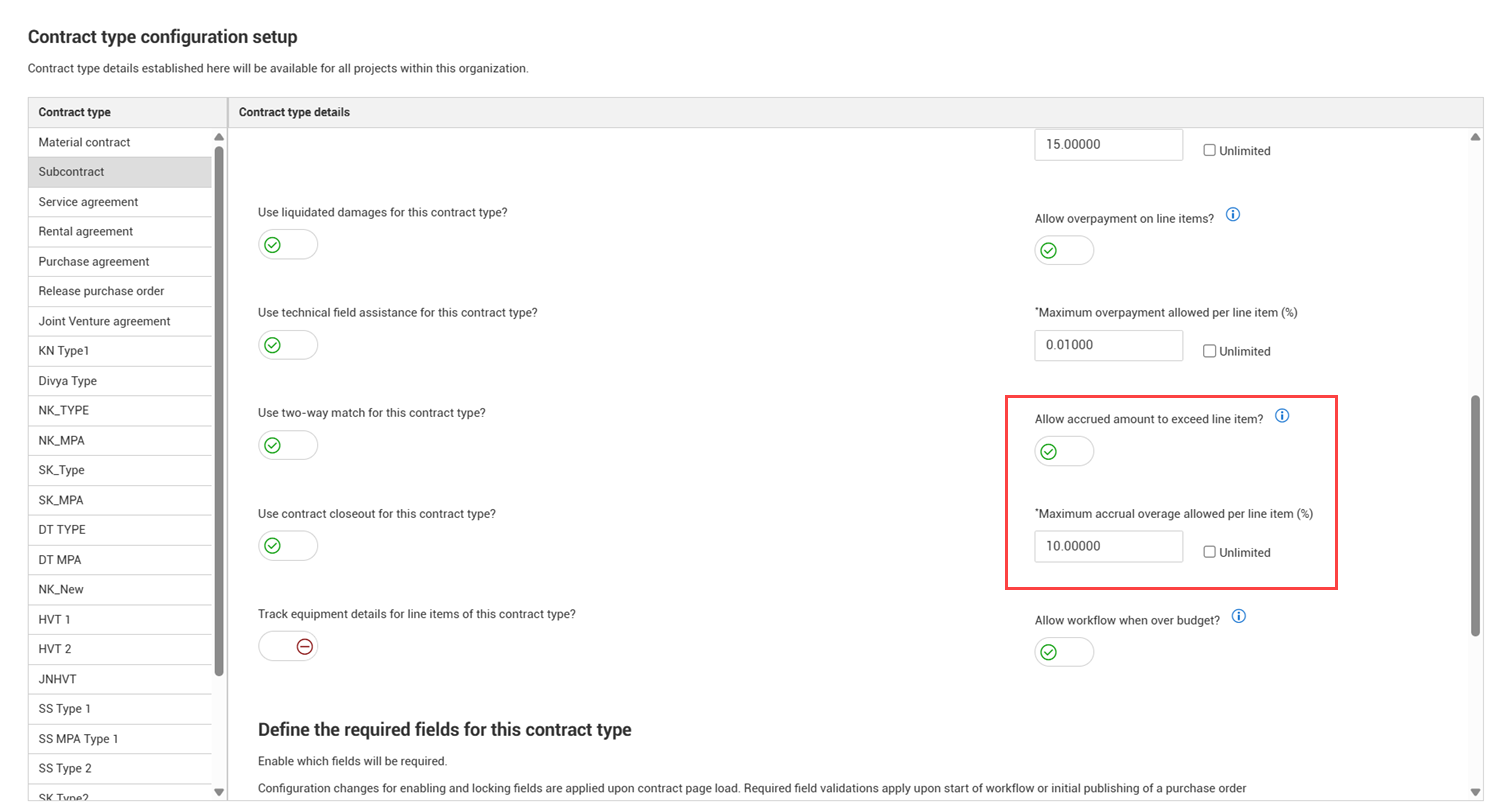
Allow accrued amount to exceed the line item value – You can now specify whether accrual amounts can exceed the line item value.
Read more
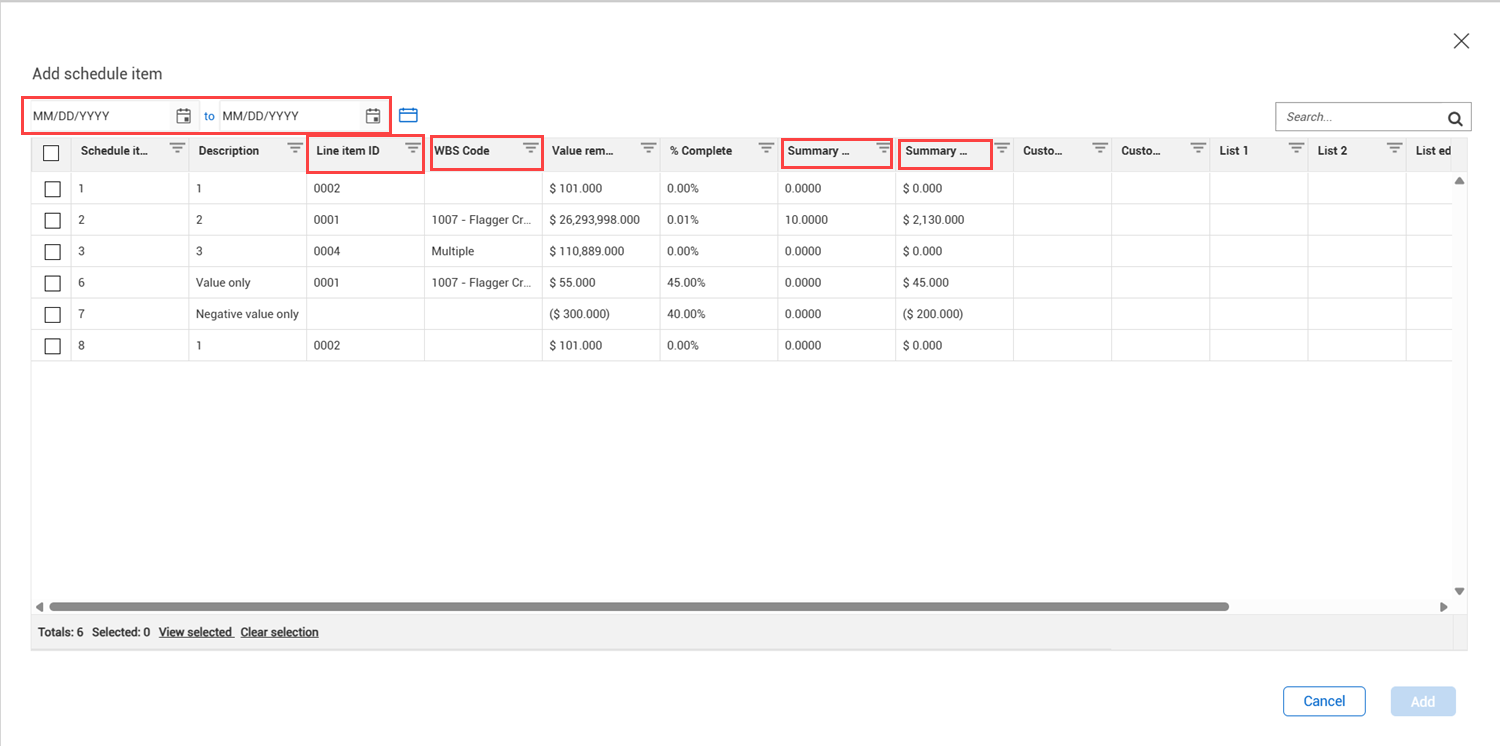
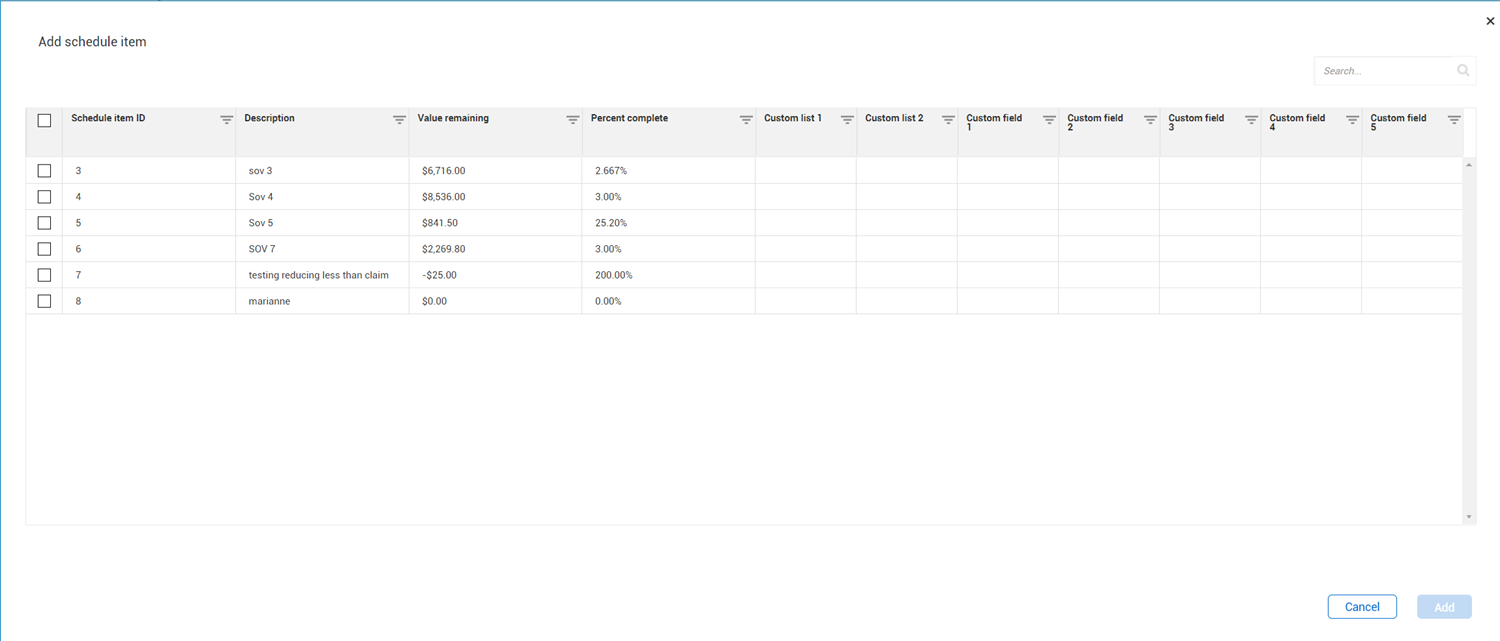
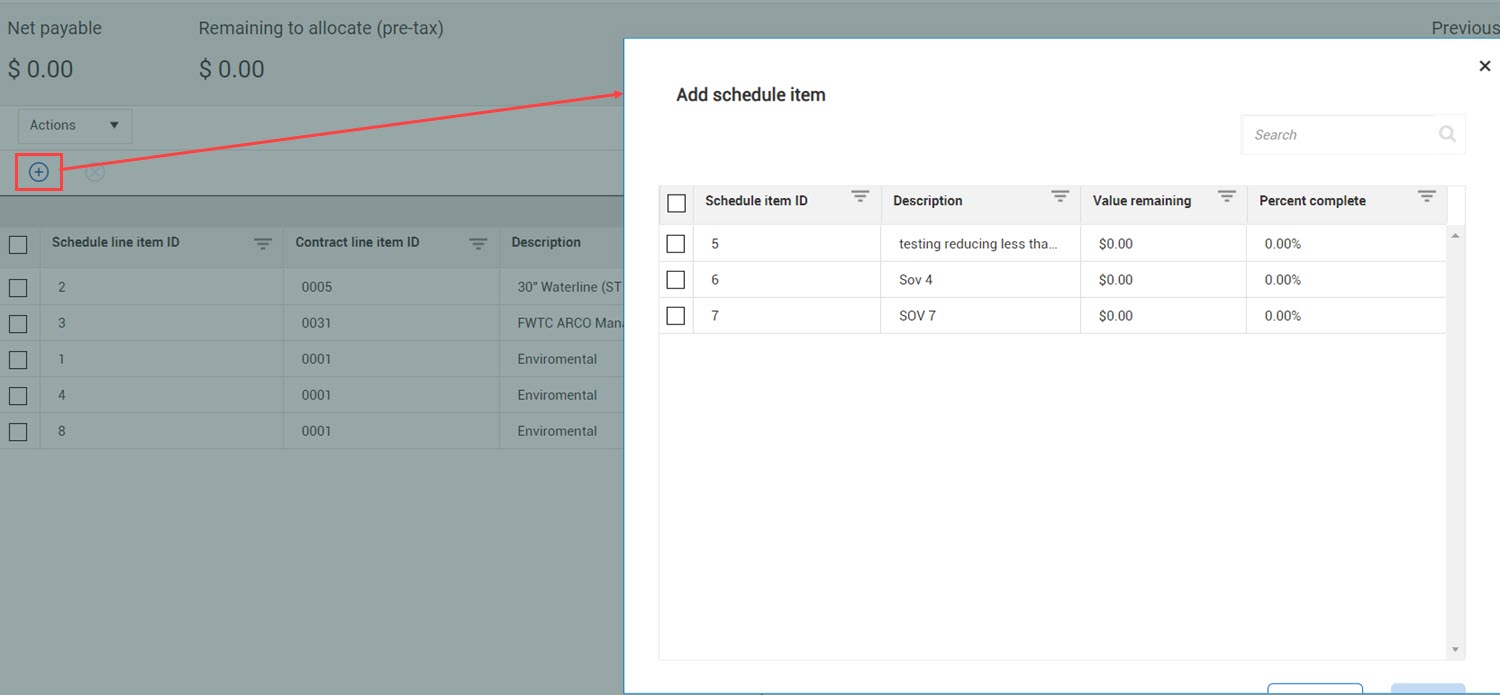
Payment claim Add existing Schedule item dialog box enhancements – The Line item ID, WBS code, Summary progress quantity, and Summary progress value columns have been added to the Add schedule item dialog box shown when adding an existing schedule of values item to a payment claim. The new columns give you additional information about the schedule of values item you are adding. Date filters have also been added so you can filter based on summary value posting date.
Read more
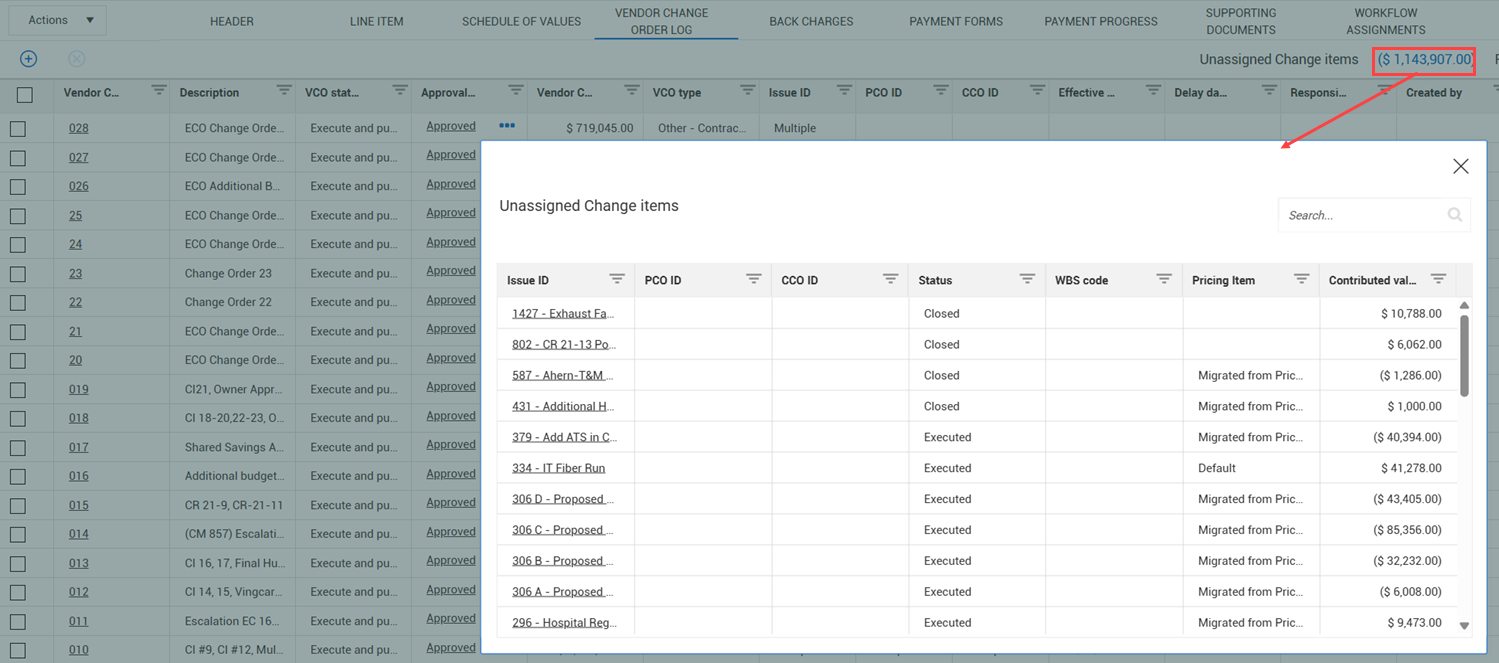
View unassigned change items in the Vendor change order log – You can now click the Unassigned Change items total at the top of the Vendor change order log to view a list of the Unassigned change items that contribute to the total.
Read more
Store and save values at the time of execution, submission, or certification – When you execute a vendor change order, submit a payment form, or certify a payment claim, a snapshot of the Schedule of values and Line items tabs are now taken, so that those values are stored. The saved and stored values let you see the values at the time of execution to make it easier to track progress. For information about executing a vendor change order, see Vendor change orders. For more information about submitting a payment form, see Payment form submittal. For more information about certifying a payment claim, see Certification.
Prevent invoices that have been submitted from being deleted – After an invoice has been posted, you can no longer delete it from the payment form, and you cannot delete the payment form. For more information, see Invoice attachments.
Note added when a payment form is deleted – When you delete a payment a form, a note is automatically added to the Administrative notes tab of the Notes slide-out panel on the Payment forms register. The notes help you keep track of which payment forms have been deleted. For more information, see Delete a payment form.
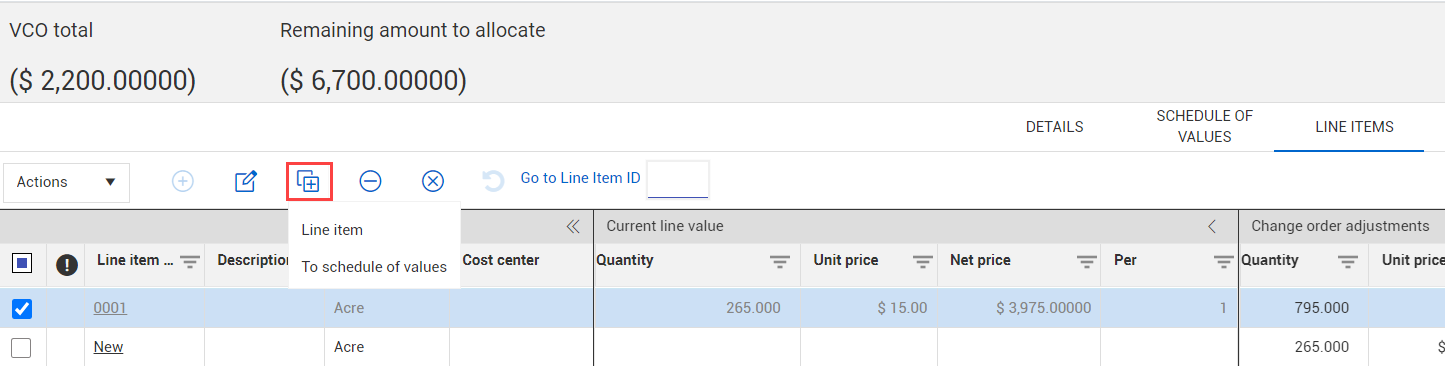
Logic for the Maximum contract value change allowed without a change order setting – The setting Maximum contract overage allowed without a change order (%) (organization Settings > Contract > Configurations > Contract type configuration setup) has been renamed Maximum contract value change allowed without a change order (%) and now validates deleted lines and both increases and decreases made to the contract without a change order. For more information, see Contract type configuration setup.
Payment claim new columns – The % Complete and Current total columns have been added to the Previous certification and Remaining sections of the Payment claims Schedule of values register to be consistent with other sections.
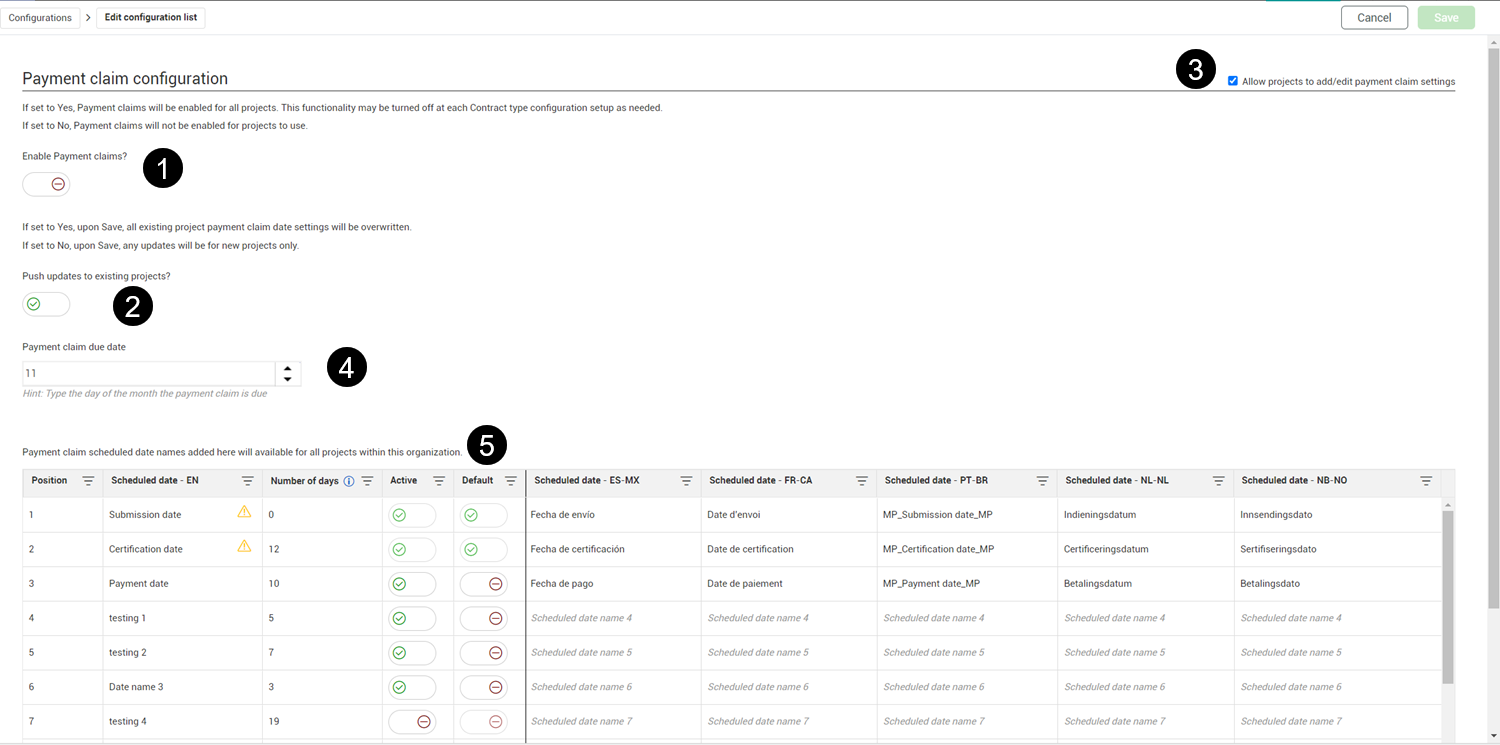
Payment claim ID configuration – The Position column in the Payment claims configuration at both the organization and project levels (Settings > Configurations > Payment claims configuration) has been renamed ID to be consistent with other configurations. For information about the Payment claim ID configuration in organization settings, see the organization Payment claims configurationtopic. For information about the Payment claim ID configuration in project settings, see the project Payment claims configuration topic.
WBS no longer automatically populates with the first CBS item – When the line item WBS field was left empty, the blank was matched with the first item in the Control CBS structure that had an empty WBS phase code. The logic was updated to not match the line item blank WBS with any empty phase code. Contract leaves this field blank, and you must select a WBS phase code, if required.
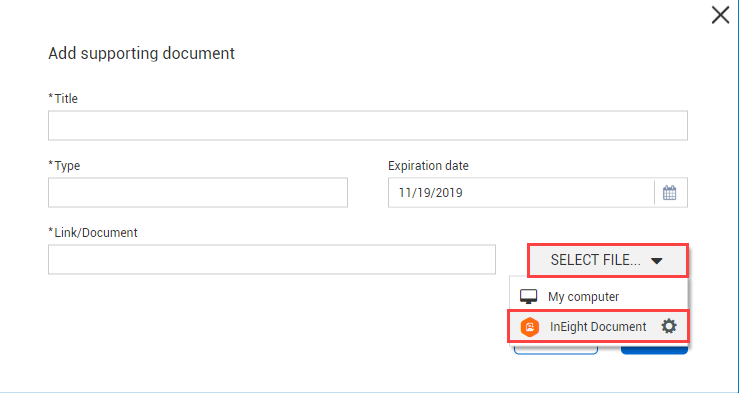
The Post back dialog box now opens when clicking Add from InEight Document – When adding a document from Document’s Documents module to Contract, the Post back dialog box did not open. The Post back dialog box now opens correctly.
General release is available starting 21-APR-2025.
Updated 22-APR-2025
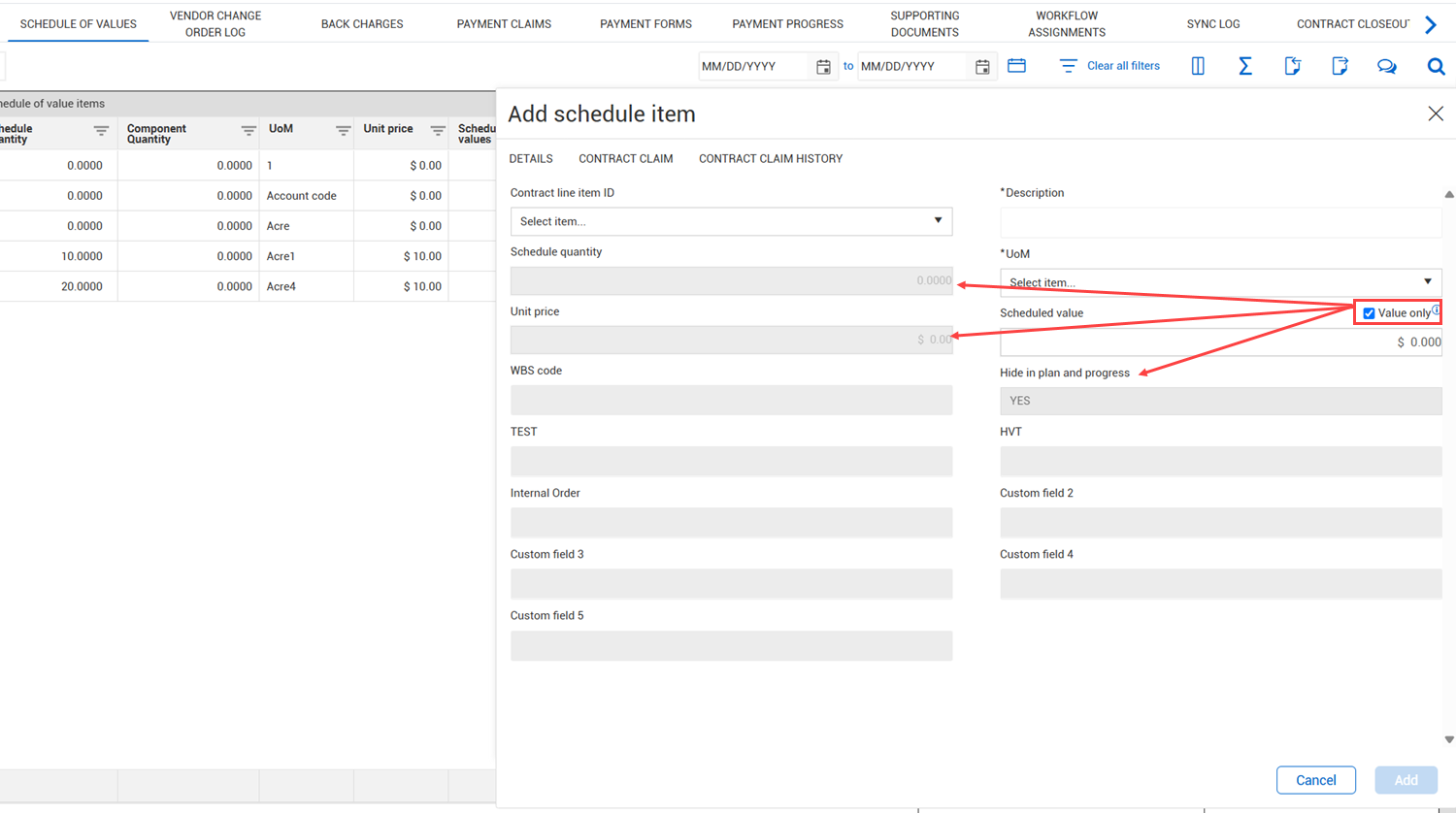
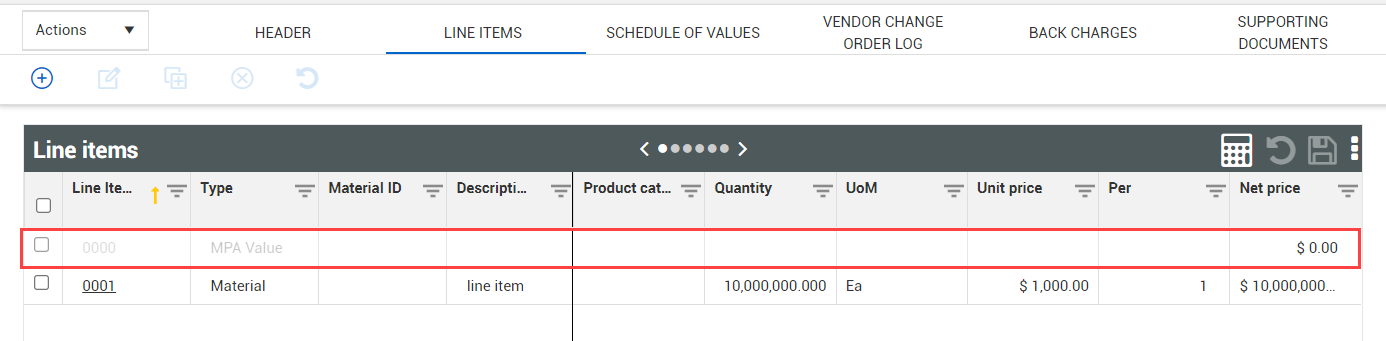
Value-only schedule of values items – You can now add schedule of value items that have value, including negative and zero value, but have zero quantity. Value-only schedule items give you the flexibility to track and claim value without having to enter a quantity. Also, because schedule of value items are now valid, you can now copy limit line items.
Read more
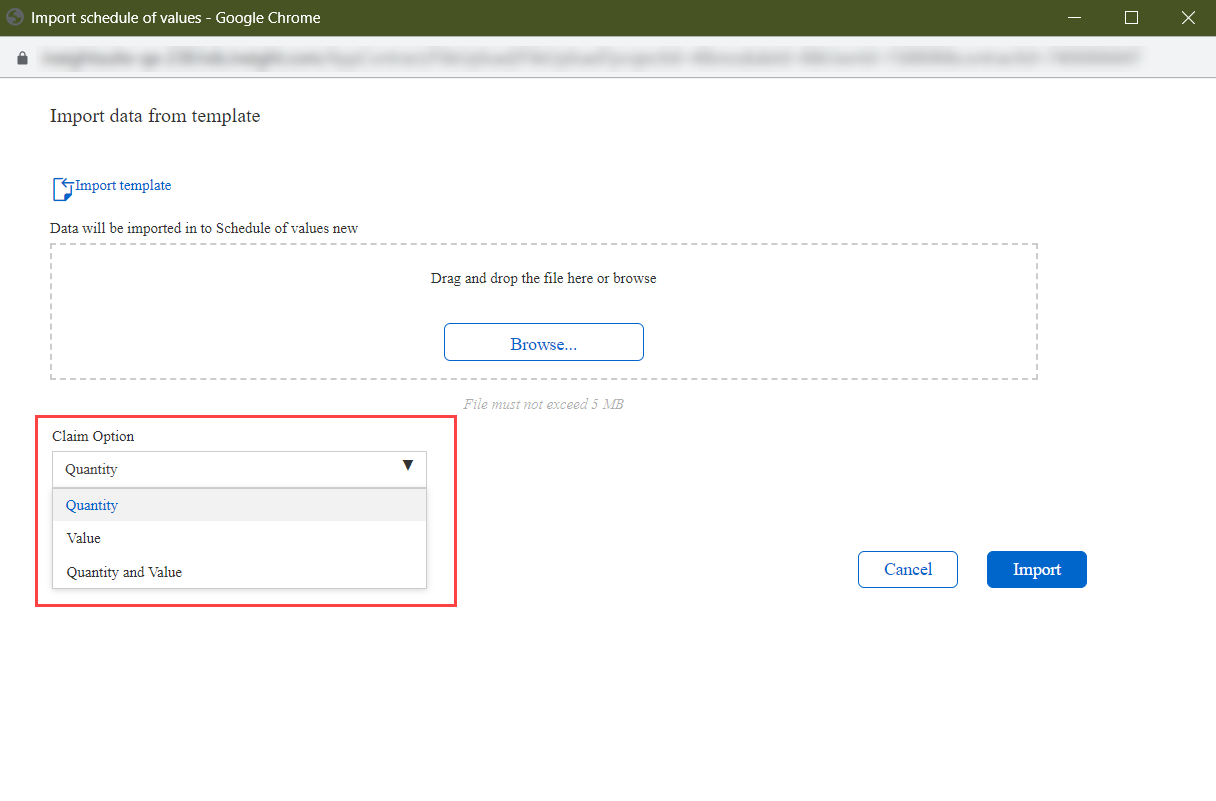
Import value-only schedule of value items – The Value only column has been added to all Schedule of values import templates, so you can import value-only schedule items. When the value in the Schedule value only column is set to Yes, only the value is imported. For more information about how to use the template, refer to the Instructions tab of the Microsoft Excel template.
Import line items at the payment form level – Import and export functions have been added to the Payment form Line items page, so you can quickly add or update line items.
Read more
Calculating Change order adjustment values when copying a vendor change order line item into a schedule of values – The calculations for the Quantity, Unit Price, and Value columns in the Change order adjustment section of the Schedule of values page have been updated to more accurately reflect the adjustment.
Read more
Invoice net amount and invoice tax amount totals form Payment progress – Totals have been added for the Invoice net amount and Invoice tax amount columns on the Payment progress tab. For more information, see Payment Progress.
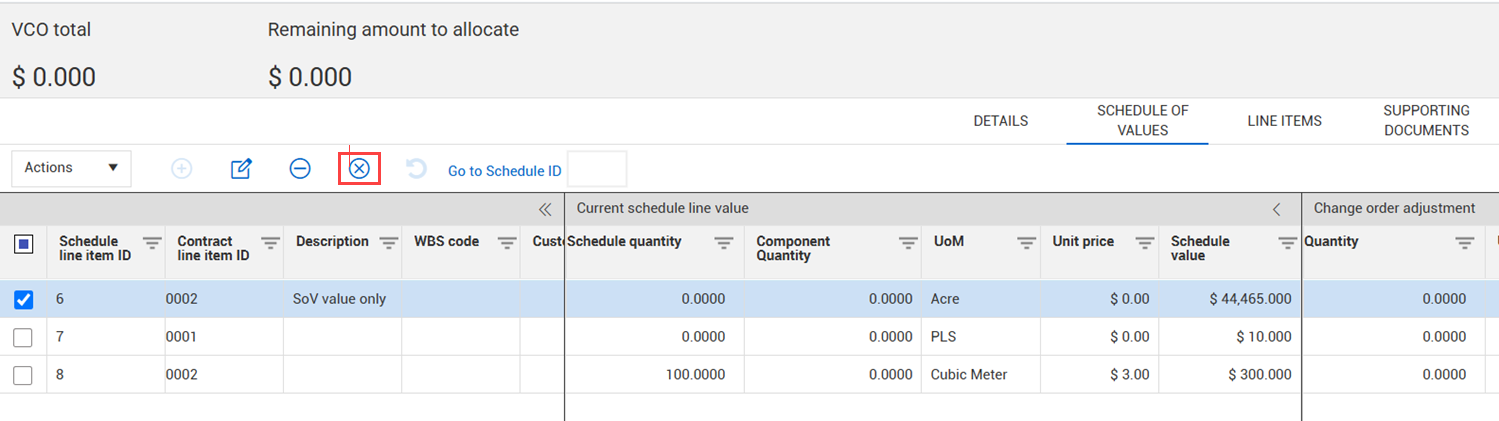
Delete schedule of value items from a contract via a vendor change order – You can now delete a schedule of values item from a contract from the Vendor change order Schedule of values tab, to give you more flexibility when managing change orders.
Read more
ERP Integration toggle restrictions removed – If you have the Edit contract configuration permission, you can switch the ERP integration toggle in the organization settings (Contracts > Contract configurations > Contract integrations) as needed. Previously, the toggle was locked after a contract had been created. For more information about ERP integration, see InEight Contract Overview .
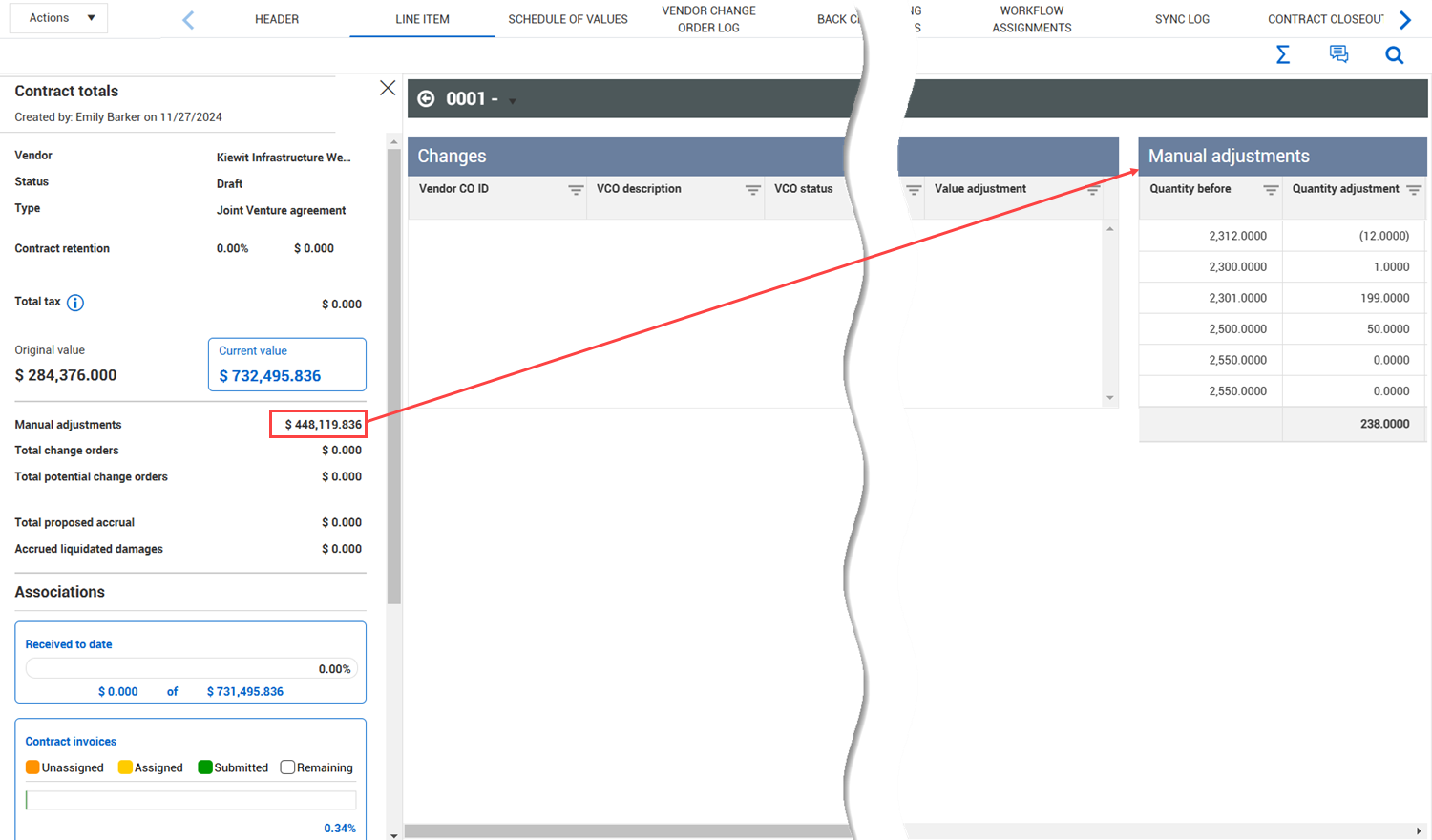
Manual adjustments in Line items register – The Manual adjustments column has been added to the Changes section of the Line item register, so you can quickly see the total of all value changes. The values in the column are linked to the Manual adjustments drill-down section of the Changes view.
Tax ID document type – A new document type of Tax ID form is now available in supporting documents. The document type has a mandatory field for capturing the vendor’s unique tax ID. Previously, you had to create a custom document type or use the Other category to show the vendor tax ID. For information about adding a supporting document to a bid package, see Supporting Documents Tab . For information about adding a supporting document to a contract, see Supporting documents.
Diversity participation percentage goal – The Percent field has been added to the Diversity participation section of the contract header, so you can enter the goal percentage. A Comments field has also been added.
Read more
Logic for the Maximum contract value allowed without a change order setting – The setting Maximum contract overage allowed without a change order (%) (organization Settings > Contract > Configurations > Contract type configuration setup) has been renamed Maximum contract value allowed without a change order (%) and now validates both increases and decreases made to the contract without a change order. For more information, see Contract type configuration setup.
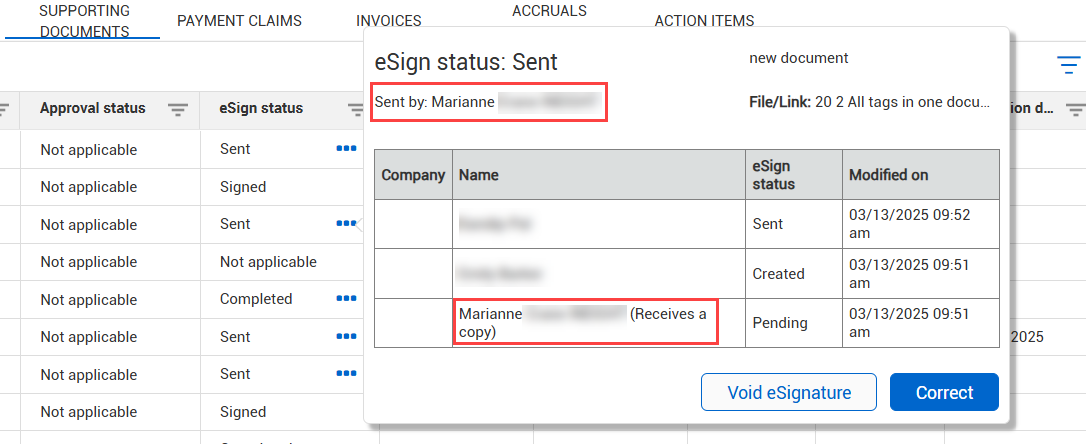
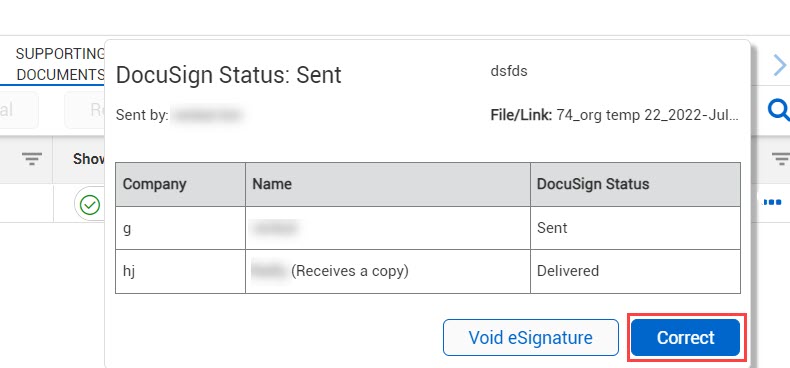
eSignature sender enhancement – The last step of the eSign status on the Supporting documents tab now shows the sender of the envelope with the annotation Receives a copy. Previously, the sender received a copy of the document, but it was not shown in the eSign status hover text.
Read more
General release is available starting 17-FEB-2025.
Updated 17-FEB-2025
View details of manual adjustments – You can now see the details of the Manual adjustments value shown in the Contract totals slide-out panel. The details provide visibility into the make-up of the manual adjustments.
Read more
Import schedule of values items at the vendor change order level – Import and export functions have been added to the Vendor change order Schedule of values page, so you can quickly add or update items.
Read more
Import schedule of values items at the payment forms level – Import and export functions have been added to the Payment form Schedule of values page, so you can quickly add or update items.
Read more
Contract vendor updates in InEight Plan – When the Hide in plan and progress check box for a schedule of values item is not selected, and you update the vendor in the contract details, the vendor is now automatically updated in Plan. For information about updating vendor information, see Contract details.
General release is available starting 09-DEC-2024.
Updated 21-NOV-2024
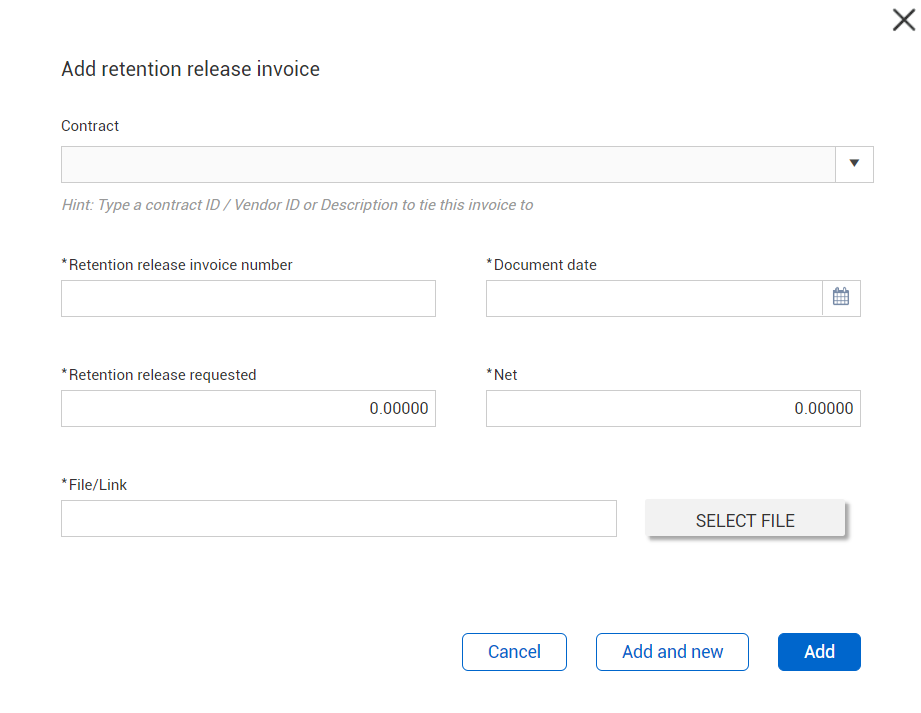
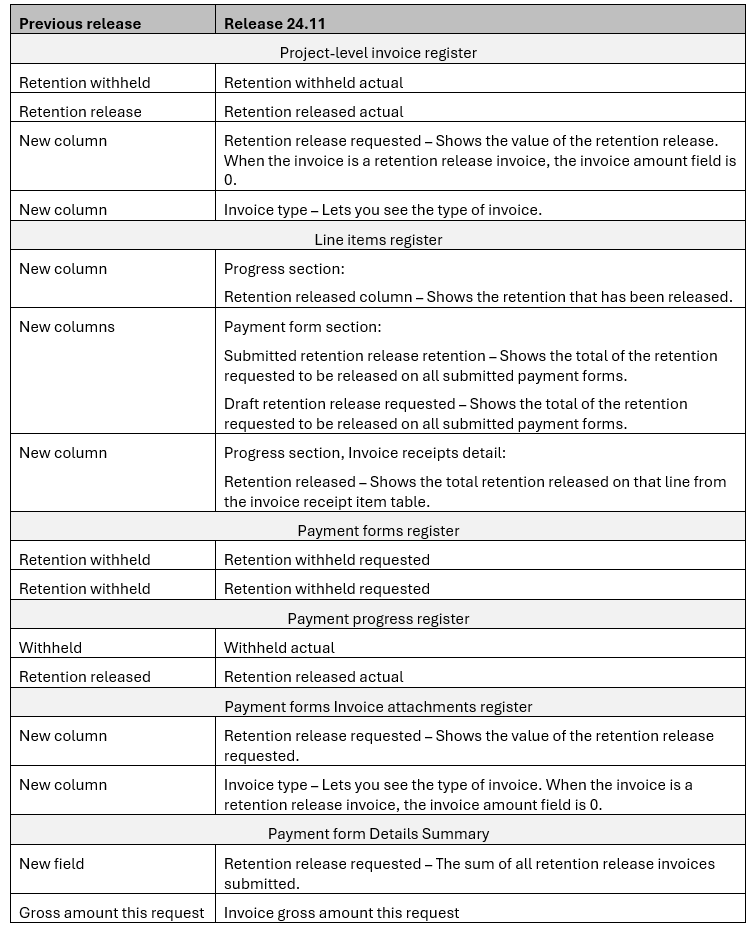
Add invoices for retention release – You can now create invoices for retention release in the Payment forms module, so you can easily manage your retention release activities.
Read more
Retention release permissions – The Edit retention release permission has been added. You must have this permission to have create, edit, convert, or delete a retention release invoice. For more information about permissions, see Permissions.
Payment form auto submission for retention release – The Payment form auto submission now fails when the retention released on a line item across payment forms is more than the total retention withheld. For more information about payment form submittal, see Payment form submittal.
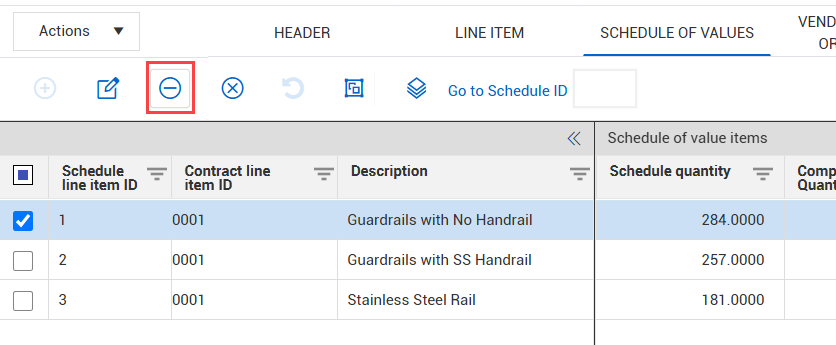
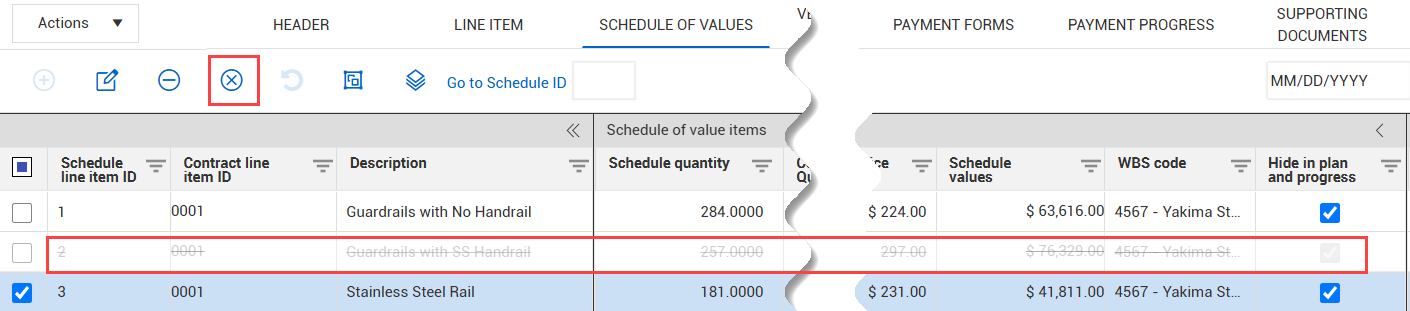
Remove or delete schedule of values – The schedule of values now has separate functions for removing or deleting items. When you remove a schedule of values item, it is permanently removed from the contract, and subsequent schedule of value items are renumbered. When you delete an item, the item shows with a strikethrough, and it cannot be edited. The remaining schedule items are not renumbered, so you can maintain the schedule of values ID order.
Read more
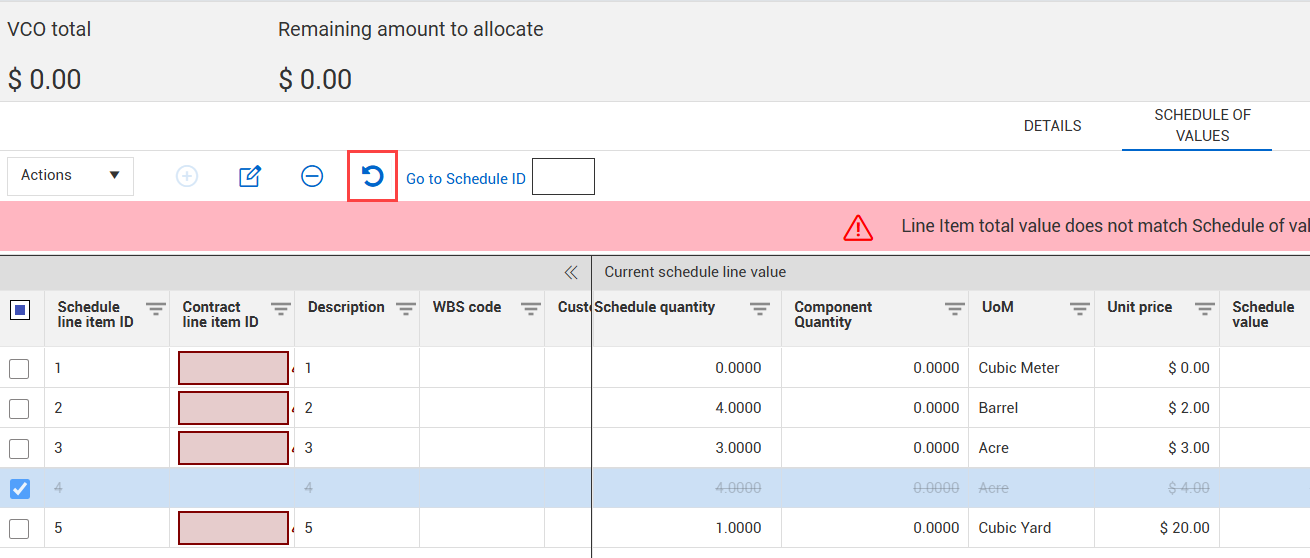
Undo deletion of schedule of values item via a VCO – You can now re-add schedule of value items that were deleted from the parent Schedule of values page via a vendor change order.
Read more
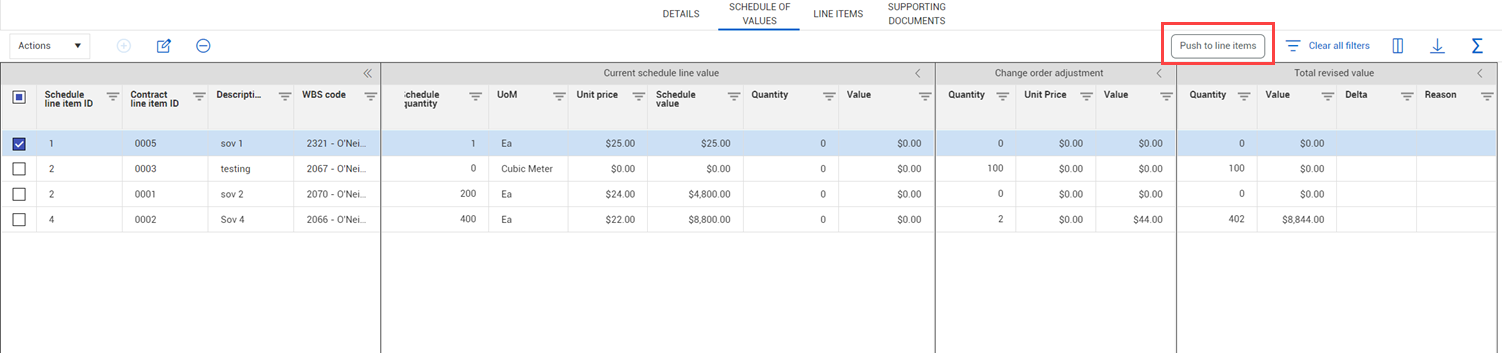
Disable Schedule of values Push to or Pull from buttons – To help prevent losing all line items when you push line items from the Schedule of values page to the Line items page, or pull line items from the Schedule of values page, the Push and Pull buttons are now disabled when a line item ID is blank for all schedule items.
Read more
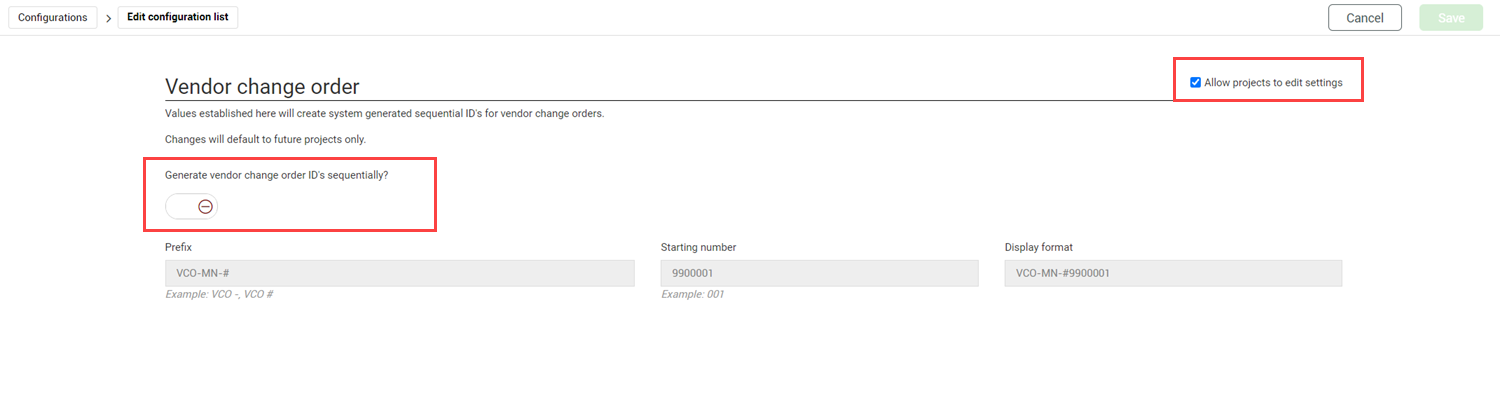
Reuse deleted vendor change order IDs in the numbering scheme – When the toggle Generate vendor change order ID's sequentially (project Settings > Contract > Configurations > ID customization) is set to Yes, the last deleted vendor ID numbers can be reused in the numbering scheme. The reused vendor ID numbers reduce the number of gaps when you must delete vendor change orders created in error.
Read more
Workflow completion email for the person who started the workflow – Contract now sends the person who initiated a workflow an email when the workflow is complete. Previously, only users who created items or who completed the last step were sent completion emails.
Line items page total additions – New totals have been added to the totals row of the Line items page.
Read more
Project master agreements considered in Home page tile – Project master agreements are now included in the statuses listed in the Contracts tile on the project Home page. Previously only contracts were included.
General release is available starting 07-OCT-2024.
Updated 23-OCT-2024
Copy VCO line items – You can now copy line items in a VCO to the VCO schedule of values. The schedule of values items are automatically associated to the line items. Previously, when you added new line items to the VCO, you would have to manually add them to the schedule of values and associate them. You can also copy line items to the Line items page.
Read more
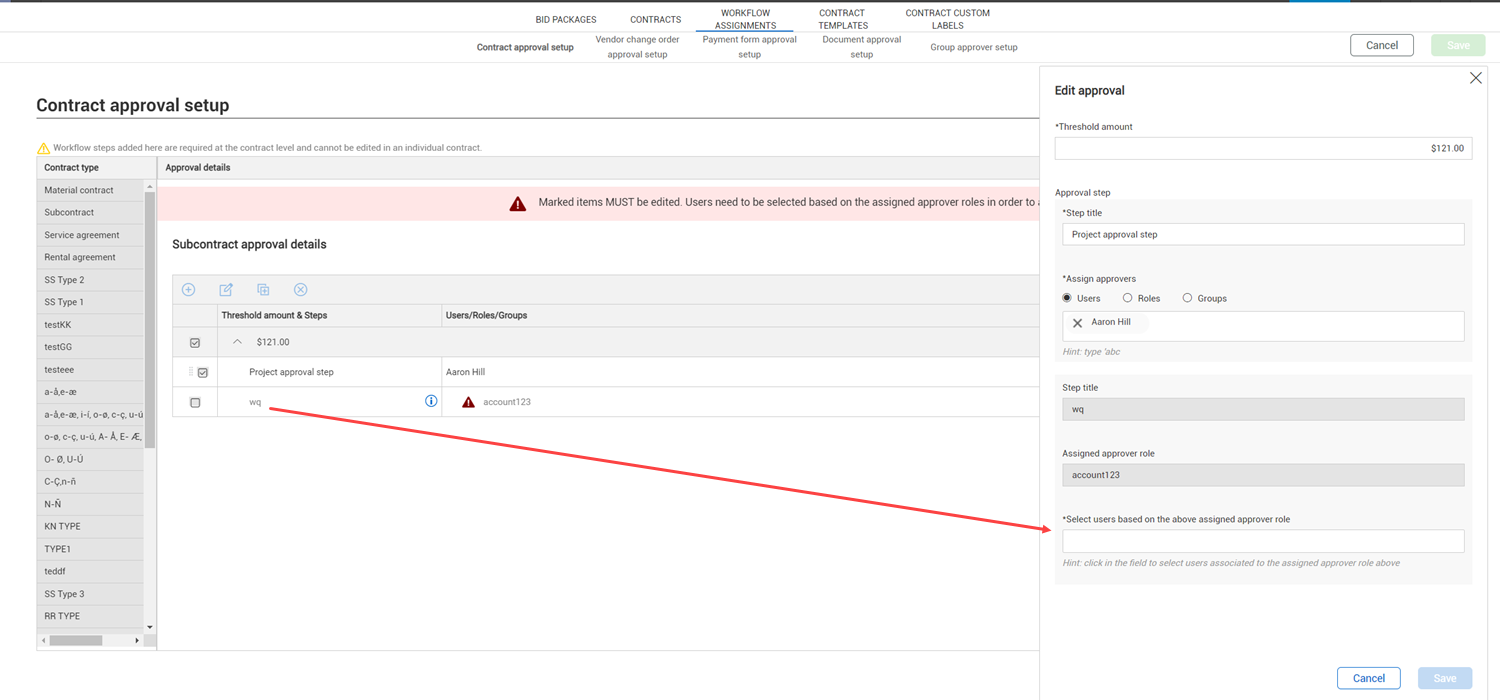
Start workflow when only one role per step has a valid user assigned – Now only one role in each step must have a valid user assigned to start a workflow. This enhancement lets you start a workflow when the organization-level setup includes a role that does not have a person assigned to your project.
Read more
Master data libraries status for general ledger accounts, payment terms, and Incoterms – When the status of a general ledger account, payment term, or Incoterm is set to Unavailable in the Master data libraries, that account, payment term, or Incoterm no longer shows in drop-down lists for contract and VCO fields.
Read more
Organization-level Contracts settings moved to Configurations – The Accrual/Receipts settings, Diversity participation, and Supporting documents configurations are now located in the Organization > Configurations list to improve performance. Previously, they were tabs under the Organization > Contracts settings. For more information, see Accrual/Receipt settings, Diversity participation, and Supporting documents.
General release is available starting 05-AUG-2024.
Updated 23-OCT-2024
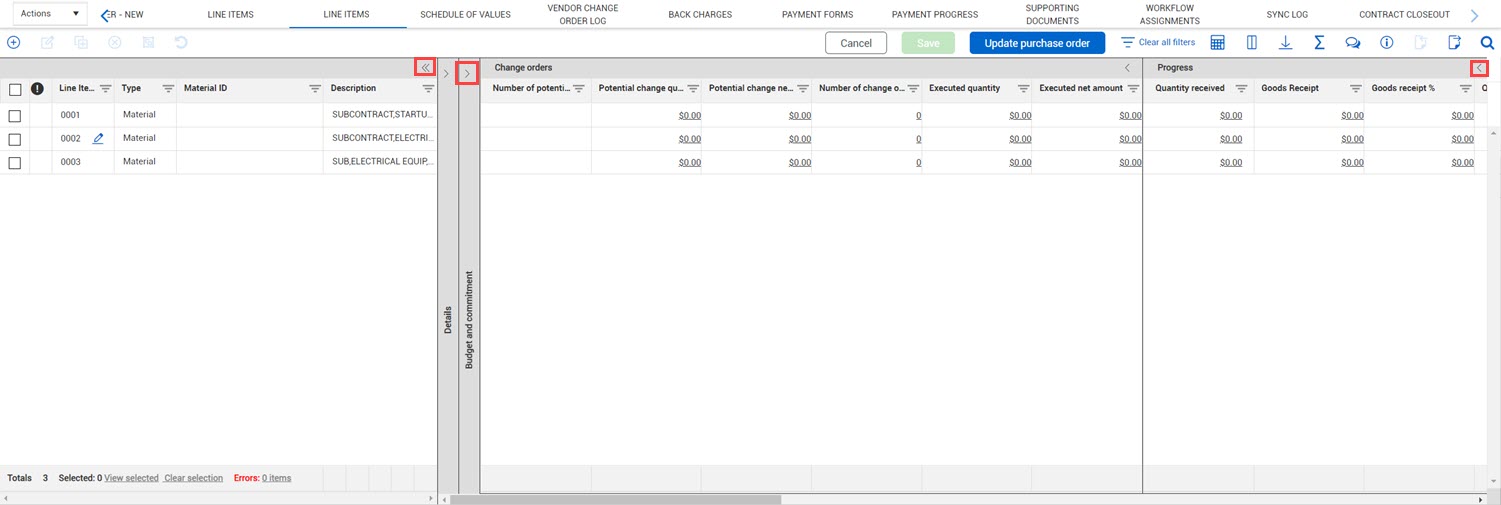
Line items tab improved performance and new look – The contract Line items tab now has improved loading times and performance. The Line items tab has also been updated to color coordinate the sections with the drill-down viewsets.
Read more
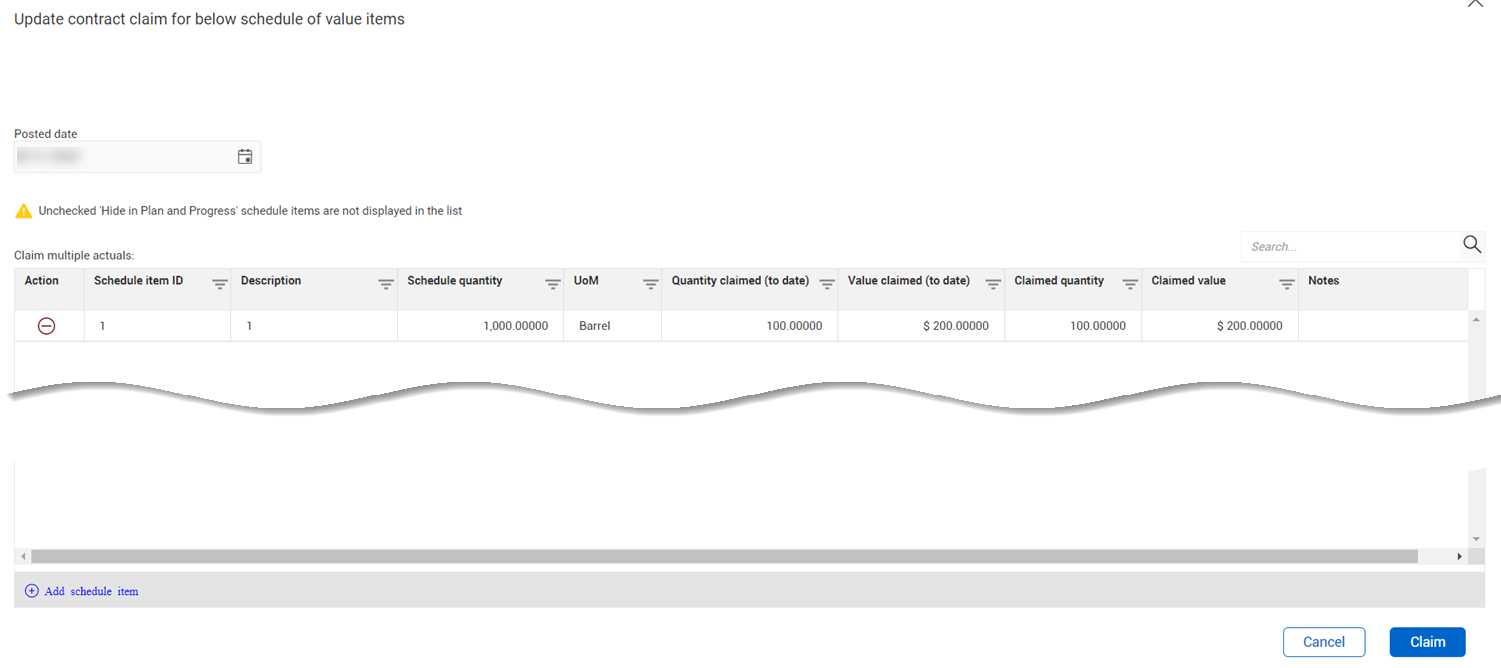
Create a contract claim from a certified payment claim – You can now quickly convert a certified payment claim into a contract claim from the Payment claim Schedule of values page. Converting the contract claim from the payment claim lets a single entry of values apply across all locations. This option is only available after a claim has been certified.
Read more
Generated document name on Supporting documents register – When you generate a document from a template, and the Save in supporting documents toggle in the Generate contract wizard is set to Yes, the value in the Name of document file now shows in the Title column of the Supporting documents tab. Previously, the name of the template showed in the column.
Read more
New template tags – New tags were added for the new fields in the Vendor details of the Master data libraries. Tags were also added for new fields added in recent releases.
Read more
Increased decimal places in the organization level configuration settings – Percentage and amount fields in the organization-level Contract type configuration setup, Organization master agreement type configuration setup, and Tax settings now allow up to five decimal places to be compatible with decimal precision settings.
Read more
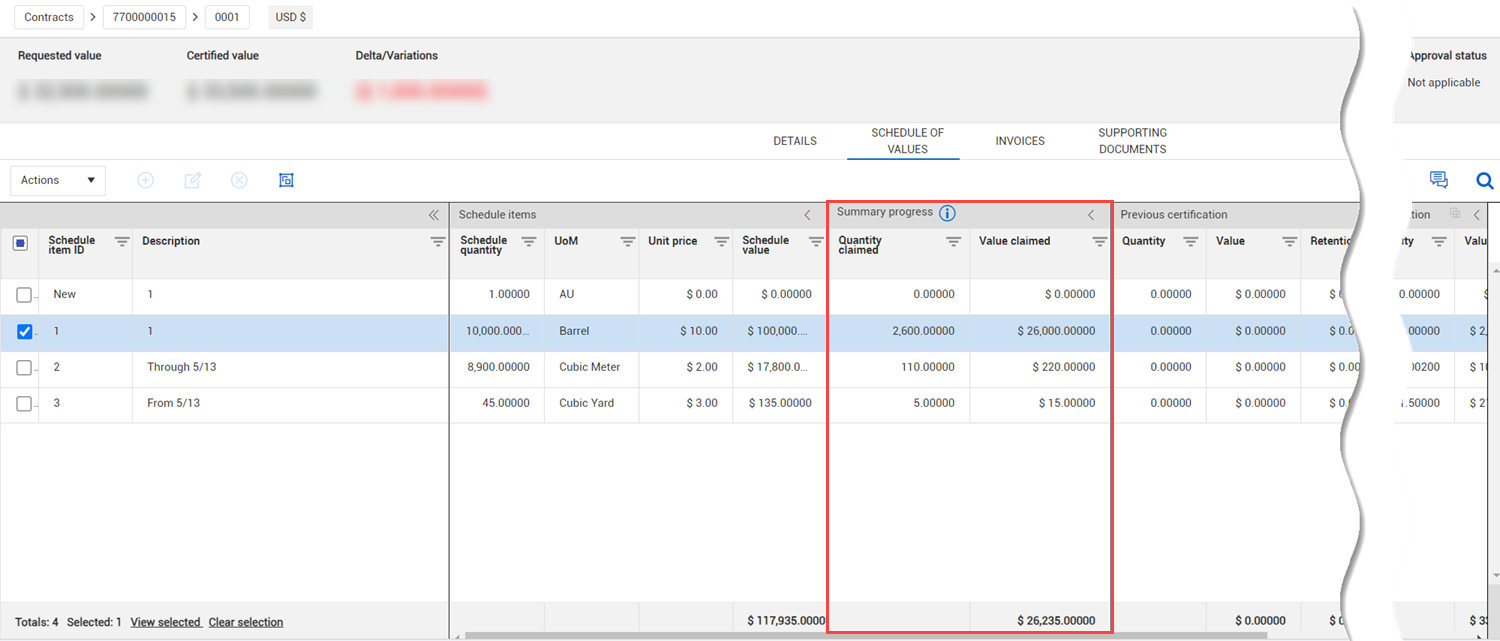
Payment claims schedule of values register summary progress – The Summary progress section has been added to the Payment claims Schedule of values register, so you can track the contract and progress claims on existing Schedule of values items.
Read more
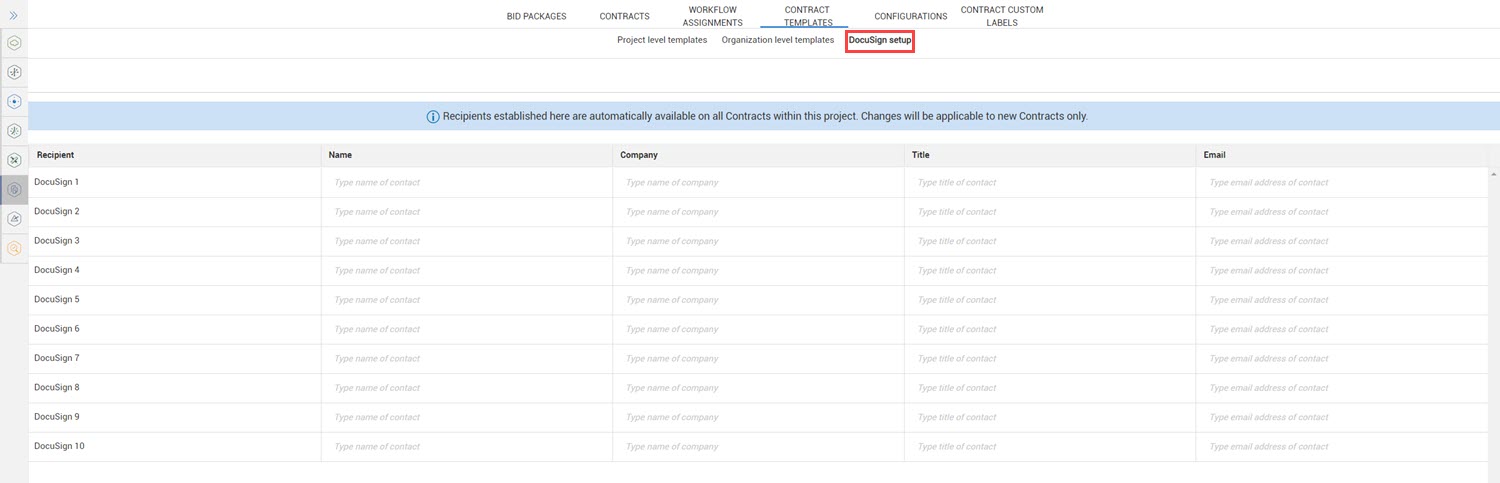
DocuSign settings moved to Configurations – The DocuSign settings have been moved from the Contract templates to the project Configuration settings (project > Settings > Change > Configurations > eSign setup). You no longer need to have the Edit templates permission to set up or edit the eSign settings. Now, only the Edit contracts settings permission is needed to edit the eSign settings. For more information about eSign settings, see eSign setup.
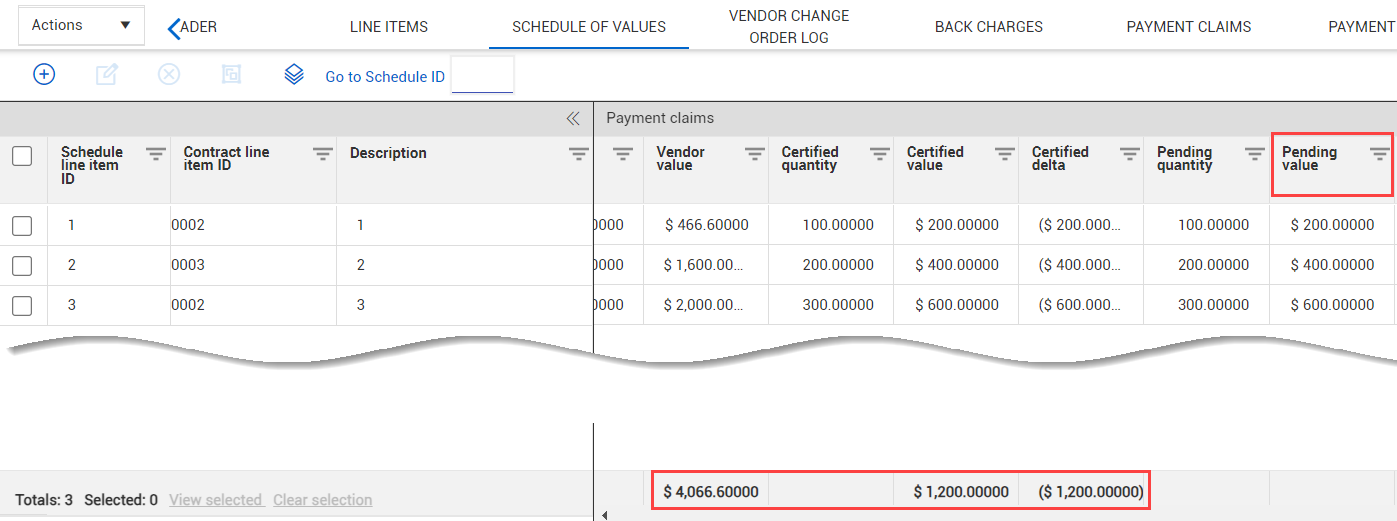
New totals on Schedule of values register – The Vendor value, Certified value, and Certified delta totals have been added to the Totals row in the Payment claims section.
Read more
Vendor change order log Clear all filters – The Clear all filters button has been added to the Vendor change order log. For information about the Vendor change order log, see Vendor change orders.
General release is available starting 03-JUN-2024.
Updated 21-JUN-2024
Payment claims schedule of value % Complete to date – Contract now supports % Complete claiming in Payment Claims. The % Complete to date columns have been added to the Payment claims Schedule of values register. Contract calculates the claimed value and quantity when a user enters the percent complete.
Read more
Estimated payment posting date – The Estimated posting date column has been added to the Payment form Invoice attachments register. When you use a proxy ERP, you can use this column to define your own posting date instead of using the submitted date. If you are relying on the integration with InEight Control for actuals, using the estimated posting date with your proxy ERP can prevent incorrect actuals in Control.
Read more
Contract register Current value and Schedule value hyperlinks – Values in the Current value column of the Contract register are now links to the Line items tab. Values in the Schedule value column are now links to the Schedule of values tab. The links let you quickly see line item or schedule item details. For more information about line items, see Line Items Tab. For more information about the Schedule of values, see Schedule of values tab.
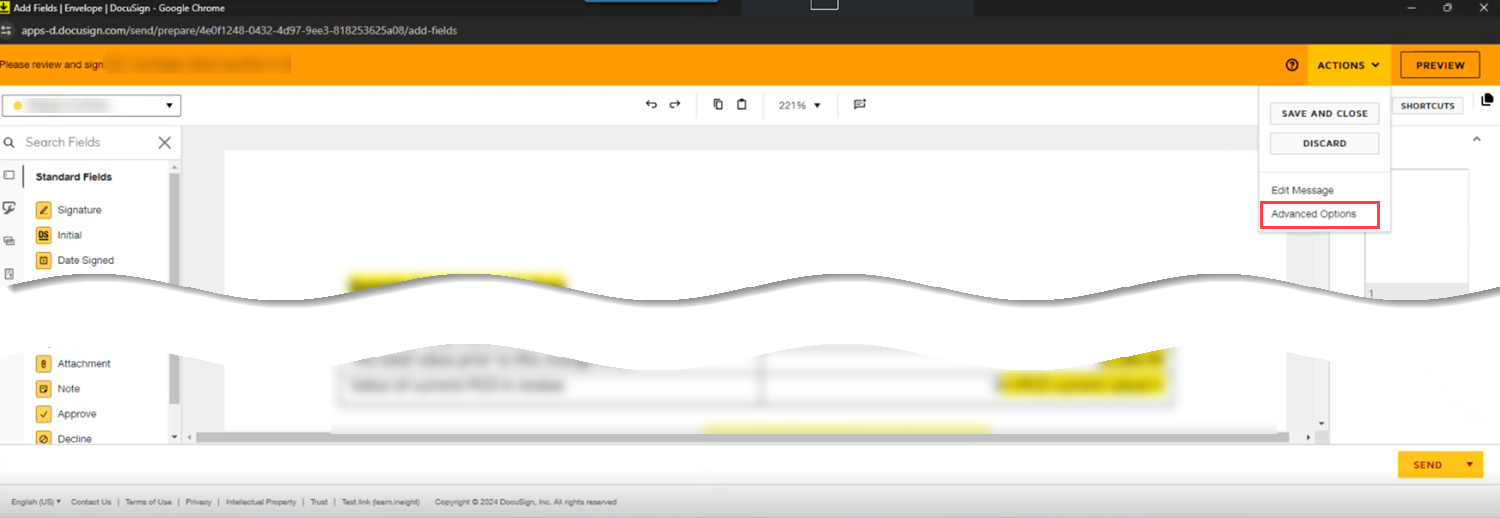
DocuSign Advanced Options – Contract now supports DocuSign Advanced options for branding, reminders, expiration, and comments. The advanced options show in DocuSign when you are in the Sender view.
Read more
Payment forms and VCO nonzero remaining to allocate values – You can now start workflow, submit, publish, or execute a payment form or VCO when the remaining to allocate value is within +/- 0.0099 to account for differences in decimal precision. Previously, the value had to be zero. For more information about the Remaining to allocate field in a payment form, see Payment Forms. For information about the Remaining amount to to allocate field in a VCO, see Vendor change orders.
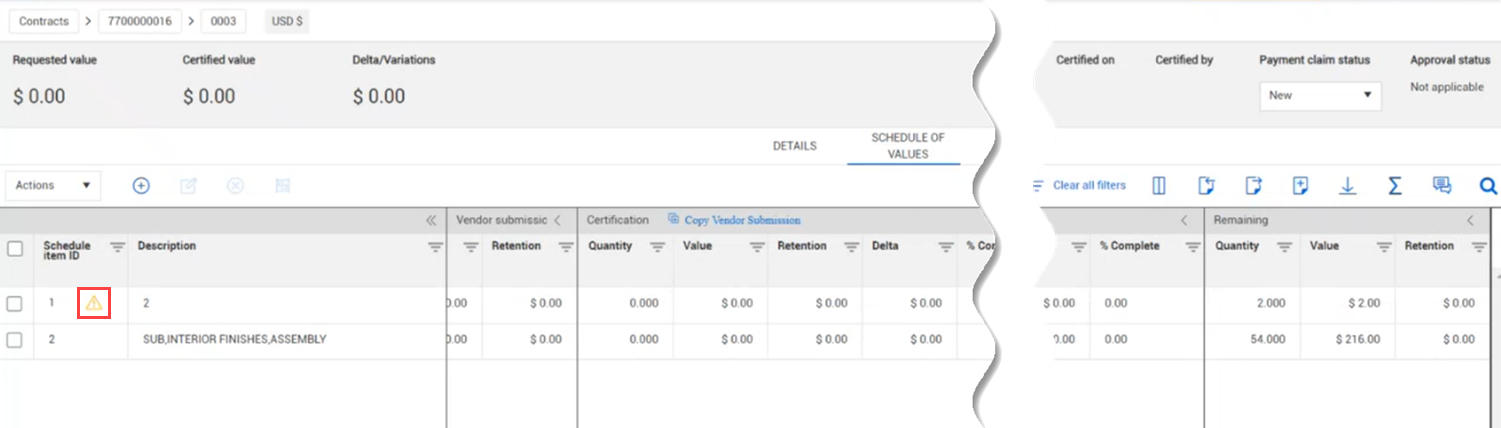
Contract schedule of values date validation – An error icon now shows when you claim a contract schedule item and the item's posting date is not within the Valid from and Valid through dates.
Read more
Payment claim register Requested value and Certified value columns and retention columns – Columns for the requested value and the certified value have been renamed to be consistent with other column names. The Retention column has been split into the Requested retention and Certified retention.
Read more
All invoices selected by default when converting a payment claim to a payment form – When you convert a certified payment claim that has invoices associated to it, all invoices are now automatically selected in the Convert to Payment Form wizard to reduce problems after conversion. For more information about converting a payment claim into a payment form, see Convert to a payment form.
Adding a schedule item with a negative quantity – Schedule of value quantities must now be greater than zero. A negative unit price can be used to add an item with negative value. This change was made to be consistent with line item functionality. For information about adding schedule items, see Schedule of values tab.
Payment form schedule of values current total calculation – The current total in the payment form schedule of value is now calculated as the sum of the values of the This submission and the Previous submission columns. Previously, pending submission values were included. This calculation is now consistent with line item calculations. For more information about the Payment form schedule of values, see Payment Forms.
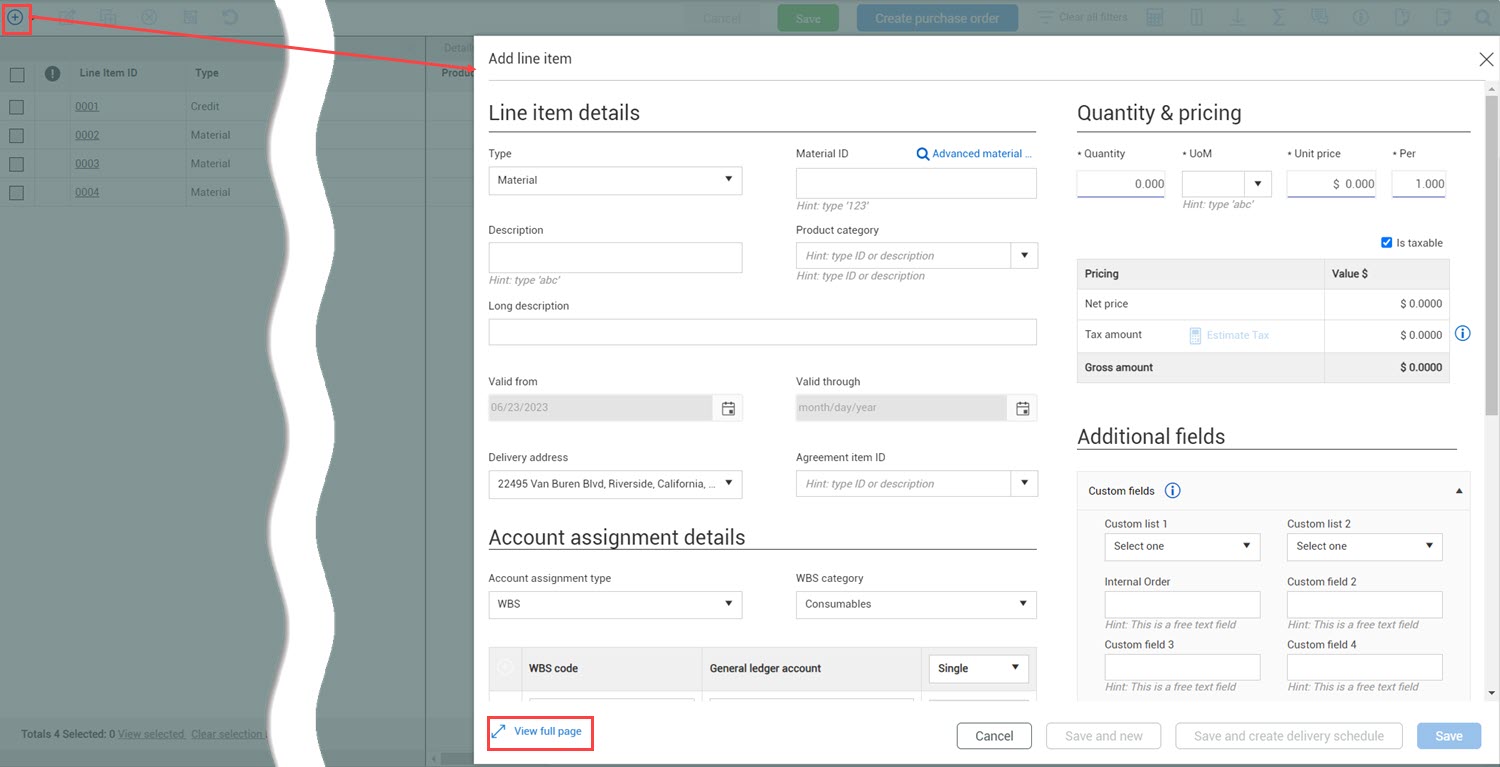
Quantity and unit price in Add line item dialog box for payment forms and VCOs – The Quantity and Unit price columns have been added to the Add line item dialog box for payment forms and VCOs, so you can see more details when selecting line items.
Schedule of values collection table tag updates – The <<Payform SoV: Vendor claimed to date>> tag was added to the Payment form Schedule of Values collection table. New collection tags have been added for fields in the VCO schedule of values to replace the tags from the previous releases.
Read more
For more information, refer to the Collection table tags list in Settings > Contract > Contract Templates > Template types.
Remove canceled workflows from Action items tab – Contract now removes workflows that are not completed in 90 days and have been canceled from the Action items tab. For more information about bid package workflow, see Workflow Assignments tab. For information about contract workflow, see Workflow Assignments .
Removal of Harmonized schedule fields – All fields relating to Harmonized schedule have been removed from Contract in this release.
General release is available starting 08-APR-2024.
Updated 08-APR-2024
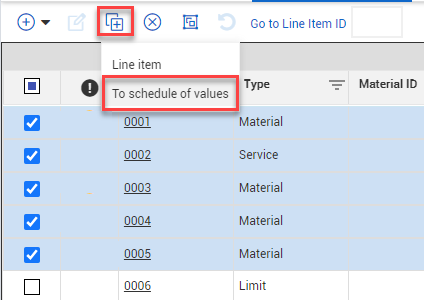
Copy line item to schedule of values – You can now copy line items from the Line items register in contracts and master agreements directly to the Schedule of values register. Copying line items gives you a starting point for building your Schedule of values and an easy way to make values match.
Read more
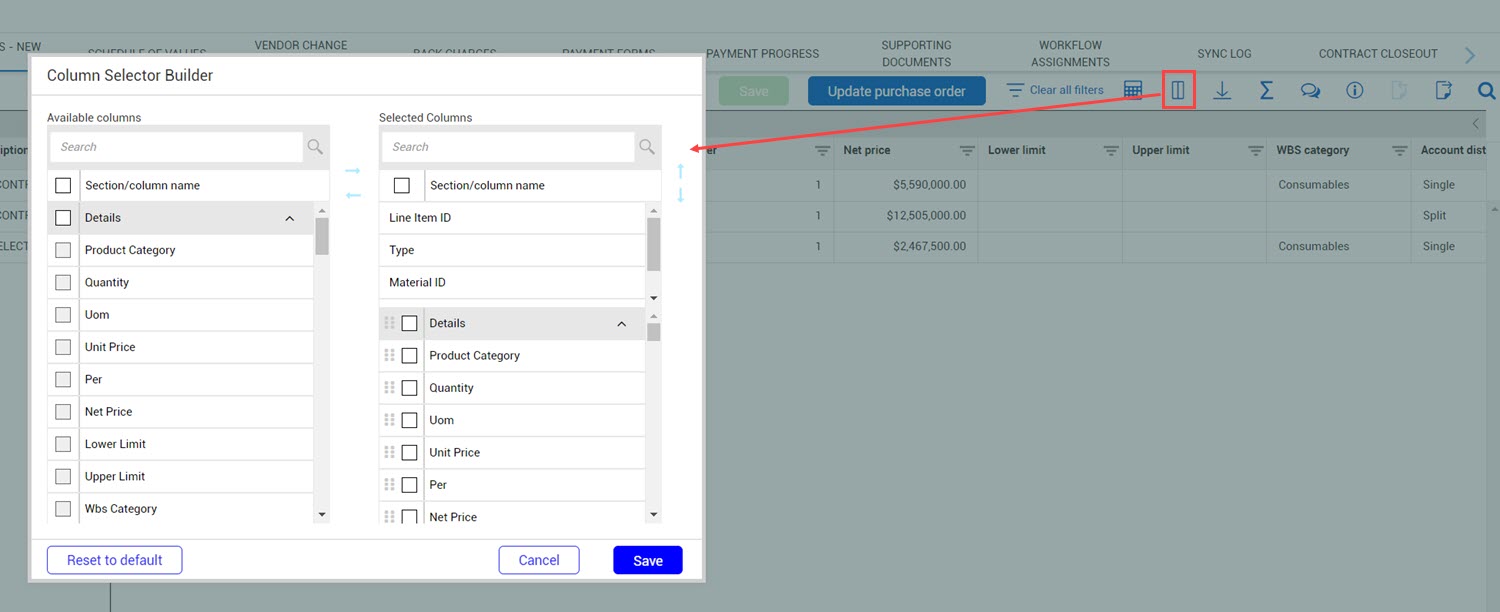
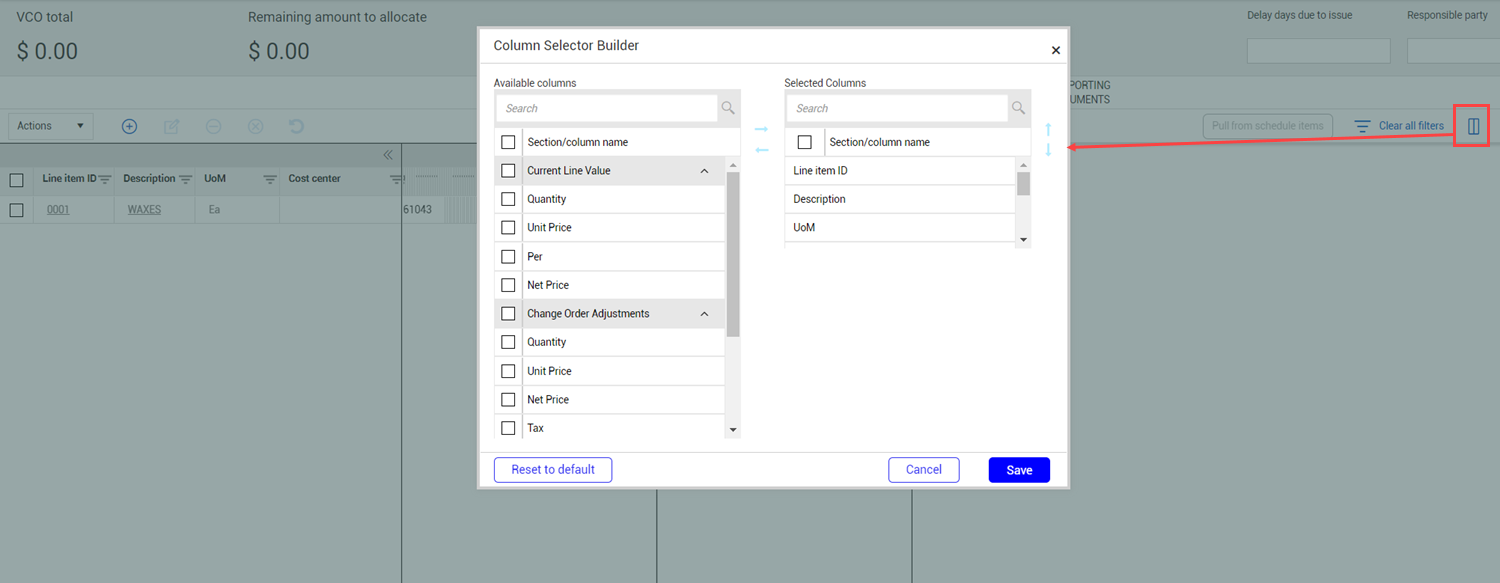
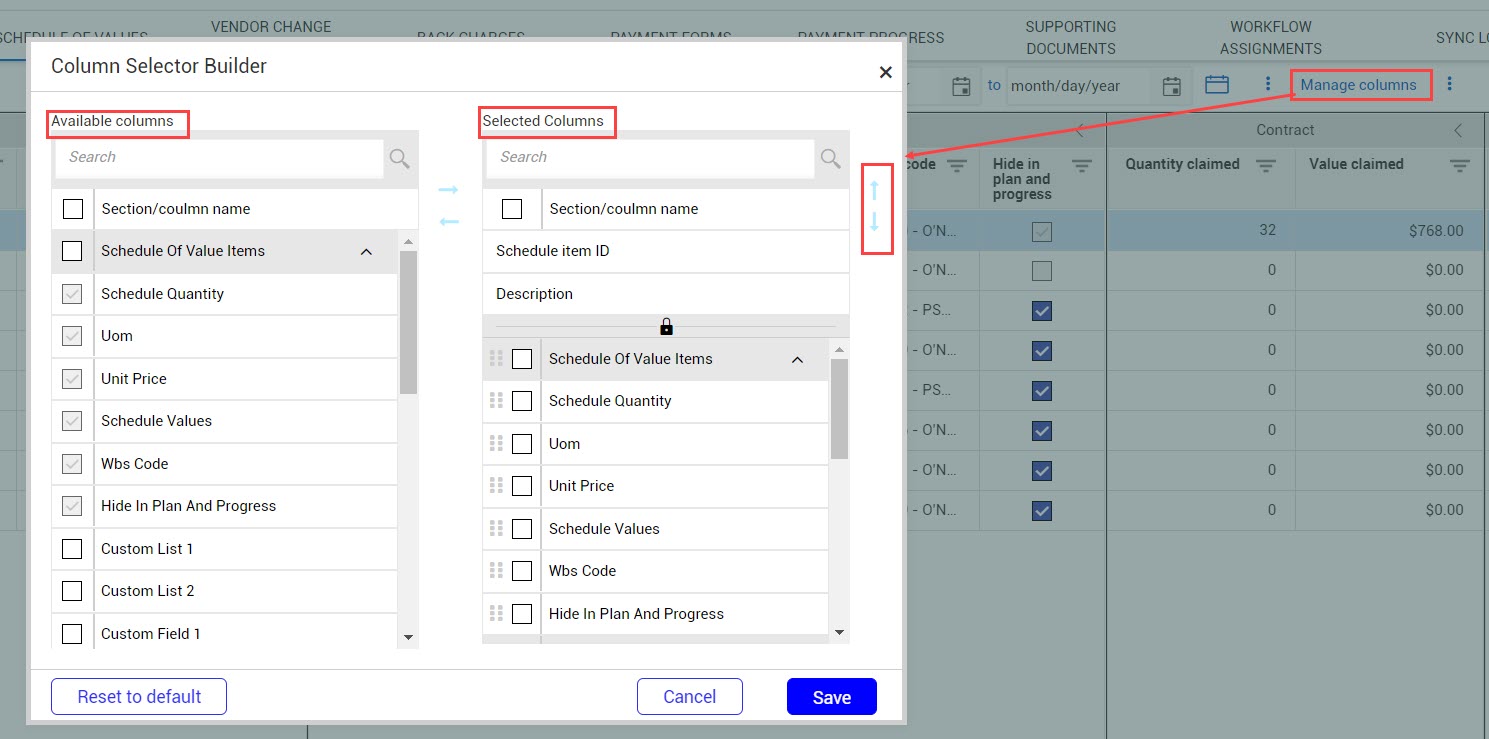
Move line item columns from the Detail section of the grid to the locked section – You can now use the Column manager on the Line Items page to move columns from the Details section to the first section. Moving detail columns into the locked section gives you more options when customizing the view on the Line items page. You can also move the Material ID, Description, and Type fields from the locked section into the Details section. For information about managing Line items register columns, see Line items column management.
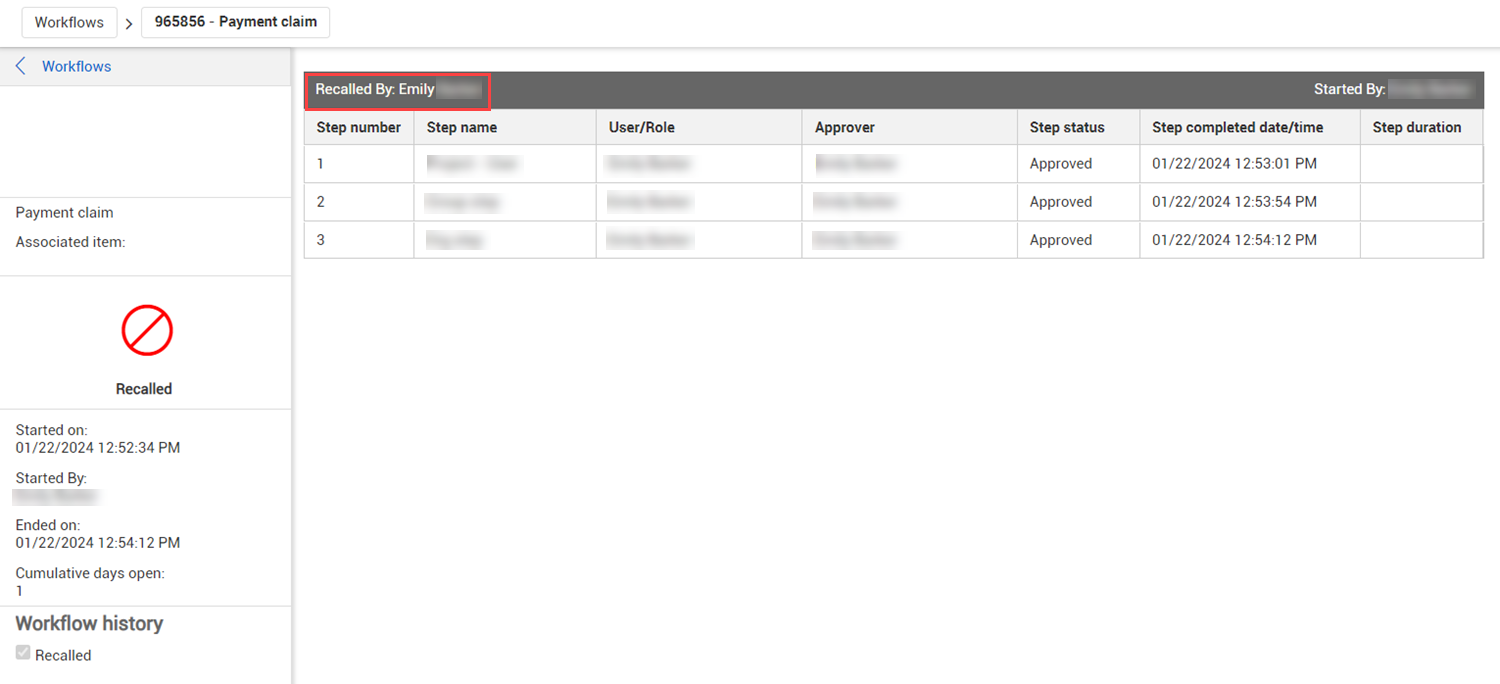
Workflow recall – The user that recalled a workflow is now shown on the project Workflows page as part of the workflow details.
Read more
Roles without assigned users in workflow steps – You can no longer start an approval workflow when a role assigned to a step has no users assigned. A warning indicating that there is no applicable user for the step is shown. For more information about assigning roles in workflows, see Workflow Assignments .
Payment term and Incoterm codes included with descriptions – The payment term and incoterm codes are now shown along with their descriptions in drop-down menus, registers, and exports.
Accruals sent to InEight Control upon submission – Contract now sends accruals to Control only after they have been submitted. Previously, accruals were sent to Control when they were in Draft status. For information about submitting accruals, see Accruals/Receipts.
New lines in published external purchase order contracts – The external API no longer allows additional lines to be added to published external purchase order contracts.
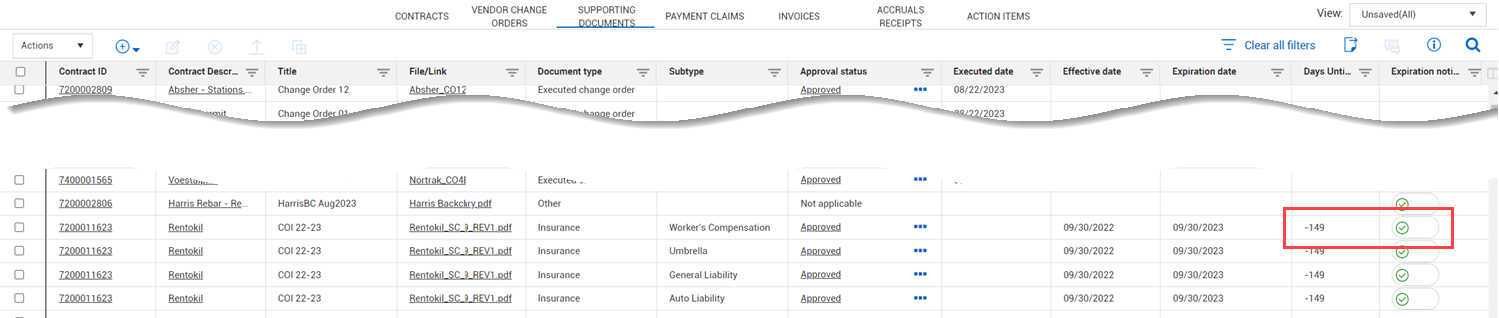
Supporting document expiration notification toggle – When the toggle Expiration notification enabled is set to Yes for a supporting document, the toggle remains enabled and no longer changes 180 days after the expiration date has passed.
Read more
Due to lack of use, Harmonized Systems / Schedules functionality will be deprecated in the 24.5 release. This will include the settings, contract header field, line item fields, and any associated tags. Please contact customer support with any questions or concerns.
Updated 09-FEB-2024
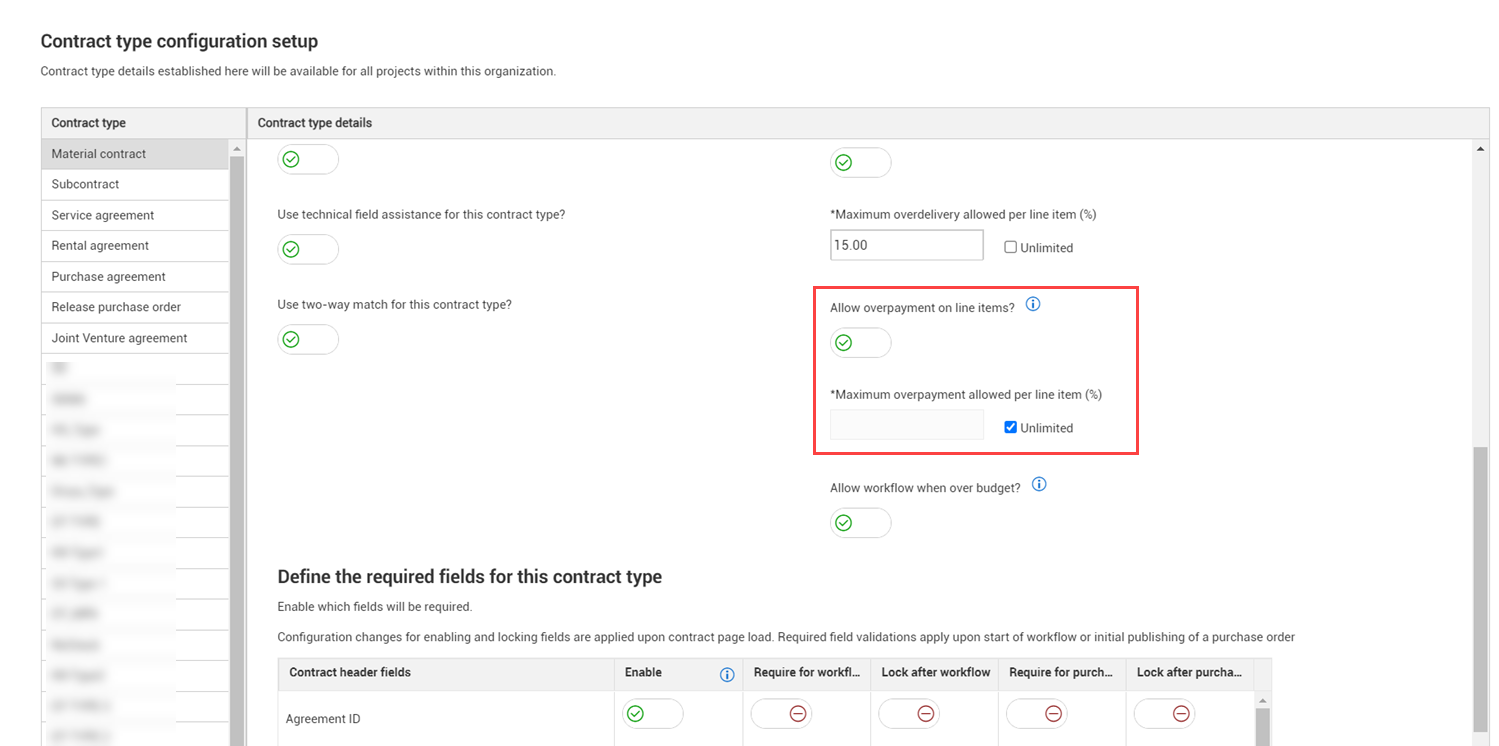
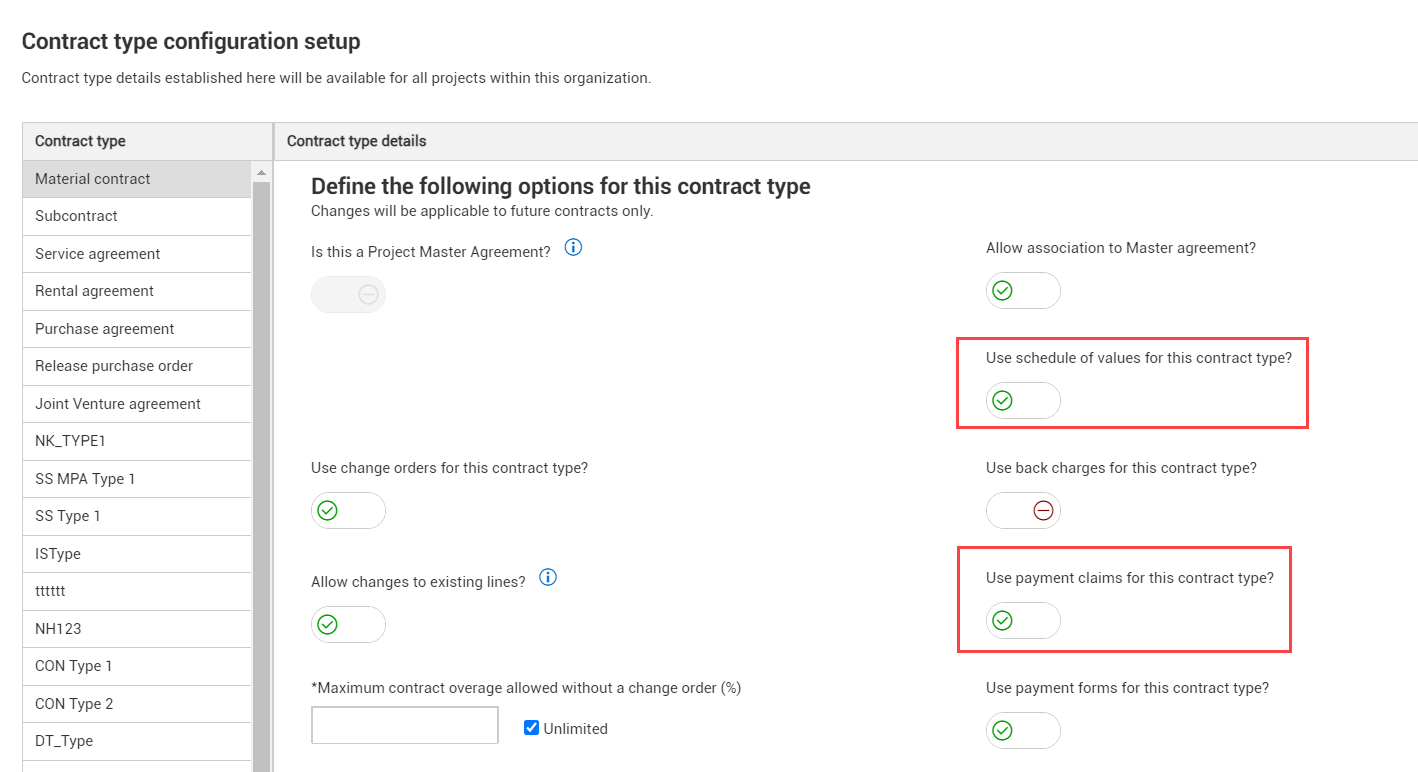
Restrict overpayment of line items – You can now configure whether overpayment of line items is allowed. The new Allow overpayment on line items toggle in the organization-level Contract type configuration (organization > Settings> Contract> Configurations > Contract type configuration setup) lets you indicate whether you can pay more than the line item current value.
Read more Watch video
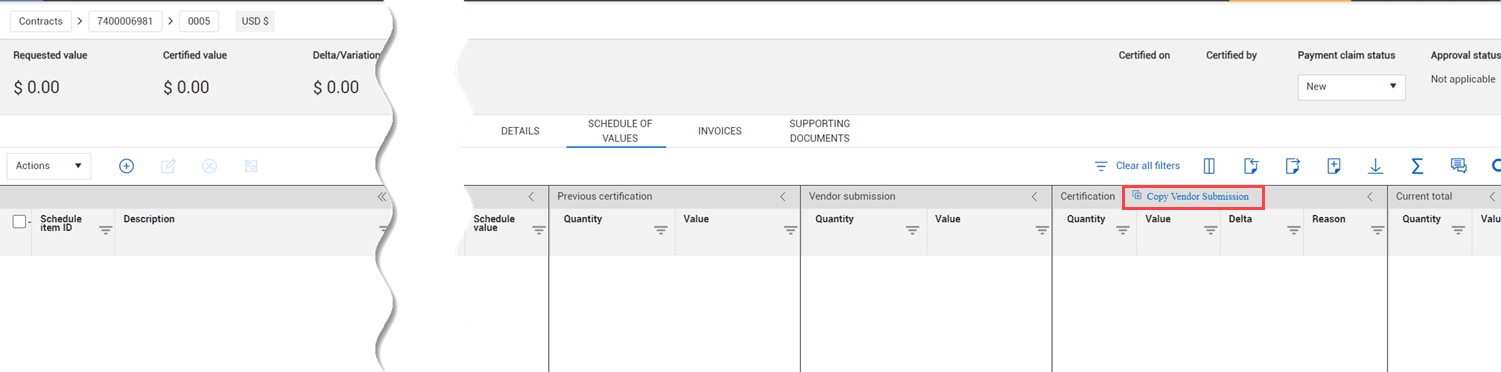
Copy vendor-submitted values in a payment claim – You can now quickly copy the information from the Vendor submission column of the Payment claims > Schedule of values register to the Certification section. Copying the vendor submission information can reduce the chance of input errors and save time.
Read more
Payment claims schedule of values import template updates – You can now import vendor submission values using Microsoft Excel. The fields in the Vendor submission section of the template are now optional. Previously, these fields were ignored when importing. For information about using the Payment claims Schedule of values register, see Schedule of values. For information about importing, see .Imports and exports
Payment claim document templates – You can now generate Payment claim documents from templates. A Payment claim template type has been added to the Contract documents templates. General tags and collection table tags for payment claims for all payment claims fields have also been added. For more information about document templates, see Template types subtab.
Schedule of values tabs enhancements – The Payment claims section of the Contract > Schedule of values tab now includes the Pending quantity, Pending value, and Pending delta columns that function as placeholders for uncertified claims. The columns let you easily see the certified and pending claims for the schedule item. For more information aobut the Schedule of values tab, see Schedule of values tab.
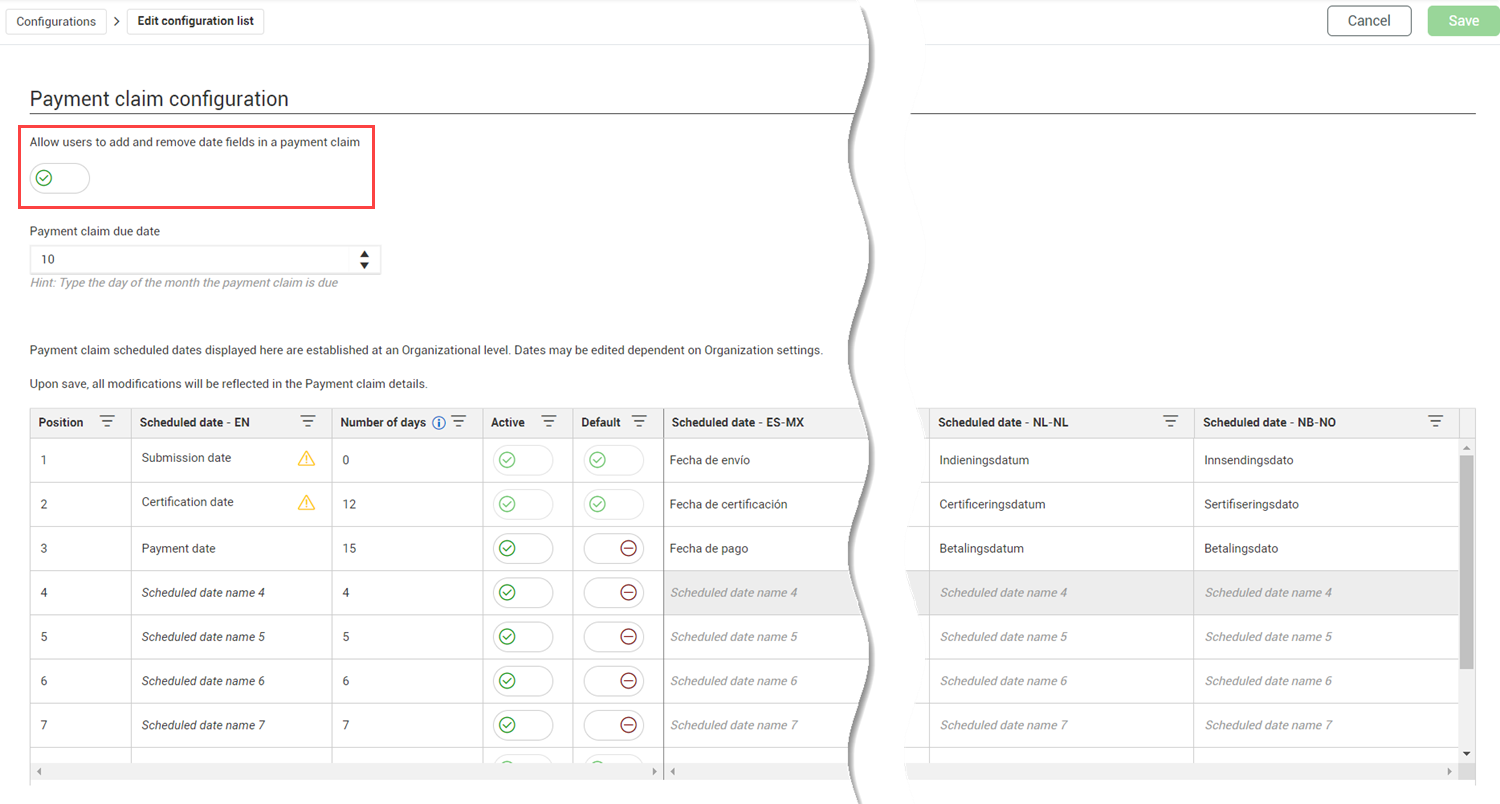
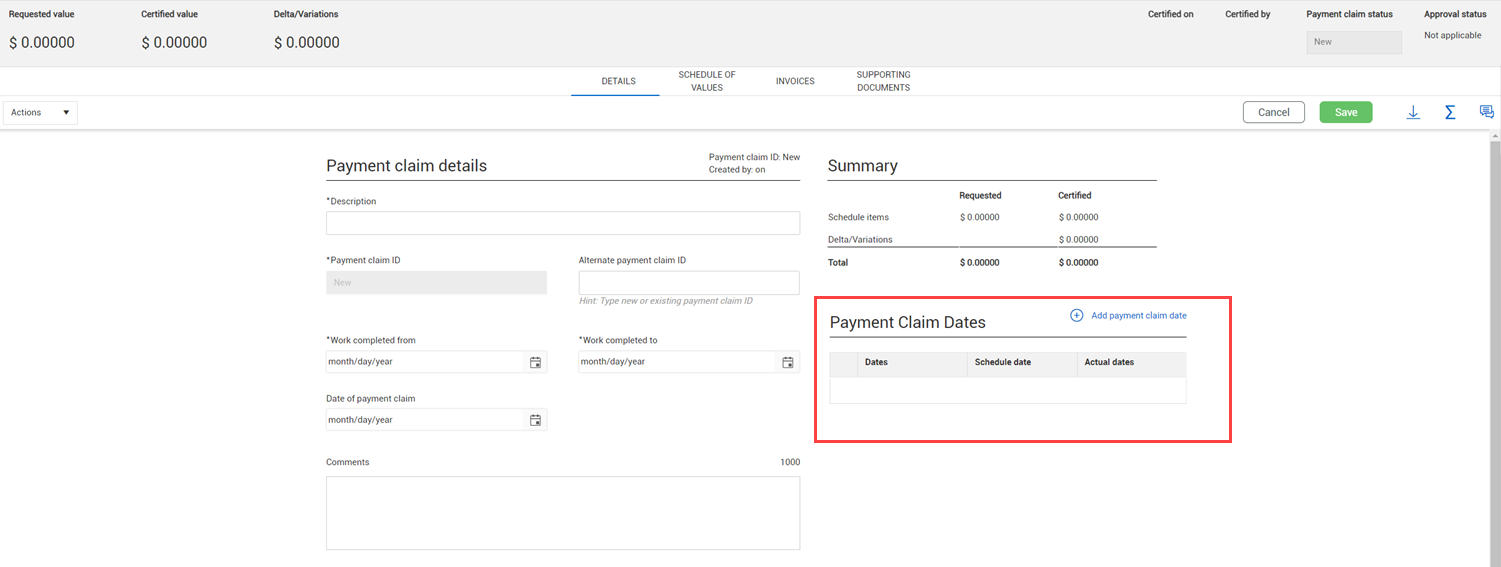
Edit dates in a payment claim – You can now indicate whether users can edit dates in a payment claim. The Allow users to edit dates in a payment claim toggle was added to the Payment claim configuration at the project level (project > Settings > Contract > Configurations > Payment claim configuration).
Read more
Payment claims project-level import – You can now import payment claims at the project level. For more information about importing payment claims, see Payment claims register.
Line items column management improvements – The Line items tab has been updated to show only the columns for Details and Budget and commitment sections by default to improve register loading time. This is applicable for new views or if you reset to the default.
Read more
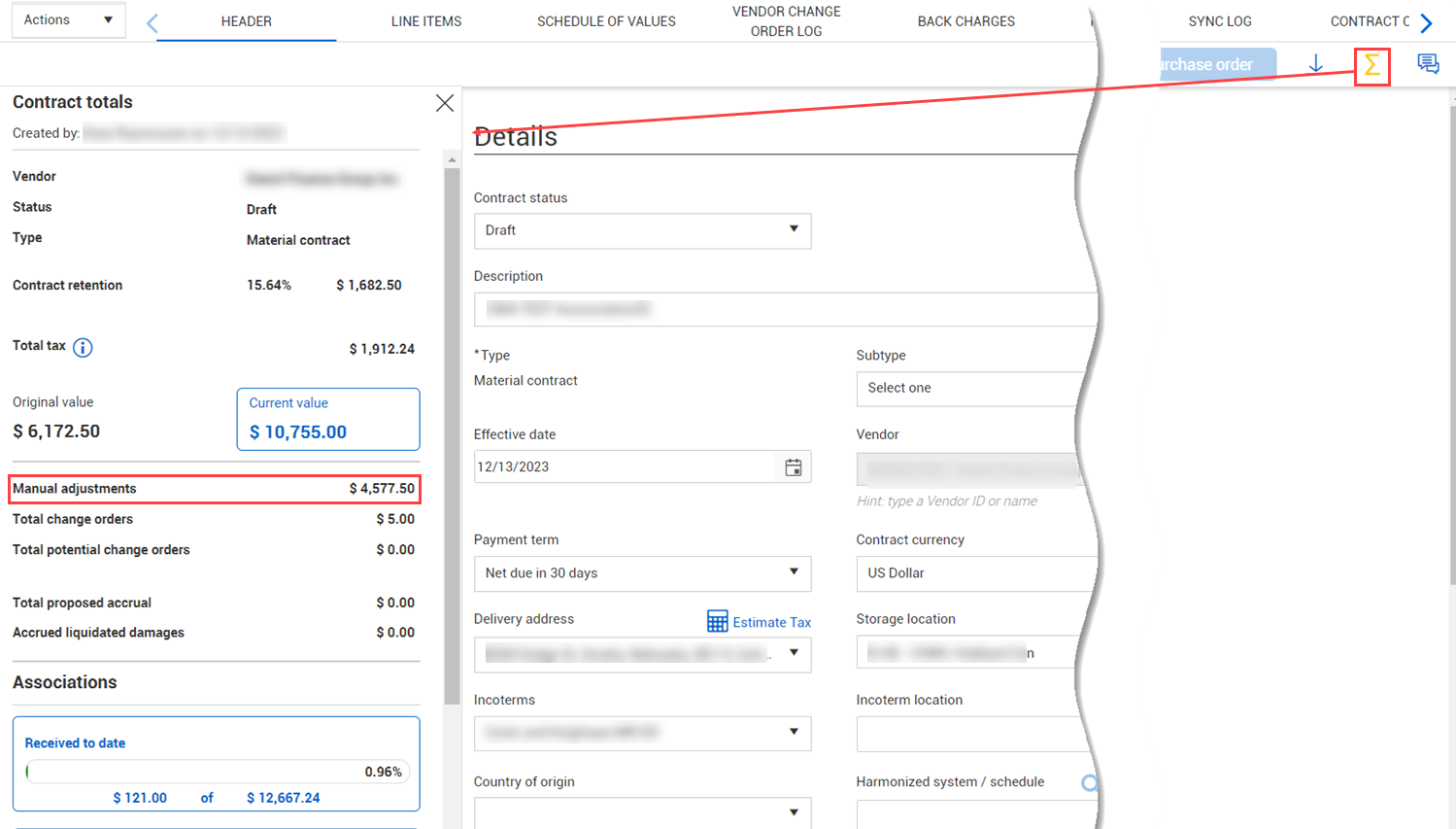
Contract totals slide-out panel update – A line for Manual adjustments has been added to the Contract totals slide-out panel, so you can quickly see if any manual adjustments were made outside of a vendor change order.
Read more
Schedule of values tab update – The Change orders section has been added to the Schedule of values register, so you can quickly see the executed quantity and amounts for the schedule item and the associated vendor change order.
Read more
Master agreements Progress section enhancement – The Associated quantity and Associated values column have been added to the Progress section of the Master agreements Line items register.
Read more
Contract writer update – When you generate a contract document, the option to create individual documents is now the default for the Generate document as field in the Generate contract wizard. The Generate file type as field now defaults to Download as template file type. For more information about Contract writer, see Contract Writer.
Enhanced Approval date collection table tags – Collection table tags for approver dates, including Contract approvers: Date, VCO approver: date, Payform approver: date, and Claim approver: date, now generate the time stamp along with the date of the approval. Previously, only the date was included.
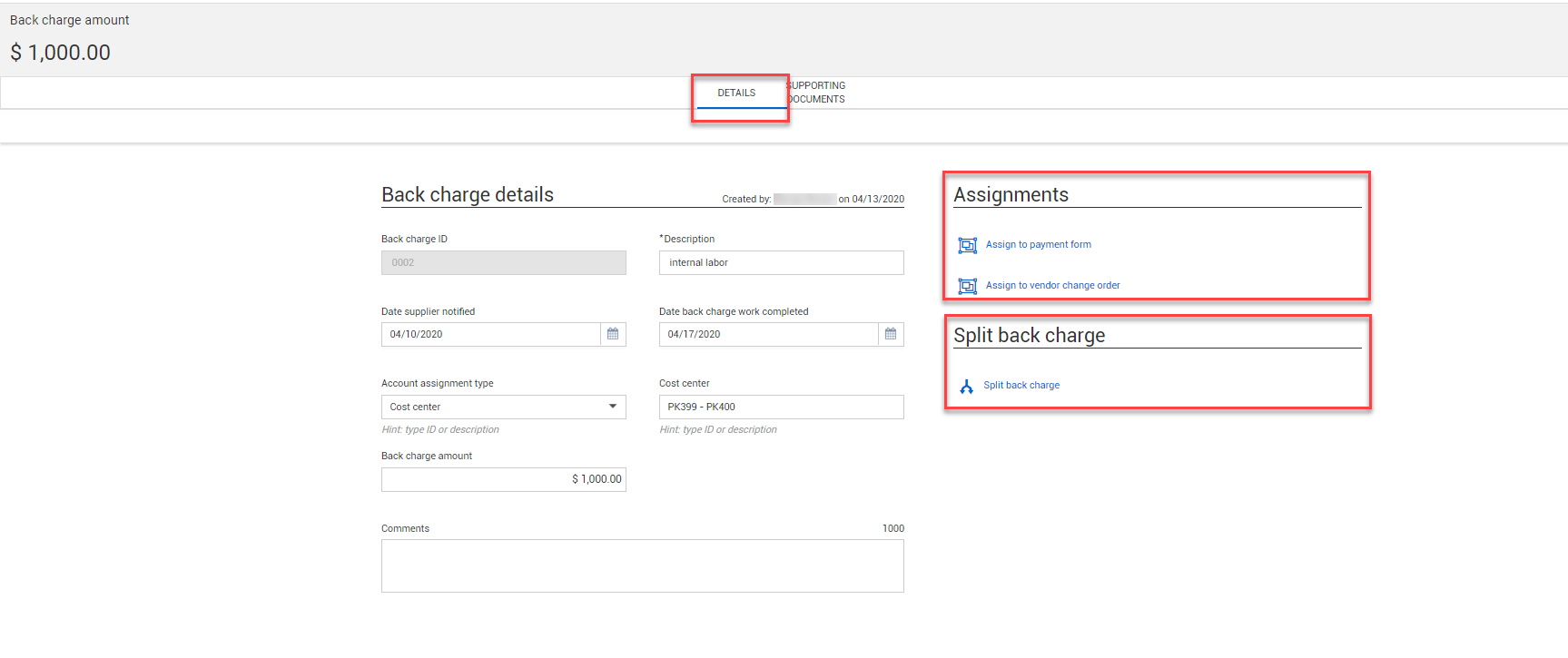
Back charges register update – You can now export the Back Charges to a Microsoft Excel spreadsheet like other registers. For more information about exporting, see Imports and exports.
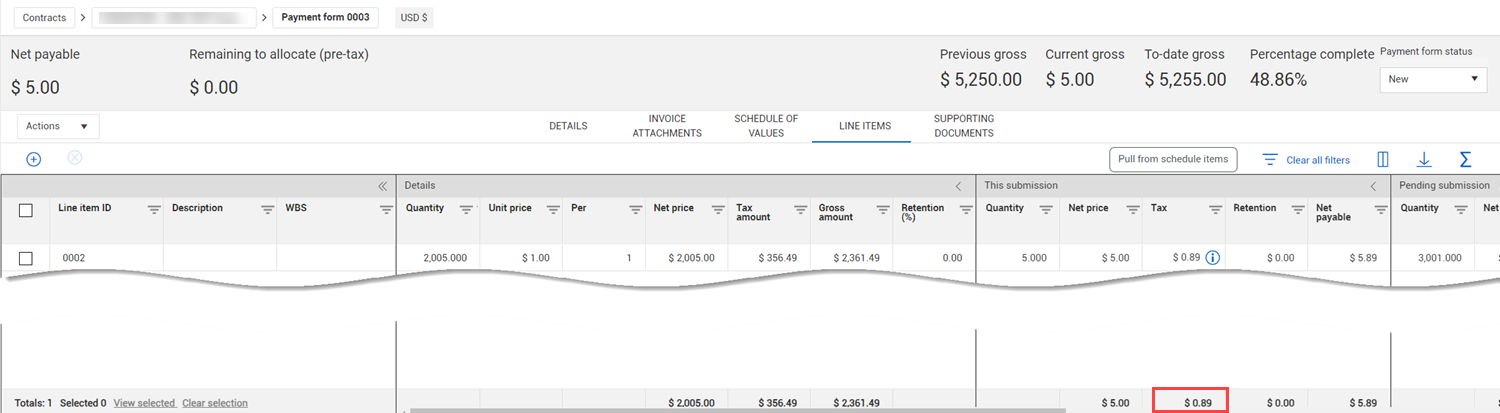
Payment form Line items tab update – The total has been added to the Tax column of the This submission section of the Payment forms Line items register, so you can identify the total tax without having to open the Details tab.
Read more
Owner legal name general tag – The owner legal name contract writer tag has been added to match the new field added to the project details page.
Due to lack of use, Harmonized Systems / Schedules functionality will be deprecated in the 24.5 release. This will include the settings, contract header field, line item fields, and any associated tags. Please contact customer support with any questions or concerns.
Delete payment records sent in error – Your integration team can now delete records from the Payment progress tab without having to send a negative amount to cancel records sent in error by the ERP system.
Read more
Updated 27-SEP-2023
Payment claims – You can now manage payment claims in Contract, so you no longer need to maintain additional spreadsheets and documentation. The payment claims function can be used when you are required to certify a vendor's claim of work in advance of receiving an invoice or before the payment form is created. Payment claims track items based on the schedule of values items.
Read more Watch video
Schedule of values claimed value and claimed quantity calculation - You now have the option to have Contract not recalculate the claimed value based on claimed quantity and vice versa. Previously, the claimed value was forced to be the quantity multiplied by the unit price. The option to recalculate lets you match the calculation to your business needs.
Read more
Bid package supporting document types – The Add supporting document dialog box in Bid packages now uses the defined list of document types that are available in Contract instead of using free text. To support this change, The Added on, Subtype, and Expiration notification enabled columns have been added to the Bid package Supporting documents register. Legacy document types have been replaced with Other and documented with a note. For more information, see Supporting Documents Tab .
Integration UOMName field changes – The field used to receive UoM items from an ERP system in Contract has been changed to allow use of UOMName or SKFUOM for the Purchase order response, Accrual request, and Goods receipt request integrations. Customers must check their integrations to make sure these changed field names do not cause issues. Refer to the integration documentation for more details.
Format large text boxes in Microsoft Word templates – You can now use Word's merge fields to format text boxes with multiple lines, such as the Scope of contract, in a Word template instead of using a tag. Using a merge field ensures the text in the generated document is formatted as it is in the text field.
Read more
Component quantity in schedule of values – The Component Quantity column in the Schedule of values register has been added at both the contract and vendor change order. This column gives you visibility into changes made to the quantity in InEight Plan.
Read more
Line item updates in vendor change orders and payment forms – A Revised line item icon now shows in the VCO and Payment form Line items pages when a line item has been changed but not published. The icon lets you quickly see that changes have been made to the line item, and you can decide if you want to proceed with the VCO or payment form.
Vendor change order tab new columns – The Issue ID, PCO ID, and CCO ID columns have been added to the Vendor change order log at the project and contract levels. These columns let you easily see any associated issues, potential change orders, or client change orders related to the vendor change order.
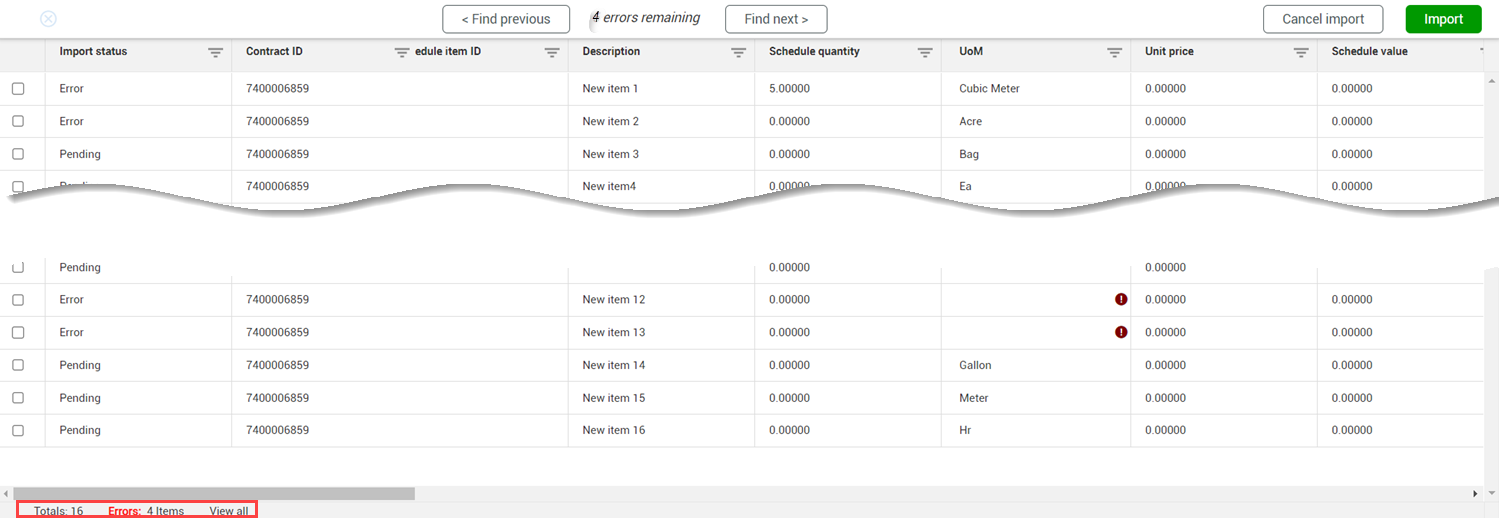
Schedule of values import history improvements – The Schedule of values Import history page now includes totals and the number of errors at the bottom left, so you can see how many items are selected and find errors quickly.
Read more
Saving a payment form – You no longer need a payment term or a progress estimate to save a payment form when they are required for the payment form. The fields are required only for submittal and workflow. When the status of the payment form is New, a yellow warning icon shows next to the Progress estimate number and Progress estimate billing period fields to remind you that the fields are required for approval and submission. For more information, see Payment Forms.
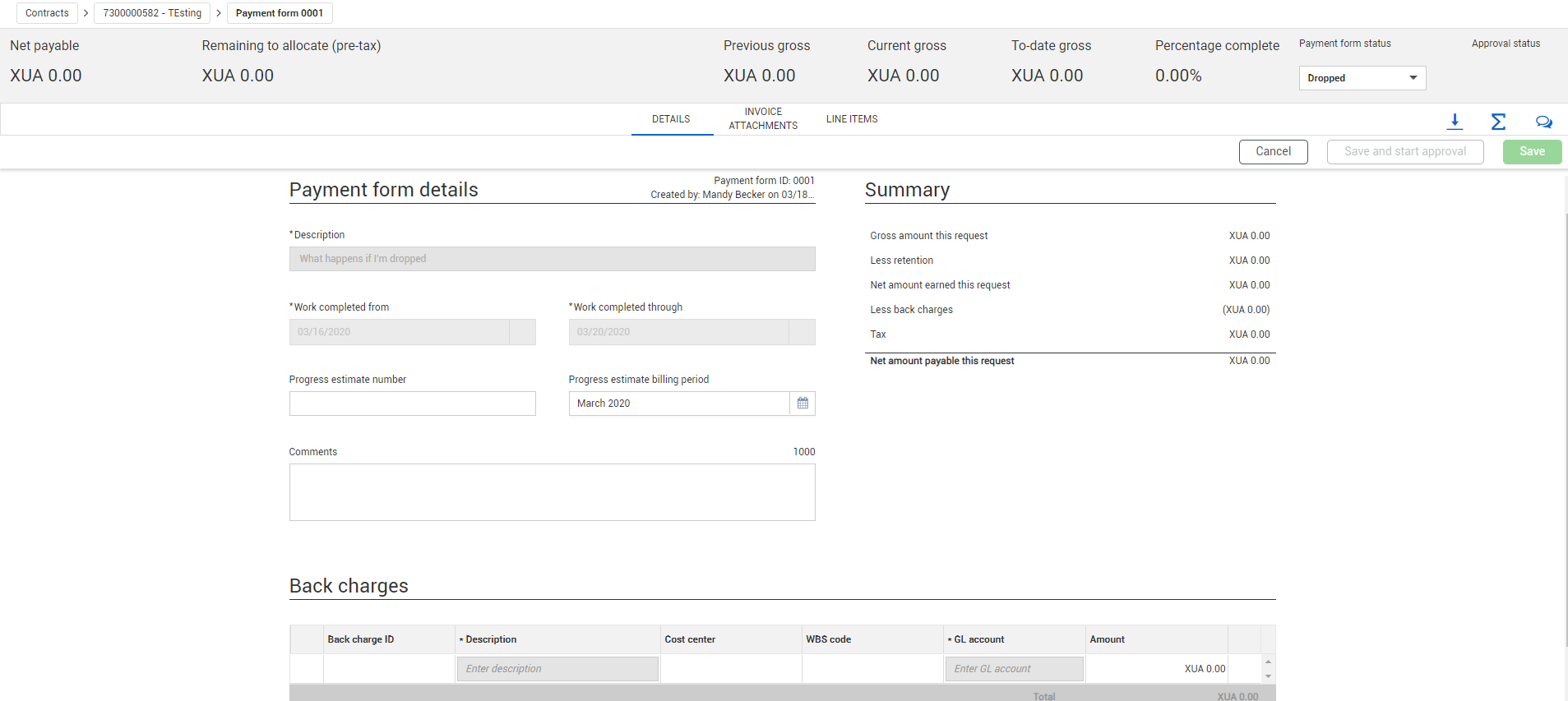
Back charges in Payment form details – When the Use back charges toggle in the contract type configuration is set to No, the Back charges section no longer shows on the Payment form Details page.
eSignature correction permission – A new permission, Correct eSignature, has been added. You must have the Correct eSignature permission to correct DocuSign documents. For more information, see Permissions.
Global approach to dates – The Payment form Approved, Payment form Rejected, and Supporting Document Expiration emails now use the global date format YYYY-MM-DD.
Updated 18-JUL-2023
Contract Line items tab enhancements – The Line items tab has been redesigned with collapsible sections to make it easier to use and to be consistent with the enhancements to the Vendor change order line items tab and the Payments form line items tab.
Read more
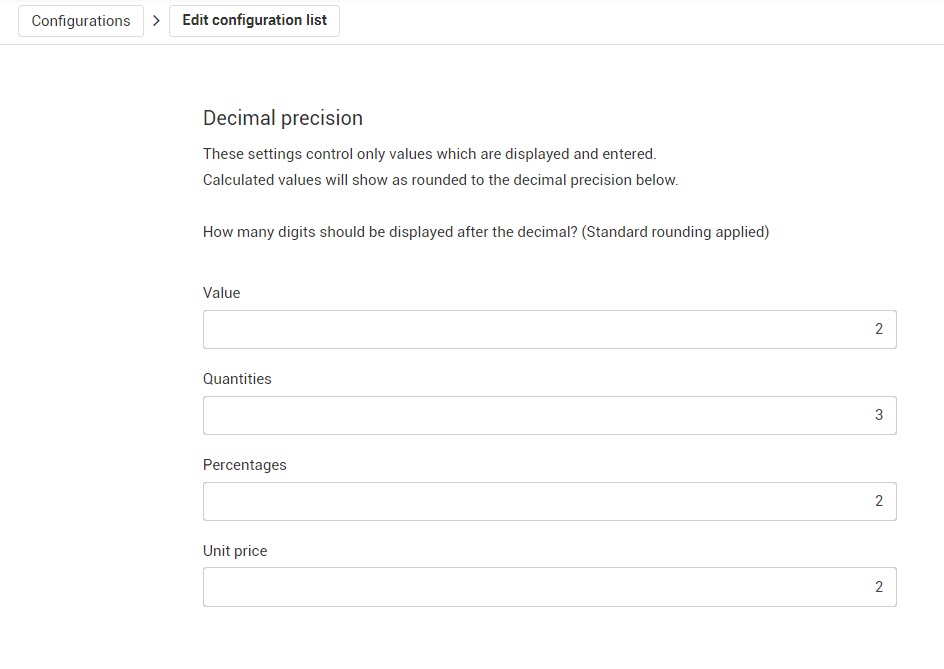
Decimal precision – You can now set the number of digits that trail the decimal point in values, quantities, percentages, and unit prices shown in Contract.
Read more
Vendor invoice submission – Vendors can now submit invoices in InEight Contract. Invoices created by vendors show immediately in the Invoices register. Vendor-submitted invoices help the contractor save time and reduce the chance of errors.
Read more
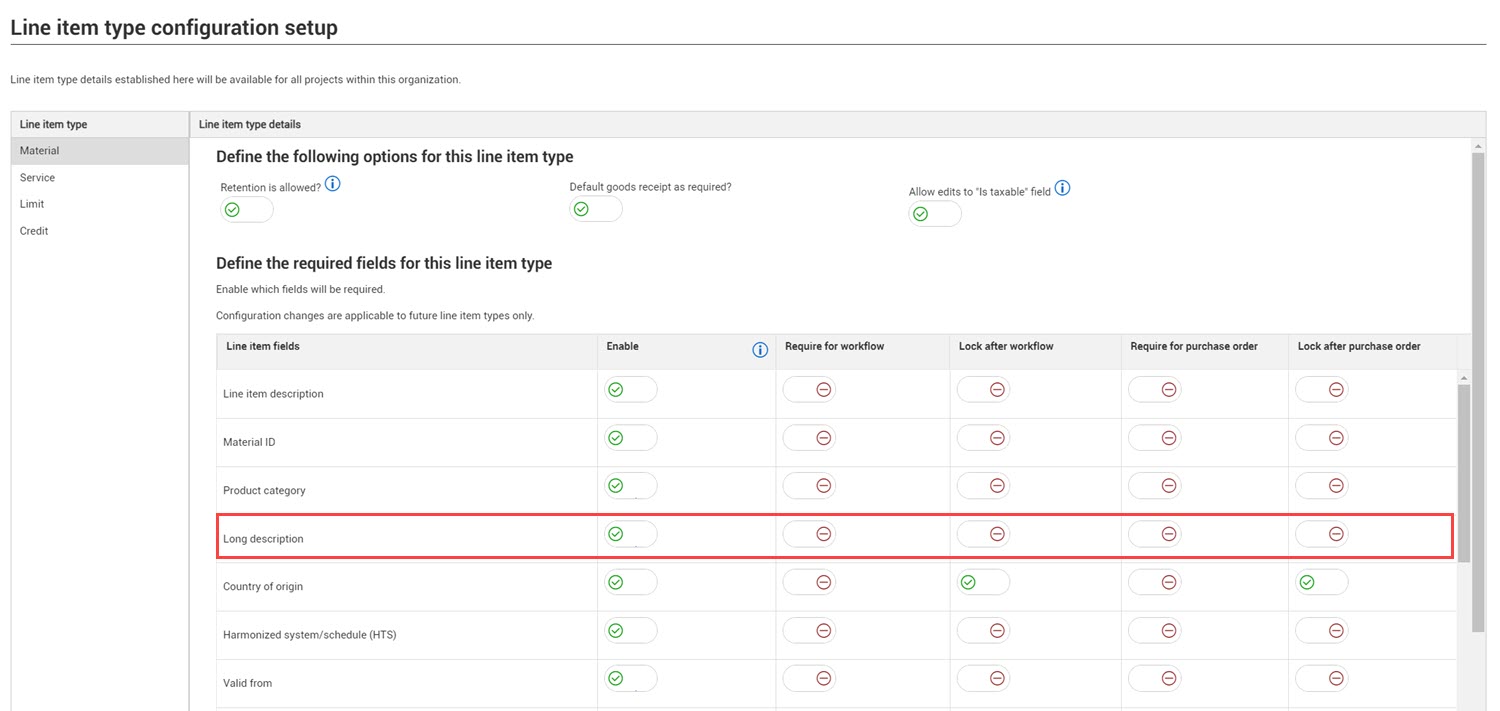
Line item long description – The Long description has been added to the Line item type configuration setup page in the organization settings.
Read more
Supporting documents permissions – You can now restrict users from adding, editing, or deleting supporting documents for bid packages and contracts.
Read more
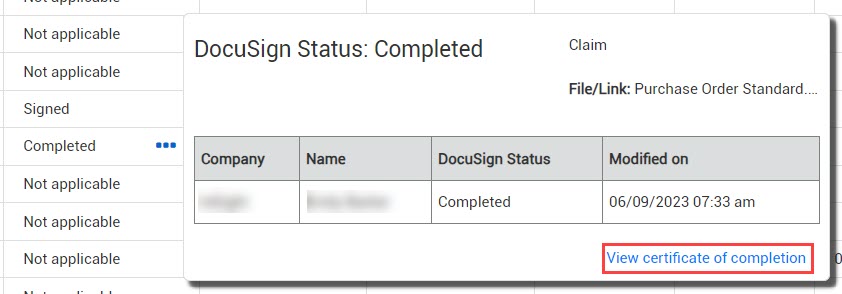
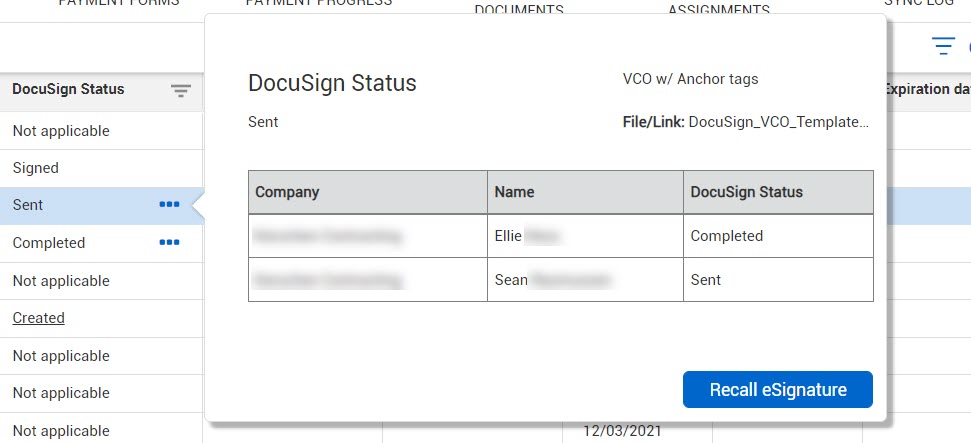
DocuSign certificate of completion and time stamp – After signing is completed, the certificate of completion is now available when you hover over the ellipsis in the DocuSign status field in Supporting documents. Also, the Modified on column has been added to the DocuSign status information.
Read more
Invoice attachments preview – When you click the entry in the File/Link column to open an invoice attachment from the Invoice attachments or Invoices register, the document now opens a preview in a new tab, so you can view the pages instead of automatically downloading. The preview lets you view all pages of the document by clicking the Previous and Next buttons. If you want to download the document, click the Download file button in the preview.
Advanced vendor search for Add contract – The advanced vendor search has been added to the Add contract dialog box, so you can easily select vendors when creating a contract.
Read more
Vendor contact enhancement – You can now enter any name in the Primary contact field in the Vendor contact section if the contract header. This lets users who might not have access enter vendor contacts in InEight Platform to add a primary contact name. As you type a name, the field shows names that have already been configured that might match. If you want to add a different name, you can continue typing.
Vendors change order log totals row – A Totals row has been added to the bottom of the vendor change order log, so you can see the total of all vendor change orders for a contract.
Read more
Negative goods receipt – You can now enter a negative quantity in a goods receipt up to the amount that has already been received. The negative quantity lets you back out quantities that may have been entered in error instead of canceling the receipt and starting over.
Read more
Updated 28-JUN-2023
eSign enhancements – You can now correct documents in the original eSign envelope to avoid the expense of additional envelopes.
Read more
Supporting documents preview – When you click to open a supporting document, the document now opens a preview in a new tab, so you can view the pages instead of automatically downloading. This feature is available on all Supporting documents pages.
Read more
Contract register update – The Schedule value and Claimed value columns have been added to the Contract register. When a contract is associated with a schedule of values, the Schedule value column shows the sum of all scheduled values, and the Claimed value column shows the sum of values that have been claimed to date.
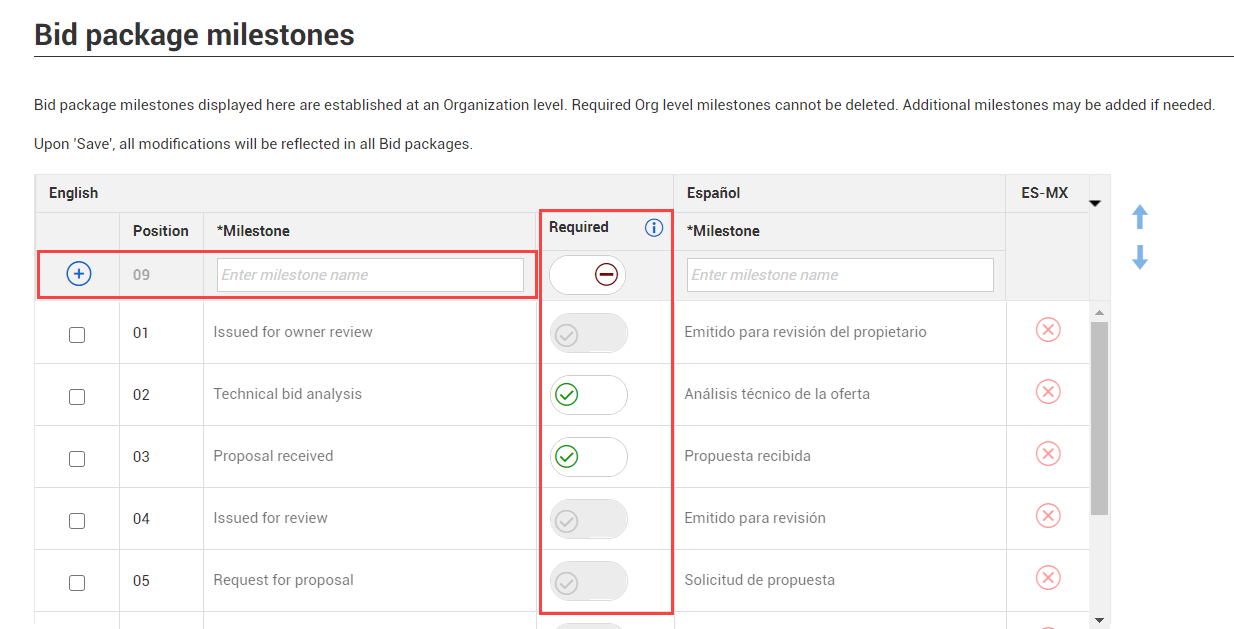
Bid package milestone Default setting – The Required column toggle in the bid package milestone grid in both the organization and project settings (Settings > Contract > Bid packages > Bid package milestones) has been renamed to Default.
Read more
Diversity participation sort order – The Diversity participation grid in the organization settings can now be reordered. Up and down arrows have been added to the Diversity participation grid (organization Settings > Contract > Contracts > Diversity Participation) to let you manage the order of diversity categories in the Diversity participation drop-down list in the contract header.
Read more
Vendor change order Schedule of values register update – The Unit Price column has been added to the Total revised value section of the Vendor change order Schedule of values register. As you make changes to a schedule item through a vendor change order, the unit price reflects the value after the change order is executed.
Supporting documents time stamps – A time stamp has been added to the Added on and Modified on columns on all Supporting documents registers to provide more visibility into when a document was added or modified. Previously the fields only showed a date.
Read more
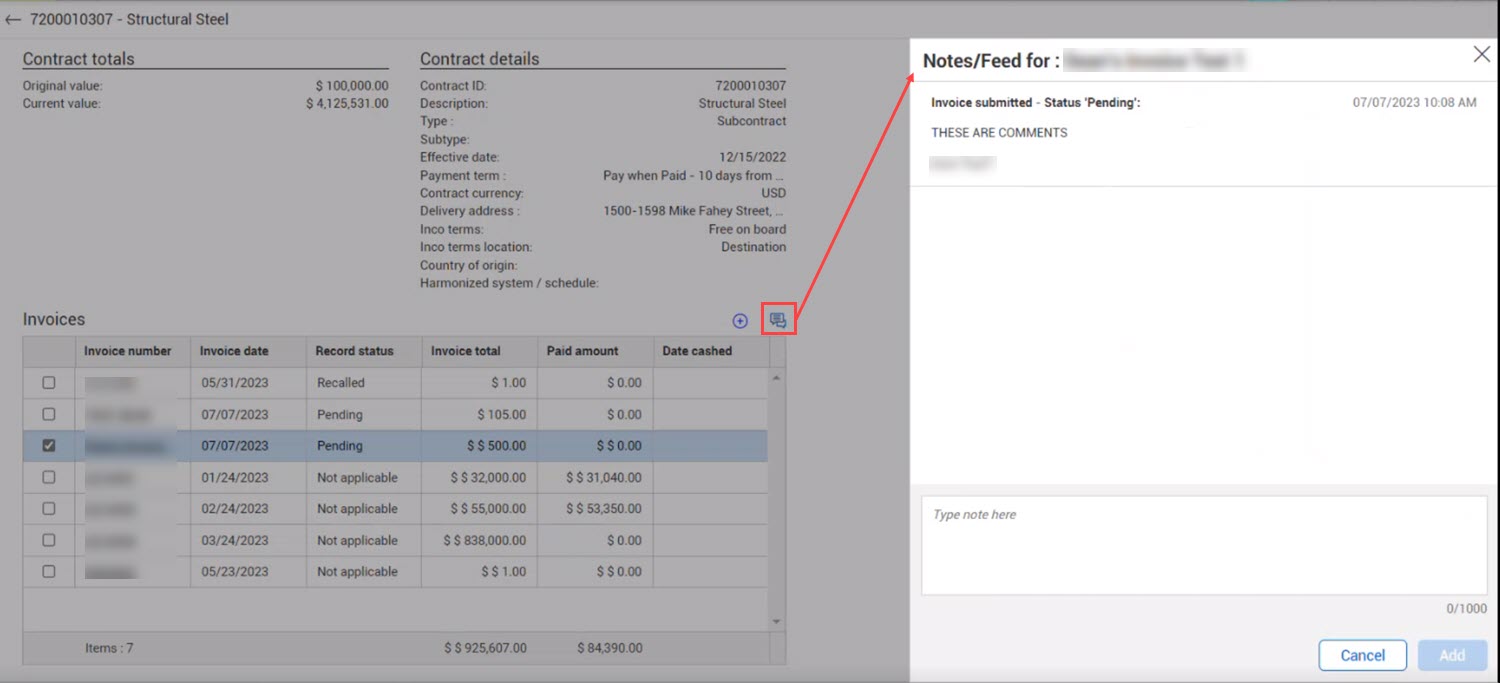
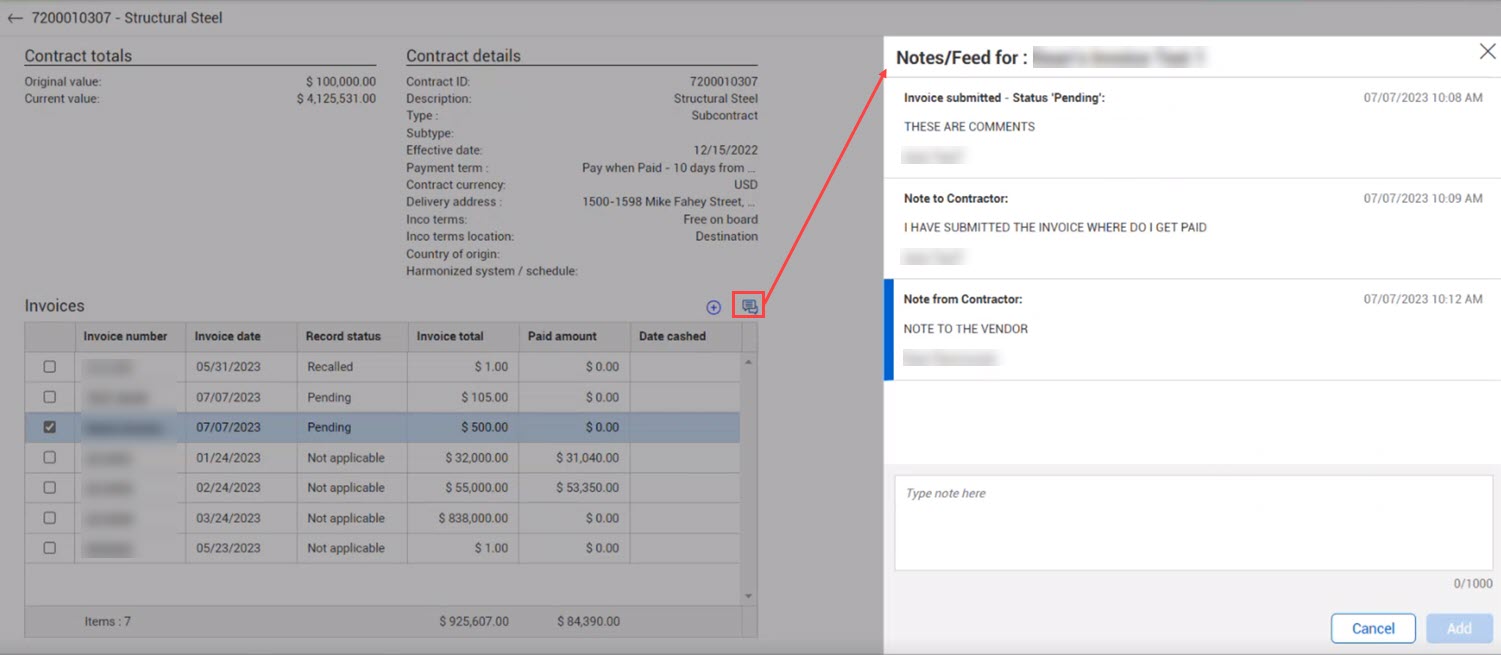
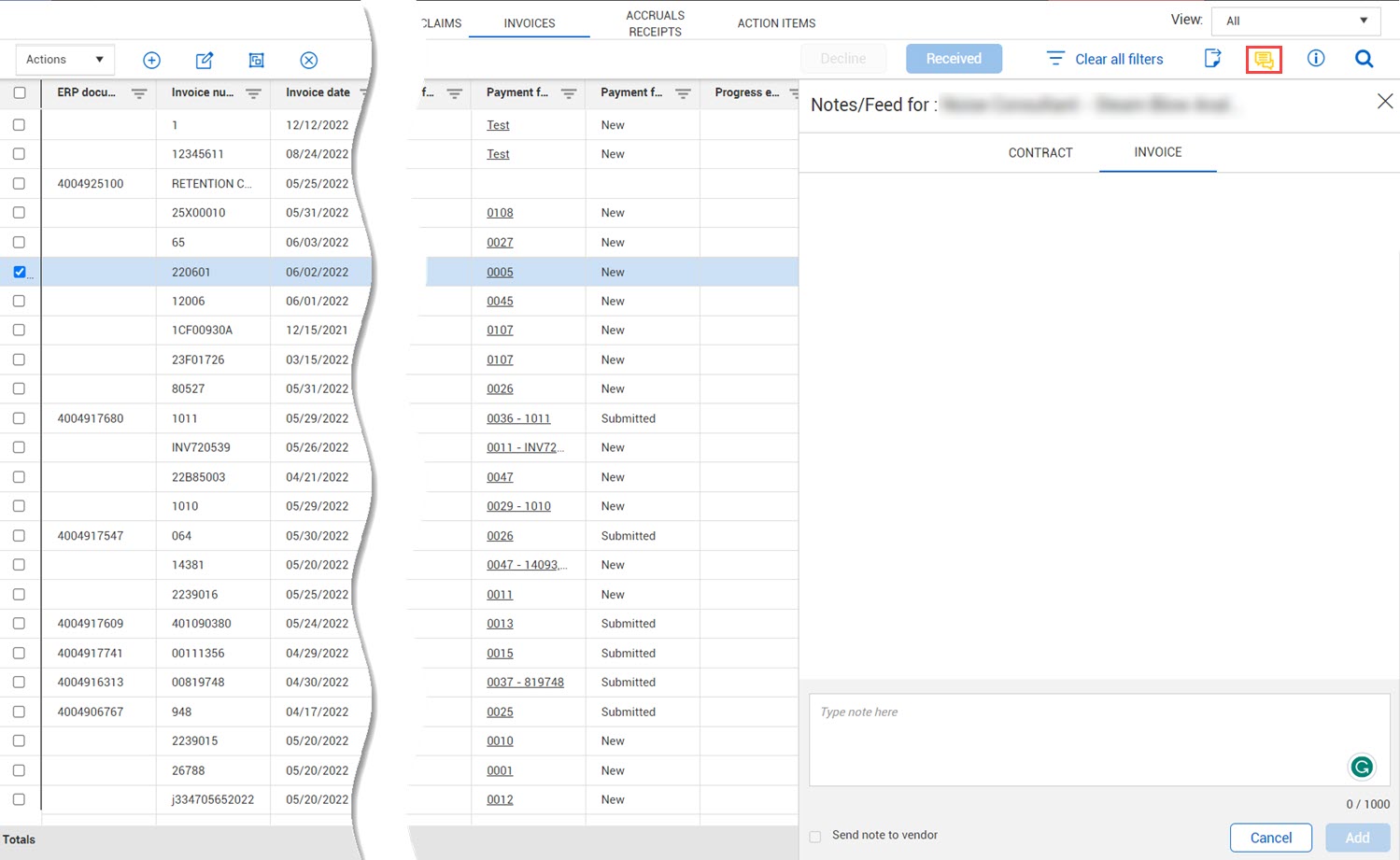
Invoice notes – You can now add notes specific to an invoice.
Read more
Product flag for supporting documents – The types of supporting documents that you can create in Contract are now configured in organization settings (settings > General > Document types). Only document types that have been enabled in the settings can be created in Contract. You can make document types unavailable in Contract only if they have not been used.
Schedule of values validation check – When you try to delete a schedule of values item that is associated with a draft vendor change order or payment form, a warning shows stating the item cannot be deleted.
Line item import template – The line item import template has been updated to match new line item formatting and include additional fields.
Advanced template settings – You can now specify the event at which a watermark is no longer required when generating a contract document. You can also define template settings based on template type.
Read more
Role-based workflow – Users added to a role after workflow has begun can now approve or reject items. Also, all roles are now available at the organization level to be assigned to workflows. Previously roles that had a base level permission of 0 could not be assigned at the organization level.
Read more
VCO schedule of values push/pull validation – The VCO schedule of values Push to line items and Pull from line items actions now validate that the line item associated to the schedule item has a nonzero unit price.
Read more
Approval status in contract query – The Approval status column has been added to the Contract query, so you can search for a contract by approval status.
Schedule of values Associate schedule item – The Convert icon on the Schedule of values page has been relabeled as Associate schedule item to be consistent with the labeling on the Line items page. The functionality remains the same.
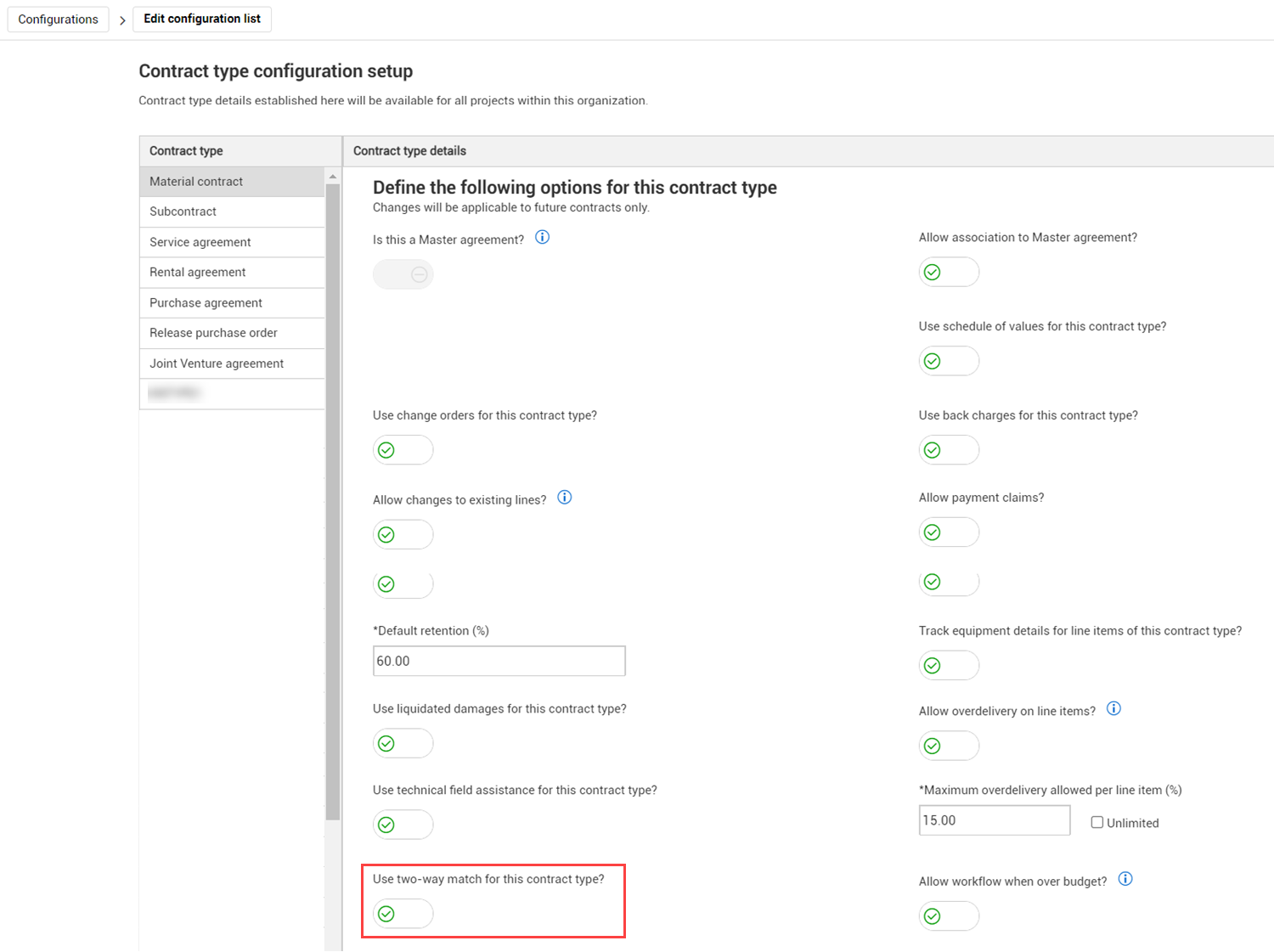
Two-way match – The Use invoice plan for this contract type toggle in the Contract type configuration setup (organization Settings > Configurations > Contract type configuration setup) has been renamed to Use two-way match for this contract type. The Invoice plan toggle on the contract Header page has also been renamed to Two-way match.
Read more
External requisition and contract import – The Purchase Order Request and Response APIs have been updated to let you import contract data from an external system.
Read more
Contract currency enhancements – Contract has improved how it handles differences between project and contract currencies. The InEight Control budget sent in the base currency is now converted to the contract currency for the budget and commission data block and for workflow. The contributed value of associated change items in a vendor change order are now converted to contract currency. Previously they had been in the project currency.
Read more
Vendor change order Line items tab enhancements – The Vendor change order Line items tab has been redesigned with collapsible sections to make it easier to use.
Read more
Schedule of values register enhancement – The total items and selected count have been added to the Schedule of values register. The total items and selected count have also been added to the vendor change order and payment form schedule of values registers.
Read more
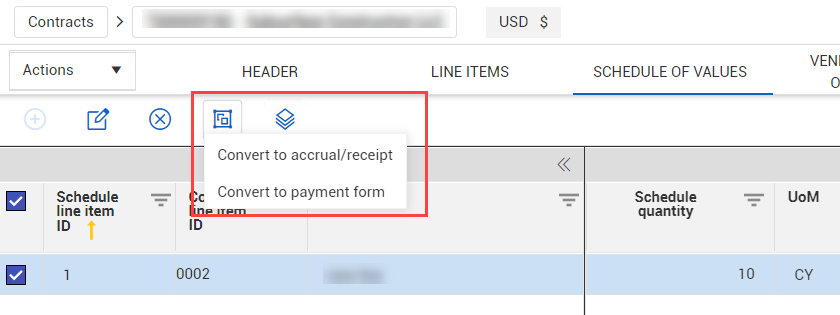
Schedule of values Convert options – The options for the Convert icon on the Schedule of values tab now varies based on permissions. The options for Convert to accrual/receipt show only when you have accrual/receipt permissions. The Convert to payment form option shows only when the Use payment forms toggle in the Contract type configuration setup in the organization settings is set to Yes and you have payment form permissions. If you don't have permissions to accrual/receipts and payment forms, the Options icon is disabled.
Contract writer prior VCO tags – New tags have been added to show the sum value of prior pending and executed VCOs. These tags add the values of VCOs created before the currently selected VCO.
Contract number and ERP doc type character limits – The contract number is now limited to 10 digits, and the ERP document type is now limited to 50 digits.
Associate a bid package link in Contract details – The Associate a bid package link on the Contract details tab is now automatically hidden when the contract type has not been included in the bid package configuration. Previously the link was always shown.
Updated 02-DEC-2022
Vendor change order schedule of values – A Schedule of values tab has been added to vendor change orders. This feature lets you build a VCO using schedule items instead of just line items.
Read more
Schedule of values import and export functions – The schedule of values import template has been updated so that the columns are in the same groupings as the columns on the Schedule of values register. You can also select schedule items to be exported. When you select specific items, only those items are exported. If no items are selected, all items are exported. The contract import history has also been updated to include the import type Schedule of values.
Payment form Line items tab enhancement – The Payment form line items tab has been redesigned with collapsible sections to make it easier to use.
Read more
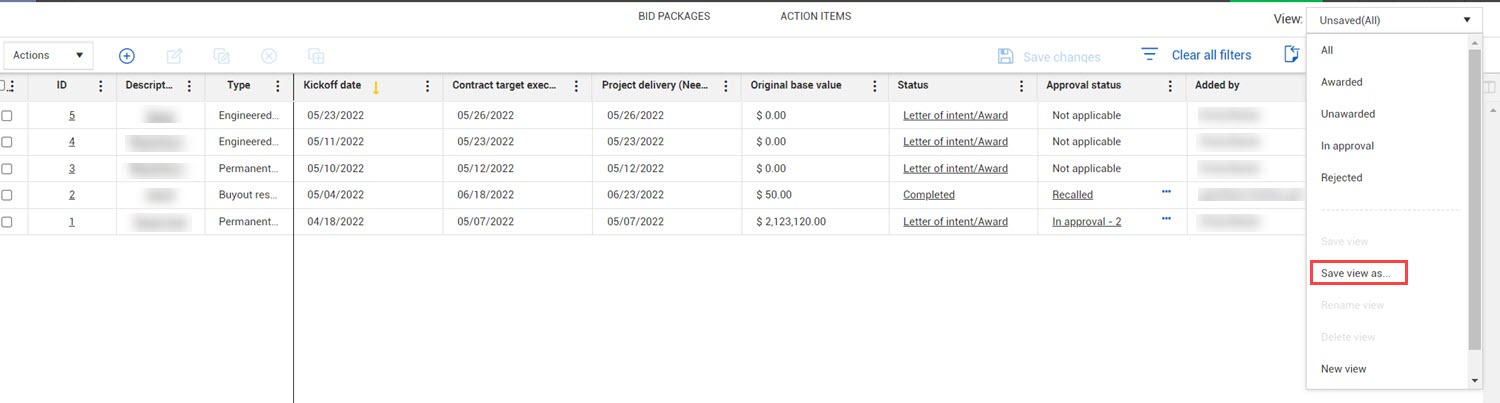
Custom views for Contracts, Master agreements and Vendor change orders registers – You can now create, save, and share custom views on the Master agreements and Vendor change orders registers.
Read more
Budget check enhancements – You can now specify whether tax is included in the budget check for workflow. The Include in committed cost toggle in Settings > Contract > Configurations > Tax settings > Edit tax retention is now used to specify whether to include tax in the Contract committed value.
Read more
Import template enhancement – Contract now reads the page names in the import template when importing data. Because of this enhancement, import does not work if you change the name of the Template tab.
Import pending error fields for contract descriptions and line items – Errors are now shown on the import pending area of the import history when the number of characters in a contract description or line item exceeds a limit.
Read more
Warnings for validation errors – When you start a workflow and required information is missing, the applicable section header in the contract additional details now shows a red warning icon.
Read more
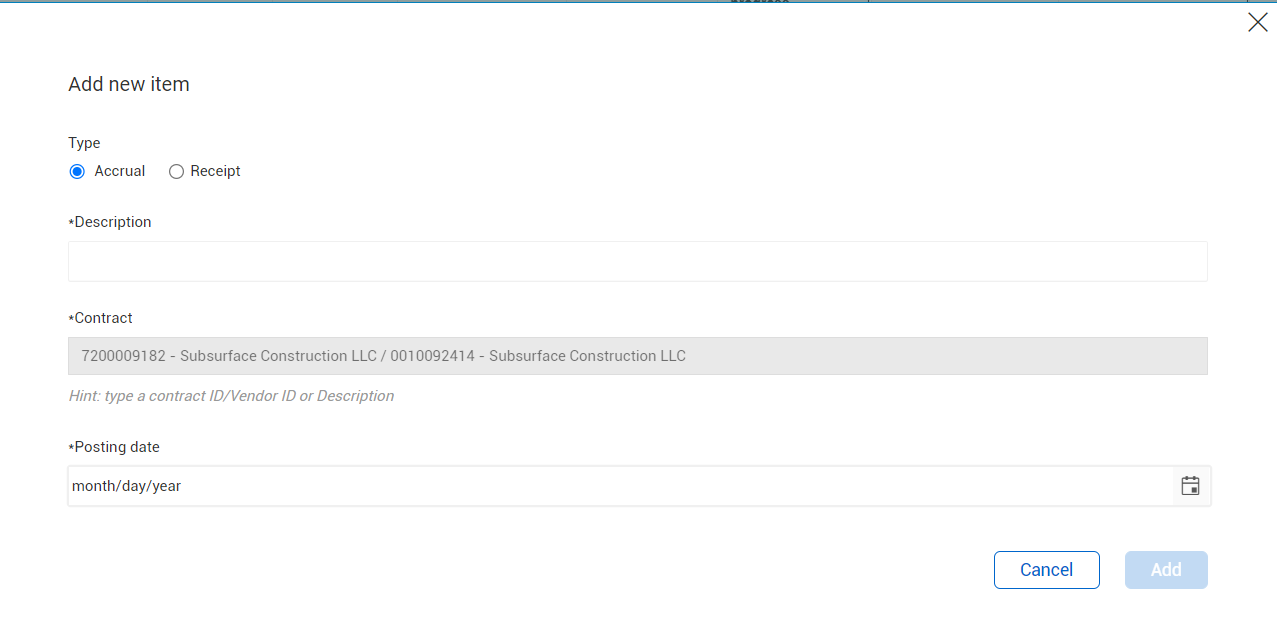
Convert a schedule item to an accrual or receipt – You can now convert a schedule item to an accrual or receipt.
Read more
Invoice fields automatically populated in payment form – The Progress estimate number and Billing period fields in invoices that are associated to a payment form are now automatically populated in the payment form.
Read more
SOV collection table tags – Collection table tags have been added to support schedule of values fields.
Project disciplines – Contract now pulls disciplines from the master data set up in InEight Platform. For existing projects, disciplines assigned to a contract or assigned in InEight Plan will be migrated to the project Assigned Disciplines and Commodities and be available for selection in Contract. For new projects, disciplines must be assigned to the project before they are available for selection in Contract.
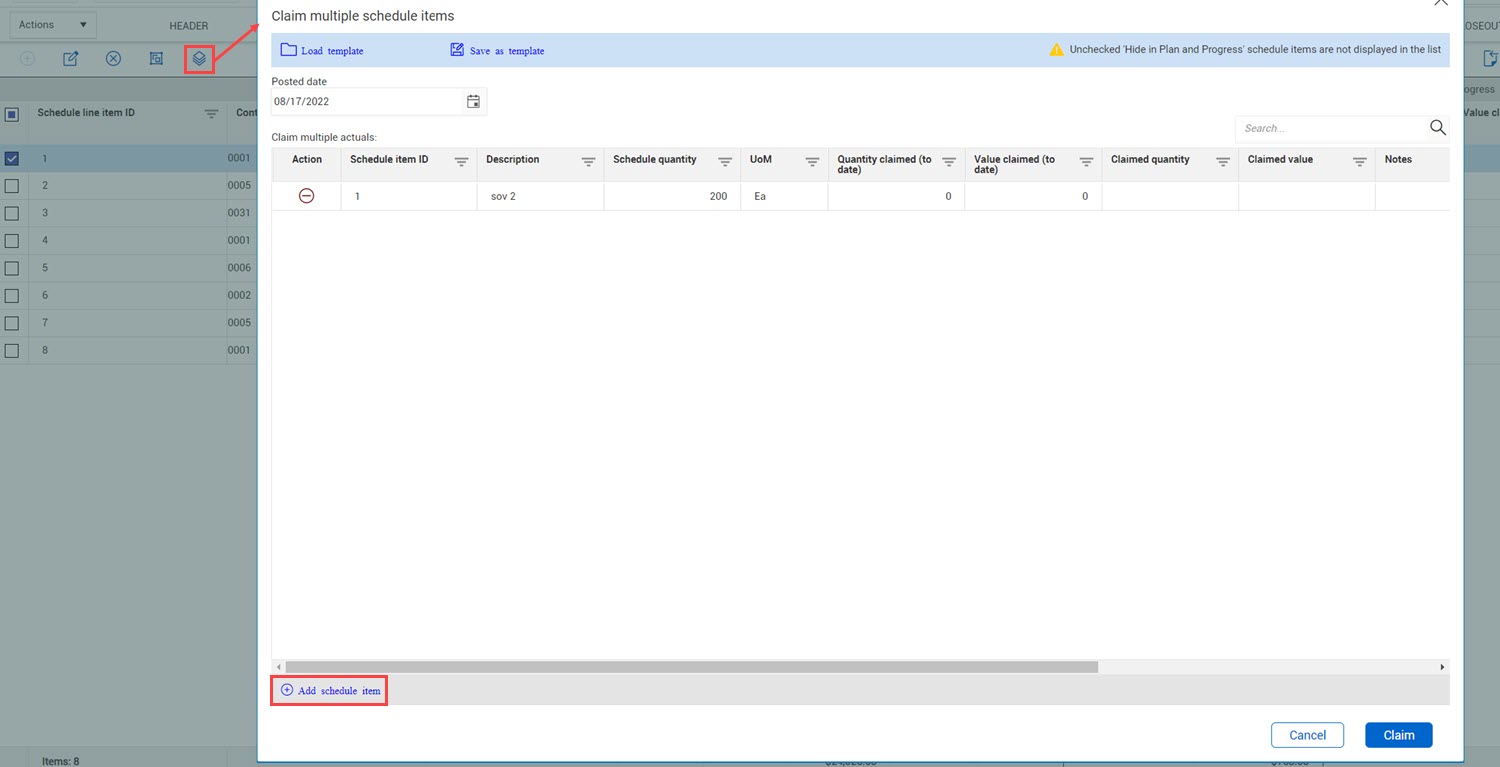
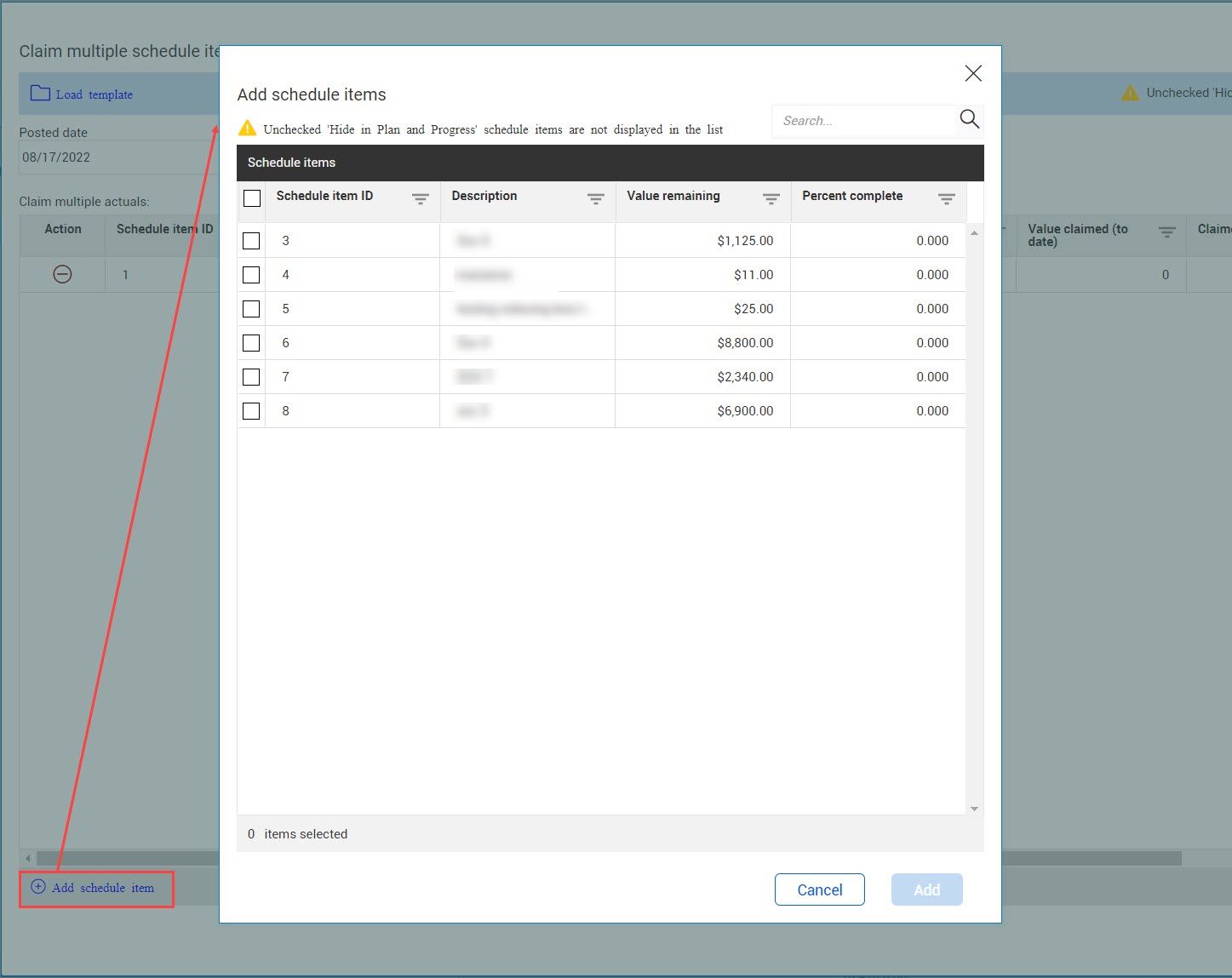
Schedule of values tab enhancements – The Schedule of values tab has been redesigned to make it easier to use. Enhancements include the ability to claim schedule items directly from the Schedule of values tab.
Read more
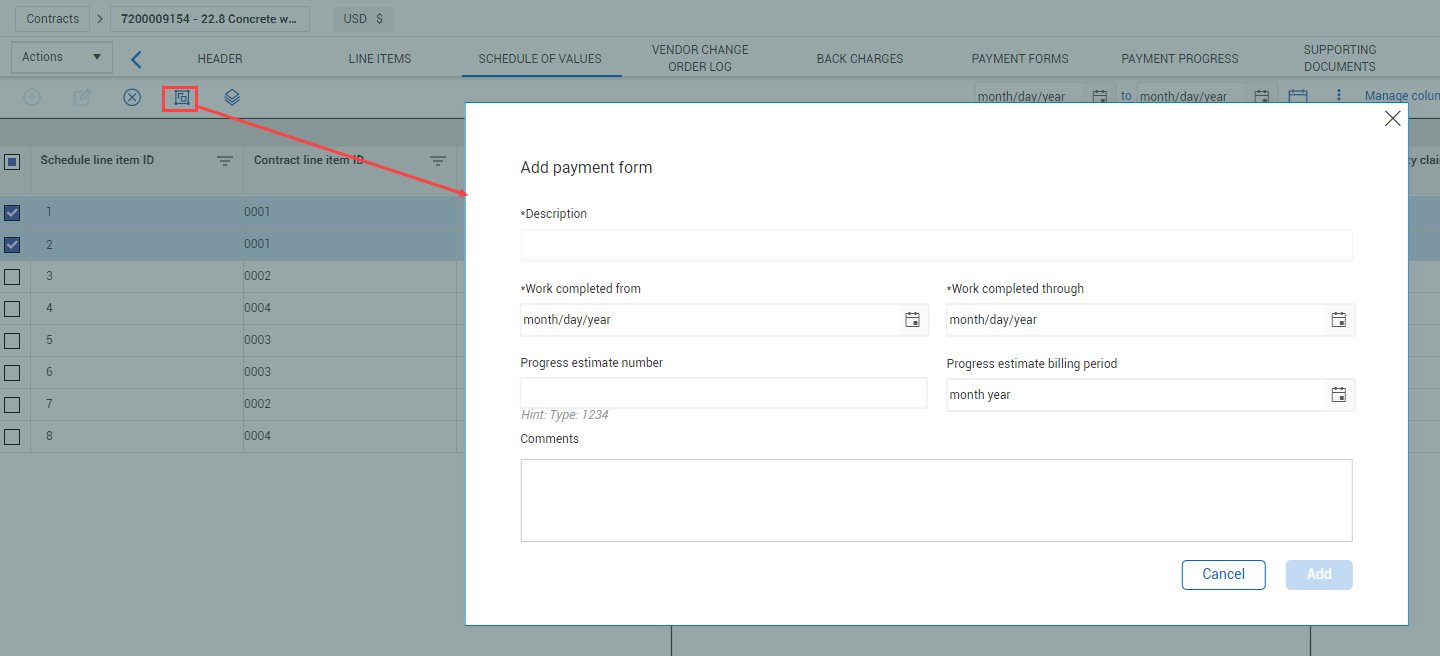
Payment forms schedule of values – A Schedule of values tab has been added to payment forms. This feature at the payment form level lets you build the payment form from a schedule of values instead of using only line items.
Read more
Create an InEight Document form or mail – If a project is associated with Document, you can create a form or mail item from a contract, bid package, VCO or payment form.
Read more
Enhanced Line Items registers – The Line Items registers have been enhanced to support contracts with up to 3000 lines. Sorting and error identification features have been added to help you quickly find the line items you need.
Read more
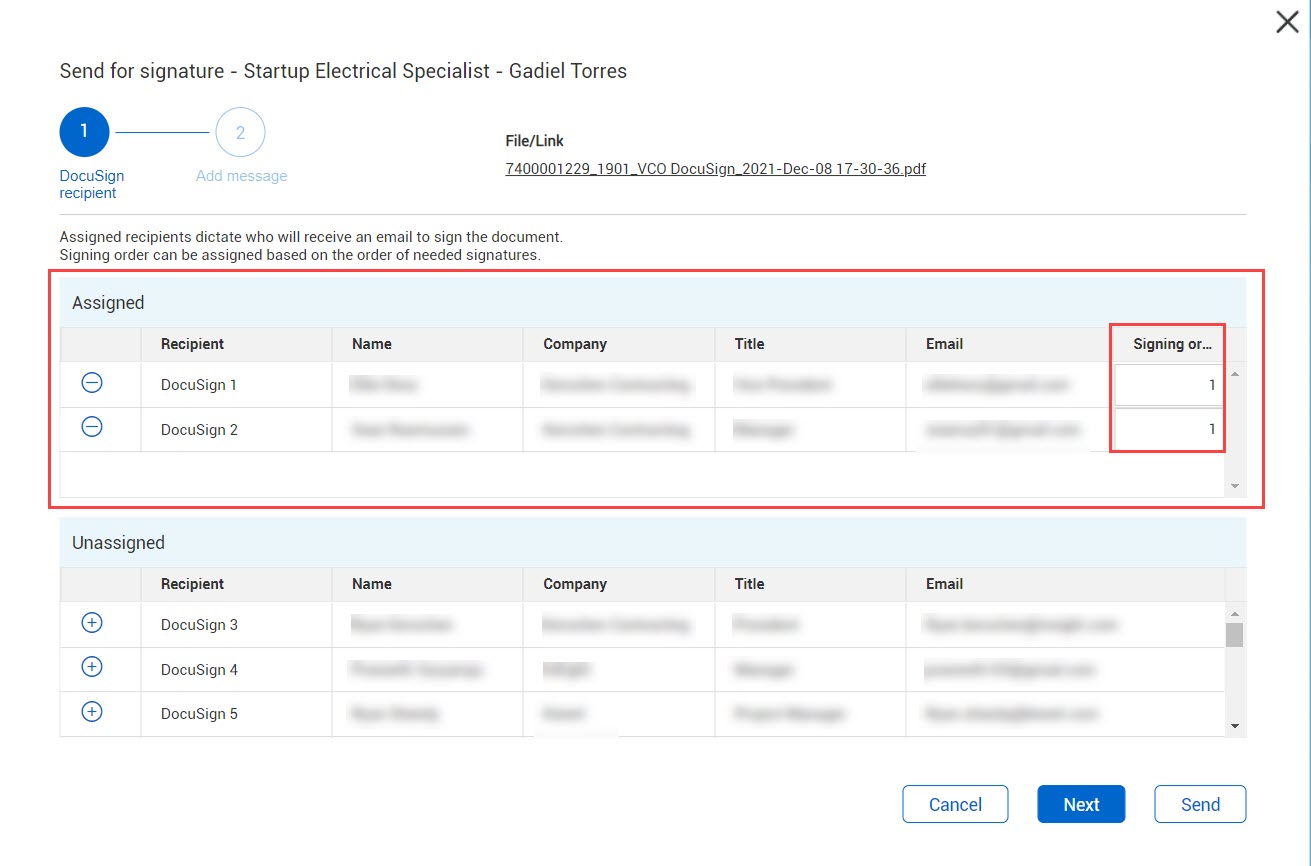
DocuSign enhancements – The person who sends the document to DocuSign now receives an email notification when the document signatures have been completed. Also, you can now send a courtesy copy to recipients on documents sent for eSignature. The Action field has been added to the DocuSign recipient page of the Send for signature dialog box. You can then select Needs to sign or Receives a copy.
Read more
Option to show or suppress supported document details in generated document - You can now specify whether a supporting document details are shown in a generated document.
Read more
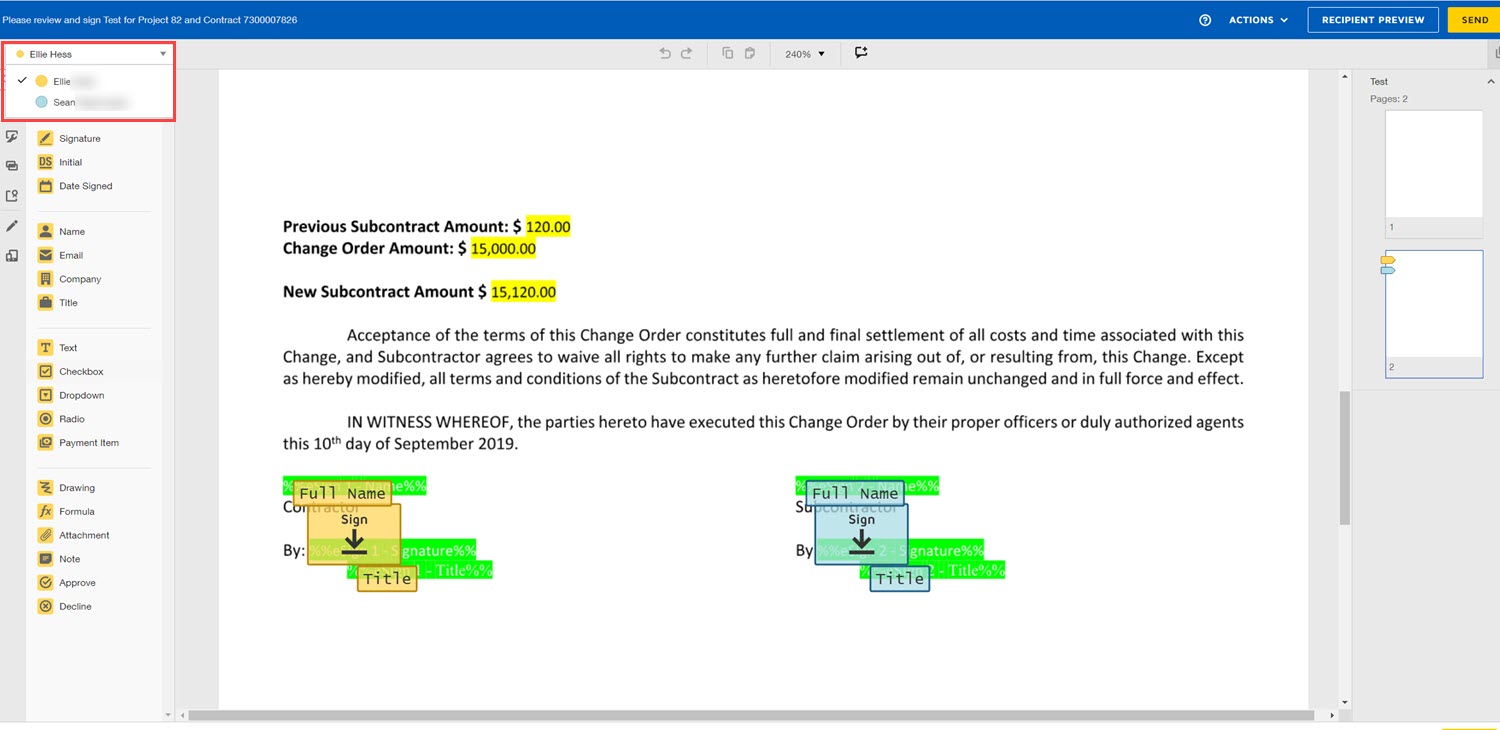
DocuSign tag additions – You can now add DocuSign Text, Checkbox, Dropdown, and Radio button tags to your document templates. The tags let you to set up placeholders for those field types in your template. You can then add values in the DocuSign Sender view.
Read more
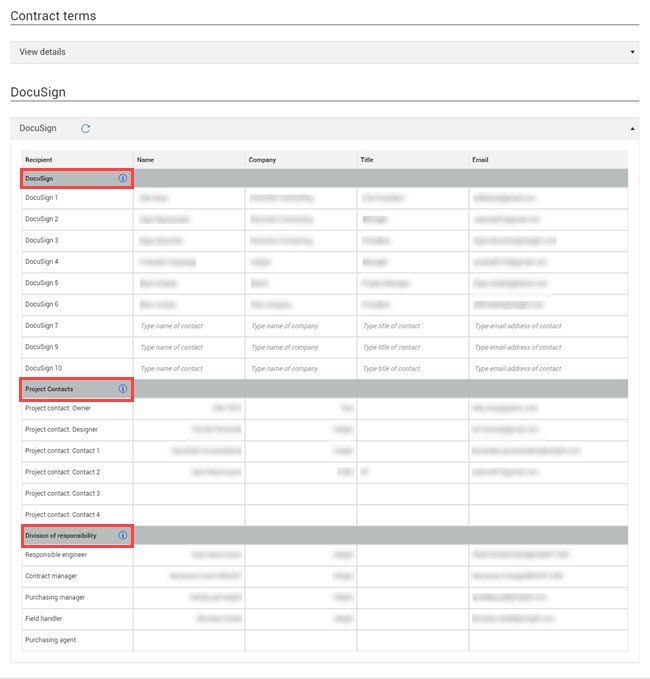
Custom labels in DocuSign – When custom labels are used for contacts in InEight Platform project details, Contract now uses the labels in the DocuSign section of the Contract, VCO, and Bid Package Details pages and in the Send for signature dialog box.
Closed contract line items enhancement – Contract line items are now automatically closed when they are deleted.
Read more
Supporting documents edits – When a supporting document is in Approved status, you can now edit only the title, notes, and expiration notification.
Supported document types – Contract now supports all document types, including custom document types, from InEight Platform. The document types are used when adding a new supporting document.
Tax descriptions used in tax information – The Tax description configured in project settings is now used in the Total tax information icon to make the description more user friendly. Previously, the tax information came from the description in the purchase order or payment form response. Now, if the tax code in the response matches a tax code in the project settings, Contract uses the description in the project settings instead of the description in the response.
Unavailable vendors in Platform – Platform Vendor details now support an Unavailable status for vendors. When a vendor is marked as Unavailable, and you have a contract for that vendor, the contract shows a warning icon. Any vendor that is unavailable is not shown in drop-down lists for new contracts and bid packages.
Assigning vendors to Platform – When you publish a contract or payment form, Contract now automatically sends the vendor to Platform and assigns it to the project.
Schedule of values line item viewset – A new data block has been added to the Line items page that lets you see the schedule of values items associated to each line item. This view provides a comparison between the line items and the schedule of value items.
Read more
Bid package register enhancements – You can now create and save custom views on the Bid package register, and edit specific fields in bulk. The Total estimate column has also been added to the register.
Read more
Bid package register editable fields enhancements – Editable fields in the Bid package register are now highlighted when you hover over them. This lets you quickly see which fields are editable. You also can now edit the budget columns from the Bid packages register.
Read more
Include bid packages in primary reporting section – You can now set the default value at the organization level for the Include bid packages in primary reporting section.
Read more
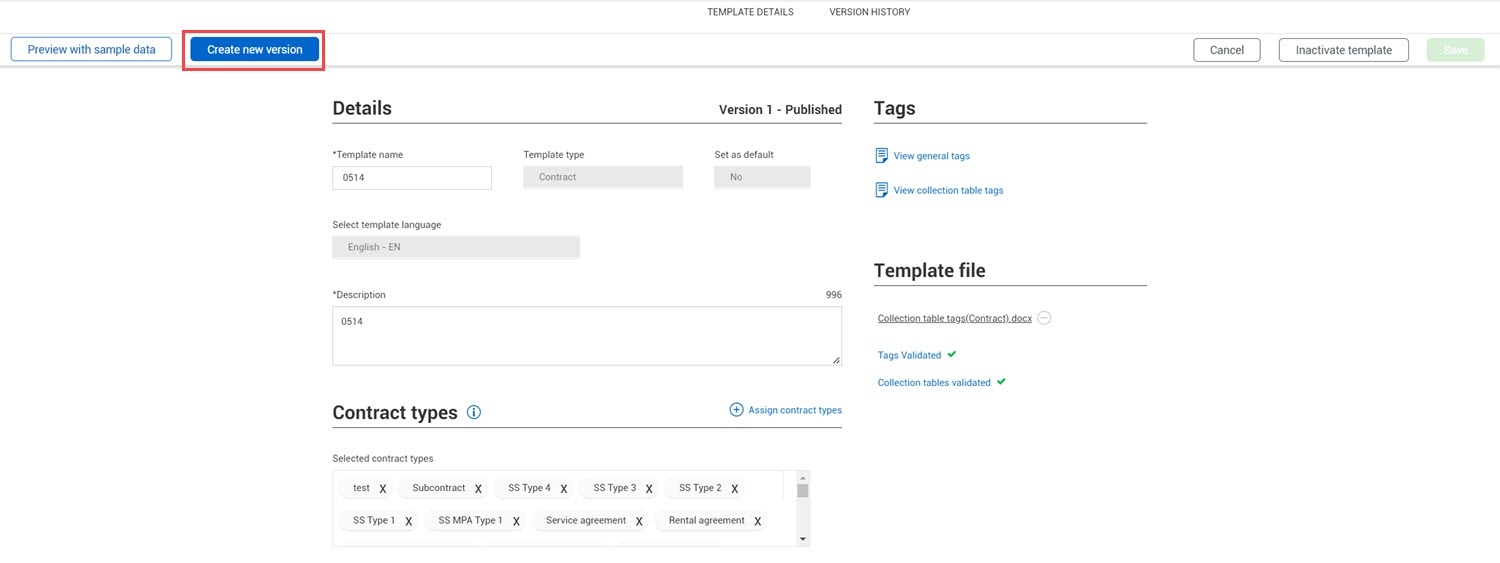
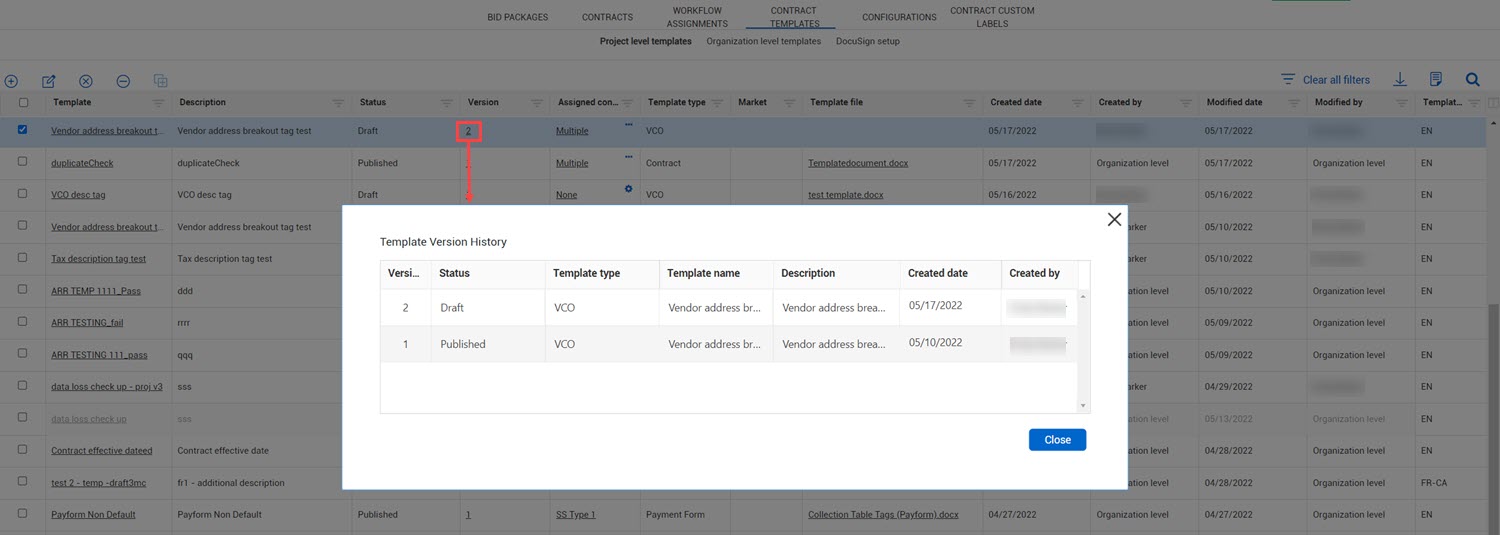
Template writer versioning – You can now create a new version of an existing Contract writer template. This is helpful when you update templates with additional information. You can now update the version rather than inactivating the template, and then creating a new one.
Read more
Contract writer template enhancements – Purchase order has been added as a template type at the project level. Previously, the purchase order template type was only available at the organization level. You can also copy a template and edit a template.
Read more
New template tags – General tags have been added to break out vendor addresses. Previously, one tag held the entire address. Now, each part of the address has its own tag. New tags have been added for the VCO pricing item description and the tax descriptions and tax types.
DocuSign updates – The Send for eSignature permission has been added. Previously, any user who had edit contract permission could send for signature. Also, when you send a document for eSignature, the name of the user who sent the document shows when you hover over the DocuSign status.
Vendor change order line items tab updates – The Price column has been renamed to Unit price to be consistent with the naming convention across Contract.
Restrict updates to existing lines in a vendor change order – A new organization-level setting lets you specify if lines can be updated in a vendor change order (VCO).
Read more
Export file naming conventions – The file naming conventions for exports have been updated to [type of export]_[project display ID]_[YYYY-Month-DD].
Master agreement enhancements – The Download purchase order icon has been added to the master agreement Associations tab.
Automatic closing of line items – After a contract line item has passed its valid through date, the line item is now automatically set to Closed. This enhancement aligns with how many ERP systems close line items.
Read more
Payment form tab enhancements – The payment form is now editable from the Payment forms register, so support staff can make changes to the payment to keep Contract in sync with an ERP system.
Read more
Payment progress tab enhancements – New fields for Record status, Payment form ID, and Payment form request code have been added to the Payment progress register. The Record status field is editable from the register as are the Record ID, Paid amount, Method, Check number, Date cashed, and Retention released fields. Users with the permission EditPaymentProgress can edit the payment progress to keep Contract in sync with an ERP system.
Read more
Custom lists at the project level – Contract and line item custom lists are now available at the project level. The existing organization list is applied to the project level and defaults to Active. Ordering of custom lists is now handled at the project level, and if you do not want to use an item on a project, you can disable it at the project level. The Custom list page has been added to the Configurations settings (Project home > Settings > Contract > Configurations > Custom list).
Bid package register enhancements – Viewsets have been added to the Bid package register. Also, the Contract number column has been changed to Contract ID. Columns for Contract ID, Custom lists 1 and 2, and Custom fields 1-10 have been added.
Read more
Bid package milestone updates – You can now edit a scheduled completion date or the duration. Contract automatically updates the duration (if you changed the date) or date (if you changed the duration) of the scheduled item and the subsequent milestone dates. The Completed flag for a milestone is now automatically set when you enter the actual completion date. Previously, you had to enter the date and set the flag separately.
Read more
Editable bid package register fields– You can now edit custom fields, custom lists, date, duration, and float fields from the Bid package register.
Read more
Bid package import based on date or duration – You can now choose whether to base milestones in bid package imports on dates or durations. Choosing either dates or durations prevents errors when dates and durations entered in the import template are out of sync.
Read more
Bid package budget check – You can now compare the bid package budget to the InEight Control cost item budget as part of the approval process. Also, a new organization-level setting lets you specify whether to allow the bid package workflow when the bid package is over budget. This prevents you from committing to a vendor and converting to a contract when you do not have the budget to support it.
Read more Watch video
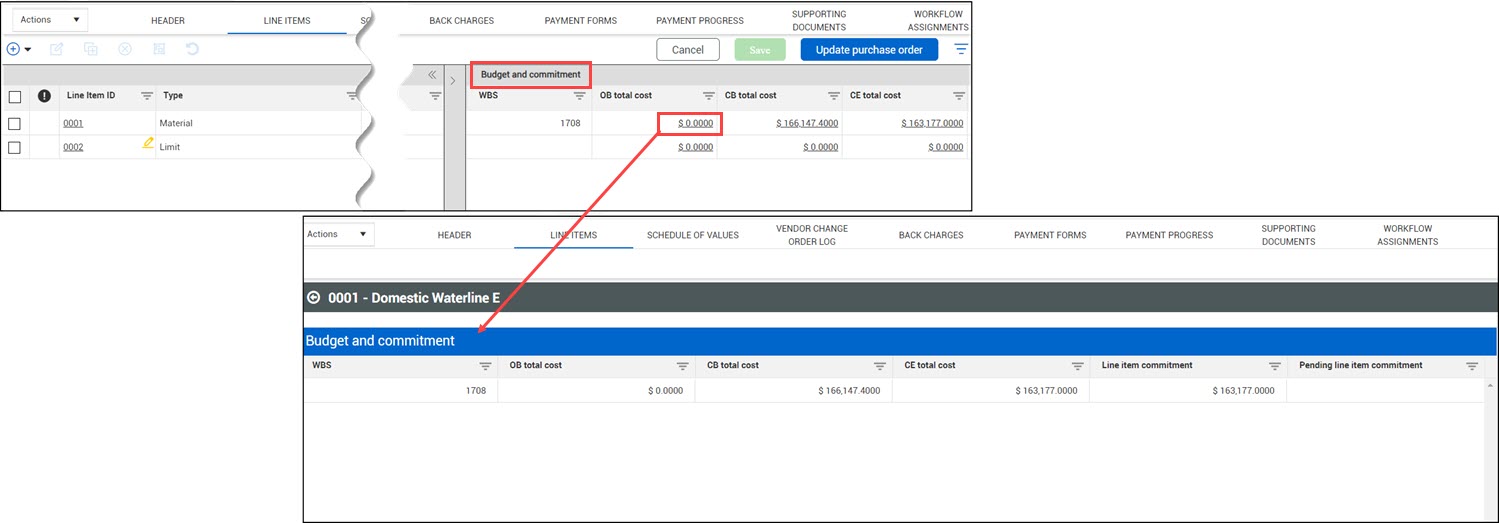
Budget commitment data block – A new line item data block provides cost item information from InEight Control and contract commitments on the line item has been added. The data block gives a more accurate comparison between the CB total cost and the line item cost.
Read more
Contract commitment check – You can now compare the contract value to the Control cost item budget as part of the approval process. Also, a new organization-level settings lets you specify whether to allow the contract workflow when the contract is over budget.
Read moreWatch video
Single sign-on to InEight Document – The sign-on to Document from Contract now enables single sign-on. When you use Contract to Document features, such as adding a document from Document, you are taken directly to the Document sign-on page, where you can enter your Document credentials. This creates a sign-on token that lets you remain signed in until the session ends. The first time you sign into Document, a secondary window and the Document Home window are shown. After you close these windows, they do not show again, and single sign-on is activated.
Contract document template instructions – The instructions page of the contract document template has been updated to describe how to use the template tags.
Download purchase order from master agreement – You can now download a purchase order from the Master agreements register.
Read more
Master agreement inactive vendors – When you copy a contract with an inactive vendor, the Agreement ID field of the contract details still has the master agreement ID, but the contract is not associated. If you activate the vendor, you must manually associate the master agreement to the contract.
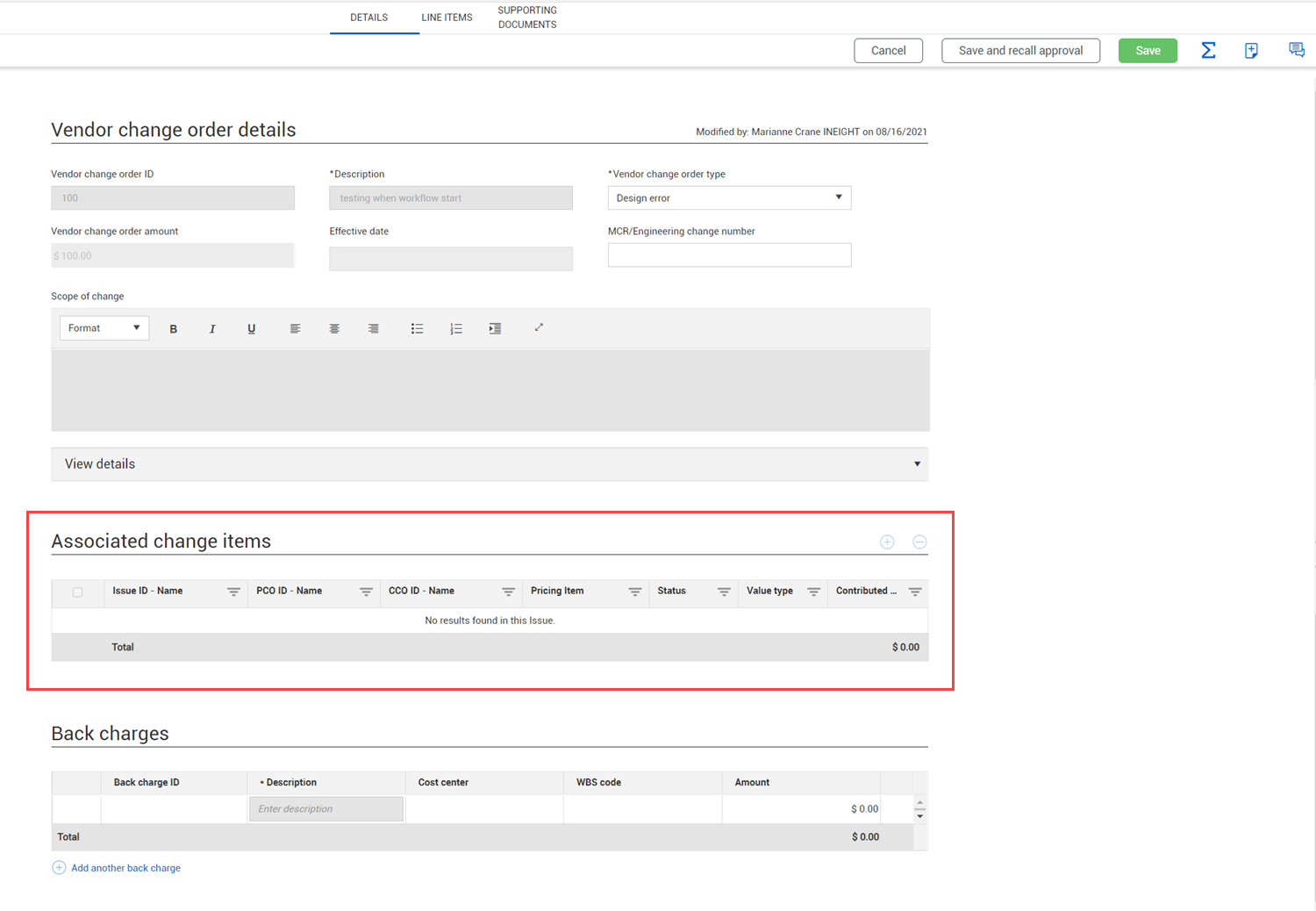
Vendor change order associated change items – The Description column has been added to the Associated change items section of the VCO Details page. The Description provides additional information about a pricing item associated to the VCO.
Read more
Automatic approval for the first step of a workflow – When you start the approval process and you are the first approver in the approval workflow, the first step of the workflow is automatically approved, and continues with the next step, if applicable.
Read more
User date preference in import templates – Import templates now support the date format defined in your user preferences. Previously import templates only supported the MM/DD/YYYY format.
Read more
Tax settings enhancements – A Tax Description field has been added to the Tax configuration in organization and project settings (Settings > Contract > Configurations > Tax settings), to make the tax more recognizable. When a tax is referenced, the tax description is shown in the InEight cloud platform, which matches the tax type or ERP code used in APIs.
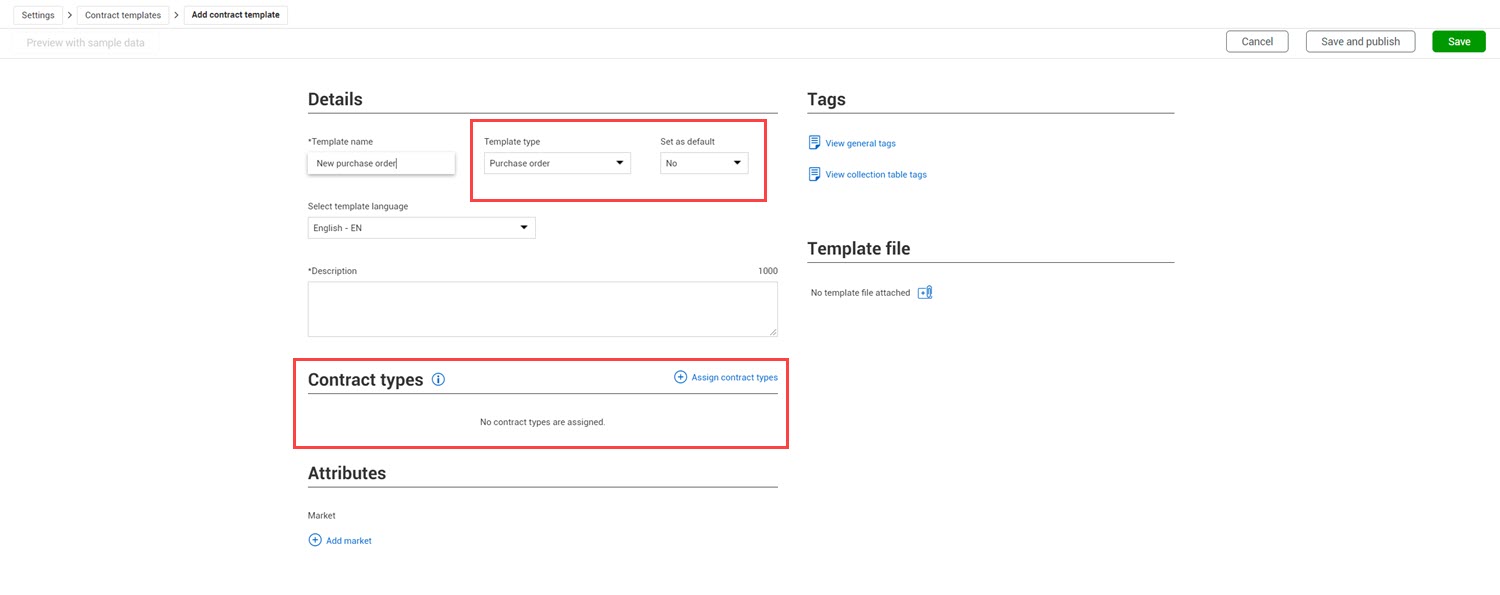
Payment form default template – You can now specify which contract types use the payment form template as the default.
Read more
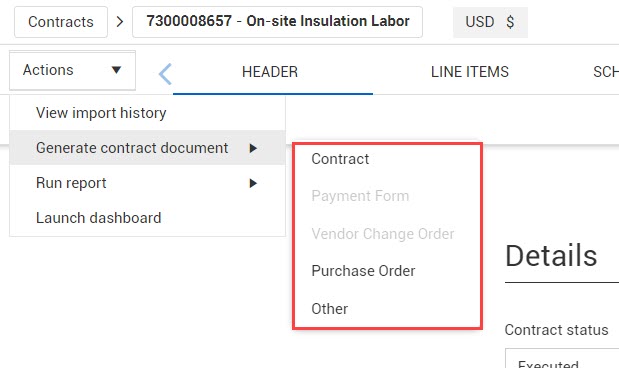
Generate contract document improvements – You can now generate a contract document from the master agreement Details page. A submenu has been added to the Generate contract document action on the contract Details page and the master agreement details page.
Read more
Vendor name column – The Vendor name column has been added to the Contract and Supporting documents registers, so you can see more vendor information from the register.
Contract line items improvements – You can no longer add or delete line items in a contract while it is in approval. Once the workflow is started, the Add and Delete buttons on the Line items tab are disabled.
Payment form register – The Progress estimate billing period and the Progress estimate number columns have been added to the Payment forms register.
Import template naming conventions – The naming conventions for import templates now have more information for easy identification. The format for the import template name is ImportTemplate-project display ID-template type.
Updated 24-FEB-2022
Tax setting configurations – Tax configurations have been added to provide the ability to estimate contract taxes before publishing a contract and specify whether the payment form taxes should be calculated based on Gross price or Net price. You also can define whether those taxes should be included in committed costs to InEight Control.
Read more
Bid package type configuration – Bid package configuration settings have been added for each bid package type. Organizations can set these fields as disabled, optional, or required based on workflow or conversion to a contract.
Read more Watch video
Bid package workflow – You can now set mandatory approvals for bid packages based on thresholds. The thresholds are based on the original base value of the budget. Bid package approval workflow can be set at both the organization and project levels.
Read more Watch video
DocuSign enhancements – DocuSign functionality has been added to bid packages, back charges, and payment forms. Also, recipient information can now be updated in the Assigned section of the Send for signature wizard. DocuSign functionality has also changed so that you can no longer remove a file or link for a document with the status of Created, Sent, Completed, or Signed.
Read more
VCO Line item import – You can now import new line items or update the quantity or price on existing line items. You can import line items only if the contact has been published. You can also export line items.
Read more Watch video
Dynamic contract import – The import template now includes names for custom lists and fields in drop-down lists. Custom lists and fields are shown in the template with the names configured in the organization or project settings.
Upload a document to InEight Document – You can now upload a document to Document from any of the Supporting documents tabs. This feature eliminates extra steps of having to load the document in Document then link it back in Contract.
Read more
Display vendor proposals from InEight Change – When you upload a document of type Proposal, subtype from Vendor in Change and associate it to a Contract ID, the document is now visible in Contract as read-only on the main Supporting document register and the Contract supporting document tab.
Read more
Master agreement enhancements – Contract line items can be reassigned to master agreement line items. All information from master agreement line will update other than quantity. Bid package vendor will flow to Master agreement vendor upon association. The Tax information icon has been added to the Total tax column on the Master agreements and Associations registers.
Read more
Vendor contact information – Columns in the Vendor contact drop-down lists in the Additional details section of the contract header now include the Name and Email fields. Previously the drop-down list showed the ID and Employee name fields.
Surety document type – The Effective date and Expiration date fields are now required for the Surety document type.
Generate a contract document from the Contract or VCO register – You can now generate a contract document from the Contract or VCO register without opening the contract or VCO.
Read more
Download a purchase order – You can now download a purchase order from the Contract register without opening the contract. The organization-level default purchase order is also attached in contract approval emails.
Read more
Custom lists and custom fields on Contract and Master agreement registers – Columns for Custom list 1 and 2 and Custom field 1-10 have been added to the Contract and Master agreement registers. The fields have also been added to the export. If you have custom labels, they are used in the export and import.
Template tag updates – A tag for the generated date, <<Generated date>>, has been added to the general tags list. The tag shows the date that the contract was generated. Tags for DocuSign and Invoice tax types and amounts have been added to the collection table tags. Tax type and amount settings are for the first five taxes used in an invoice.
Contract payment form query update – Approval status is no longer available in the contract payment form query.
Approval process for multiple supporting documents – Documents with group workflows can now be included in the approval process for multiple documents at the same time.
Read more
Add payment form enhancements – When you add a payment form, the Payment form details page now opens to make adding a form more efficient. Previously the Add payment form dialog box opened first. If you leave the Payment form details page without saving, the details you added are not preserved.
Updated 01-APR-2022
eSignature via DocuSign – You can now send contracts directly to DocuSign for electronic signatures.
Read more
VCO ID customization – You can now configure a prefix and starting number for your VCO numbering schemes to ensure consistent numbering.
Read more
Vendor change order log – A new register has been added for all VCOs in a project. The log provides visibility to all VCOs for all the contracts in the project for tracking purposes, including those created from InEight Change.
Read more
Create a VCO via InEight Change upon CCO execution – A project setting in Change lets Change users create VCOs either automatically or manually during CCO execution for vendor pricing items that have not been associated to a VCO.
Read more
VCO supporting documents – You can now associate a Draft change order or Executed change order supporting document to multiple VCOs.
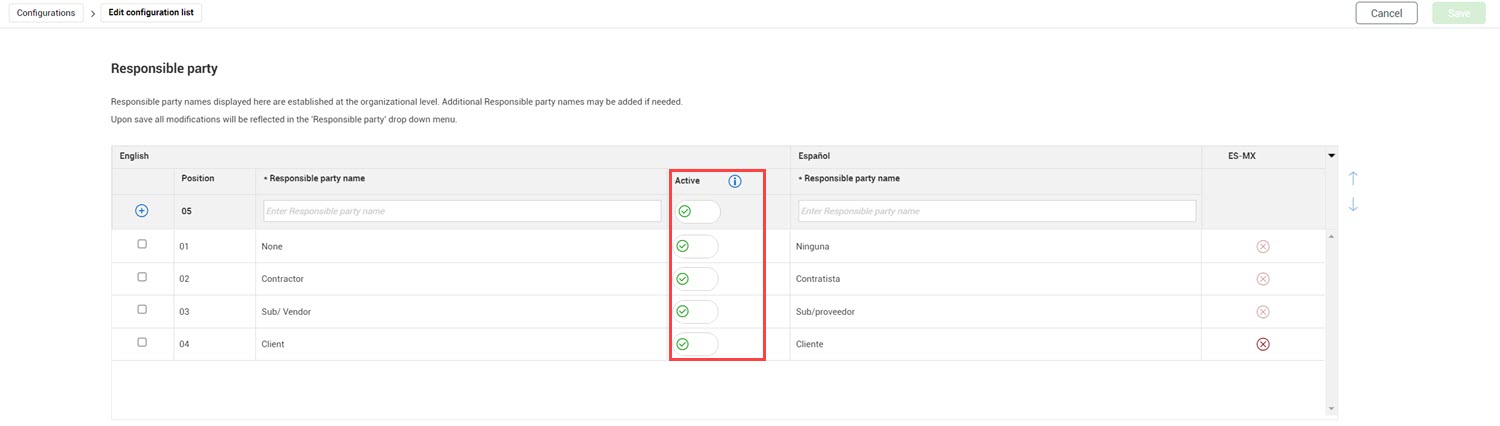
Configurations for Vendor change order responsible party – You can now configure a vendor change order responsible party drop-down list.
Read more
Payment form enhancements – You can now add supporting documents to a payment form. You can also generate a payment form using the Contract Writer. New columns have also been added to the line items to accommodate payment forms.
Read more
Invoice APIM – You can now add invoices to the invoice register through an external API. Refer to the APIM release notes and documentation for more information about the Invoice APIM.
Vendor contact – You can now assign a vendor contact to a contract.
Read more
Purchase order download – You can now quickly download a default purchase order template when you are in a contract. You can supersede the default purchase order template by using the Contract Writer.
Read more
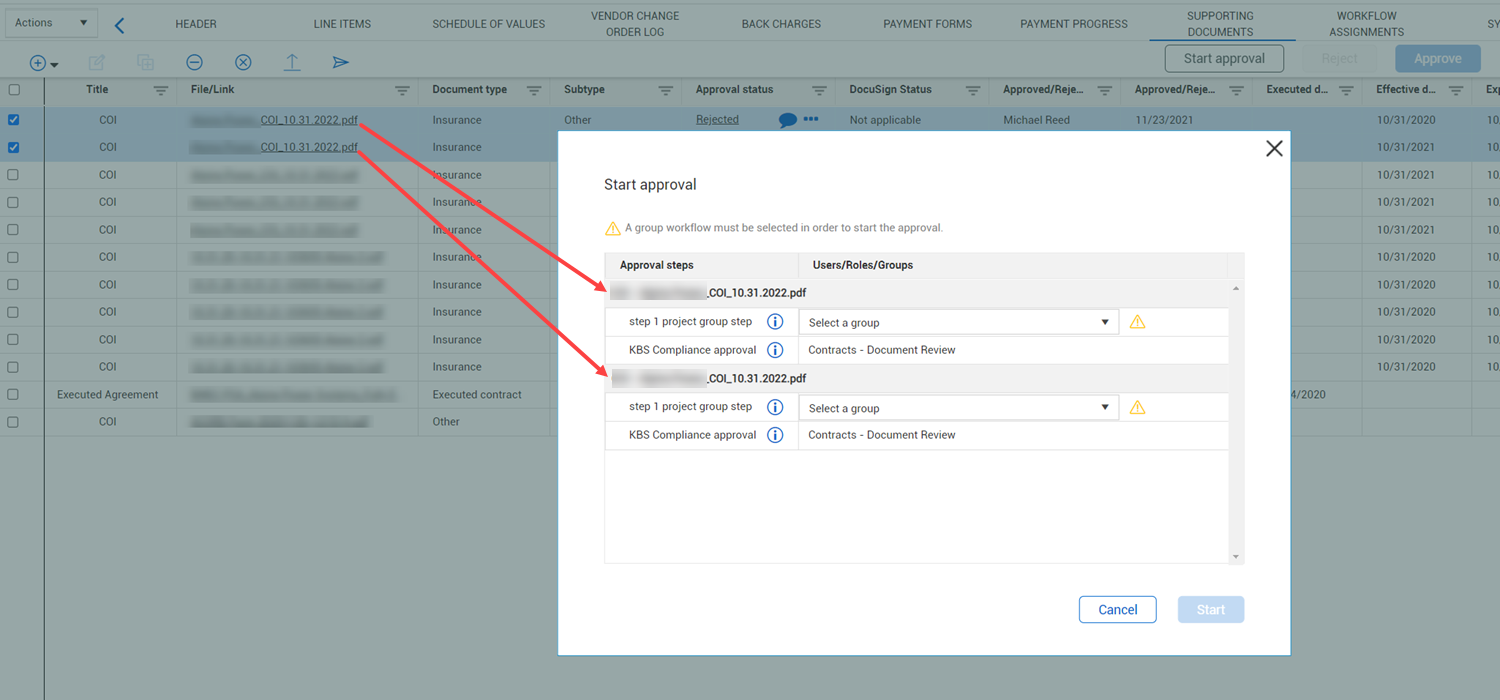
Start multiple supporting document workflows – You can now select multiple supporting documents and then start the approval process.
Invoice register enhancements – The Invoice Status column has been renamed Record status. Contract now generates an error message when you upload a corrupted or encrypted PDF to the Invoice register.
Payment progress register updates – The Invoice Net amount and Invoice tax amount have been added to the Payment progress register. These fields let you see invoice net and invoice tax information from the ERP system or the proxy ERP.
Supporting document disassociation – When a Contract ID is disassociated from a supporting document, the VCO ID and Payment Form ID are also automatically disassociated. Previously you had to disassociate the VCO ID and payment form ID manually. The contract must not be executed to disassociate the contract ID from the supporting document.
Contract type configuration – Contract terms, custom lists, and custom fields have been added to the Contract type configuration setup.
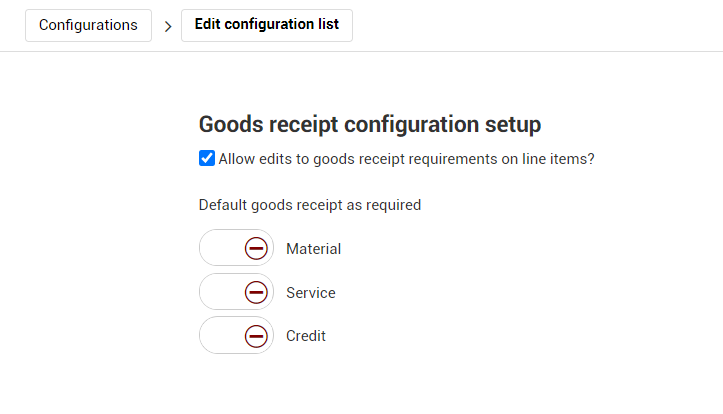
Goods receipts line item settings – The line items type configuration setup (organization Settings > Configurations > Line item type configuration setup) no longer shows a toggle for Allow edits to goods receipt requirements on line items. The setting is no longer necessary because the Goods receipt setting in line item field grid gives you more functionality.
Read more
Maximum overdelivery field updates – When you change the Maximum overdelivery field in the organization settings to a number lower than the project limit, Contract now updates the Maximum overdelivery field in the project settings. Previously, you had to update the project settings manually.
Read more
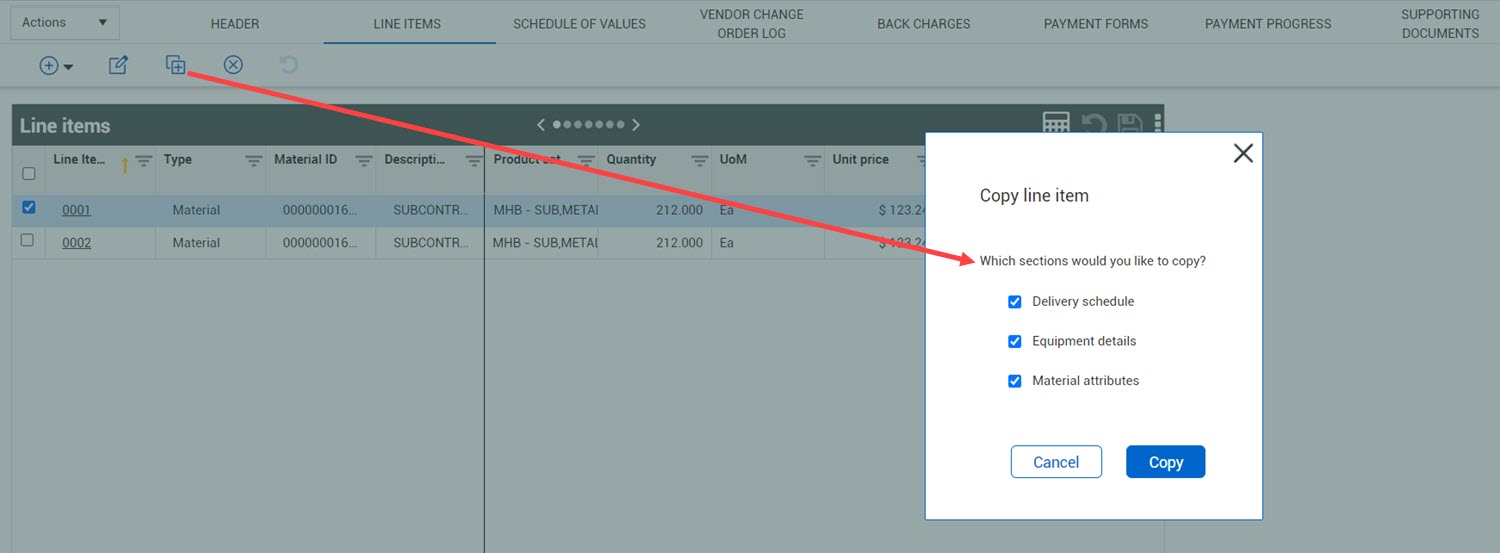
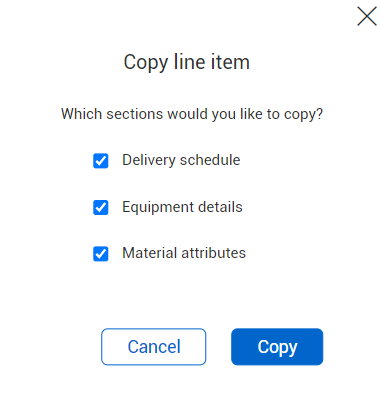
Choose sections when copying a line item – When you copy a line item, you can now choose the sections you want to copy. This saves time when creating new line items from existing items because you do not have to enter the information again on the new line item.
Read more
Contract line item – Agreement item ID – Contract line items associated to master agreement line items can now be disassociated. When you disassociate the contract line item from the master agreement line item, the line item goes to the generic MPA 000 line. You can also reassociate the line item to the same or another master agreement line item until the line item is published. After publishing it cannot be associated an remains in the MPA 000 line.
Bid packages supporting documents – The Notes for the Description slide-out panel has been added to the bid packages supporting documents. The Notes icon has also been updated to be consistent with other pages in Contract.
Read more
Exchange rate currency warning – Contract now shows a warning icon when the selected Contract currency does not have an exchange rate set up in the Project Details.
Contract template Market assignment – Organization-level templates now default to On in a project when neither the organization template nor the project have a market assigned. If the organization-level template has a market added, it is automatically turned off for all projects that do not have a matching market in the Project details but stays turned on for any project with a matching market. If the project adds a market to the Project details, any organization-level Contract writer templates that were set to Off are automatically set to On.
New general and collection table tags – General tags have been added to support Vendor contact. Collection table tags have been added to support VCO responsible party and Payment form supporting documents. eSignature tags have been added to support DocuSign.
VCO configuration – VCO configuration is now done entirely on the VCO Details page. The Add VCO dialog box has been removed. When you click the Add vendor change order icon on the Vendor Change Order Log, the Vendor change order details page opens.
VCO creation from InEight Change – Change users can now create a VCO from Change. The VCO comes in with a status of Draft. The VCO is automatically associated with the issue, potential change order (PCO), or client change order (CCO) where it was created.
VCO Change associations update – You can now associate vendor pricing items added at the PCO and CCO levels with a VCO to give you full visibility into the life cycle of the vendor changes. Previously, associations were only available at the issue level.
Read more
Bid package float update – The float calculations were updated to accurately reflect scheduled float days and durations. The calculations for the remaining float days and Total available float were also updated. The float can now be calculated by Target execution or Needed by date.
Read more
Master agreements publishing and close-out enhancements – The name of the Publish MPA button has been changed to reflect the MPA status. The ability to publish or edit master agreements varies depending on whether the agreement has already been published.
Read more
Master agreement total tax – The Total tax column has been added to the Associations register. Previously the Associations value in the banner included tax, but the Current value did not. Now, the tax has been removed from the Associations value to be consistent with the Current value. You can total the tax separately. The tax amount is the sum of the Tax amount field in all the line items.
Master agreements associated contract ERP sync status – The ERP sync status column has been added to the Master agreements Associations tab. This column lets you see whether the associated contract has been synced to the ERP system.
Deactivate unused custom list selections – You can now deactivate a custom list selection from the organization settings. When you deactivate a list item, you prevent it from being used in the future while maintaining the integrity of the projects that have already used it.
Read more
Configuration settings for workflow – Contract header and line item fields can be configured based on workflow
. Read more
Supporting documents email notifications – Contract now stops automatically sending email notifications for supporting documents 180 days past the expiration date.
Schedule of values dynamic recalculations – The Unit price field is now automatically recalculated when the Schedule value or Schedule quantity is updated. The Schedule value field is also editable. Previously it was not editable.
Read more
Payment forms register update – The submitted by and Submitted date columns have been added to the Payment forms register.
Line item type edit – You can no longer edit the line item type after starting an approval.
New template tags – Tags for Company legal name and Markets have been added to the general tag list. These fields are in the Platform project details.
Contract templates – New organization templates now default to Off for Project use. These templates can be manually switched to On in individual projects.
Master agreements – You can now create master agreements to establish pricing of goods and services for a project. A master agreement is a type of contract, set at the project level, between a general contractor and a supplier to purchase things later. Using a master agreement lets you agree to terms and pricing without having to commit to the full terms of the agreement now.
Read more
Watch video
Contract type configuration new fields – The Agreement ID, Agreement value, Purchase order ID, Purchase order value, and Harmonized system schedule fields have been added to the Contract type configuration setup.
Read more
Workflow enhancements – You can now copy a workflow from supporting document to supporting document. You can now approve or reject multiple items at one time from the action items tab. A new workflow wizard with options to include message and link supporting documents for email review was also added.
Read more
Payment form workflow enhancements – The payment form approval setup at the organization level has been updated to let you add multiple approval steps, similar to the steps you configure at the project level. Previously, you could only enter a final approval step at the organization level.
Read more
Schedule of values in a copied contract – The schedule of values is now copied when you copy a contract.
Line Items data block – Custom fields 1-5 and custom lists 1 and 2 have been added to the Line items data block.
Vendor change order naming conventions – Fields on the Vendor change order details page have been renamed to be consistent with InEight Change.
Read more
Partial refresh of contract closeout – You can now refresh a contract closeout checklist. This lets you get the most recent checklist questions without having to recall all the checklists.
Read more
Expand multiline text boxes – You can now expand the size of multiline text box for selected fields, so it is easier to enter and read information.
Read more
Contract writer enhancements – You can now use tags in the header and footer of a document template.
Contract writer tag updates – The list of tags has been updated.
Read more
Configuration custom list functionality – You can no longer delete a custom list after it has been used in your organization to maintain contract integrity.
Supporting document validations – Start payment form workflow has been added as an event.
Back charge to Issue association – Issue association in a back charge now shows all associated change-level pricing items.
Contract writer – Watermark and edit settings have been moved from the template to organization settings and the market attribute has been added to the template. The generation wizard has been updated to let you specify document details.
Read more
Contract writer conditional tags – You can now insert a collection table tag that generates specific text and additional collection table tags based on a conditional field.
Read more
Contract writer tag additions – New general tags have been added for custom lists, conditional tags, project information, and project details. Collection tags have been added for VCO issue pricing items and supporting document approval.
Date in words tags – New tags have been added to let you specify the date in words, such as Wednesday September 1, 2021.
Read more
Contract type configuration – Schedule of values has been added to the Contract type configuration at the Organization level.
Read more
Configurations – The ability to configure retention by line item type has been added.
Read more
Supporting document – Supporting documents have been added to the VCO details and line items functions. A supporting document download link is now attached to supporting document approval email.
Organization workflow user assignments at the project level – You can now assign a user as required by the Organization level when you edit a threshold at the Project level. This view lets you view the whole organization step at one time.
Read more
Line items Additional fields – The Custom lists and Custom fields that show in the Additional fields section of the Line items details have been added to the Line item data block.
VCO issue association – Issue association in a VCO now shows all associated change-level pricing items.
Read more
Goods receipt – The Delivery number field has been added to the header of the Goods receipt page.
Norwegian – Contract is now available in the Norwegian (Bokmål) language.
Common navigation – The common navigation used across all InEight cloud platform applications has been enhanced for ease of use. For more details, refer to InEight Platform release notes.
Schedule of Values with InEight Plan components – The new Schedule of values tab lets you break down a contract into work items. These scheduled value items can also be tied to components in Plan to track claiming progress.
Read more
Watch video
Configurable custom lists – Two custom lists have been added at both the Contract header and line item levels. This lets your organization set a default list that automatically populates all project drop-down lists.
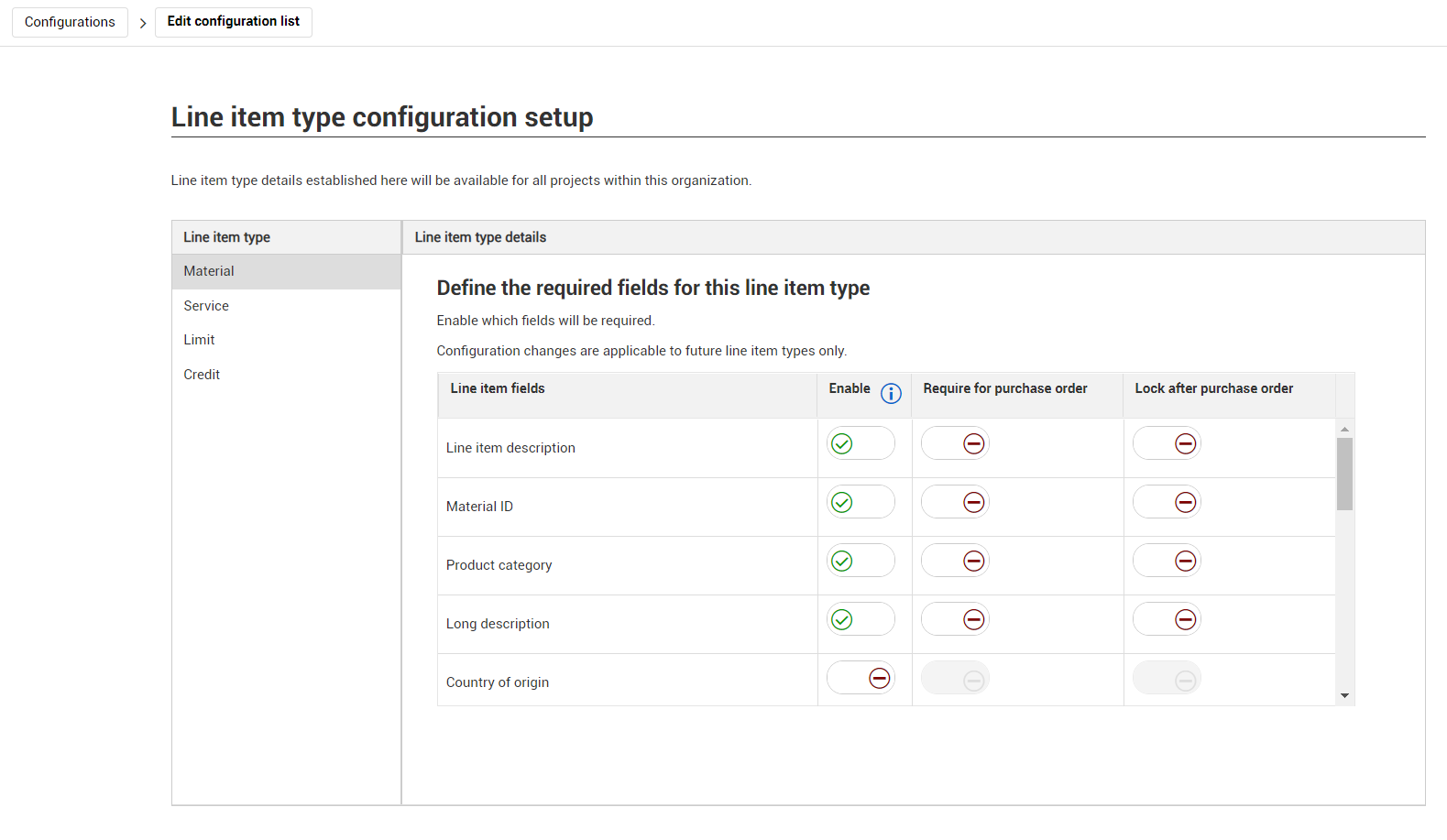
Read more
Contract writer tag enhancement – Tags used in the header or footer of a Microsoft Word template now generate data in a contract document. This helps customize and identify contract documents.
Collection table tags - Schedule of values – Collection table tags have been added for the contract schedule of values. You can now create a schedule of values collection table in a contract template. You can find the tags by clicking the View available tags icon, and then selecting Collection table tags.
Workflow enhancements – The look and feel of Workflow email has been updated to the InEight Suite template. During workflow setup, the email address is now shown with the user name when assigning users. Started on and Started by fields have been added to the workflow details page.
Supporting document workflow enhancements – The ability to start a supporting document workflow from a vendor change order or a back charge has been added. A column for Current approvers has been added to all Supporting document registers, so you can see the person or the role responsible for the current approval step.
Progress view enhancement – Columns for Good receipt % complete and Invoice received % complete have been added to the viewset. This helps you quickly see the percent complete of the line item.
Vendor change order and payment form improvements – You can now resize the columns in the vendor change order and payment form line items tabs. The Add line item dialog box has also been adjusted to make it easier to read. A column for last modified by has also been added to the vendor change order and payment form register.
Contracts register blank ERP sync status filter – You can now filter the ERP sync status column on the Contracts register by a blank value. This lets you quickly see the contracts that have not been integrated with the ERP.
Project reimport – When a project is reimported into InEight Control, the Contract cost items table is deleted, and the project cost items are replaced. If a contract line item or bid package was associated with a cost item that was deleted from Control, the field is blank, and you must update it manually.
Group workflow steps at a project level– You can now establish at the project level additional groups of steps to be added as a single step in the primary workflow of contract, vendor change order, or payment workflow. Previously you could only add a group step to a workflow at the contract level. You can also add multiple group steps to a workflow.
Read more.
Document approval workflow– You can now establish approval workflows by document type at an organization, project, or contract level. This feature lets you have multiple-step approval for individual documents in a contract.
Read more.
Configurations– Bid package risk, payment form status, and liquidated damage type is configurable at the organization level. This lets your organization set a default list that automatically populates all project drop-down lists.
Read more.
Liquidated damages caps– The liquidation damages section on the contract header now shows when you have exceeded the liquidated damages allowance for a damages type.
Read more.
Invoices tab performance – The Invoices tab performance has been improved so the page loads faster than in previous releases.
Long description configuration – The line-item long description has been removed from the organization settings configuration list (Settings > Configurations > Line item type configuration setup). You can no longer specify ifthe Long description field is enabled, required for a purchase order, or locked after a purchase order has been created.
Removal of empty tags in templates– Contract now removes tags that do not have field information from a generated document.
Read more.
Group workflows– You can now establish additional groups of workflow steps to be added as a step in the primary workflow setup of contract, vendor change order, or payment form workflows. If multiple groups have been assigned in a workflow, the selection of a group is required before starting the workflow item. This provides flexibility in project setup.
Read more.
Template watermark stamps– You can now add a watermark to Contract templates when a document is generated and, if applicable, remove it when a document is approved.
Read more.
Generated contract edits– You can now specify whether edits are allowed for contracts generated from templates, giving you more control over the contract document.
Read more.
Configuration settings additions– New contract and line item configuration settings have been added for individual fields on the Contract Header and Line Items tabs. Organizations can set these fields as disabled, optional, or required when creating purchase orders based on its ERP requirements or business needs.
Read more.
Master data library additions– General ledger accounts, payment terms, and international commercial terms (incoterms) have been added to InEight Platform master data libraries for easy input and updating.
Read more.
Diversity participation– You can now enter a percentage of diversity participation that calculates the diversity participation value. Previously, you could only enter values.
Read more.
Approval status hyperlink improvements– Approval status fields have been updated to give more visibility into the approval status. Clicking a link in the Approval status column from a register or page now opens the details of the work flow in a new browser window.
Read more.
Expiration notification enhancement– Contract has been enhanced to send notifications before and after the expiration date of a document. Previously, Contract sent notification of expiring documents only until the expiration date but then stopped.
Read more.
Custom labels for contract custom fields in bid packages– Custom labels for Contract custom fields 1-10 are now available in the Bid packages Custom fields section, so that when the bid package is converted to a contract, the fields are populated correctly. Previously, the custom fields in bid packages were not able to use custom labels.
Alphanumeric WBS codes– Contract now supports alphanumeric characters, spaces, and hyphens. Previously, only numeric characters were supported.
Contract configurations– Organization contract type configurations have been moved to the Settings Configurations tab, and additional configurations have been added to provide you more ways to customize your organization’s contract types.
Read more.
ERP and proxy ERP configuration– A new organization configuration has been added when setting up the Contract environment. You can now indicate whether your system integrates with an ERP system. If you do not integrate with an ERP, this is called a proxy ERP. This is a one-time setting and cannot be changed after the first contract has been created.
Read more.
Text editor and formatting– Contract and Vendor change order terms now have text editing to let you format information for template generation. Formatting tools have been added to the Scope of contract field on the Contract Header page and the Scope of contract field and Vendor change order terms fields on the Vendor change order details page.
Read more.
Bid package milestones– You can now customize and add milestones at a project level and reorder them at an organization level. This adds more flexibility in defining project milestones.
Read more.
Contract totals summary– The Invoiced to date field has been renamed Submitted to date to better describe the information in the field, which is the invoices you have posted over the total contract. A new section the Contract totals summary slide-out panel shows the state of all contract invoices in the system to gain visibility into the processing of invoices.
Read more.
Unassigned invoices on payment forms– The Unassigned invoices field has been added to the toolbar on the Payment Forms register page to give you visibility into the monetary amount of invoices that still must be added to a payment form.
Read more.
Delivery schedule bill of materials– You can now enter additional metadata around materials for reporting purposes.
Read more.
Custom label additions– Ten custom contract and bid package fields have been added to the custom label list to define the use of fields for an organization. A read-only view of organization custom labels has been added at the project level for you to reference against for reporting and contract writer tags.
Read more.
Payment form export– You can export the information on the Payment form tab to a Microsoft Excel spreadsheet, which gives you another viewing option.
Read more.
Resized columns retention– You can resize columns on register pages and retain the new size if you leave and come back to the page.
Read more.
Goods receipt configurations– You can now set goods receipts defaults based on line-item types. Previously, the system defaulted to required goods receipts for material and service line items are not required for credit line items.
Read more.
Performance enhancements– Performance updates were made behind the scenes to improve the loading time of the Invoices list page.
Goods receipts validation in accruals– If you have overdelivery set up, the goods receipt quantity is now validated against the percentage set in the line item. Previously, there was no validation. For example, if the PO quantity is 500, you get a failure when the quantity exceeds 550.
Contract import hint text– The hint text to the DOR portion of the contract import Microsoft Excel spreadsheet has been updated to indicate that if you want the DOR part of the header to populate, enter the email address of the user. Contract uses the email address as a key to finding the user ID.
Bid package register owner change amount– The Owner change amount column has been added to the Bid package register.
Contract publishing required for line items to VCO – You now must publish a contract before you can bring in line items to VCOs or create a new line item from a VCO. The Add line item button is disabled until the line item is published.
Vendor details from Contract and Action Items pages– When you click a vendor name in the Contracts register or the Action Items register, Contract takes you directly to the vendor record. Previously, the links went to the list of vendors.
Workflow action items – The new Action items register provides user visibility into workflows currently pending their approval. Any actionable workflow items you have that are waiting for approval are shown in the list. The list is project- and user-specific; when you log in you see only the items assigned to you.
Read more.
Workflow history – Workflow details now provide visibility into the full history of the workflow, including past recalls or rejections and the name of the person who recalled the item.
Read more.
Environment indicator in email subject line– The environment indicator from InEight Platform general settings now appears in brackets in the subject line of notifications and workflow emails. This lets you easily identify the test or production environment that generated the message.
Read more.
Document expiration notifications– You can now configure notifications for expiring documents at the project level. Previously, this was available only at the organization level. Configuring notifications at the project level lets the person who works with the vendors to be notified of a document expiration, so they can work on reviewing before anyone at the organization level is notified.
Read more.
Organization level custom labels– Organizations can customize field names in the application to align with their business terminology.
Read more.
Contract writer language type and localization– Change template language selection has been defined for all languages InEight Platform supports, so that organizations or projects can define in which language the template is generated. General tags are localized to support all languages for the template languages.
Read more.
Invoice aging– A column for invoice days open has been added to the Invoice register and the Payment progress tab within a contract. The field will calculate the number of days the invoice has been open from the invoice date to the paid date. Field text is red if the days open exceed the payment term days.
Organization payment term seed scripts must be updated for the feature to work
Vendor change order terms– Change order terms have been added within each vendor change order to define scope, inclusions, and so on. Tags for these fields have also been added to contract writer general tag list.
Read more.
Bid package import improvements– New columns have been added in bid package import and contract import.
Read more.
Add supporting document– Adding a document from InEight Document has been moved to the drop-down list for the Add supporting document button. Currently, you do this from the Add supporting document dialog box.
Read more.
Payment form grid– Retention, Net earned, and Tax columns have been added to the Payment form register.
Read more.
Payment progress grid – A totals bar was added to the Payment progress tab grid for Invoice total and Paid amount.
Read more.
Contract and VCO statuses configuration at organization level– The Contract and Vendor CO statuses are now configurable at the organization level. This change lets your organization set a default list that automatically populates all project drop-down lists.
Read more
Contract permissions – Accruals/Receipts permissions now include View, Add, Edit, and Delete functions. Previously anyone could view, add, or delete accruals and receipts without permission validation.
Contract templates new functions – You can now load a Microsoft Word or a Microsoft Excel template as a contract template. Collection table tags have been added to enhance your template options. When you are in a template, you can preview a template with sample data, so you can check your formatting before using the template. Upon template generation, you can now merge multiple templates into one PDF document.
Read more
Contract writer template types Contract writer template types have been defined for contracts, vendor change order, payment form, and other. The Payment form template type allows organizations the ability to define your payment form cover letter rather than use a system-generated letter. The Other template type lets you to add project-specific supplemental and exhibit information.
Read more
Contract writer View available tags– Available tags have been renamed General tags and have been updated to include any new fields or changes. The General tags window has been updated to include the location source and example data to help you see where the tag information comes from.
Read more
Contract writer collection table tags – New collection tables tags have been added so you can create customizable tables within contract templates specific to contract line items, vendor change orders, and payment forms.
Read more
InEight Explore Contract Dashboard quick launch– An option for quick access to the InEight Explore Contract Dashboard has been added to the Actions drop-down field. The Contract Overview dashboard of InEight Explore dashboard opens in a separate window.
New register data fields– The following data fields have been added to the contract register and import template: Division of responsibility (DOR), custom fields, Assigned to, and Remaining to buy.
Clear all filters button added to registers– You can use the Clear all filters button to clear any filters you have in place.
Read more
Bid package enhancements– A new column for Bid package ID has been added, and now numbers are sequential within a project. The Bid package overview page has been updated to make DOR, specifications, reporting, and custom field information easier to find.
Read more
Copied bid package upgrades– When you copy a bid package, purchase IDs and purchase order values are included in the copy of the Overview, and you can now indicate whether the supporting document attached to the bid package is also copied.
Total estimate currency symbol– A currency symbol has been added to the Total estimate field in the bid packages wizard.
External purchase agreement renamed– The External purchase agreement section in bid packages has been renamed Reference data.
Vendor optional at contract creation– You can now start a contract without a vendor. The vendor must be assigned before the contract can be published. This helps you get started writing the contract when the final vendor has not been determined, or it has not been entered in the vendor master data.
Read more
Custom fields renamed Contract terms– Custom fields 1-10 in the Contract terms section of the header have been renamed Contract terms 1-10. Contract writer tags have been updated accordingly. The new names align with terms that are used in contracts.
Custom fields– Ten custom fields have been added to Bid package and Contract header under the Custom field list, giving the user the flexibility to define their own fields. The custom fields have also been added to the Contract register.
Accordion view changes– On pages with accordion views, you can now expand only one accordion at a time. Opening an accordion closes any open accordion.
Unpublished line items validation– Unpublished line items no longer are available for change orders or payment forms.
Read more
Remaining to buy– The remaining to-buy amount now automatically populates from the bid package unawarded scope after you create a contract.
VCO details updates– The VCO details tab has been updated to give more visibility to the vendor change order amount and associated issues.
Read more
Issue display within a VCO– The Issue display now shows Issue status, Value type, Current value, PCO ID, and CCO ID. This provides more visibility of InEight Change issues that are pulled into VCOs.
Ability to remove an approved supporting document from a VCO– When you remove an approved supporting document from within a VCO, it is still associated to the contract but not to the VCO. If you want to disassociate a VCO from a Contract, you must disassociate it from the Supporting document tab or the Supporting document register.
VCO and Payments grid improvements– You can now expand the size of a column on the VCO log and Payment forms pages without decreasing the size of other columns.
Payment form new and in review statuses– After a payment form has been approved, you now can change the status to new or in review. Previously, the only actions available were submit or drop.
Dropped payment form– You can now change the status of a payment form after it has been dropped. This lets you change the status of payments that have been temporarily parked (and had been in a dropped status) instead of starting over.
Read more
Invoices list enhancement– Payment terms have been added to the invoices list so that you can calculate when a payment is overdue.
APAY label changes– The APAY status fields of the Invoice register and the payment forms Invoice tab have been relabeled to Invoice status to be more descriptive to users who do not use an ERP. The APAY ID fields have been relabeled Record ID.
Payment form workflow approval email– The link to open a payment form document for review now includes cover letter and invoice attachments.
Back charge enhancements– You can now link a back charge to an issue and attach supporting documents. A back charge no longer creates a zero-dollar invoice to the ERP.
Read more
Supporting document enhancements– The effective date and expiration date have been added to the Certification and Other document types. You can no longer replace a manually uploaded document with an integration from InEight Document, you must now create a new document.
Read more
Import enhancement– All imports now automatically generate an email with the import results. The check box on the Import dialog box has been removed. The email contains a link to view the Import History window where you can remove or fix the errors. No records are imported if there is an error in the file.
General ledger account field– The General ledger account field is no longer automatically overwritten if your mapping table has that field set to a null value.
Read more
Closeout enhancements– You can now delete closeout sections within a contract if they are not applicable. A notification email message is sent to the contract creator when the checklist is complete. English is the only language supported for any localization settings in email.
Read more
Equipment number from ERP– The equipment number from the ERP is now shown in the purchase order response. If you enter data into the field in project suite and a number exists in the ERP, the equipment number in Change is overwritten with the information in the PO response. If there is not an equipment number in the ERP, the number in Change is not overwritten.
Error when the number range is exceeded– When you exceed the configured number of items configured for the contract you now get an error message, so you know why you cannot create that contract type.
Additional account assignment – Cost center has been added as an additional cost assignment, expanding your assignment options beyond just WBS.
Read more.
Add supporting document within a VCO – A Supporting Documents tab has been added to the VCO page, so you don’t have to leave the page to add supporting documents.
Read more.
Add existing supporting documents – You can now pull existing supporting documents into a contract. Previously, you could only create a new supporting document within a contract.
Read more.
Workflow enhancements – The project Workflows page has been updated to consider new workflow data. This change provides visibility into all workflows for tracking purposes.
Read more.
Agreement fields converted with bid package – The Agreement ID and value fields are now retained after converting a bid package to a contract, instead of having to enter these values manually.
Read more.
Additional account assignment – Cost center has been added as an additional cost assignment, expanding your assignment options beyond just WBS.
Read more.
Add supporting document within a VCO – A Supporting Documents tab has been added to the VCO page, so you don’t have to leave the page to add supporting documents.
Read more.
Add existing supporting documents – You can now pull existing supporting documents into a contract. Previously, you could only create a new supporting document within a contract.
Read more.
Workflow enhancements – The project Workflows page has been updated to consider new workflow data. This change provides visibility into all workflows for tracking purposes.
Read more.
Agreement fields converted with bid package – The Agreement ID and value fields are now retained after converting a bid package to a contract, instead of having to enter these values manually.
Read more.
Link InEight Document in Bid package – You can now link bid package documents from InEight Document. This integration allows simpler use of both applications together.
Read more.
Organization-level workflow thresholds – The organization can now set mandatory approvals for contracts and vendor change orders based on their value. This allows your organization’s thresholds to flow down to project-level settings.
Read more.
Supporting document register – You can add supporting documents to the project before they are associated with a contract. Previously, you could only add supporting documents to a contract.
Read more.
Tax jurisdiction switch – A setting has been added at the organization level to configure on or off to suit your organization’s tax calculation system.
Read more.
Line item navigation – You are now able to quickly move between line item details.
Read more.
Delivery address at line-item level – You can now change the delivery address at a line-item level. Previously, the address was pulled from the header and applied to all line items.
Read more.
Close line items – You can now close a line item without having to close the contract.
Read more.
In-application approval – When it’s your step in an approval process, you can now approve a contract, VCO or payment form in the Contract application. Previously, you could only approve by email.
Read more.
Additional Information
9977 N 90th Street, Suite 250 Scottsdale, AZ 85258 | 1-800-637-7496
© 2024 InEight, Inc. All Rights Reserved | Privacy Statement | Terms of Service | Cookie Policy | Do not sell/share my information