Getting started
Welcome to the InEight Document Getting Started page, where you’ll find all the essentials needed to get started quickly.
Setup & Login
Before logging into InEight Document for the first time, ensure that you locate the welcome email with the subject Welcome to InEight Document . This contains details such as your User ID, Company ID and Password that you need for logging in. If you did not receive an email from InEight check your junk mail or contact your Project Administrator.
Using the Dashboard
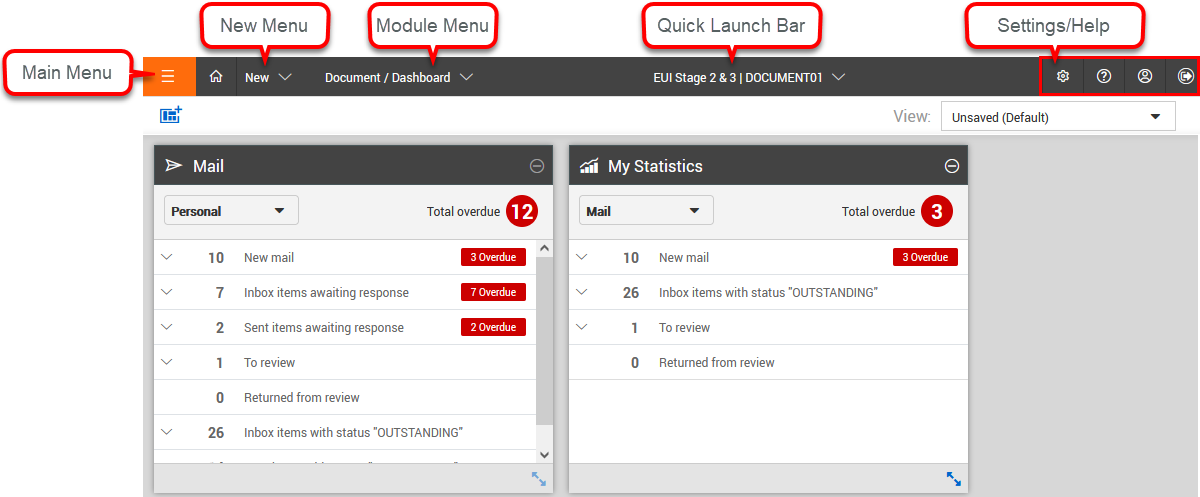
The dashboard consists of several tiles, each displaying key statistics related to your project. You can quickly see how many new items you have and how many are overdue. A helpful feature of the dashboard is that these statistics are interactive—clicking on them takes you directly to the relevant items. The dashboard is fully customizable—you can add or remove tile widgets to tailor the view to your specific project needs.
User Preferences
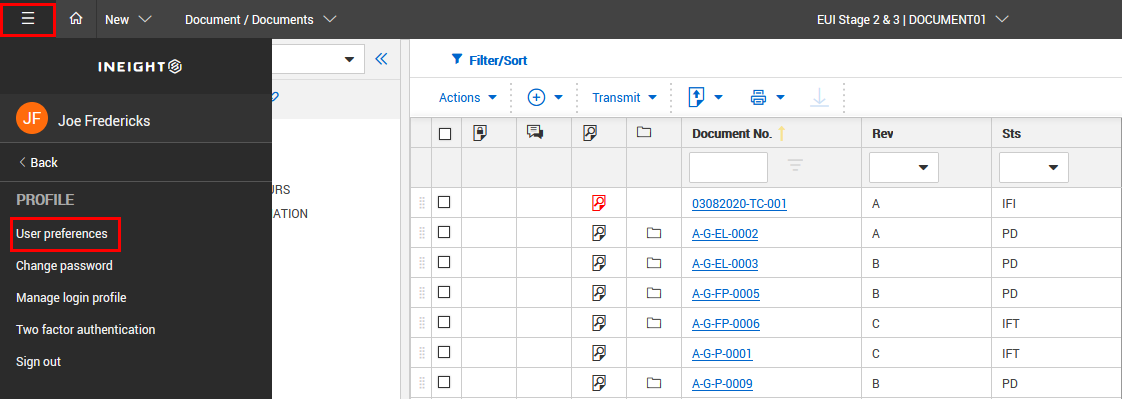
Personalize your workspace by configuring user preferences—so your system works the way you do.
Using the Register
All registers within InEight Document—such as Documents, Mail, Transmittals, and Forms—share a consistent layout and functionality, making navigation and use straightforward across modules.
You can personalize the appearance of your registers to suit your preferences. Additionally, folders are available to help you filter and organize files in a way that aligns with your project’s structure and needs.
Getting Started with Mail
Managing communication and tracking the status of mail items can be challenging—especially on complex projects where thousands of mail may be generated, often containing critical information that requires timely action. The Mail module provides a central location to store and access all project-related mail.
InEight also provides an Outlook Integration tool, if you prefer to access your InEight Document Mail using Microsoft Outlook.
Getting Started with Documents
The Document Register serves as a controlled source of truth for managing project documents. Each document is assigned a unique number and displays the latest unrestrained revision. Column headers show key details such as status, title, discipline, category, and type.
When documents are uploaded, the module validates them against a set of business rules to ensure they include the required information. Each document entry can store one file per format (e.g., DWG, PDF) on a single line in the register.
Getting Started with Forms
Forms are structured documents completed step by step, with different sections filled out by various parties. Each form has a unique reference number and status. The Forms module supports workflow-driven processes to ensure tasks are completed in the correct order. A common example is a Request for Information (RFI), where one party submits a question and another provides a response within the same form.
Getting Started with Transmittals
The Transmittal Module provides a fast, secure, and efficient way to distribute large volumes of documents and revisions related to a project. It eliminates file size limitations and simplifies the process of tracking document distribution across stakeholders.
Reports
InEight Document offers a wide range of reports that provide clear, time-based summaries of your project activity across the various modules.